Hi Community!
New "Coding Talk" video is already on InterSystems Developers YouTube:
⏯ How to Enable Docker and VSCode to Your InterSystems IRIS Solution

InterSystems Data Platform Solutions Open Exchange is a gallery of software solutions, tools, and frameworks which were developed with InterSystems Data Platform (Caché, Ensemble, HealthShare, InterSystems IRIS, InterSystems IRIS for Health) or are intended to help in development, deployment and support the solutions built with InterSystems Data Platform.
You can use any of the published assets or you can publish your own tool, technology example or solution.
Hi Community!
New "Coding Talk" video is already on InterSystems Developers YouTube:
⏯ How to Enable Docker and VSCode to Your InterSystems IRIS Solution
If a picture is worth a thousand words, what's a video worth? Certainly more than typing a post.
Please check out my "Coding talks" on InterSystems Developers YouTube:
1. Analysing InterSystems IRIS System Performance with Yape. Part 1: Installing Yape
Running Yape in a container.
2. Yape Container SQLite iostat InterSystems
Extracting and plotting pButtons data including timeframes and iostat.
What does everyone think about submitting an issue in a repository and then submitting a pull request to fix that issue. Is it an unnecessary step or does it give extra context and logging for the issue? I ask this because when I find a bug in an Open Exchange app, I always submit the Issue and then often submit a Pull Request to fix the issue.
I think that if the repository owner doesn't like your suggested fix, it is helpful to have the issue around so that they can deny the pull request and potentially implement their own change for the issue.
Last time we launched an IRIS application in the Google Cloud using its GKE service.
And, although creating a cluster manually (or through gcloud) is easy, the modern Infrastructure-as-Code (IaC) approach advises that the description of the Kubernetes cluster should be stored in the repository as code as well. How to write this code is determined by the tool that’s used for IaC.
In the case of Google Cloud, there are several options, among them Deployment Manager and Terraform. Opinions are divided as to which is better: if you want to learn more, read this Reddit thread Opinions on Terraform vs. Deployment Manager? and the Medium article Comparing GCP Deployment Manager and Terraform.
Hi Developers!
Here are the release notes of changes we made to InterSystems Open Exchange since the previous release in December 2019. What's new?
See the details below.
Hi Developers!
This is the digest of new solutions and applications submitted to InterSystems OpenExchange in February 2020!
Sudoku game implementation in Excel using InterSystems IRIS as a server
RESTForms2 by Henry Hamon Pereira
RESTForms2 is a framework to create the REST API for InterSystems IRIS persistent objects automatically
FirstLook-Globals by Evgeny Shvarov
Firstlook example of InterSystems Globals
IRIS Interoperability Message Viewer by Henrique Gonçalves Dias
A new approach for the Interoperability Message Viewer
The iKnow Natural Language Processing technology was originally developed in Belgium and then acquired by InterSystems in 2010. In February 2020, InterSystems published the technology to open source, expanding the possible use cases for it beyond embedded use from the InterSystems IRIS Data Platform. iKnow is open to community contributions to enhance the engine, language models and interfaces for use in-text exploration, information extraction, and machine learning use cases.
Hi Developers!
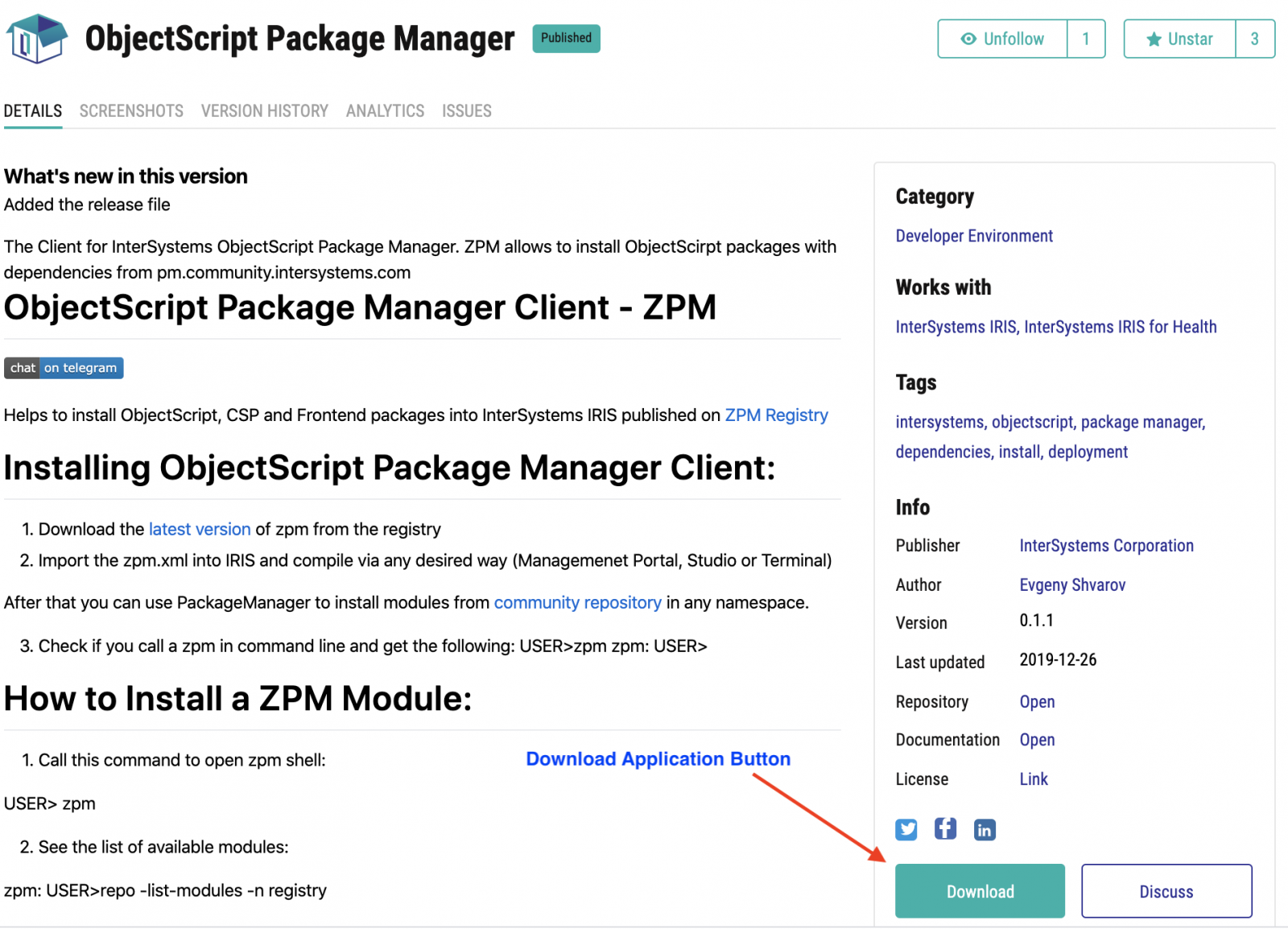
Another way to start using InterSystems ObjectScript Package Manager is to use prebuilt container images of InterSystems IRIS Community Edition and InterSystems IRIS for Health Community Edition.
We deploy this IRIS images on DockerHub and you can run it with the following command:
docker run --rm -p 52773:52773 --init --name my-iris -d intersystemsdc/iris-community:2019.4.0.383.0-zpm
Launch a terminal with:
docker exec -it my-iris iris session IRIS
And install zpm-module as:
USER>zpm

zpm: USER>install objectscript-math

[objectscript-math] Reload START

[objectscript-math] Reload SUCCESS

[objectscript-math] Module object refreshed.

[objectscript-math] Validate START

[objectscript-math] Validate SUCCESS

[objectscript-math] Compile START

[objectscript-math] Compile SUCCESS

[objectscript-math] Activate START

[objectscript-math] Configure START

[objectscript-math] Configure SUCCESS

[objectscript-math] Activate SUCCESS

zpm: USER>
And use same commands for InterSystems IRIS for Health using the tag: intersystemsdc/irishealth-community:2019.4.0.383.0-zpm
The images are being published on IRIS Community Edition and IRIS Community Edition for Health repositories of Docker Hub.
We will update tags with every new release of IRIS and ZPM.
Happy coding!

Dasha.AI is a platform that allows you to create and manage voice interfaces for your applications. One of Dasha’s distinctive features is that most users believe they are talking to a human, not a robot.
Voice is the most natural way for people to interact. Dasha allows to use voice interface to interact with your application as naturally as communication between people.
The voice interface cannot completely replace the traditional user interface of the application, but some tasks could be perfectly solved with the help of the speech interface.
Hi Community!
As you know we launched the InterSystems Open Exchange — the marketplace for solutions and tools on InterSystems Data Platforms!
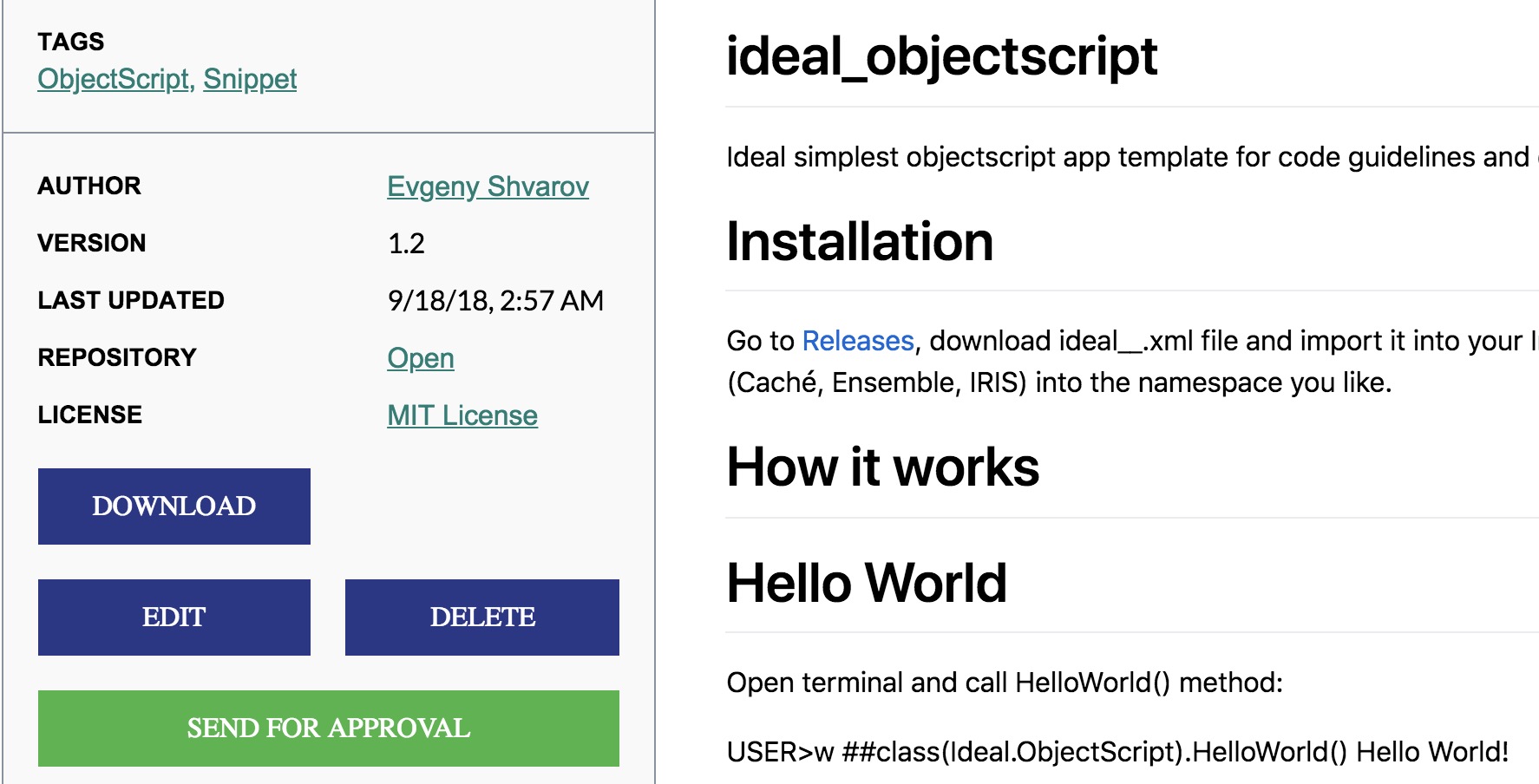
But how to publish your application on OE?
Before we start, let me answer the few basic questions.
AnalyzeThis is a tool for getting a personalized preview of your own data inside of InterSystems BI. This allows you to get first hand experience with InterSystems BI and understand the power and value it can bring to your organization. In addition to getting a personalized preview of InterSystems BI through an import of a CSV file with your data, Classes and SQL Queries are now supported as Data Sources in v1.1.0!
Hi Developers!
This is the digest of new solutions and applications submitted to InterSystems OpenExchange in January 2020!
OUReports by Irina Yaroshevskaya
Online reporting tool for InterSystems IRIS. Online User Reports - automatically analyzes data - generates automated reports - provides interface for ad hoc reports - conducts statistical research. Learn more on OUReports.com
Samples-Aviation by InterSystems
Provides sample data for use in exploring InterSystems IRIS Text Analytics capabilities.
objectscript-package-example by Evgeny Shvarov
ObjectScript Package example with a simplified folder structure to edit/compile/collaborate with InterSystems IRIS, Docker and Github.
Reducing Readmission Risks with Realtime ML by Amir Samary
Patient Readmissions are said to be the Hello World of Machine Learning in Healthcare. We use this problem to show how IRIS can be used to safely build and operationalize ML models for real time predictions and how this can be integrated into a random application.
REST Business Activity Monitoring by Stephen Pisani
Send IRIS Business Metrics to a REST Endpoint, or host a REST API to retrieve Business Metric values
eXTreme for IRIS / Caché Example by Iryna Mykhailova
A console .NET application which shows how to access, create and store globals from a .NET application using eXTreme.
zpm-dockerhub by Evgeny Shvarov
repository for publishing zpm enabled images for InterSystems IRIS via Github Actions
DeepSeeButtons is available on Open Exchange! This tool will generate a diagnostic report of your DeepSee environment.
The report consists of multiple sections. These sections range from System Details to Caché/InterSystems IRIS logs to Cube information. In addition to simply providing information about the environment, some common recommended configurations are checked. If a recommended configuration is not used, an alert is displayed highlighting that the environment configuration does not match the recommended configuration.
Hi Community!
New "Coding Talk" video is already on InterSystems Developers YouTube:
⏯ How to Install and Use ObjectScript Package Manager with InterSystems IRIS
Hi Community,
New video, recorded by @Eduard Lebedyuk, is available on InterSystems Developers YouTube:
⏯ Python Gateway: Jupyter Support - extended
Hi Developers,
2019 was a really great year with almost 100 applications uploaded to the InterSystems Open Exchange!
To thank our Best Contributors we have special annual achievement badges in Global Masters Advocacy Hub. This year we introduced 2 new badges for contribution tothe InterSystems Open Exchange:
✅ InterSystems Application of the Year 2019
✅ InterSystems Developer of the Year 2019
We're glad to present the most downloaded applications on InterSystems Data Platforms!
Hi Developers!
Recently we published on Docker Hub images for InterSystems IRIS Community Edition and InterSystems IRIS Community for Health containers.
What is that?
There is a repository that publishes it, and in fact, it is the same container IRIS Community Edition containers you have on official InterSystems listing which have the pre-loaded ObjectScript Package Manager (ZPM) client.
So if you run this container with IRIS CE or IRIC CE for Health you can immediately start using ZPM and install packages from Community Registry or any others.
What does this mean for you?
It means, that anyone can deploy any of your InterSystems ObjectScript application in 3 commands:
It is safe, fast and cross-platform.
It's really handy if you want to test a new interesting ZPM package and not harm any of your systems.
Suppose, you have docker-desktop installed. You can run the image, which wiil pull the latest container if you don't have it locally:
Hi Developers!
Many of you are looking for samples on how to work with InterSystems IRIS Analytics, formerly known as DeepSee.
There is a Samples BI module with Patients and Holefoods examples which is available on Github with source code. The installation steps are clear but take time.
Recently we added the option to run IRIS Community Edition containers with ObjectScript Package Manager (ZPM) on board. This simplifies the installation to the "run-one-command" step for the modules submitted to ZPM Community Registry. And thus we can benefit the Samples BI installation with ZPM.
And here is how you can run it on your laptop. Let's go!
Hi Developers!
Often when we install a code package we want to make some post-install settings, e.g. call to a method, set up a configuration file.
This article describes how to do this with the ObjectScript Package Manager.
To make any post-install calls you need to add <Invoke> elements into <Invokes> tag to the module.xml. Each <Invoke> element can have nested <Arg> elements if you want to pass params to the method:
<Invokes>

<Invoke Class="Class.Name1" Method="MethodName1">

<Arg>Sting Value</Arg>

<Arg>123</Arg>
</Invoke>

</Invkoes>
Here is an example module.
Hi Developers!
I'm pleased to announce that ObjectScript package publishing is now generally available on Open Exchange with this November 2019 release!
If you want your ObjectScript application to be published in ObjectScript Package Manager just enable "Publish in Package Manager" option:
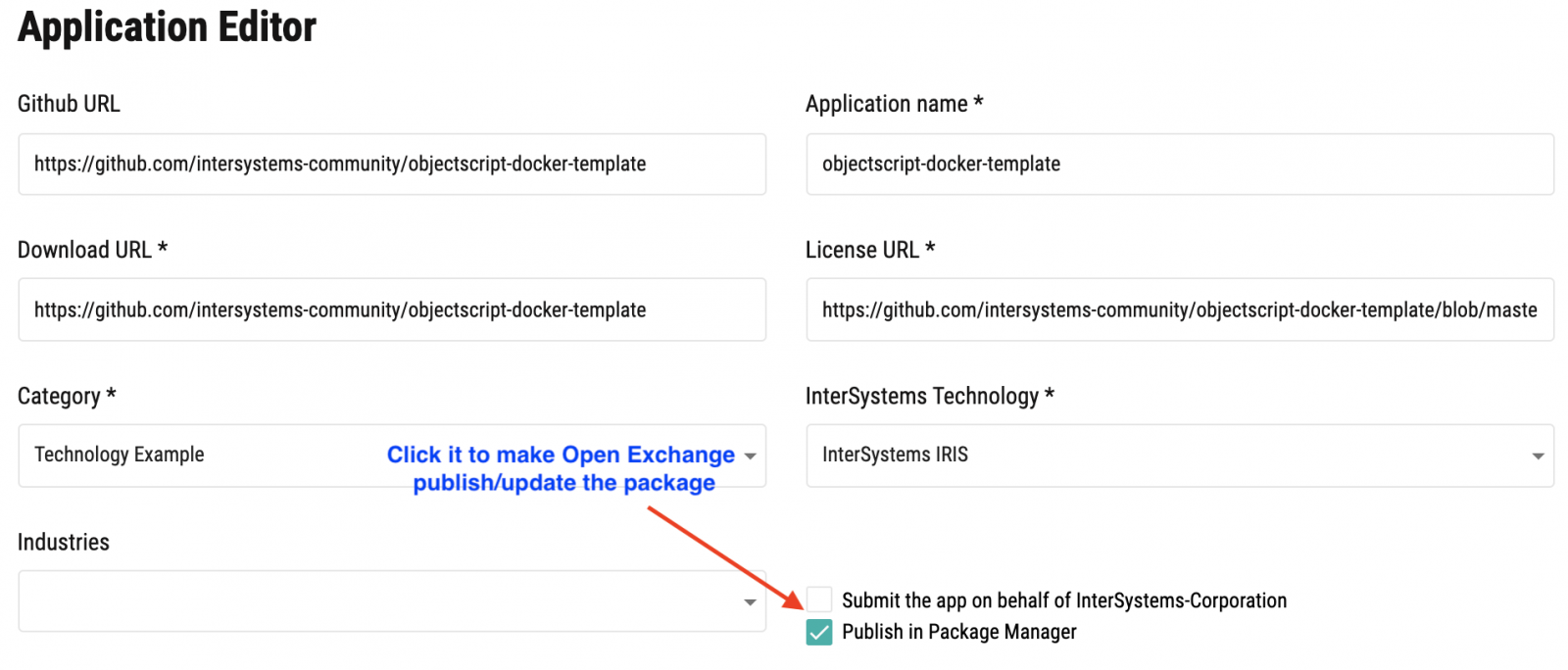
And send the app on approving.
Once the application is approved it will be published automatically in ObjectScript Package Manager Registry and will be available for installation via ZPM client.
See the details below.
Hi Developers!
In previous articles, we spoke on how to publish your application. But how to make Open Exchange work its best for your application?
What do you want for your application on Open Exchange? It is attention (traffic) and downloads.
Let's talk about how Open Exchange can deliver this.
Hi Developers!
Suppose you published your application on Open Exchange with version 1.00. And then you've added a new outstanding feature and you make a new release.
You can also make a new release of your application on Open Exchange.
Why make releases on Open Exchange?
This the way for you to highlight the new features of your application. When you publish a new release the following happens:
Release notes appear on the News page of Open Exchange
The version of your app changes
Version History tab is updated
All the followers of you, your application or your company receive an email notification.
Hi Developers!
Many of you work in the companies which produce tools, solutions, frameworks on InterSystems Data Platforms.
You can list your Company on Open Exchange to have an option to publish tools, solutions, and frameworks on behalf of your Company:
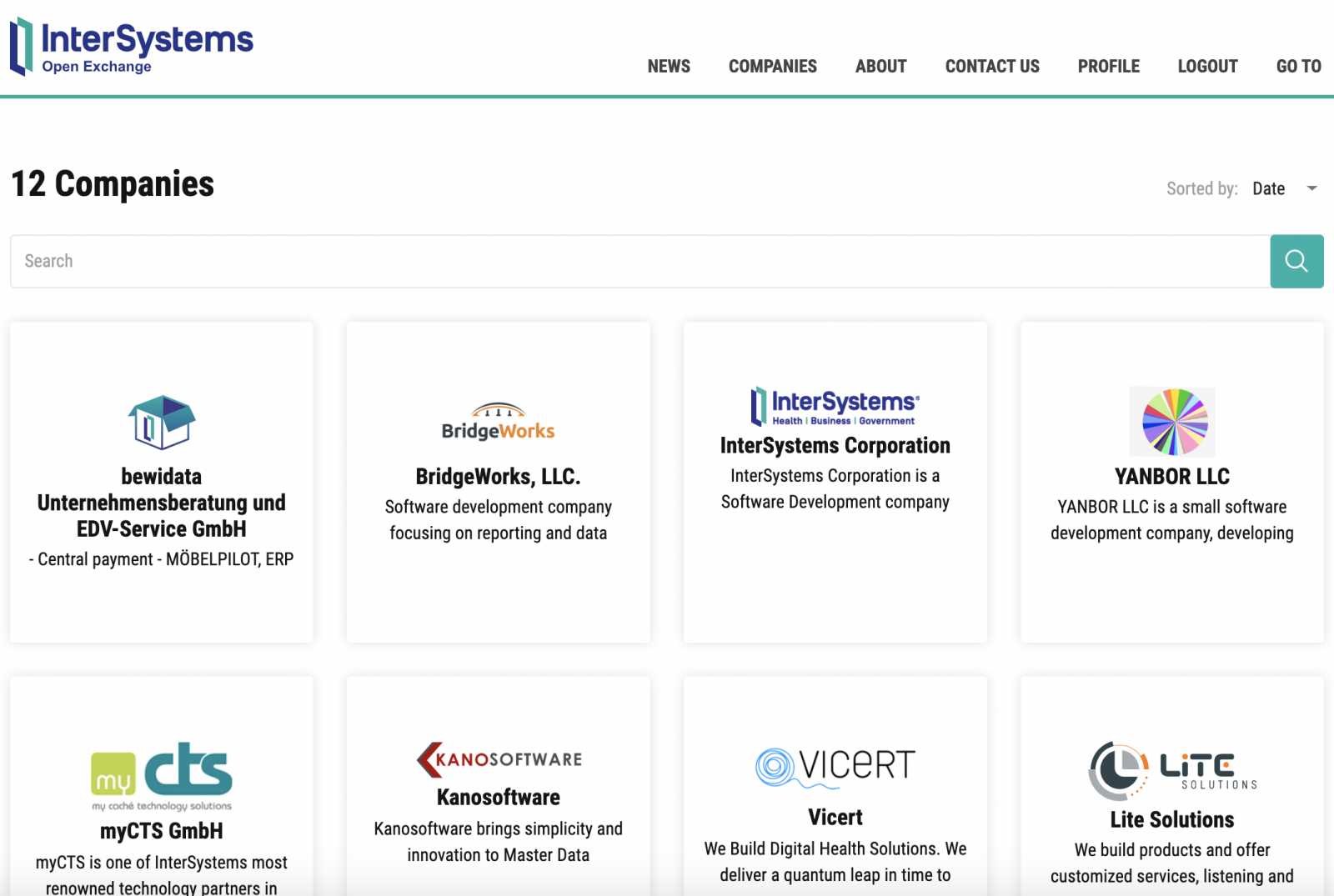
This article describes how to do that.
Hi Developers!
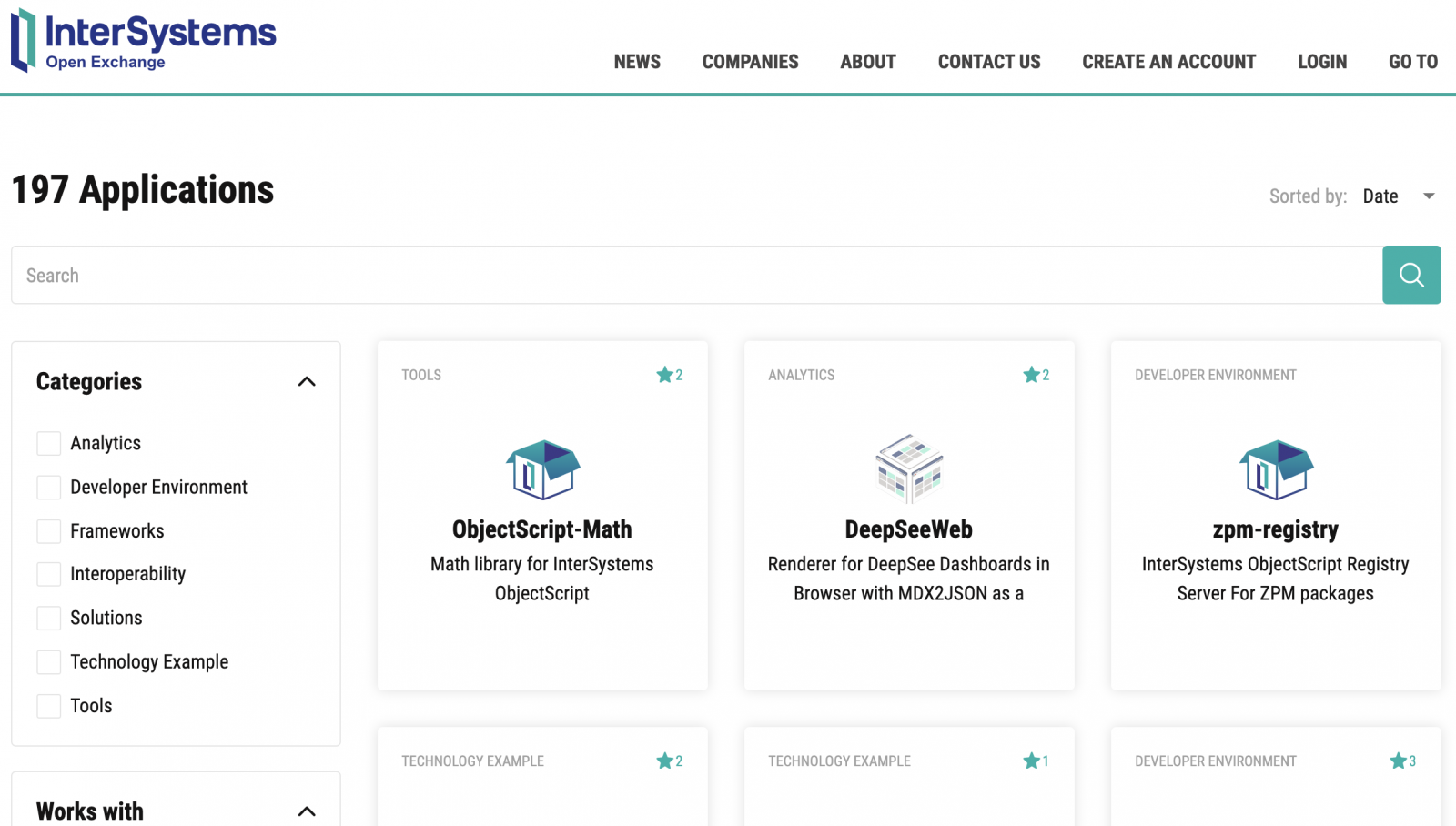
Recently we updated the design of Open Exchange and I want to describe how you can find the solutions you are interested in.
Applications Catalog
The first thing you see is the catalog of published applications, tools, and solutions.
Hi Community!
Thank you for being a part of the InterSystems Open Exchange! We want to know what you like about Open Exchange and how we can make it better in 2020.
Could you please go through this short survey which will let us know what do you think.
➡️ Open Exchange Survey 2019 (2 minutes, 7 questions)
Have you ever needed a math function but could not find what you needed and ended up writing your own? Look no further! ObjectScript-Math is here to solve all your math related function needs.
ObjectScript-Math is an Open Source library for ObjectScript Math functions. It is now available on Open Exchange. This library contains a mix of new functions that are not currently available and functions that are available. The existing functions will be wrapped for use from ObjectScript-Math so that all Math functions can have a central location.
This library will continue to grow, so give it a try and give your feedback!
Don't see what you are looking for? Please feel free to submit requests for additional functions or contribute code yourself!
Hi Developers!
This is the digest of new solutions and applications submitted to InterSystems OpenExchange in December 2019!
Math library for InterSystems ObjectScript
Author:@Peter Steiwer , OEX Profile
Sample for %JSONExport against a class with Many to Many Relationship
Author:@Peter Steiwer , OEX Profile
InterSystems ObjectScript zpm-registry
Server-side hosting service for ObjectScript packages installable via ZPM client.
Author: @Evgeny Shvarov, OEX Profile
Publisher: InterSystems Corporation
SUDOKU game written in InterSystems ObjectScript
Author: @Robert Cemper, OEX Profile
Sample DeepSee Portlets showing different ways to implement custom widgets
Author:@Peter Steiwer , OEX Profile
Advent of Code ObjectScript Docker Template
A simple template to craft Advent of Code with ObjectScript in InterSystems IRIS
Author: @Evgeny Shvarov, OEX Profile
Ingestion Speed Test
Shows how IRIS can ingest thousands or millions of records per second while allowing for queries on the same cluster. Works on a single IRIS instance or on an IRIS cluster on the cloud.
Author: @Amir Samary, OEX Profile
With this class, you could simulate Game of Life world that John Conway invented in 1970. We can see how John Conway universe evolves in our terminal
Author: @Jose-Tomas Salvador, OEX Profile
In the previous part of this series, we saw how to reference a web page that will enhance our dashboard experience. Now we will look into referencing data that is already in our cubes.
In this example, we will be referencing the controller object and we will be extracting data from it. This data will then be displayed as text in our Dashboard. In Part 5, we will show how to incorporate this data into other charting libraries.
The controller object contains data from an MDX result set.
Hi!
I am wondering how I can test that my application can be installed through ZPM before I publish it to Open Exchange. How can I accomplish this?
Peter
who has tried "python gateway" in OpenExchange, could you please tell me how to execute code in a local .py file? a cusotmer engineer ask me the question while I don't have time to study it yet. Thank you very much.
The simple answer is: a custom widget. A portlet can exist by itself on a DeepSee dashboard, it can be used along side standard DeepSee widgets, or along side other portlets. The rendering of the custom widget is completely user defined. This means you can embed a web page, create a form to perform any sort of action needed based on the data on your dashboard, use third party charting libraries, or simply display data from outside of a DeepSee cube.