#Development Environment

5 Followers · 381 Posts

An integrated development environment (IDE) is a software application that provides comprehensive facilities to computer programmers for software development.

The official IDE for InterSystems Data Platform products is Atelier.

Announcement Raj Singh · Sep 1, 2020

Hello Developer Community!

I’m pleased to announce the 0.9 release of the ObjectScript extension for Visual Studio Code. Earlier this year I announced that InterSystems would be joining the community in evolving this already popular tool. Since then, we have been hard at work solidifying the code base and building a slew of new features.

9
2 944
Article Nicole Aaron · May 29, 2018 1m read

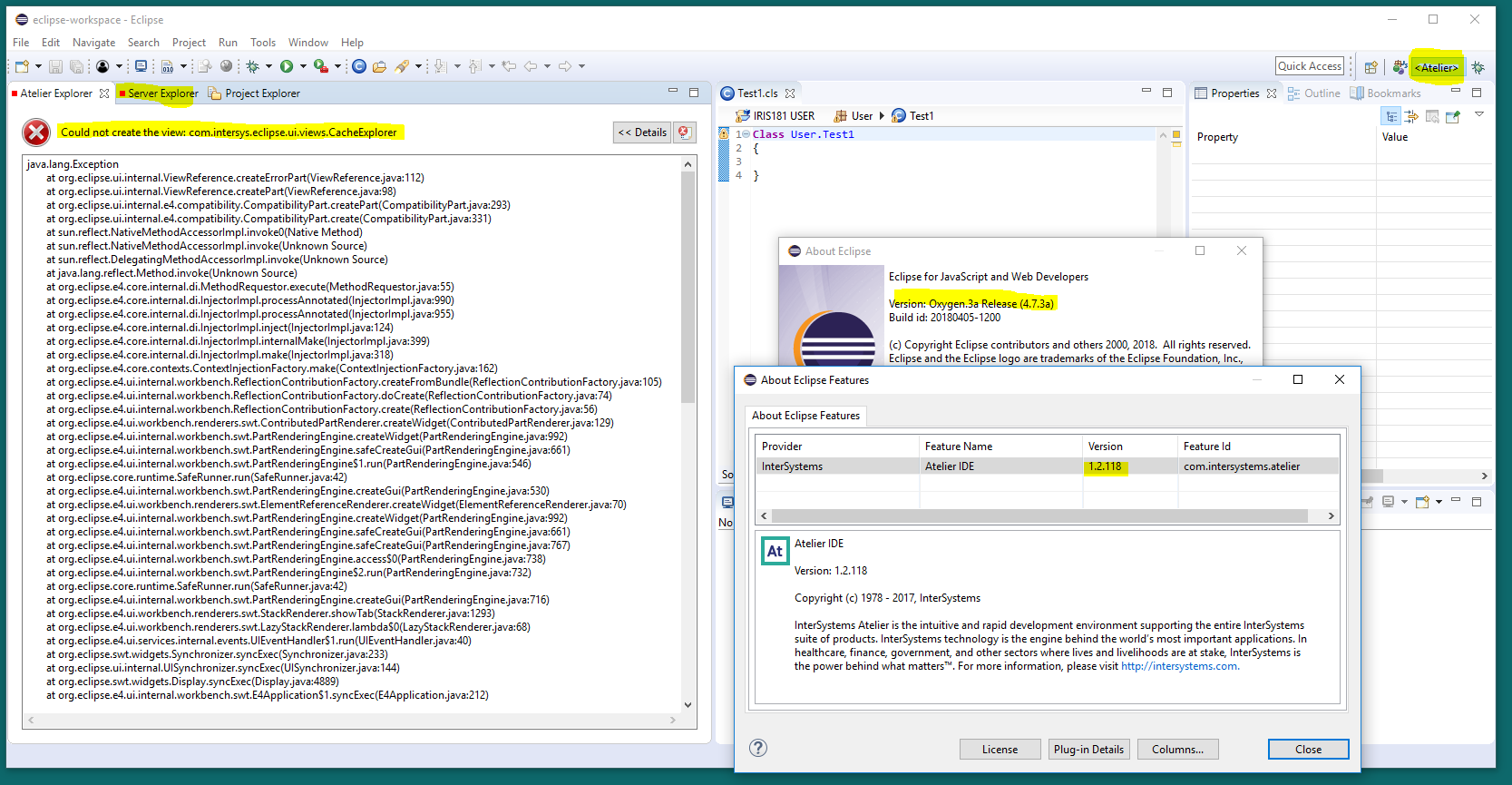
The Eclipse environment persists perspective data to enable layout customization and other features. Sometimes when this data becomes out of date, Eclipse fails to clear references to it. For example, upgrading a plug-in can leave behind data about an earlier version of that plug-in. This mechanism applies to all Eclipse plug-ins and is not unique to the Atelier plug-in.

In light of this: You may find that after upgrading from Atelier 1.1 to 1.2, your Atelier perspective looks something like:

2
0 1060
Discussion Dmitry Maslennikov · Sep 4, 2020

The use of Source Code Control systems in development is important. And there are a few systems known in the world, like GIT, SVN (Subversion), Perforce, Mercurial. Where the most popular nowadays is the git. Using it is very useful in many cases, but mostly it depends on the code as text, which can be compared between commits, branches, or versions of releases and so on. 

0
0 375
Question Đặng Phú Lộc · May 28, 2020

Hi everyone,

I have an existing application on HealthShare 2015 and decide to move it to HealthShare 2018 to make use of Atelier support. I am using Eclipse Photon with Atelier Plugin 1.3.

Most of things are working better on Atelier comparing with Built-in studio of HealthShare. However, when I tried debugging CSP file with Atelier I encounter 2 problems:

1. 

From a CSP file, I can open the generated *.INT file without any problem. But when I open the generated *.cls file it shows me the error:

1
0 423
Article Robert Cemper · May 14, 2020 1m read

Allow limited durability for demo and development IRIS-Docker-micro-Durability During development of a container based demo I found the need to access a fresh docker
an instance of IRIS image (e.g intersystems/iris-community:2020.2.0.199.0) over and over.
To bypass loading my code repeatedly, I developed this workaround.

Docker support

The principle of a persistent IRIS database outside the container is unchanged.
But now the whole setup is moved into Dockerfile and docker-compose.yml

Prerequisites

Make sure you have git and Docker desktop installed.

Installation

0
1 376
InterSystems Official Raj Singh · Apr 12, 2020

I’m excited to announce that InterSystems will be joining the open source community for InterSystems ObjectScript extension to Visual Studio Code. Early this year I posted that we were on a journey to redefine the future of our IDE strategy, and what came out of that is Visual Studio Code is the IDE that can support that future. It’s fast, stable, feature-rich, and built on a modern technology architecture that affords us the ability to offer you far more functionality around your ObjectScript activities than ever before, particularly in the area of DevOps, continuous development, and

3
6 1883
Announcement Dmitry Maslennikov · Mar 4, 2019

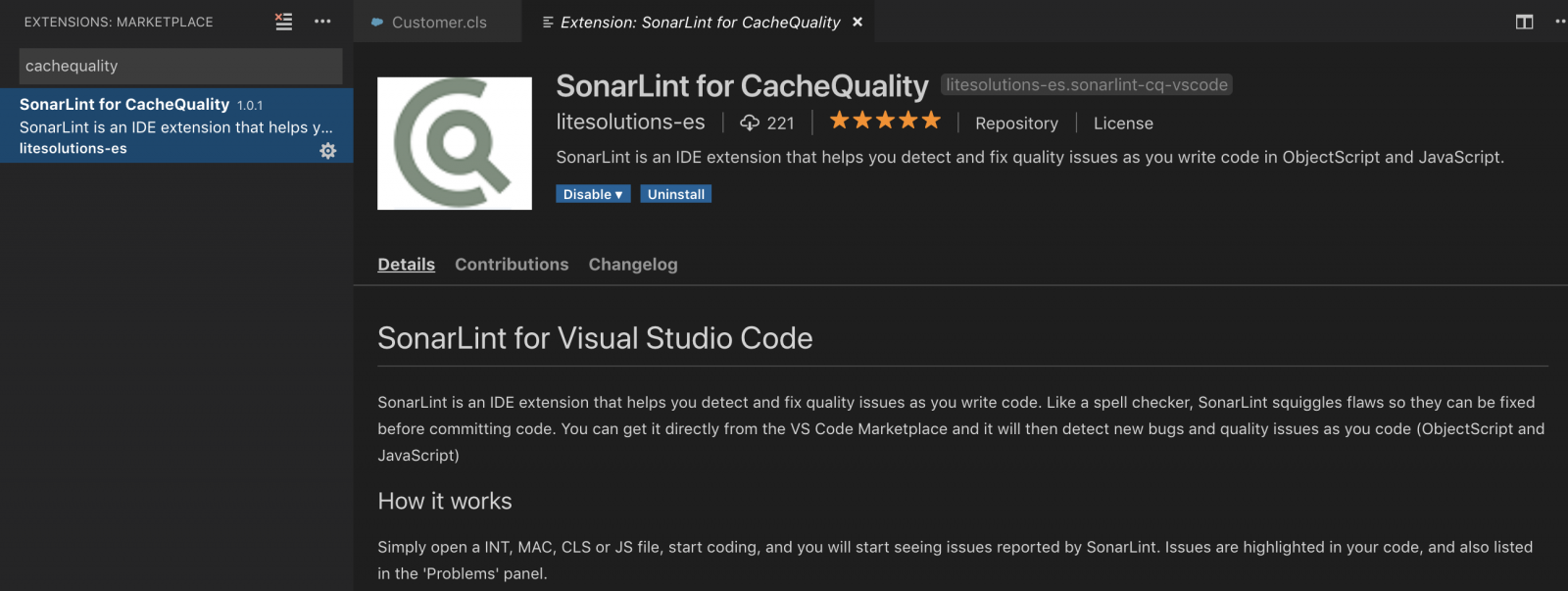
Hope most of you already familiar with project CachéQuality from @Daniel.Tamajon. For those who don’t know about it, it is a static syntax analyzer for your code written for InterSystems products. It may help you to find and solve many different types of issues in your code, and even possible bugs before clients will find it in production. So, with help of CachéQuality you will be able to deliver a better product. You can find the complete list of rules used to check ObjectScript code here.

It was already available in Studio. And now it is also available in VSCode.

41
1 2300
Announcement Dmitry Maslennikov · Mar 27, 2020

I am glad to say that VSCode-ObjectScript reached 4000 installs. Thanks to all of you who use it in their work.

VSCode-ObjectScript is an extension for VSCode which allows you to develop InterSystems based applications on ObjectScript using the modern code editor developed by Microsoft. Choice #1 editor amongst all developers worldwide by Stackoverflow survey 2019.

Some short notes about how to install and configure it you can find here.

If you need any help with a migration process of your development team to VSCode, please contact us by info@caretdev.com.

3
0 368
Article Mathew Lambert · Feb 21, 2020 1m read

I was searching for the most simple way to connect from visual studio code to my local instance via terminal without having to change any window.

I know this can also be achieved via telnet but seems a bit overhead if you're in your local machine.

For me the simplest sollution is to open a terminal window in VS Code, navigate to the /bin folder of your instance installation and run .\csession.exe INSTANCENAME

For simplicity you can just include your /bin folder in your path so you don't even need to navigate there

1
1 1367
Announcement Dmitry Maslennikov · Sep 9, 2019

Hi all, it's finally time for the next release of VSCode ObjectScript extension. So what's new in this release.

  • Debugging support, for classes, routines and attach to a running process
  • Files in Server Explorer now can be edited

  • Added more details about connection errors

  • Improvements in Server Explorer build tree

  • Fixed memory leak when exporting large amount of files
  • Server view can be opened in explorer as virtual file system with schema `isfs://`
  • Option to suppress popup information message about successful compile, ("objectscript.suppressCompileMessages": true)
  • Export, addCategory setting have more flexibility in naming category for exported items
  • Formatting for commands and functions, as Word, UPPER or lower
  • Some improvements in syntax highlighting
  • Some other small fixes
16
3 1786
Question Jeffrey Drumm · Jan 7, 2020

I'm currently working with a developer to add IRIS/Caché functionality to his HL7 analysis tool that would allow its users to extract messages directly from the Ensemble message store. IRIS for Health Community Edition has been a great aid in debugging this, but I keep banging into the 5 connection license limit with Studio, the Management Portal, an IRIS terminal session and a client database connection using either ODBC or ADO.NET. I end up having to close or log off something to be able to continue testing, and in some cases terminate processes that remain open (possibly the fault of the

1
1 725
Question Thembelani Mlalazi · Aug 9, 2018

I am having trouble configuring the environment in eclipse have download eclipse  for java script and web developers  followed the video but could not connect to the server I have my Apache server 7.0 added to the java environment and I can start and stop the server through eclipse IDE but when I fire atelier and add server I get the above error any help please .This is the first time I am trying to use the plug in through eclipse .Just in case There is another installation I need to do please advice but I am guessing something to do with atelier not seeing my configurations or permissions I

7
0 950
Announcement Dmitry Maslennikov · Feb 17, 2019

I'm pleased to announce the latest version of extensions for ObjectScript. Just a month has gone since my latest update, and I already have something new to show.

Important. In this version connection to the server will be disabled by default. You have to activate connection through the settings:"objectscript.conn.active" = true.

12
1 1159
Announcement John Murray · Sep 20, 2019

In time for InterSystems Global Summit 2019 we at George James Software are pleased to offer a cloud-hosted evaluation environment where you can work with Serenji in Visual Studio Code, editing and debugging ObjectScript in a sandbox running InterSystems IRIS 2019.3 Community edition.

You can do it all from your web browser. Nothing will be installed on your workstation, nor will any settings have to be changed on it.

To take Serenji for a test drive please visit https://georgejames.com/dc-gitpod

2
1 411
Article Ben Spead · Sep 30, 2019 2m read

Every developer has made the mistake of accidentally leaving temporary debug code in place when they meant to remove it after debugging is complete.  The great thing about writing in ObjectScript is that there is a way to make temporary code be truly temporary and automatically self-destruct!   This can also be done in such a way that the code has no change of making it into your source control stream, which can be helpful as well.

1
0 493
Question Mathieu Van Sevenant · Sep 13, 2019

Hello everyone :-)

I would like to update Atelier from version 1.0.262 to the 1.3 one. So I clicked on Help --> Check for updates, and I get these first error messages:

"No updates were found in available software sites."

"Some sites could not be found. See the error log for more detail." etc. cf picture below talking about Proxy Authentication.

So I checked those available software sites (tried until now) and also the proxy settings that I am used to work with:

Then I changed the "Active Provider" from Native to Manual with the proxy settings got from a system administrator :

5
0 562
Article Evgeny Shvarov · Jul 13, 2019 2m read

Hi guys!

Was coding today with InterSystems IRIS in a docker container and decided to share with you the commands you may find useful in everyday coding.

# docker-compose build

command to build a container. Remember, it is useful if you have dockerfile in the repo.

if the build is successful call the following to launch it:

# docker-compose up -d

Find IRIS management portal on:

localhost:port/csp/sys/%25CSP.Portal.Home.zen?$NAMESPACE=%25SYS

where the port is what you set in docker-compose.yml - 52775 in this case.

Run the following if you want to launch a terminal session inside IRIS container:

# docker-compose iris iris session iris

gfhj gj 


sdfdsfsdf


USER>

And run the following to shut down the container:

# docker-compose down

Troubleshooting

4
4 731
Announcement John Murray · Sep 6, 2019

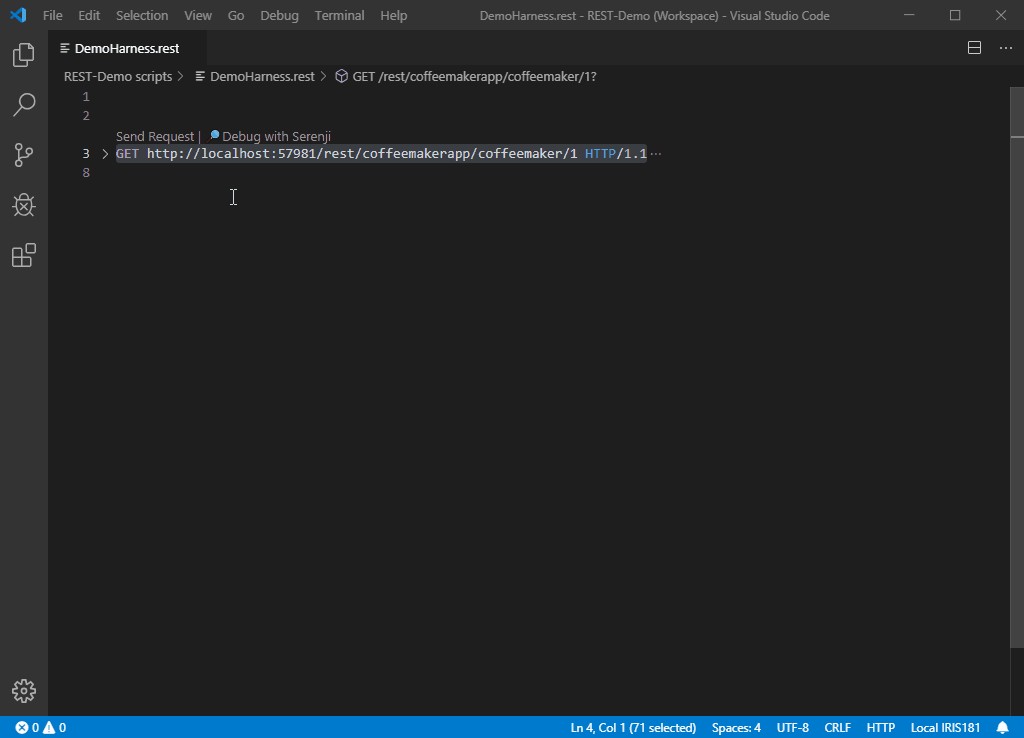
We've just published an update to the Serenji extension for VS Code. Starting with this version (3.0.7) you can now debug the code that implements your REST services. Here's a taster:

Read more about Serenji on Open Exchange.

0
2 554
Article Richard Zimmermann · Aug 21, 2019 2m read

Hello everyone,
After some work with IRIS we want to share our ToolBox-4-Iris with you.

What is this about?

The ToolBox-4-Iris is an API for IRIS with a collection of handy and useful tools - features that are not available in IRIS, but greatly simplify application development. To save time and effort on the "typical tools" that every developer needs. This includes additional classes, individual methods or even more efficient macros, which are described in the respective packages.

Content

Macros
General ObjectScript macros, Status macros, National Language Support macros, and JavaScript macros.

3
1 490
Announcement Dmitry Maslennikov · Jun 10, 2019

Hi all, I have released the latest version of VSCode extension for ObjectScript already a month ago, and finally a time for the info about this new release.

So, what's new in the release:

What's new in this version

  • added export setting "objectscript.export.addCategory" if enabled uses the previous behaviour, adds category folder to export folder, disabled by default
  • added Server actions menu, by clicking on server info from status bar. Open Management portal, Class Reference and toggle connection.
  • Class Suggestion in ##class, Extends, As, CompileAfter, DependsOn, PropertyClass
  • $SYSTEM suggestion by Classes from %SYSTEM
  • Import and compile folder or file by context menu in File Explorer
  • Server Explorer, now possible to open any other namespace
  • Macros suggestion

For details how it works now, look further.

14
5 1057
Question Evgeny Shvarov · Aug 3, 2019

Hi developers!

Every day coding with IRIS and docker I call the following 3 commands in VSCode terminal. Always the same for any projects:

docker-compose build   ; to build the container

docker-compose up -d   ; to run the IRIS in container

docker-compose exec iris iris session iris ; to open the IRIS terminal

Is there any way to map the key sequence which will type me the rest? 

e.g.

irisb for docker-compose build,

irisup for docker-compose up -d,

irist for docker-compose exec iris iris session iris

I know and use keyboard sequences for mac, but it doesn't work in VSCode terminal :/

2
0 573
Announcement John Murray · Apr 1, 2019

We at George James Software are pleased to announce that our acclaimed code debugger and editorSerenji is now available as a Visual Studio Code extension.

As well as supporting the latest InterSystems IRIS platform Serenji also works with earlier platforms, including versions lacking the server-side Atelier API support required by other VS Code extensions.

Serenji connects you directly to the code in your namespaces, resulting in an experience more familiar to existing Studio users. No need to export and import classes and routines.

We believe Serenji is the first extension to bring VS Code's powerful debugging features to ObjectScript developers.

13
3 1430