#Dashboards

8 Followers · 96 Posts

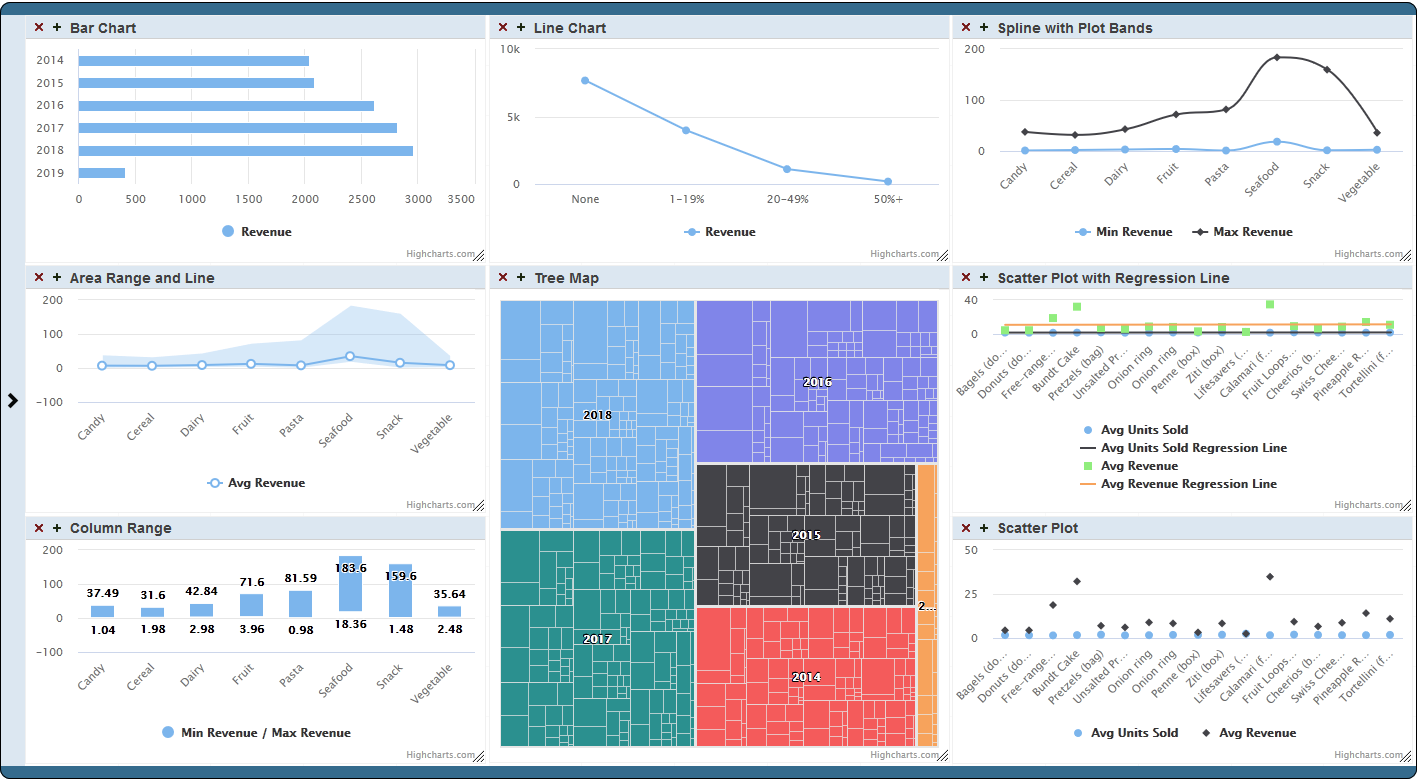
DeepSee Dashboard is a web application which displays a set of widgets where every widget is displaying a particular measure or the pivot.

Documentation.

Article Muhammad Waseem · Feb 22, 2022 5m read

Hi Community,

This post is a introduction of my openexchange iris-python-apps application. Build by using Embedded Python and Python Flask Web Framework
Application also demonstrates some of the Python functionalities like Data Science, Data Plotting, Data Visualization and QR Code generation.

image


 Features

  •  Responsive bootstrap IRIS Dashboard

  •  View dashboard details along with interoperability events log and messages.

  •  Use of Python plotting from IRIS

  •  Use of Jupyter Notebook

  •  Introduction to Data Science, Data Plotting and Data Visualization.

  •  QR Code generator from python.

1
0 6745
Article Evgeniy Potapov · Feb 3, 2022 2m read

Maybe someday you will need to use Adaptive Analytics but there is little information about this, so I decided to write an article on how to start developing a dashboard on Tableau using the Atscale cube.

PC preparation

You need a driver to connect. I use Cloudera Hive. You can download the driver from the official site:
https://www.cloudera.com/downloads/connectors/hive/odbc/2-6-1.html
Registration is required, and you can do it right there for free. You also need to know your OS and bit depth in order to choose the right version for download.
Installation is simple, no explanation required.

Prepar

0
0 689
Article Evgeniy Potapov · Jan 14, 2022 1m read

I'm happy to share with the community a web server log dataset from our longtime customer, an operating company.

Their webserver operates on Apache webserver and contains data which can be useful to analyse a load and search engines activity.

After installing the project, you will get the data for a few months that can show a typical load and activity of clients, robots and also you can see how it depends on day of week, holidays and time of a day.

The Cube is also included in package.

So you can use my previous project (Promjet-Stats) and see dataset in dashboards.

To make that you shoud install

0
0 767
Article Henrique Dias · Aug 20, 2019 2m read

Hi, everyone!


I want to share a personal project that started with a simple request at work: 

Is it's possible to know how many Caché licenses we are using? 

Reading other articles here in the community, I found this excellent article by  David Loveluck 


APM - Using the Caché History Monitor
https://community.intersystems.com/post/apm-using-cach%C3%A9-history-monitor

So, using David's article, I started using Caché History Monitor and to show all that information. 

When facing the question: Which cool tech should I use? 

My decision was CSP, simple and powerful, so the customer that I'm working for

24
8 2405
Article Oliver Wilms · Sep 11, 2021 5m read

I regret getting a late start in the InterSystems Analytics contest. I had tried a couple of times before to use Analytics, but I had not gotten too far. I have been recording financial transactions in Excel workbook ever since I had to retire Microsoft Money. Since my iris-for-money was not fully functional, I created a worksheet per account I was tracking. I had developed a CSP page in iris-for-money to import transactions by reading a CSV file. I realized this process requires escaping many characters that can cause the process to fail.

One week ago I realized I had just two days left to

1
0 345
Question David Hockenbroch · Jul 20, 2021

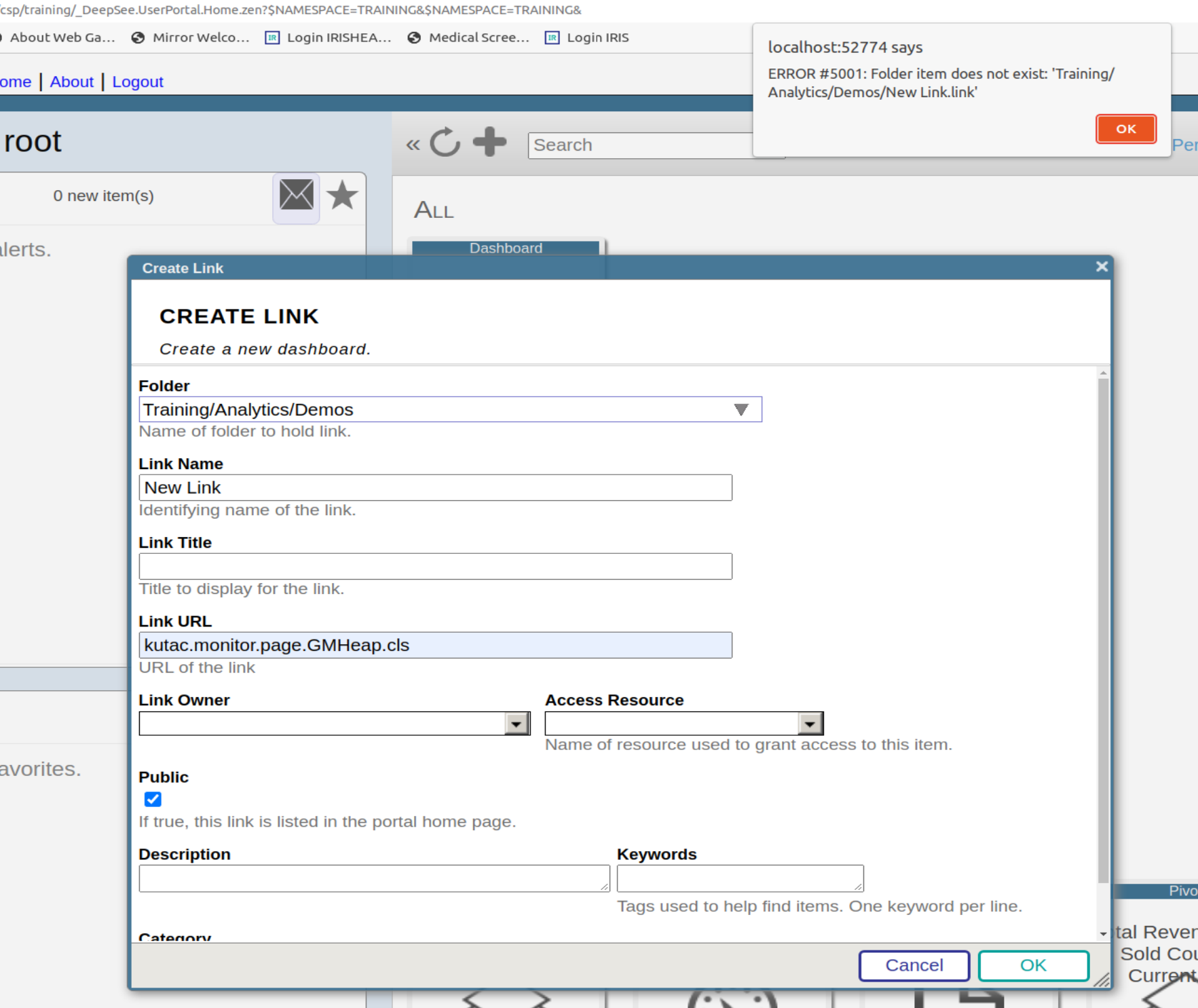
I work on an ERP system and am trying to set up a dashboard according to a customer request. It's a pivot table with a few controls and filters, nothing too difficult, but I'm having some issues with drill down.

We've got item sales data.Quantity sold, sales dollars, cost, gross profit as both dollars and a percentage.It's starting out with one row per item.From there, we can drill down to see which salesmen have sold that item and get all of those numbers for each salesman.

3
0 290
Question Krishnamuthu Venkatachalam · Mar 26, 2021

Dear Folks,

I have recently studied deepsee and developed few dashboards needed for our web app users. I am trying to embed them in our existing web app which uses angular with delegated user access. I need to embed the native IRIS dashboard into it. ( I can't use Highcharts or any other js tools). 

How do I setup the dashboards to work with delegated authentication (Without providing access to management portal or other parts) ? Also should I use the default csp/{Namespace}/_DeepSee.UserPortal.DashboardViewer.zen? or any other web application URL ?

Thanks

1
0 261
Article Henrique Dias · Jan 27, 2021 2m read

The pandemic that struck the world in 2020 made everyone follow the news and the numbers that involve the COVID-19.

Why don’t you take that opportunity to create something simple and pleasant, to follow the number of vaccinations worldwide?

To face this challenge, I'm using the data provided by Our World in Data - Research and data to make progress against the world’s largest problems.

They have a dedicated repository on Github with the data of COVID-19, and I took the vaccination data to help me with my tracker.

If you didn't know the guys, check it out, it well worth your time. Github

4
0 466
Article Sam Duncan · Dec 2, 2020 2m read

InterSystems IRIS Business Intelligence provides the Cube Registry as an interface for managing and scheduling build and synchronize tasks for your cubes. The Cube Event Monitor is a new tool on Open Exchange to help you keep track of those events' status and performance, the number of records being updated, and any build errors (errors when processing individual records) that have occurred. The tool consists of the following components:

  • Two IRIS BI cubes – one for tracking Cube Registry events and the other for tracking build errors
  • Dashboards as an interface to view those cubes’ data
  • Two
1
1 457
Article Jin Kim · Mar 19, 2020 10m read

Hi Developers and Interface Engineers!

I'd like to share with you how you can help your organization today obtain a better understanding of key message processing metrics (i.e. average message processing times, number of inbound messages, number of outbound messages, etc.)! Given the embedded IRIS database powering integration, you already have all the data you need -- you just need to put the data to use and present them in a user-friendly format!

Let me walk you through a sample implementation of an operational analytics dashboard that has served as a template for many organizations using

3
1 859
Question Tim Miller · Jul 24, 2020

Good morning all,

Could we please get some insight on what is possible (or what other organizations may be using) for tracking uptime for our HL7 engine?  We can use Activity Tracking to show how many messages went through, but are there any good canned reports (or queries) about the number of message failures or the amount of time that an interface was down?

We are using alerting to the team to know about not getting messages or if messages failed.  Has anyone created a report or dashboard against the Ens.Alert table or would you recommend elsewhere?

We are being tasked to track for SLA

3
0 342
Question Oliver Wilms · Jun 3, 2020

Hello,

I work on a dashboard. I understand basic html. I like to draw two boxes in different colors on the background. There will be multiple small boxes inside or over the boxes in the background. I defined the large boxes as <div> and the smaller boxes also as <div> inside the larger <div>. So far so good.

How can I draw lines with arrows between the smaller boxes?

Each small box represents a process that gets a number in a circle and a status indicator: green = okay, red = not okay.

9
0 502
Article Peter Steiwer · Jun 26, 2020 1m read

Now available on Open Exchange is a library of third party charts available to use within DeepSee/InterSystems IRIS BI dashboards. To start, simply download and install, select the new portlet as the widget type, then select the chart type that you desire. If you don't find the type of chart you are looking for, you can easily extend the portlet to implement your desired chart type. These new chart types can be used within existing dashboards or you can create new dashboards using them.

0
0 1179
Article Peter Steiwer · Mar 2, 2020 2m read

This error is sometimes seen while viewing a listing in InterSystems IRIS Business Intelligence:
ERROR #5540: SQLCODE: -99 Message: User <USERNAME> is not privileged for the operation (4)  

As the error suggests, this is due to a permission error. To figure out which permissions are missing/needed, we can take a look at the SQL query that is generated. We will use a query from SAMPLES as an example.

SELECT TOP 1000 %ID, DateOfSale, Outlet->City, %EXTERNAL(Channel) AS Channel, Product->Name AS Product, UnitsSold, AmountOfSale AS Revenue, (Discount * 100) || '%' AS Discount, Comment FROM HoleFoods.

0
0 1279
Article Tony Coffman · Feb 6, 2020 1m read

Hello Community,

Thank you all for your continued feedback and support of our ad hoc reporting platform, VDM.  There's been some questions around setting up a non-ODBC connection for InterSystems platforms.  We published a new YouTube video showing the steps necessary to connect to InterSystems Caché and InterSystems IRIS with BridgeWorks VDM. 


0
3 292
Article Peter Steiwer · Jan 14, 2020 2m read

In the previous part of this series, we saw how to include data in a portlet from within DeepSee. This used the built in data controller. In this part, we are going to be pulling in data from outside of DeepSee. This will include both information from within InterSystems IRIS and from the OS.

Why use this?

This is useful if you would like to create a dashboard that only contains information about your system. It is also useful if you want to display data about your system along side data that you have stored in DeepSee.

What will we learn?

In this part we will learn different ways of calling out

0
0 387
Article Peter Steiwer · Jan 6, 2020 4m read

What is %SQLRESTRICT

%SQLRESTRICT is a special %FILTER clause for use in MDX queries in InterSystems IRIS Business Intelligence. Since this function begins with %, it means this is a special MDX extension created by InterSystems. It allows users to insert an SQL statement that will be used to restrict the returned records in the MDX Result Set. This SQL statement must return a set of Source Record IDs to limit the results by. Please see the documentation for more information.

Why is this useful?

This is useful because there are often times users want to restrict the results in their MDX Result Set based on information that is not in their cubes. It may be the case that this information may not make sense to be in the cube. Other times this can be useful when there is a large set of values you want to restrict. As mentioned before, this is not a standard MDX function, it was created by InterSystems to handle cases were queries were not performing well or cases that were not easily solved by existing functions.

0
2 732
Article Peter Steiwer · Dec 31, 2019 3m read


In the previous part of this series, we saw how to reference a web page that will enhance our dashboard experience.  Now we will look into referencing data that is already in our cubes.

In this example, we will be referencing the controller object and we will be extracting data from it. This data will then be displayed as text in our Dashboard. In Part 5, we will show how to incorporate this data into other charting libraries.

Why use this?

The controller object contains data from an MDX result set.

0
0 309
Article Peter Steiwer · Dec 16, 2019 3m read

In the previous part of this series, we saw how to define a basic portlet. Now we will look into making this portlet reference a web page that will enhance our dashboard experience.

In this example, we will be embedding a Developer Community article along side a couple of widgets displaying information related to the number of views on the Developer Community articles. This example is not hosted on the Community Analytics server, but if it was we could see the view counts going up as we interacted with the page.

Why use this?

In a real case, perhaps you have an embedded page from an external web site showing the current Emergency Room wait times for Hospitals in your area. This portlet can be used along side widgets from your Emergency Room showing how many people are waiting, how many doctors are active, and how many people are being treated. As other Emergency Room wait times grow, you can possibly expect your volume to increase as well. This can help you make decisions on how to allocate resources.

0
0 480
Article Peter Steiwer · Dec 12, 2019 2m read

What is a portlet?

The simple answer is: a custom widget. A portlet can exist by itself on a DeepSee dashboard, it can be used along side standard DeepSee widgets, or along side other portlets. The rendering of the custom widget is completely user defined. This means you can embed a web page, create a form to perform any sort of action needed based on the data on your dashboard, use third party charting libraries, or simply display data from outside of a DeepSee cube.

How to get started

1
0 596
Article Peter Steiwer · Nov 19, 2019 3m read

Why log in to view pivot tables when you can have them delivered directly to your inbox? Are you in need of automated reporting for InterSystems IRIS Business Intelligence? Pivot Subscriptions is your solution: a tool for subscribing to scheduled email reports of pivot tables inside InterSystems IRIS Business Intelligence (previously known as DeepSee).

0
1 604
Question Laura Cavanaugh · Nov 1, 2019

Hello Community,

We have two live servers running DeepSee dashboards for users.  One of the servers can print a widget to a pdf file, and the other can't.  

I learned that 1) a Java JRE needed to be installed on the second server, and 2) it's trying to run an OS command to render a pdf file (details below).

An audit log of the event shows this:

Routine   convertXslToPdf+44^%SYS.cspServer2 |"^^c:\intersystems\ensembleprod\mgr\"|
O/S Username   CSP Gateway
Event Data Execute O/S command
Command: C:\InterSystems\EnsembleProd\fop\fop.bat -fo
4
0 312
Question Lawrence Grace · Sep 19, 2019

After creating a new dashboard the filters and favorites are not displaying on the left side.

The version info is as follows:

Cache for Windows (x86-64) 2017.2.1 (Build 801_3_18358U) Tue Jul 24 2018 16:38:29 EDT [HealthShare Modules:Core:15.032.8680 + Linkage Engine:15.032.8680 + Clinical Viewer:15.032.8680 + Active Analytics:15.032.8680
 

Thanks,

LG

3
0 216
Question Massimo Sebastiani · Sep 4, 2019

Hello, has anyone tried to use Caché as a reverse proxy ?

We are trying to embed a dashboard server (Plotly Dash in this case, but it could be anything which runs on its application server) inside our application which is written in Caché.  
The dashboard/report server runs locally (for example, or inside a LAN) on port 8080, and has no authentication features, so we have to implement them on a different layer, and we'd like to use Caché for it.

We'd like to hide the dashboard server (port 8080 not exposed), and use it behind Caché, this way (putting it as simple as possible):


Caché should pass

5
0 633