#Docker

6 Followers · 385 Posts

Docker is a software technology providing containers, promoted by the company Docker, Inc. Docker provides an additional layer of abstraction and automation of operating-system-level virtualization on Windows and Linux.

New
Article Antor Chowdhury · Jun 12 9m read

Every clinic visit starts the same way: a patient sits in a waiting room holding a clipboard, answering the same questions they'll be asked again ten minutes later — while the clinician walks in cold, with no idea whether the next case is a sore throat or a heart attack in progress.

That gap: between what the patient knows and what the clinician sees — is what Triage Park closes. It's our entry for the InterSystems Programming Contest: AI Agents for FHIR.

1
0 35
Article Robert Cemper · Oct 21, 2025 2m read

If you start with InterSystems ObjectScript, you will meet the XECUTE command.
And beginners may ask: Where and Why may I need to use this ?

The official documentation has a rich collection of code snippets. No practical case.
Just recently, I met a use case that I'd like to share with you.

The scenario:

When you build an IRIS container with Docker, then, in most cases,
you run the  initialization script  

iris session iris < iris.script

This means you open a terminal session and feed your input line-by-line from the script.
And that's fine and easy if you call methods, or functions, or commands.
2
3 290
New
Article Anna Vinogradova · Jun 14 4m read

Project Links

Overview

FHIR Patient Snapshot Agent is a small open-source application built for the InterSystems AI Agents and FHIR Programming Contest.

The project implements the suggested Smart Patient Summary Generator idea: it retrieves structured FHIR resources for a selected patient and generates a concise, role-specific patient summary.

The goal is not to diagnose or recommend treatment.

0
0 21
New
Article Moises Kerschner · Jun 13 10m read

The real problem

At 4:57 PM on a Friday, a routine laboratory order failed.

The patient's sample was already in transit. The external reference laboratory rejected the request — it could not uniquely identify the patient. The insurance operator rejected authorization for a different reason. Neither system spoke the same language, neither exposed compatible error messages, and the only integration layer in the middle simply forwarded requests.

A laboratory technician spent the next 25 minutes navigating portals, copying identifiers, and manually reconciling data between systems.

0
0 25
New
Article Niyu Tong · Jun 13 4m read

Overview

Smart Patient Summary Generator is an AI-powered FHIR demo application built for InterSystems IRIS for Health. It reads FHIR R4 patient data, extracts key clinical information, and generates concise summaries for four different roles:

  • ED Doctor
  • Care Manager
  • Patient
  • Family Caregiver

By consolidating fragmented FHIR records into role-specific summaries, the application helps clinicians quickly understand a patient’s current condition, recent changes, and follow-up risks. For patients and family caregivers, it presents the same clinical context in a more accessible format.

0
0 27
New
Article Antor Chowdhury · Jun 12 8m read

Most "AI agent + FHIR" projects end up with the same shape: a FHIR server over here, a vector database over there, and a Python service in the middle whose job is to call an embedding API, marshal float arrays back and forth, and keep two datastores in sync. Three moving parts, two network hops, and an embedding client you now own forever.

Triage Park: our entry for the InterSystems Programming Contest: AI Agents for FHIR, doesn't have any of that. The agent never computes an embedding. It never imports an OpenAI embeddings client. There is no vector database.

0
0 29
New
Article Carlos Eduardo Dias Duarte · Jun 7 7m read

Hospital readmissions cost the US healthcare system $17 billion annually. A significant portion of those readmissions are preventable — but only if the right information reaches the right clinician at the right moment: at discharge.

That's the problem I set out to solve with Smart Discharge Navigator, my entry for the InterSystems Programming Contest: AI Agents for FHIR 2026.


2
0 65
New
Article José Pereira · Jun 8 20m read

An AI agent reads the FHIR patient record before the consultation, asks the right questions based on what it already knows, detects critical red flags, and writes its findings back — so the physician arrives prepared.

This project was inspired in the suggested task #10 (Conversational FHIR Triage Assistant) for the InterSystems Programming Contest: AI Agents for FHIR


Healthcare Pain Points Addressed

Before a patient walks into a consultation room, a critical failure has already occurred: nobody read their medical history. The physician has 15 minutes.

0
0 69
Question Kurro Lopez · May 25

Hello everyone.

After trying to run Python methods in the intersystemsdc/irishealth-community Docker container, which no longer allows any Python methods to be executed, I decided to abandon this version and start working with containers.intersystems.com/intersystems/iris-community.

In this environment, the Python methods work, which was a significant improvement.

I'm trying to import my libraries with pip install -r requirements.txt

2
0 48
Article Pietro Di Leo · Oct 6, 2025 4m read
4
1 331
Question Luis Gallardo · May 18

What is the recommended approach for handling upgrades in an InterSystems IRIS Kubernetes environment?

For example, if we deploy version 1.0.0 of our product and subsequently need to upgrade to 1.0.1, and this upgrade requires changes to SQL tables containing customer data.

The quickest solution that comes to mind is creating an 'upgrade method' that runs on startup to check if any data migration actions are required. However, I'm wondering if there are better solutions or established best practices for this.

Thanks in advance!

1
0 44
Question Tim Stowe · May 15

I recently started using Cursor/VSCode with an IRIS container for development rather than Studio/Terminal.  
I've noticed that whenever I use %G (so basically all the time), when I exit %G, the terminal window simply closes, rather than returning me to my usual namespace prompt.  
%G also does not retain the command stack like it does in old school terminal, so I'm forced to constantly retype every global reference.  
Anyone figured out a solution to this?  It's a relatively minor problem in the grand scheme of things, but a time consuming and irritating one.  
 

3
0 81
Article Andrew Sklyarov · Oct 3, 2025 8m read

I was really surprised that such a flexible integration platform with a rich toolset specifically for app connections has no out-of-the-box Enterprise Service Bus solution. Like Apache ServiceMix, Mule ESB, SAP PI/PO, etc, what’s the reason? What do you think? Has this pattern lost its relevance completely nowadays? And everybody moved to message brokers, maybe?

Wiki time: An enterprise service bus (ESB) implements a communication system between mutually interacting software applications in a service-oriented architecture (SOA) .

1
4 306
InterSystems Official Bob Kuszewski · Jun 30, 2023

When IRIS 2023.2 reaches general availability, we’ll be making some improvements to how we tag and distribute IRIS & IRIS for Health containers.

IRIS containers have been tagged using the full build number format, for example 2023.1.0.235.1.  Customers have been asking for more stable tags, so they don’t need to change their dockerfiles/Kubernetes files every time a new release is made.  With that in mind, we’re making the following changes to how we tag container images.

Major.Minor Tags:  Containers will be tagged with the year and release, but not the rest of the full build number.

14
1 1280
Article Clinovera · May 9 10m read

Many organizations that operate systems built on legacy technology stacks are facing significant support and maintenance complexities. They are eager to modernize, but the transition is usually prohibitively complex and expensive. These challenges apply to virtually any legacy tech, while InterSystems-based systems have their own unique nuances.

Key modernization challenges include:

  • Refactoring massive amounts of code, including identifying and removing obsolete "dead code."
  • Managing complex business logic accumulated organically over decades.
0
0 217
Question Luis Gallardo · May 6

Hi! 
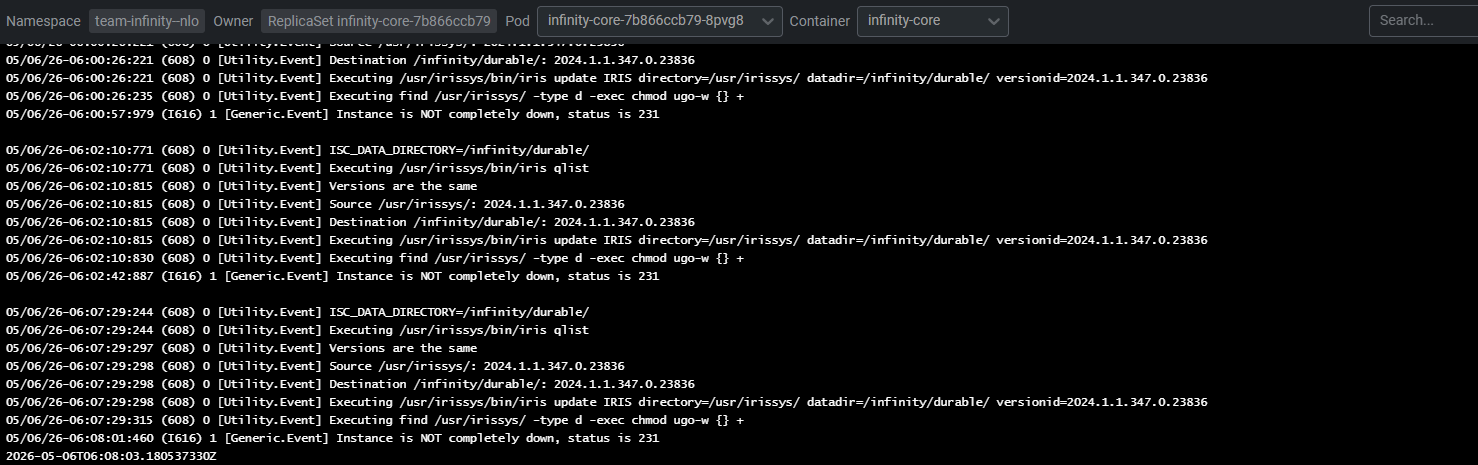
We are working on containerizing our IRIS product. We want to extract the message log that is shown in the terminal, but if possible, we want to format the output as JSON and include some extra fields from the instance to enhance our monitoring. Is this possible?
Any guide or example about it?
Thanks!

4
0 63
Article Robert Cemper · Sep 4, 2025 3m read

The article was motivated by the 2025 September Article Bounty

The principle of Docker is just convincing to me.

  • Get a sandbox where you play and try whatever you want/need to do
  • Once done. You drop it without leaving traces in your working environment

This was the technical base for me to run about 700 reviews in OEX 
with almost no side effects  (except those caused by myself).

For beginners, I'll start with straight pure IRIS, no *health, *ML, *whatever

First, you need a Docker installation. It's available on almost any platform.

4
9 449
Article Jorge Jaramillo Herrera · Mar 30 7m read

A Continuous Training (CT) pipeline formalises a Machine Learning (ML) model developed through data science experimentation, using the data available at a given point in time. It prepares the model for deployment while enabling autonomous updates as new data becomes available, along with robust performance monitoring, logging, and model registry capabilities for auditing purposes.

InterSystems IRIS already provides nearly all the components required to support such a pipeline. However, one key element is missing: a standardised tool for model registry.

1
0 343
InterSystems Official Daniel Palevski · Mar 25

The 2023.1.7 maintenance releases of InterSystems IRIS® data platform, InterSystems IRIS® for Health, and InterSystems Health Connect™ are now Generally Available (GA). 

Please share your feedback through the Ideas Portal using the category Post-Release Feedback so we can build a better product together.

Documentation

You can find the detailed change lists & upgrade checklists on these pages:

Early Access Programs (EAPs)

There are many EAPs available now. Check out this page and register to those you are interested.

0
0 76
Article Jose-Tomas Salvador · Mar 5, 2025 7m read

In this article I'll show you how to set up in your laptop, very quickly, a cluster of IRIS nodes in sharding. It's not the goal of this article neither to talk about sharding in detail nor define a deployment of a production ready architecture, but to show how to set up quickly, in your own machine, a cluster of IRIS instances configured as shard nodes, with which you'll able to play and test this functionality. If you're insterested in knowing more about sharding in IRIS, take a look at the documentation clicking here

First and foremost, I want to remark that IRIS sharding will allow us 2 things:

  • Define, load and query shard tables, which data will be distributed transparently between the cluster's nodes
  • Define  federated tables, which offer a global and composed view of data belonging to different tables that will be physically stored in different distributed nodes

So, as I said, we let for other article playing with shard or federated tables, and just focus now in the previous step, that is, setting up the cluster of shard nodes.

2
3 370
Article Tomo Okuyama · Mar 1 6m read

Why This Integration Matters

InterSystems continues to push AI capabilities forward natively in IRIS — vector search, MCP support, and Agentic AI capabilities. That roadmap is important, and there is no intention of stepping back from it.

But the AI landscape is also evolving in a way that makes ecosystem integration increasingly essential. Tools like Dify — an open-source, production-grade LLM orchestration platform — have become a serious part of enterprise AI stacks.

2
0 246
Article Ikram Shah · May 18, 2024 3m read

In the previous article, we saw in detail about Connectors, that let user upload their file and get it converted into embeddings and store it to IRIS DB. In this article, we'll explore different retrieval options that IRIS AI Studio offers - Semantic Search, Chat, Recommender and Similarity. 

New Updates  ⛴️ 

  • Added installation through Docker. Run `./build.sh` after cloning to get the application & IRIS instance running in your local
  • Connect via InterSystems Extension in vsCode - Thanks to @Evgeny.
1
1 486
Article Marco Bahamondes · Jun 24, 2025 3m read

Introduction

InterSystems IRIS allows you to build REST APIs using ObjectScript classes and the %CSP.REST framework. This enables the development of modern services to expose data for web apps, mobile apps, or system integrations.

In this article, you'll learn how to create a basic REST API in InterSystems IRIS, including:

  • A persistent data class
  • A REST class with GET and POST methods
  • A web application to expose the API
  • A full demonstration using Docker

4
3 430
Question Thomas Wuppermann · Feb 19

We use local containers  a lot for evaluation and development with Health Connect and other IRIS based applications.

When evaluating Podman Desktop on Windows as replacement for Docker Desktop, we are experiencing an issue with the durable %SYS:

The only way it works is when we use a named volume which then is located inside the WSL-Podman-Machine under /var/lib/containers/storage/volumes/.

1
0 76
Article Luis Angel Pérez Ramos · Apr 18, 2025 3m read

Who hasn't been developing a beautiful example using a Docker IRIS image and had the image generation process fail in the Dockerfile because the license under which the image was created doesn't contain certain privileges?

In my case, what I was deploying in Docker is a small application that uses the Vector data type. With the Community version, this isn't a problem because it already includes Vector Search and vector storage. However, when I changed the IRIS image to a conventional IRIS (the latest-cd), I found that when I built the image, including the classes it had generated, it returned this error:

6
1 401