#VSCode

13 Followers · 456 Posts

VSCode is a short name form for a popular cross-platform editor VisualStudio Code from Microsoft.

Learn more.

Article John Murray · Feb 6, 2023 2m read

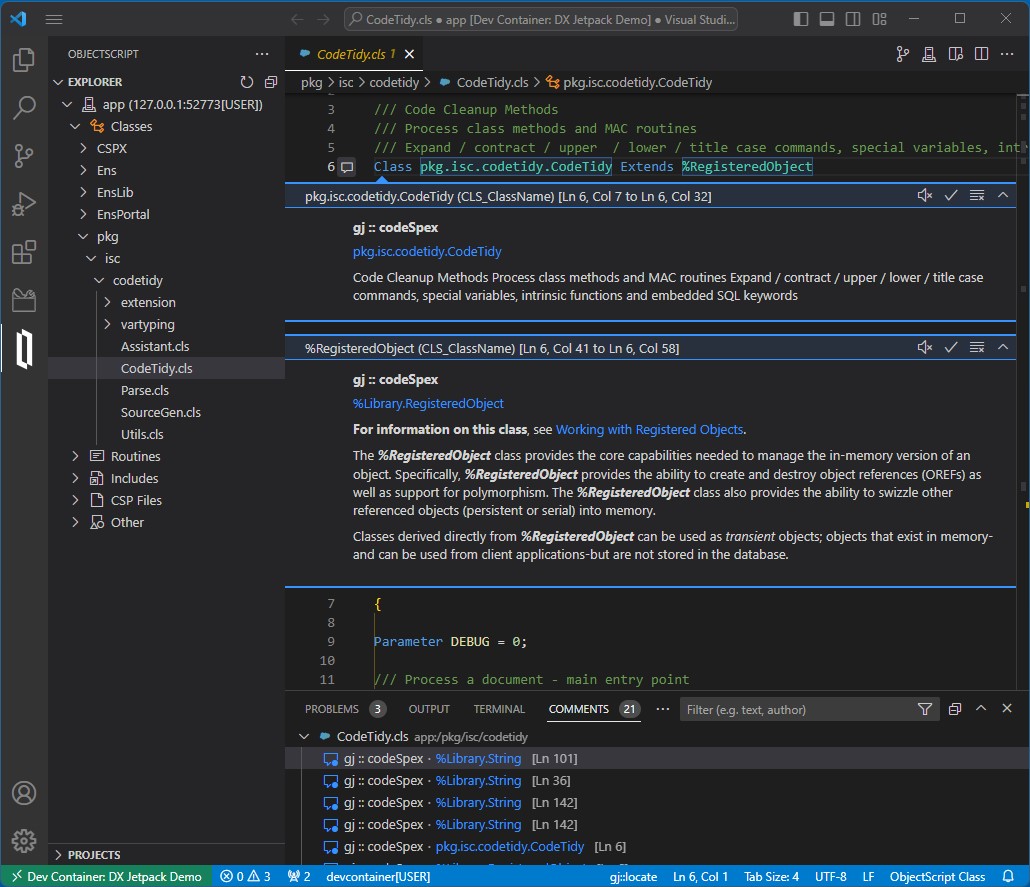
Strap on this jetpack to boost your developer experience in Visual Studio Code.

DX Jetpack for VS Code was my entry for the 2023 Developer Tools Contest, where it achieved 2nd place in the Experts vote and 5th place in the Community vote. It is an extension pack for VS Code, bundling three entirely new extensions created by me, plus a couple that we at George James Software published previously.

The new extensions are:

If you're reluctant to install DX Jetpack right away, why not try it using a dev container? In the dev container is an InterSystems IRIS Community environment augmented with InterSystems Package Manager (IPM) and the isc-codetidy package.

2
1 686
Question Brendan Blackford · May 17, 2023

Hi,

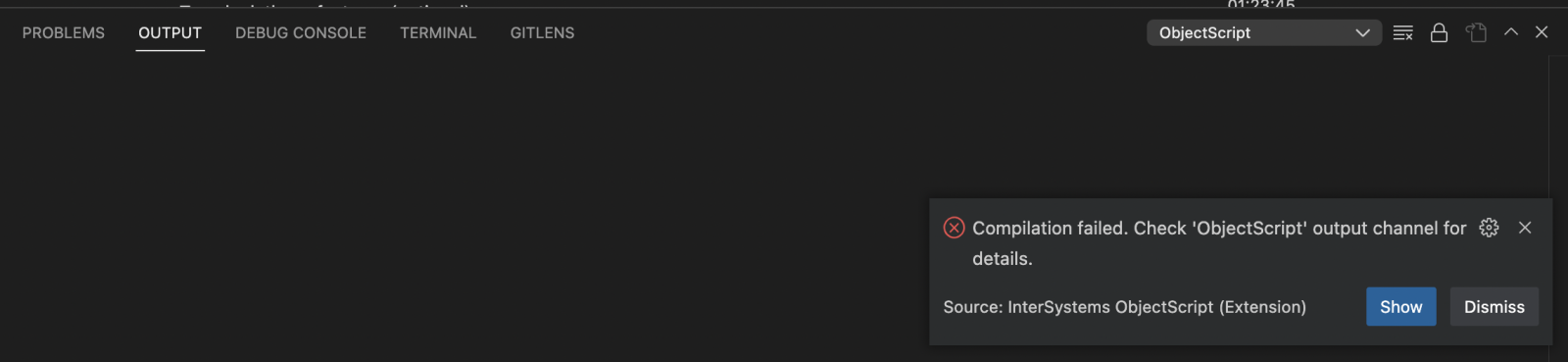
I'm trying out VS Code with IRIS for Health 2023.2 (not available in above dropdown) in a local container.  I can open read-only files in the Objectscript viewer and have a local folder connected to the correct namespace.  However, when I make changes and try the "import and compile" option, I get:

ERROR #16006: Document <filepath> name is invalid

The first four chars of <filepath> appear to have been truncated

Here is my settings.json

{

    "security.workspace.trust.untrustedFiles": "open",

    "workbench.colorTheme": "InterSystems Default Dark",

    "intersystems.

4
0 637
Announcement Laurel James (GJS) · Apr 26, 2023

Deltanji 7.1 is now available.

Key updates include: 

* Interoperability Production component driver included, for customers who have purchased the add-on. You can watch a short demo of it here.
* Implement multi-select delete of objects and components
* Add setting to give a passable Beyond Compare launch command line
* Support simplified Locations & Routes diagram 

For more information, read the release notes here >> https://bit.ly/3mHyJHc

Please get in touch with support@georgejames.com for your release kit. 

The update is also available for Serenji debugger users on VS Code, which has the Deltanji solo edition embedded. Simply update the Serenji extension to version 3.2.3 or later and load the server-side code. 

0
0 264
Article Evgeny Shvarov · Oct 15, 2022 1m read

Hi Devs!

For me, one of the most painful things about ObjectScript is ##class(Class).Method() typing to call a class method in code or in a terminal. I even submitted an idea to simplify it in ObjectScript.

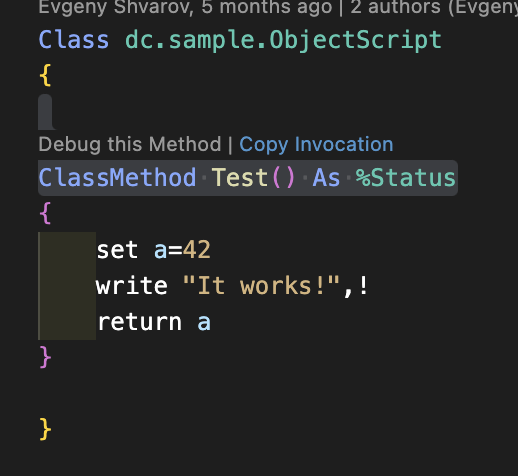
But! There is a new feature in VSCode ObjectScript that was just introduced to the plugin - Copy Invocation!

Just hover Copy Invocation linkabove every classmethod in a code, click on it and the invocation is copied to the buffer:

Paste it anywhere you want it to execute!

USER>w##class

Bazinga!

Here is the video that shows how it works.

Many thanks to the VSCode contributors

7
2 835
Announcement John Murray · Apr 21, 2023

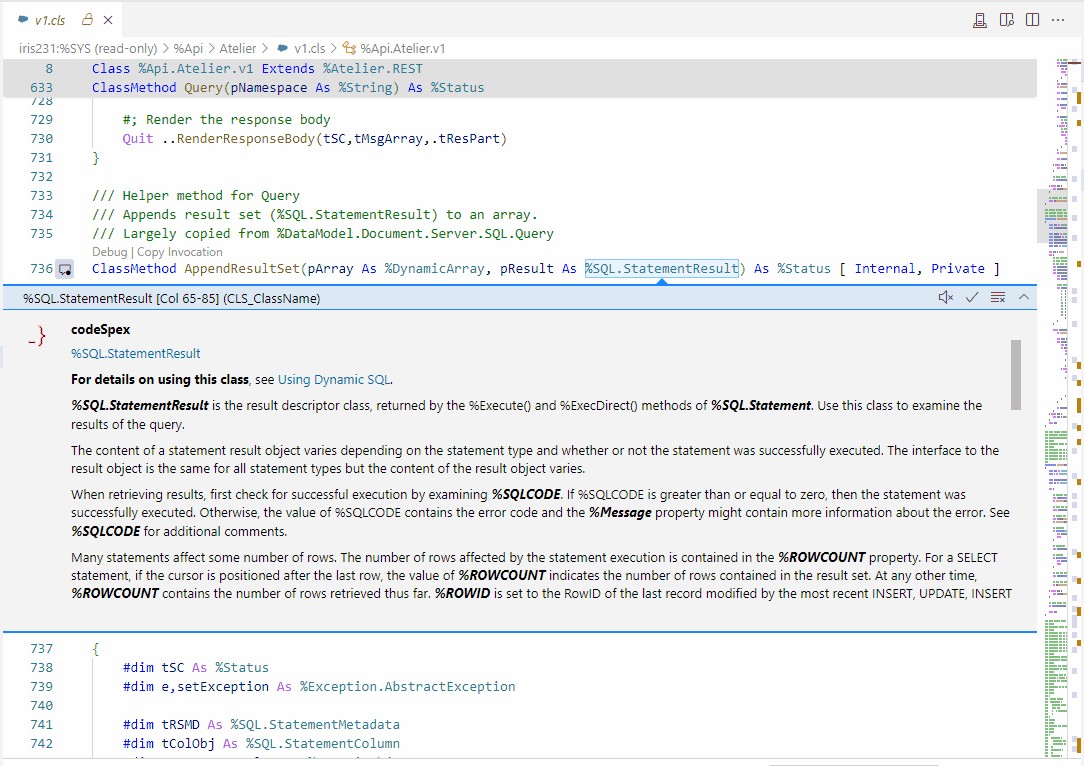
Our gj :: codeSpex extension for VS Code, which is part of the DX Jetpack, allows documentation to be displayed inline while you are coding classes. In some cases the documentation is extensive, and the lack of scrolling support in the VS Code comment element we are using was degrading the DX.

By contributing a pull request to the VS Code project (my 94th accepted in the past four years) I was able to get this resolved. It landed in today's Insiders and will reach the general release (a.k.a. Stable) next month when 1.78 ships. Here's the result:

0
0 222
Article Zhong Li · Mar 28, 2023 10m read

​Keywords: ChatGPT, COS, Lookup Table, IRIS, AI 

Purpose


Here is another quick note before we move on to GPT-4 assisted automation journey. Below are some "little" helps ChatGPT had already been offering,  here and there, during daily works. 

And what could be the perceived gaps, risks and traps to LLMs assisted automation, if you happen to explore this path too. I'd also love to hear anyone's use cases and experiences on this front too. 

Lookup tables


One of the simplest tasks could be Lookup tables.

3
2 775
Announcement Anastasia Dyubaylo · Mar 24, 2023

Hi Developers,

Often we create and edit InterSystems IRIS Interoperability solutions via a set of UI tools that is provided with IRIS. But it is sometimes difficult to setup the development environment to handle changes we make in the UI to source control. 

This video illustrates how git-source-control helps with source control Interoperability components while changing it in the UI.

⏯ Git Source Control for InterSystems IRIS Interoperability with Docker and VSCode

0
2 947
Discussion Colin Brough · Mar 10, 2023

In a healthcare setting we've an Ensemble namespace through which passes a key HL7 feed (the ADT feed from our PAS). It is split up, transformed and passed on to multiple downstream systems. We consider the feed going to each downstream system an interface. Each interface is developed as separately as possible - typically as a separate branch of our git repo (which we access via VS Code).

All this is fine till we try and name the version(s). We both want to know what is currently in live (the sum of all the interfaces in the namespace) and know what version each  specific interface is at.

0
0 329
Article Luis Angel Pérez Ramos · Feb 20, 2023 4m read

Dear community members!

A very common problem of our users is to use an external database as data source in an IRIS production. As many of you already know, we have two ways to connect directly to an external database, the first one is using an ODBC connection, the second is using JDBC.

In our example we are going to create a connection using JDBC, and we are going to build a simple Docker's project, in this way you will be able to modify the example as you wish.

The code is available from this URL: https://github.com/intersystems-ib/workshop-sql-jgw

In our docker-compose.

0
0 613
Question Mark OReilly · Jan 11, 2023

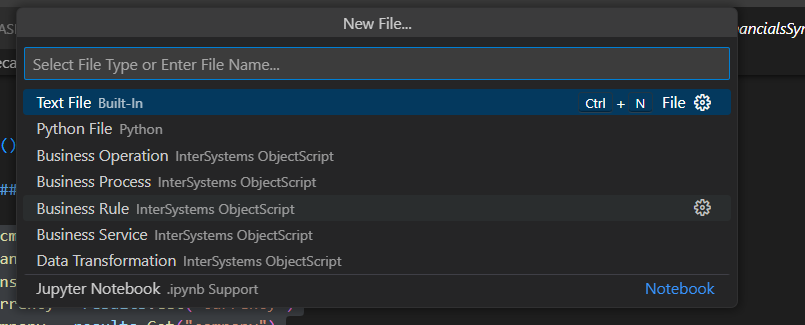
Is there an easy way to open classes in VS Code?

In studio you go open and just type the class name and it opens up the class. 

In VS Code need to know the full path, is there a quick way? It is probably the one thing preventing from using VSCode full time (apart from not seeing the .luts or csp files)

15
0 5886
Announcement John Murray · Feb 12, 2023

It's not too late to strap into the DX Jetpack for VS Code, take it for a test flight, and consider voting for it.

Online demo on Gitpod is HERE.

Ignore any initial notifications about ports being opened.

The ServerDiff extension will ask for permission to reinstall itself in order to use the `quickDiff` API proposal that it relies on. Click 'Yes'.

Open the README.md by double-clicking on it, thenshow as a preview (command is "Markdown: Open Preview", shortcut is Ctrl + Shift + V).

Enjoy your flight! Comments welcome below.

0
0 125
Announcement John Murray · Feb 10, 2023

I just released an update of the gj :: codeSpex extension containing a new feature - Exclusions.

There's now a short video demonstrating how exclusions can help you focus on the packages you're less familiar with. The video also illustrates how with the ObjectScript Class View extension you can easily explore the inheritance of your classes.

Both extensions are members of the DX Jetpack, my entry in the 2023 Developer Tools contest. Voting closes very soon, so if you like what I've created please encourage me to do more by VOTING FOR ME here.

0
0 231
Announcement Laurel James (GJS) · Feb 10, 2023

If you haven’t already please give @John Murrayyour vote in the Developer Tool contest >> http://bit.ly/3XcxyeS


🚀 DX Jetpack boosts your developer experience when using VS Code with InterSystems platforms. 🚀


This extension pack includes: 

gj :: codeSpex - showing help using VS code's commenting feature.

ObjectScript class view - View and navigate all class members plus where they are inherited from.

ServerDiff - See the difference between the code you are editing in VS Code and the server copy.

You can vote here >> http://bit.ly/3XcxyeS

1
0 269
Article Evgeny Shvarov · Jun 24, 2020 3m read

Hi Developers!

Suppose you have a persistent class with data and you want to have a simple Angular UI for it to view the data and make CRUD operations.

Recently @Alberto Fuentes described how to build Angular UI for your InterSystems IRIS application using RESTForms2. 

In this article, I want to tell you how you can get a simple Angular UI to CRUD and view your InterSystems IRIS class data automatically in less than 5 minutes.

Let's go!

3
4 1452
Question Stefan Cronje · Feb 7, 2023

Hi all,

In the days when I was still using studio, the indentation character of choice was tab, due to misalignment of code when using non-monospaced fonts.

In VSCode when I create new class files, this defaults to 4 spaces. Where and how do I set the default indentation for ObjectScript class files?

Also, with python it should be spaces. So what is recommended when doing python script inside objectscript classes?

Thank you.

2
0 1837
Announcement Derek Robinson · Jan 30, 2023

In our latest episode of Data Points, I had a conversation with George James, CEO of George James Software, about the importance of source control and developer tools, George James Software's own solutions, and their partnership with InterSystems. Take a listen, and visit https://georgejames.com to learn more about George James Software!

0
1 262
Article Evgeny Shvarov · Jan 25, 2020 4m read

Hi Developers!

"objectscript.conn" :{
      "ns": "IRISAPP",
      "active": true,
      "docker-compose": {
        "service": "iris",
        "internalPort": 52773
      }

I want to share with you a nice new feature I came across in a new 0.8 release of VSCode ObjectScript plugin by @Dmitry Maslennikov and CaretDev.

The release comes with a new configuration setting "docker-compose" which solves the issue with ports you need to set up to make your VSCode Editor connect to IRIS. It was not very convenient if you had more than one docker container with IRIS running on the same machine. Now, this is solved!

Read below how it works now.

8
3 986
Question Jordan Everett · Dec 30, 2022

I am currently trying to better my development process by using Visual Studio Code because I'm more familiar and comfortable with it than Studio.

I've followed the guide here, but I'm still having issues. I initially didn't have the Web Socket protocol allowed on my Web Gateway server, but I enabled that and restarted the server with no luck.

Am I just on too old of a version? Is there any way I'd be able to use Visual Studio Code and be able to debug with what I currently have? I wish I could upgrade to IRIS, but that doesn't seem to be an option.

15
1 1010