Hi Community,
If you're interested in containers, take a look at what we got planned for Global Summit, September 22-25, Boston Marriott Copley Place. Register now to take advantage of our early bird pricing.
Docker is a software technology providing containers, promoted by the company Docker, Inc. Docker provides an additional layer of abstraction and automation of operating-system-level virtualization on Windows and Linux.
Hi Community,
If you're interested in containers, take a look at what we got planned for Global Summit, September 22-25, Boston Marriott Copley Place. Register now to take advantage of our early bird pricing.
Hi Everyone!
You're very welcome to watch the new video on InterSystems Developers YouTube, recorded by @Evgeny Shvarov in the new format called "Coding Talks":
GitHub Flow with InterSystems IRIS: Edit with VSCode, Test with Docker, Commit, Push, Pull Request
Available at:
https://hub.docker.com/r/yape/yape/
$ docker container run --rm -v "$(pwd)":/data yape/yape --version
yape 2.2.6
See the readme at:
https://github.com/murrayo/yape
Changes include:
The Widgets Direct sample application highlights many aspects of how to use InterSystems technologies to build a modern web application.
Now that the InterSystems IRIS Data Platform Community Edition is available on Docker Hub (https://hub.docker.com/_/intersystems-iris-data-platform), it seems like a great time to try InterSystems IRIS in a container. For some time already, the community edition has been available in the cloud, for example on AWS (https://community.intersystems.com/post/free-iris-community-edition-aws), but maybe it would be nice to try it locally as well. Fellow Windows users are no doubt used to eye rolling, being told “YMMV”, etc., whenever they mention using Docker for Windows.
Hi Everyone!
One more session recording from Global Summit 2018 is available on InterSystems Developers YouTube Channel:
InterSystems IRIS in a Container
Hi Community!
Check the second Developer Community Video of the week:
Docker Containers: Essential Knowledge
Hi
I am working with a Caché system with a Python binding and big datasets in health care. I am using the Python library Pandas and Jupyter notebook for data manipulation and often special modules for different projects, including different versions of Python. To keep the environments separated, I have been testing Docker, but I am at loss on how to install the Python binding. Has anyone any experience with this? Or better yet, a Docker image that has the binding installed?
I am also considering that Docker might not be the suitable for this situation and I am grateful for any thoughts on this.
Hi Community!
We're pleased to announce that that InterSystems IRIS Community Edition is available on the Docker Store! InterSystems IRIS Community Edition is the no-cost developer edition designed to lower the barriers to entry to get started with IRIS. Now that it is listed on the Docker Store, running an IRIS Community instance is as easy as -
docker run -d -p 52773:52773 store/intersystems/iris:2019.1.0.511.0-communityFor more on running IRIS in containers check out our Documentation or one of the many Community posts on the topic!
Hi Community!
New "Coding Talk" video is already on InterSystems Developers YouTube:
Create Your First InterSystems ObjectScript Code with IRIS Community, Github, Docker and VSCode
Hi Community!
You're very welcome to watch a new video on InterSystems Developers YouTube, recorded in a new format called "Coding Talks":
Developing with Docker and InterSystems IRIS Community Edition
I follow the instruction on docker site.
I have next troubles:
Dear team,
I am trying to experiment the Docker container in our development environment. I have successfully build an image and running the container. When I access the CSP portal home page ( http://<host-ip>:57772/csp/sys/%25CSP.Portal.Home.zen?$NAMESPACE=%25SYS), I am getting the following error:
I logged in to the running container (docker exec -it <container-id> sh), issued the command, 'ccontrol list' where the state says 'warn'.
Hi guys!

Portrait of Madame X, Gustave Caillebotte.
One of the features I like in InterSystems ObjectScript is how you can process array transformations in a specific method or a function.
Usually when we say "process an array" we assume a very straightforward algorithm which loops through an array and does something with its entries upon a certain rule.
The trick is how you transfer an array to work with into a function.
One of the nice approaches on how to pass the information about an array is using $Name and Indirection operator.
Below you can find a very simple example which illustrates the thing.
Hi Community!
We're pleased to invite you to the DockerCon 2019 – the #1 container industry conference for all things Kubernetes, microservices, and DevOps. The event will be held at the Moscone Center in San Francisco from April 29 to May 2.
In addition, there will be a special session "Containerized Databases for Enterprise Applications" presented by @Thomas Carroll, Product Specialist at InterSystems.

See the details below.
InterSystems is delighted to announce the support of Docker container technology as a platform from the moment 2016.1 will be released.
Docker is a disruptive system technology that has many benefits and offers many advantages for those investing in infrastructure-as-code or immutable-infrastructure provisioning & deployment scenarios.
Like any new technology that appears, there is a learning curve, and many considerations need to occur when using it. However, Docker container technology has already proven to be successful by a huge follow-up with many companies already using it in production.
This is a continuation of my story about the development of my project isc-tar started in the first part.
Just having tests is not enough, it does not mean that you will run tests after all changes. Running tests should be automated, and when you cover all your functionality with tests, everything should work well after any change in any place. And Continuous Integration (CI) helps to keep the code and deployment procedure with as fewer bugs as possible and automates the routine procedures, like publishing releases.
I use GitHub to store the source code. And some time ago GitHub started to work on its own CI/CD platform and named it GitHub Actions. It is not widely available, yet. You have to be signed as a beta tester for this feature, as I did. GitHub Actions uses quite a different way how to deal with a build workflow. What is important that Github Actions allows to use Docker, and it’s quite easy to customize available actions. And interesting that GitHub Actions is really much bigger than any classic CI like we have in Travis, Circle or Gitlab CI and so on. You can find more in the official documentation.

Hello all,
I am having some issues creating a docker image with a fresh cache installation. The error that I am getting right now is that gzip is required for a cache installation, but was not found in my system. Even though, this is shown as installed in the base centos 7 image. My host machine is Windows 10 using the latest docker version.
Here is my dockerfile, its simple:
FROM centos:latest

RUN yum update -y && yum -y upgrade

COPY ./cache-2017.1.3.317.0.18571-lnxrhx64.tar.gz .

RUN tar -zxf cache-2017.1.3.317.0.18571-lnxrhx64.tar.I am just recently announced my project isc-tar. But sometimes it is not less interesting what’s behind the scene: how it was built, how it works and what happens around the project. Here is the story:
So, I would like to tell all about it.
In this series of articles, I'd like to present and discuss several possible approaches toward software development with InterSystems technologies and GitLab. I will cover such topics as:
In the previous article, we covered Git basics, why a high-level understanding of Git concepts is important for modern software development, and how Git can be used to develop software. Still, our focus was on the implementation part of software development, but this part presents:
I recently had to diagnose a networking problem I was having when attached to our corporate network. I was seeing an unknown bridge network being defined that shared the same IP address space as the company network thus blocking access to company resources. This bridge network was separate from the Docker0 bridge network which the docker engine sets up. Docker was configured with a bip (bridge ip) address to prevent docker form using an address space that create a conflict.
HOWEVER, this only applies to the Docker0 bridge.
Everybody has a testing environment.
Some people are lucky enough to have a totally separate environment to run production in.
-- Unknown
.
In this series of articles, I'd like to present and discuss several possible approaches toward software development with InterSystems technologies and GitLab. I will cover such topics as:
This first part deals with the cornerstone of modern software development - Git version control system and various Git flows.
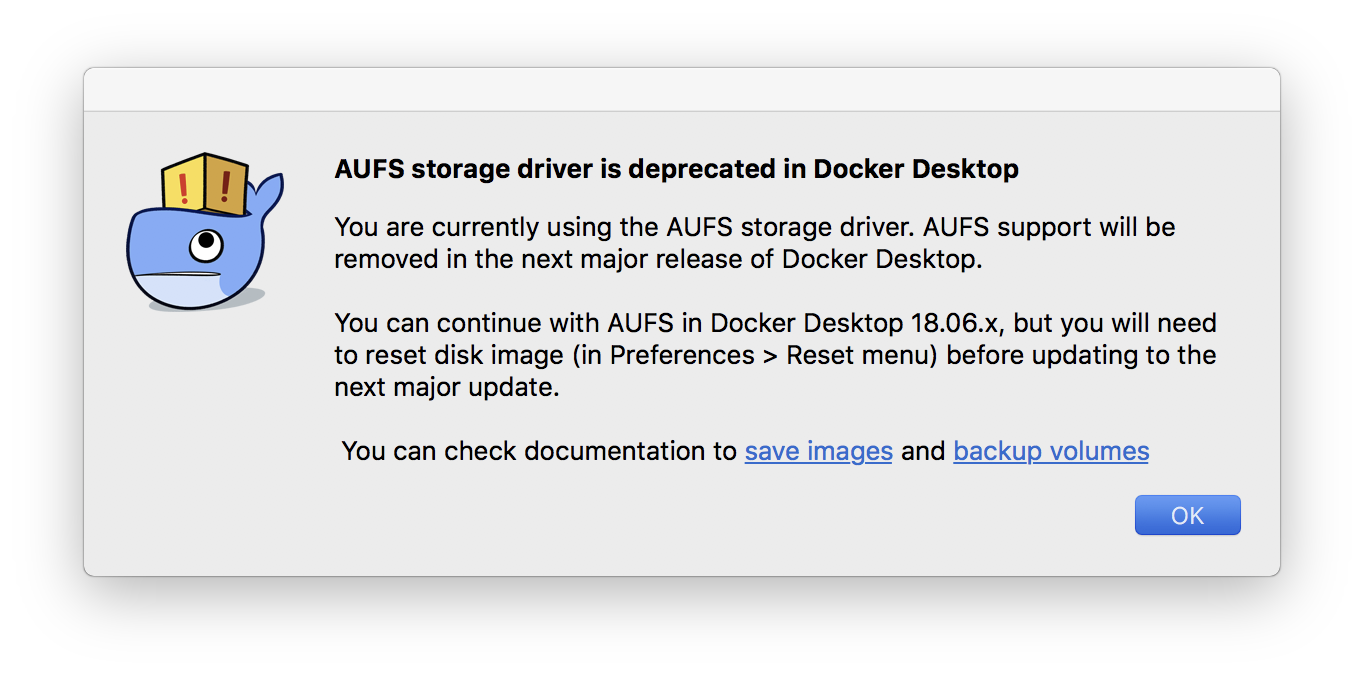
Just got the new beta version of Docker, with depreciation warning of AUFS. It's so bad news when InterSystems does not support used by default storage driver overlay2. Recently I thought to play with Google Kubernetes Engine, and realized that I can't work with InterSystems products there due to incompatibility with Storage Driver. Maybe it's already time to think about support?
With the launch of InterSystems IRIS Data Platform, we provide our product even in a Docker container. But what is a container?
The fundamental container definition is that of a sandbox for a process.
Containers are software-defined packages that have some similarities to virtual machines (VM) like for example they can be executed.
Containers provide isolation without a full OS emulation. Containers are therefore much lighter than a VM.
I followed the First Look instructions and tried to run a Docker container with the below command:
> docker run --name iris --detach --publish 52773:52773 --volume /Users/docker:/external --env ICM_SENTINEL_DIR=/external iris:latest --key /external/iris.key --before "/usr/irissys/dev/Cloud/ICM/changePassword.sh /external/password.txt"
It returned with a container ID and an error message:
docker: Error response from daemon: OCI runtime create failed: container_linux.go:348: starting container process caused "exec: \"/iris-main\": permission denied": unknown.
I have already mentioned my project CacheBlocksExplorer recently in two articles


Now I would like to inform that this project can be easily run with docker.
Version for Caché and for InterSystems IRIS, now publicly available on docker hub.
Remember that you need the appropriate license key (for RedHat Linux) to be able to run this project.
docker run -d --rm \
 -p 8080:57772 \
 -v ~/cache.key:/usr/cachesys/mgr/cache.
GlobalSummit too close now, so many people going to be there from so many companies. I'm sure that somebody already uses Docker or even Kubernetes in their work, I do. And would like to share my experience and thoughts about what could be better. And want to hear other people about their experience, how you use Docker, what issues have you faced and how did you solve it. I think InterSystems will help us to find time and place when we could do it, and hope @Luca Ravazzolo will join us. I think It also could be good as the topic at Unconference.
Hi All,
Who, in the age of digital transformation, doesn't want to reap more benefits out of any process, procedure, and resource we have? At InterSystems Solution Developers Conference (part of InterSystems Global Summit 2018) we will have sessions on how to improve the way applications are built with modern tools like Docker containers, Gitlab, Circle CI, Travis, etc., how continuous integration and continuous delivery (CI/CD) processes can help us deliver more value quickly to the end-user, and how we can start thinking about modernizing traditional applications.
Note: with support for Overlay storage driver for InterSystems IRIS containers this article is no longer relevant. The article is left here for archive purposes.
In this series of articles, I'd like to present and discuss several possible approaches toward software development with InterSystems technologies and GitLab. I will cover such topics as:
In the first article, we covered Git basics, why a high-level understanding of Git concepts is important for modern software development, and how Git can be used to develop software.
In the second article, we covered GitLab Workflow - a complete software life cycle process and Continuous Delivery.
In the third article, we covered GitLab installation and configuration and connecting your environments to GitLab
In the fourth article, we wrote a CD configuration.
In the fifth article, we talked about containers and how (and why) they can be used.
In this article let's discuss main components you'll need to run a continuous delivery pipeline with containers and how they all work together.