Hi, All!
What is the calculated measure expression for the percentage of a member?
Say in Holefoods I want to see in a Cols Online sales in Revenue, All the revenue and % of Online sales for the Revenue?
I have the following:
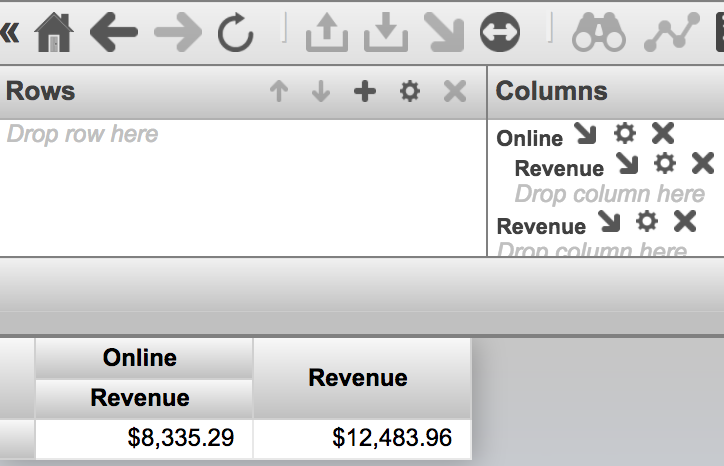
With expression:
SELECT NON EMPTY {NONEMPTYCROSSJOIN([Channel].[H1].[Channel Name].&[2],[Measures].[Amount Sold]),[Measures].[Amount Sold]} ON 0 FROM [HOLEFOODS]How can I add the percentage of All in Revenue for Online channel?