#VSCode

14 Followers · 440 Posts

VSCode is a short name form for a popular cross-platform editor VisualStudio Code from Microsoft.

Learn more.

InterSystems staff + admins Hide everywhere
Hidden post for admin
New
Article Laurel James (GJS) · Feb 10 2m read

Welcome to the monthly recap of updates and releases to VS Code and InterSystems-related extensions relevant to IRIS developers. We'll break down the updates that are relevant to InterSystems developers with tips on how they can be applied to your day-to-day projects. 

Don’t forget, if you’re migrating from InterSystems Studio to VS Code, or want to deepen your knowledge, check out the VS Code training courses from George James Software: georgejames.com/vscode-training.
VS Code version 1.109

0
0 39
Question Pietro Di Leo · Jan 17, 2024

Hi everyone, 

Does anyone know how to export projects via VSC? 

I opened the project through the "InterSystems Tools" plugin (command is "Edit Code in Project") and I can correctly work on it.

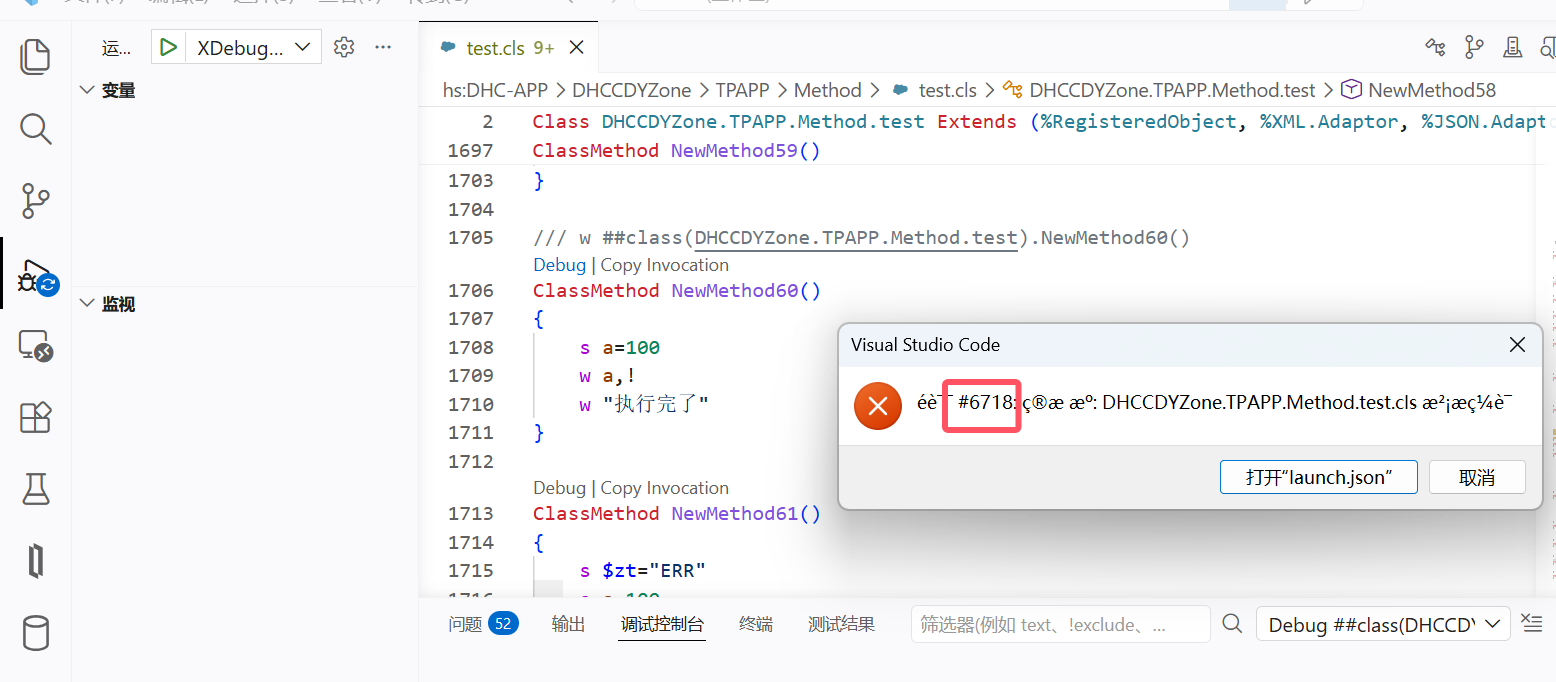
However, when I try using the "ObjectScript" plugin to export the project (right click on the project -> "Export Project Contents")

This message appears and it is not possible to export the project:

I've tried also to open a new window, then a folder and finally the project, but nothing changes. 

This is an example of my workspace: 


Anyone knows how to do it? 

Thank you! 

14
0 3274
New
Article Evgeny Shvarov · Feb 16 5m read

How I Vibecoded a Backend (and Frontend) on InterSystems IRIS

I wanted to try vibecoding a real backend + frontend setup on InterSystems IRIS, ideally using something realistic rather than a toy example. The goal was simple: take an existing, well-known persistent package in IRIS and quickly build a usable UI and API around it — letting AI handle as much of the boilerplate as possible. Here is the result of the experiments.

2
0 94
Question Pietro Di Leo · Jul 4, 2025

Hello everybody, 

I would like to export project contents using Visual Studio Code, as well as I do with InterSystems Studio.

However, while attempting the export through the InterSystems extension I get the following error:

- There are no folders in the current workspace that code can be exported to.

These are the step to reproduce my error:

  1. Create and save a new VSCode workspace
  2. Open a local directory 
  3. Go to the InterSystems extension
  4. Open "Projects" panel and right-click on the project you want to export
  5. Click on "Export Project Contents"

Anyone can help me solving this issue?

11
3 364
Article Brett Saviano · Jan 20 2m read

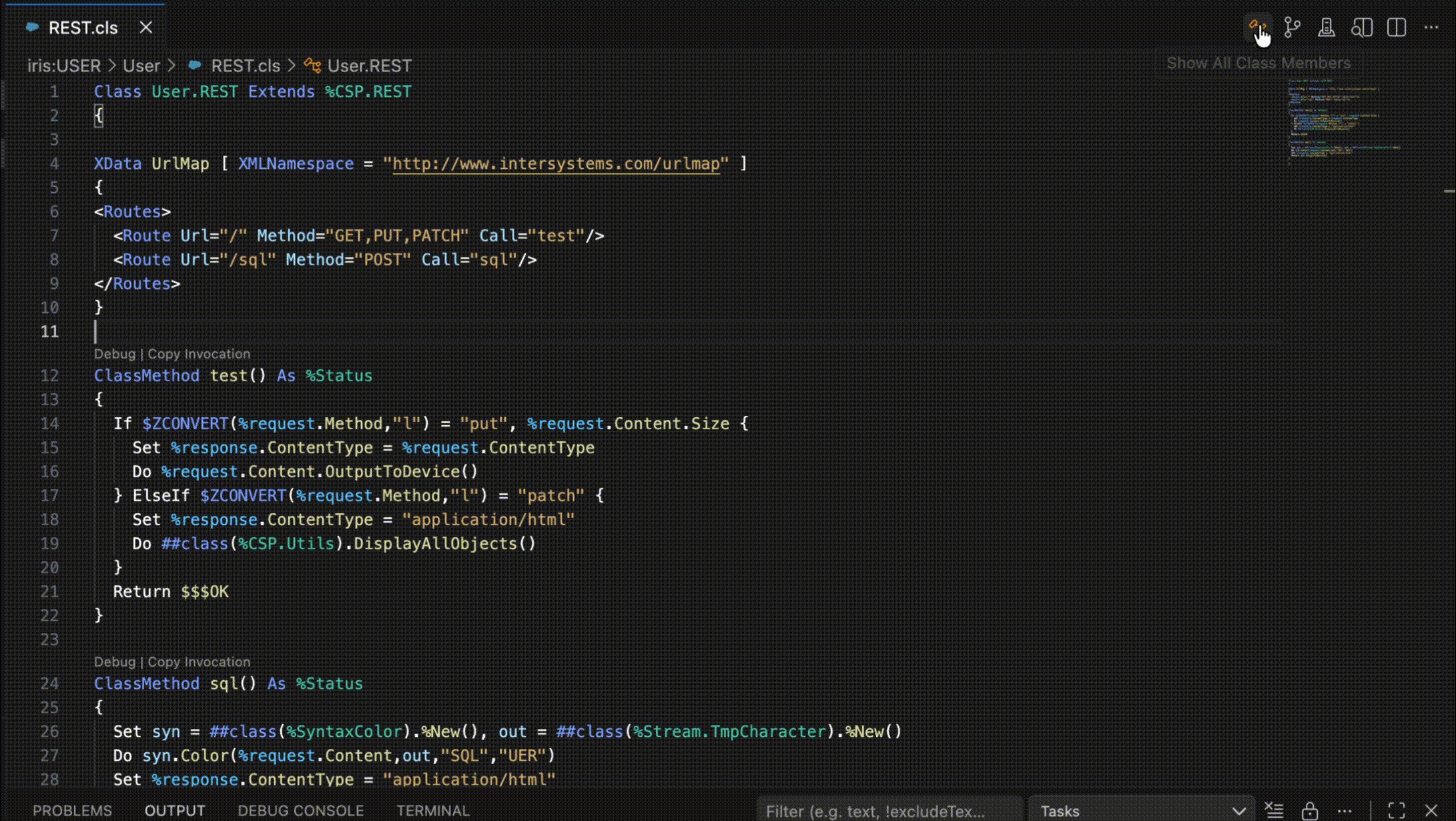
The official InterSystems VS Code extensions are packed with features that make developing with InterSystems products a breeze. Today I'd like to highlight some small but useful features that you may have missed.

Show All Class Members

You can view all members of the current class, including inherited members, with the click of a button. Just click on the class icon in the top-right corner of the editor window and a filterable list of all members will appear. Clicking on one will reveal it in an editor tab.


Show Plan

0
0 28
Question Michael Derr · Dec 4, 2025

We are a group of interface analysts in a healthcare setting, running IRIS for Health 2024, having upgraded over time from an old ENSEMBLE environment.  We have been working on a wish list of development goals, but are having trouble finding the correct, best practice method/path for getting to what we envision.

10
0 155
Article Jinyao · Feb 21, 2025 4m read

Motivation

I didn't know about ObjectScript until I started my new job. Objectscript isn't actually a young programming language. Compared to C++, Java and Python, the community isn't as active, but we're keen to make this place more vibrant, aren't we?

I've noticed that some of my colleagues are finding it tricky to get their heads around the class relationships in these huge projects. There aren't any easy-to-use modern class diagram tool for ObjectScript.

Related Work

I have tried relavant works:

12
5 663
Article Pietro Di Leo · Sep 24, 2025 23m read

Table of Contents

  1. Purpose of the article
  2. What containers are and why they make sense with IRIS
     2.1 Containers and images in a nutshell
     2.2 Why containers are useful for developers
     2.3 Why IRIS works well with Docker
  3. Prerequisites
  4. Installing the InterSystems IRIS image
     4.1 Using Docker Hub
     4.2 Pulling the image
  5. Running the InterSystems IRIS image
     5.1 Starting an IRIS container
     5.2 Checking container status
     5.3 Executing code in the container terminal
     5.4 Accessing the IRIS Management Portal
     5.5 Connecting the container to VS Code
     5.6 Stopping or removing the container
     5.7 Setting a specific password with a bind mount
     5.8 Using durable %SYS volumes
      5.8.1 What gets stored with durable %SYS
      5.8.2 How to enable durable %SYS
  6. Using Docker Compose
     6.1 Docker Compose example
     6.2 Running Docker Compose
  7. Using a Dockerfile to run custom source code
     7.1 Dockerfile example
     7.2 Docker Compose example
     7.3 Understanding layers, image tagging and build vs. run time
     7.4 Source code and init script
     7.5 Building the image with Dockerfile
     7.6 Running instructions in the containerized IRIS terminal
  8. Conclusion and what’s next
9
10 467
Discussion Evgeny Shvarov · Dec 21, 2025

Hi noble developers!

Have a question/discussion. Sometimes, while developing, we'd need to connect VSCode directly to a remote server (e.g., stage one) for debugging purposes. And after change back to local one. And then to remote again.

How do you perform this switching in VSCode in a convenient way?

I have several settings.json files (settings_local, settings_remote) which I put to a main settings.json when I need to make VSCode to connect to switch the connection:

8
0 123
Article Dmitrij Vladimirov · Dec 1, 2025 5m read

In this article, we will discuss all the debugging tools included in the Microsoft Visual Studio Code IDE.

What will be covered:

  • Breakpoints
  • Watch window
  • Call Stack

Let's start by learning about debugging requirements!

Prerequisites

There are two plugins (extensions) for debugging ObjectScript:

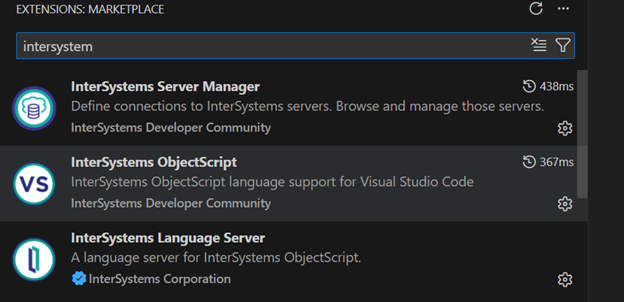
The first is part of the InterSystems ObjectScript Extension Pack. The second is Serenji, a standalone plugin that provides an editor, file manager, and debugging functionality. Both plugins can be installed from the plugin store. To activate key functionality, Serenji requires a license. For this article, we'll use the InterSystems ObjectScript Extension Pack to reduce the learning curve. After you've mastered the basics, you can consider purchasing a paid license for Serenji.

2
5 269
Article Dmitrij Vladimirov · Dec 16, 2025 6m read

Table of Contents

  1. Introduction
  2. Version Control
  3. Exporting Classes
  4. Exporting BI Analytics classes
  5. Exporting globals

Introduction.

In this article, we'll cover a quick start to Git development with the InterSystems Developer Community and version control practices when working with IRIS InterSystems. We'll cover scenarios where we need to export Interoperability classes, globals, and analytics elements such as cubes and dashboards. These scenarios encompass key version control practices with IRIS.

To get started, you'll need:

  1. Register and log in to GitHub
  2. Be a member of the intersystems-community organization on Git

Getting started with IRIS InterSystems is very simple!

0
6 229
Announcement Brett Saviano · Dec 15, 2025

Hello Community! As another great year comes to a close, I wanted to notify you about an upcoming change to the vscode-objectscript extension. In an effort to reduce the extension's footprint, simplify maintenance, and improve ease of use, InterSystems plans to remove some rarely-used configuration settings. Our telemetry tells us that these settings are changed from the default by fewer than 2% of users. However, before finalizing the removal I would like to give any users of these settings the opportunity to explain why a setting shouldn't be removed. The list of all settings that are

0
0 86
Article John Murray · Dec 15, 2025 1m read

It was encouraging to see more people building VS Code extensions for the recent contest. However I noticed that of of the three extensions requiring credentials with which to make their connections only mine, gj :: dataLoader, leverages the long-established and officially-supported InterSystems Server Manager extension to obtain the connection definitions and to handle credentials securely.

0
1 79
Article Pietro Di Leo · Dec 9, 2025 4m read

Hello Community! 👋
Welcome to the second part of the IRIS IO Utility series. This extension represents my submission for the InterSystems "Bringing Ideas to Reality" Contest 2025 and offers you an intuitive and powerful interface for importing and exporting data directly inside VS Code.

If you find this extension useful, please consider voting for me at the contest!

In the previous article, we covered:

2
0 104
Article John Murray · Dec 2, 2025 1m read

I'm pleased to announce the publication of gj :: dataLoader, a new VS Code extension that simplifies the task of loading data from local CSV files into SQL tables on your InterSystems IRIS servers.

Here's an introductory video:

gj :: dataLoader is now available on Marketplace for direct installation into VS Code. It is my entry in the "Bringing Ideas to Reality" Contest 2025 and implements this idea - https://ideas.intersystems.com/ideas/DPI-I-667

Feedback is welcome.

1
0 92
Article Pietro Di Leo · Dec 8, 2025 4m read

Hello Developers! 👋
I’m excited to introduce IRIS IO Utility, my submission for the InterSystems "Bringing Ideas to Reality" Contest 2025. This VS Code extension provides you an intuitive and powerful interface for importing and exporting data without leaving your IDE. The extension implements and expand this idea submitted on the Ideas Portal turning a common developer need into a real tool: seamless IO operations with any IRIS instance directly inside VS Code.

0
0 89
Question Scott Roth · Nov 6, 2024

There are a select few in the group that have been using Github as a Local Client push to a Repository setup in GitHub. Questions were brought up today about the security, and possible issues when it comes to data being pushed in this method.

Looking over code we have noticed that there is Histogram data within some of the class files that could be considered a security issue. Does anyone else have concerns with the Histogram data being within the class files pushed up to github?

2
0 166
Article Laurel James (GJS) · Dec 4, 2025 3m read

Welcome to the monthly recap of updates and releases to VS Code and InterSystems-related extensions that are relevant to IRIS developers. 

We'll break down the updates that are relevant to InterSystems developers with tips on how they can be applied to your day-to-day projects. 

Don't forget, if you're migrating from InterSystems Studio to VS Code, or want to deepen your knowledge, check out the VS Code training courses from George James Software: georgejames.com/vscode-training

VS Code version 1.106

0
0 85
Article Yuri Marx · Dec 2, 2025 2m read

The Load Data utility it is an excellent tool to load data from CSV/TXT files into an IRIS SQL Table, but it is required send the target file to the IRIS server and write the Load Data sentence to ingest the file content. Now it is possible select a file in VSCode, set the table destination and submit the request. The vscode-load-data utility will send the file to the IRIS server and run the Load Data command to you! Very simple:

0
1 121
Article John Murray · Oct 6, 2025 1m read

gj :: configExplorer is a new VS Code extension integrating with Server Manager and leveraging Structurizr to produce configuration diagrams of your servers.

Here's a short introductory video.

By using the InterSystems IRIS Native API for Node.js it avoids the need for any support code to be installed on the servers. This technology choice also qualifies it for entry into the current Developer Community contest.

The initial release focuses on two aspects of server configuration:

  • Namespaces and databases
  • ECP connectivity

Suggestions for what to add next are welcome, as is general feedback.

7
0 197
InterSystems Official Raj Singh · Feb 27, 2023

I'm pleased to announce version 2.6.0 of the VS Code ObjectScript extension, containing a number of enhancements that make a developer's life easier. Some highlights are described below. As always, find the full list of modifications in the CHANGELOG, including many bug and vulnerability fixes.

Switch namespaces quickly

Thanks to @Olli Tanskanen at partner company JediSoft Oy for this enhancement! You can now switch namespaces from the Server Actions menu (when using client-side folders only).

Fast, asynchronous server-side search

17
2 972
Question Matthias Thon · Nov 18, 2025

Hello 

I'm using from visual code. My routines are server-side files. If I try to search patterns in files (e.g find all routines containing the string "version=3") , the search runs but didn't find anything. If I do the same search from the management portal, it finds all routines including this pattern with a good performance.

regards Matthias

5
1 104
Article Tani Frankel · Feb 13, 2024 3m read

Following 2 local Webinars we had focused on VS Code ["Intro" and "Beyond Basics"; in Hebrew], I prepared for the participants some related links of relevant resources which we sent as a follow-up. Sharing them here as well for the benefit of the Community.
You are all of course welcome to add more useful resources.

2
5 659
Article Andrew Sklyarov · Nov 2, 2025 7m read

Over time, while I was working with Interoperability on the IRIS Data Platform, I developed rules for organizing a project code into packages and classes. That is what is called a Naming Convention, usually. In this topic, I want to organize and share these rules. I hope it can be helpful for somebody.


4
4 161
Question Colin Brough · Apr 10, 2025

InterSystems ObjectScript extension for VS Code, version 3.0.1

Am also asking this question on the extension's GitHub page: Request textDocument/documentSymbol failed. Error: name must not be falsy · intersystems-community/vscode-objectscript · Discussion #1530 - but suspect more eyes will see it here, which might help gather additional information.

Tried to compile some legacy ObjectScript code via Import/Compile in VS Code using the vscode-objectscript extension. Getting an error, and the content of the file is left changed on the filesystem simply by being compiled.

6
0 319