Some time ago I introduced a new driver for Django for IRIS. Now, let's see how to use Django with IRIS in practice.

Python is an interpreted high-level programming language for general-purpose programming. Created by Guido van Rossum and first released in 1991, Python has a design philosophy that emphasizes code readability, notably using significant whitespace
Some time ago I introduced a new driver for Django for IRIS. Now, let's see how to use Django with IRIS in practice.
This proof of concept aims to show how the iris interoperability framework can be used with embedded python.
   _________ ___ ____
  |__  /  _ \_ _|  _ \
    / /| |_) | || |_) |
   / /_|  __/| ||  __/
  /____|_|  |___|_|
Starting in version 2021.1, InterSystems IRIS began shipping with a python runtime in the engine's kernel. However, there was no way to install packages from within the instance. The main draw of python is its enormous package ecosystem. With that in mind, I introduce my side project zpip, a pip wrapper that is callable from the iris terminal.
With InterSystems IRIS FHIR Server you can build a Strategy to customize the behavior of the server (see documentation for more details).

This repository contains a Python Strategy that can be used as a starting point to build your own Strategy in python.
This demo strategy provides the following features:
Account resourceObservation resource
Observation resource is returnedObservation resource is not returned
Idea sourced from InterSystems Ideas Portal
Previous Posts:
Using AI to Simplify Clinical Documents Storage, Retrieval, and Search
Doctor-Patient Conversations: AI-Powered Transcription and Summarization
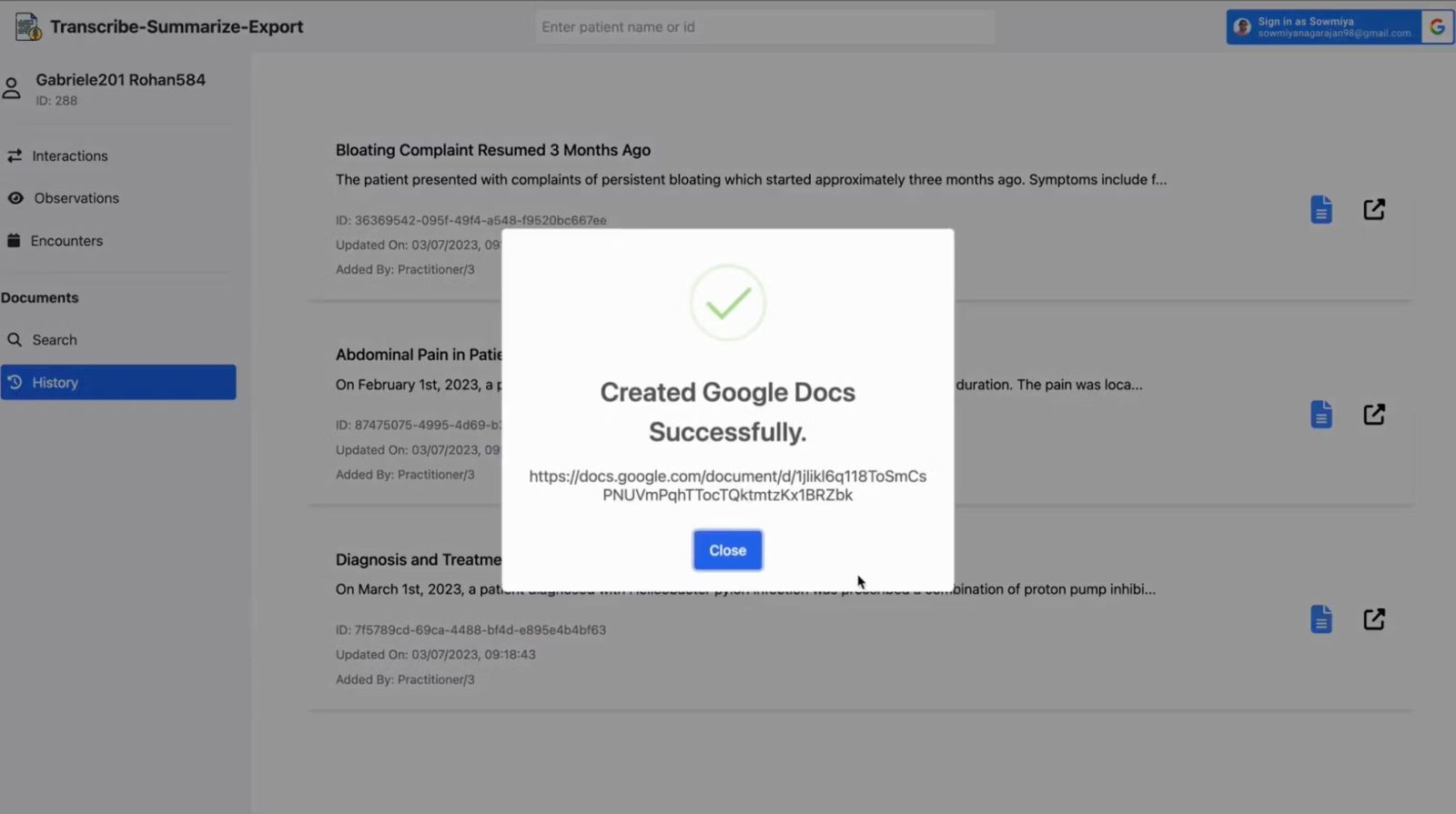
The healthcare industry is continuously evolving, and the need for efficient document management and patient data management is more critical than ever. In this article, we will focus on the specific aspects of integrating Google Docs and Google Sheets with FHIR data in the context of healthcare data interoperability.
.png)
A password manager is an important security tool that allows users to store and manage their passwords without the need to remember or write them down in insecure places. In this article, we will explore the development of a simple password manager using the Flask framework and the InterSystems IRIS database.
Our password manager application will provide the following key features:
 This project is implemented as a tool for viewing temperature data taken from a temperature sensor installed in Rasperry PI and located in a remote place where there is Internet, for example, in dacha.
The module for regular reading and sending information is implemented in python and is built in the same project. If the temperature in the country house becomes lower or higher than the threshold values, then a notification will be sent to the telegram channel.
In the last article, we talked about a few starters for Django. We learned how to begin the project, ensure we have all the requisites, and make a CRUD. However, today we are going a little further.
Sometimes we need to access more complex methods, so today, we will connect IRIS to a Python environment, build a few functions and display them on a webpage. It will be similar to the last discussion, but further enough for you to make something new, even though not enough to feel lost.
.png)
As an AI language model, ChatGPT is capable of performing a variety of tasks like language translation, writing songs, answering research questions, and even generating computer code. With its impressive abilities, ChatGPT has quickly become a popular tool for various applications, from chatbots to content creation.
But despite its advanced capabilities, ChatGPT is not able to access your personal data. So in this article, I will demonstrate below steps to build custom ChatGPT AI by using LangChain Framework:
My major interest is Working with Globals in Embedded Python.
So I checked the available official documentation.
#1 Introduction to Globals
an attempt of a generic description of what a global is. Pointing to
#2 A Closer Look at ObjectScript
But where is Embedded Python ?
Way down you see
3.1 Embedded Python Overview
3.1.1 Work with Globals
Great if you have never seen a Global before
Otherwise a shocking primitive example
3.2 Using Embedded Python
Last hope: >>> but there is just NOTHING visible.
This is more than just disappointing! Even IRIS Native API for Python is more detailed.
Hi folks!
How can I refer to a classmethod of the same class while coding another classmethod with Embedded python?
I know that I can call it with iris.cls(classname).MethodName(), but it's more cumbersome even comparing with ObjectScript, where I can call ..MethodName().
Compare ObjectScript:
do ..SetupGame()and the same call in EmbeddedPython:
iris.cls('eshvarov.sample.SeaBattle.GamePython').SetupGame()Thoughts?
Hi folks!
I have a need to use symilar to $property function from Python. Here is the code:
obj=iris.cls('some.persistent.class'forHow could I do this? Any trick?
For now I plan to implement a helper function in iris that I will call, but I doubt also how can I transfer oref to IRIS.
Thoughts?
Hi folks!
Consider I need to call a python function which name contains "_" symbol (which is quite often in Python). How it could be called from ObjectScript?
E.g. here is the code:
Set##class%SYS.PythonThanks in advance!
I want to connect IRIS system as it has all the database tables. on top of that I am creating a REST API in python. How can I connect to IRIS DB. here is my example code for connection
def connect():
connection_string = "localhost:1972/USER"
username = "_SYSTEM"
password = "SYS"
conn = iris.connect(connection_string, username, password)
after this connection is created but how can I get tables data. Please let me know more about how we can integrate IRIS database into a python REST API.
Demonstration example for the current Grand Prix contest for use of a more complex Parameter template to test the AI.
There is documentation. A recruitment consultant wants to quickly challenge candidates with some relevant technical questions to a role.
Can they automate making a list of questions and answers from the available documentation?
One of the most effective ways to cement new facts into accessible long term memory is with phased recall.
On this GitHub you can find all the information on how to use a HuggingFace machine learning / AI model on the IRIS Framework using python.

Usage of Machine Learning models in IRIS using Python; For text-to-text, text-to-image or image-to-image models.
Here, models as example :
Hi folks!
Just want to introduce you a new util to import CSV into IRIS - csvgenpy!
Install
USER>zpm "install csvgenpy"
Use:
do ##class(shvarov.csvgenpy.csv).Generate("file or url","table","schema")Example:
This will create table and class data.titanic in IRIS and will load the data. you can proof it with:
So that's it!
Basically it does the same thing as csvgen does, but uses python library sqlalchemy which works because of embedded python and sqlalchemy-iris by @Dmitry Maslennikov
P.S. csvgenpy can import some "complicated" for csvgen csv as this one
Let me introduce my new project, which is irissqlcli, REPL (Read-Eval-Print Loop) for InterSystems IRIS SQL
Install it with pip
pip install irissqlcliOr run with docker
docker run -it caretdev/irissqlcli irissqlcli iris://_SYSTEM:SYS@host.docker.internal:1972/USERConnect to IRIS
$ irissqlcli iris://_SYSTEM@localhost:1972/USER -W
Password for _SYSTEM:
Server:  InterSystems IRIS Version 2022.3.0.606 xDBC Protocol Version 65
Version: 0.1.0
[SQL]_SYSTEM@localhost:USER> select $ZVERSION
+---------------------------------------------------------------------------------------------------------+
| Expression_1                                                                                            |
+---------------------------------------------------------------------------------------------------------+
| IRIS for UNIX (Ubuntu Server LTS for ARM64 Containers) 2022.3 (Build 606U) Mon Jan 30 2023 09:05:12 EST |
+---------------------------------------------------------------------------------------------------------+
1 row in set
Time: 0.063s
[SQL]_SYSTEM@localhost:USER> help
+----------+-------------------+------------------------------------------------------------+
| Command  | Shortcut          | Description                                                |
+----------+-------------------+------------------------------------------------------------+
| .exit    | \q                | Exit.                                                      |
| .mode    | \T                | Change the table format used to output results.            |
| .once    | \o [-o] filename  | Append next result to an output file (overwrite using -o). |
| .schemas | \ds               | List schemas.                                              |
| .tables  | \dt [schema]      | List tables.                                               |
| \e       | \e                | Edit command with editor (uses $EDITOR).                   |
| help     | \?                | Show this help.                                            |
| nopager  | \n                | Disable pager, print to stdout.                            |
| notee    | notee             | Stop writing results to an output file.                    |
| pager    | \P [command]      | Set PAGER. Print the query results via PAGER.              |
| prompt   | \R                | Change prompt format.                                      |
| quit     | \q                | Quit.                                                      |
| tee      | tee [-o] filename | Append all results to an output file (overwrite using -o). |
+----------+-------------------+------------------------------------------------------------+
Time: 0.012s
[SQL]_SYSTEM@localhost:USER>.png)
The Jupyter Notebook is an open source web application that can be used to create and share documents that contain live text, code, equations and visualizations. It is maintained by the people at Project Jupyter.
Jupyter name comes from the core supported programming languages that it supports: Julia, Python, and R.
It allows users to write code in "cells," which are blocks of code that can be executed individually or together. This makes it easy to test and debug code, as well as to organize and present complex analyses.
Hey Community,
Watch this video to see how to connect to InterSystems Cloud Services from your Python application using the InterSystems DB-API driver interface:
Let's say you have Python including variable-length arguments methods. How can you call it from ObjectScript?
deftest1(*args)returntest2You can call this "a.py" from ObjectScript as below. For **kwargs argument, create Dynamic Object in ObjectScript and put it into methods with <variablename>... (3 dots) format.
Do you like playing ChatGPT? With this way, you can call ChatGPT APIs not only from Language=python method but from ObjectScript world. As described in OpenAI page , ChatCompletion.create method of OpenAI library has **kwargs argument.
Many factors affect a person's quality of life, and one of the most important is sleep. The quality of our sleep determines our ability to function during the day and affects our mental and physical health. Good quality sleep is critical to our overall health and well-being. Therefore, by analyzing indicators preceding sleep, we can determine the quality of our sleep. This is precisely the functionality of the Sheep's Galaxy application.
We have a rule to disable a user account if they have not logged in for a certain number of days. IRIS Audit database logs many events such as login failures for example. It can be configured to log successful logins as well. We have IRIS clusters with many IRIS instances. I like to run queries against audit data from ALL IRIS instances and identify user accounts which have not logged into ANY IRIS instance.
Within IRIS I defined a task to export audit data every day.
I provide some sample files in my GitHub repo.
I wrote ObjectScript code to import all files into otw.audit.consolidator class.
I want to use Python SQLAlchemy, pandas and sqlalchemy-iris (created by Dmitry Maslenikov) to copy consolidated audit data from my consolidator class in my IRIS container to my InterSystems Cloud SQL deployment.
I updated my Dockerfile to pip3 install sqlalchemy-iris and pandas (dataframes).
docker-compose build –no-cache in my personal AWS took 700 seconds.
.png)
Hi Community,
In this article, I will introduce my application iris-mlm-explainer
This web application connects to InterSystems Cloud SQL to create, train, validate, and predict ML models, make Predictions and display a dashboard of all the trained models with an explanation of the workings of a fitted machine learning model. The dashboard provides interactive plots on model performance, feature importances, feature contributions to individual predictions, partial dependence plots, SHAP (interaction) values, visualization of individual decision trees, etc.
Cross-Skilling from IRIS objectScript to Python it becomes clear there are some fascinating differences in syntax.
One of these areas was how Python returns Tuples from a method with automatic unpacking.
Effectively this presents as a method that returns multiple values. What an awesome invention :)
out1, out2 = some_function(in1, in2)
ObjectScript has an alternative approach with ByRef and Output parameters.
Do ##class(some_class).SomeMethod(.inAndOut1, in2, .out2)
Where:
The leading dot (".") in front of the variable name passes ByRef and for Output.

Named parameters can be achieved with SQLAlchemy :
from sqlalchemy import create_engine, text,types,engine

_engine = create_engine('iris+emb:///')

with _engine.connect() as conn:
    rs = conn.execute(text("select :some_private_name"), {"some_private_name": 1})
    print(rs.all())
or with native api
from sqlalchemy import create_engine, text,types,engine

# set URL for SQLAlchemy
url = engine.url.URL.create('iris', username='SuperUser', password='SYS', host='localhost', port=33782, database='FHIRSERVER')

_engine = create_engine(url)

with _engine.connect() as conn:
    rs = conn.execute(text("select :some_private_name"), {"some_private_name": 1})
    print(rs.all())
If you are using Python, you can use the built-in venv module to create a virtual environment. This module is the recommended way to create and manage virtual environments.
A virtual environment is a tool that helps to keep dependencies required by different projects separate by creating isolated python virtual environments for them. It solves the “Project X depends on version 1.x but, Project Y needs 4.x” dilemma, and keeps your global site-packages directory clean and manageable.
So if like me you work a lot with Python, you can use the venv module to create a virtual environment for your project. This will allow you to install packages without affecting the global Python installation.
You will find here two neat alias to create and activate a virtual environment.
alias venv="python3 -m venv .venv; source .venv/bin/activate"
alias irisvenv="python3 -m venv .venv; source .venv/bin/activate; pip install https://github.com/grongierisc/iris-embedded-python-wrapper/releases/download/v0.0.3/iris-0.0.3-py3-none-any.whl"
InterSystems IRIS 2022.2 has Native SDK for Python (https://docs.intersystems.com/iris20222/csp/docbook/Doc.View.cls?KEY=PA…).
We know how to traverse a global data structure using IRIS Object Script $Order function.
SET""FORHow to do the same from Python using IRIS Native SDK for Python? Here is a code example:
'127.0.0.1'I'm curious about how embedded Python is handled by %CSP classes, particularly in the case of defining REST endpoints on IRIS.
Here is a simple dispatch class for the endpoint /api/pythonapp on my local IRIS instance (2022.3):
ClassExtends%CSP.RESTMaking a GET request to <ip:webport>/api/pythonapp/test does not return an error, but returns "wstr%SYS.csp" which is interesting.

Can anyone shed light on this behaviour or has achieved an embedded Python dispatch class without passing values to ObjectScript methods for writing?