Hi Community,
See how to build a REST API with InterSystems IRIS in just five minutes, leveraging Docker containers:
Docker is a software technology providing containers, promoted by the company Docker, Inc. Docker provides an additional layer of abstraction and automation of operating-system-level virtualization on Windows and Linux.
Hi Community,
See how to build a REST API with InterSystems IRIS in just five minutes, leveraging Docker containers:
Those of you who run and support older-style legacy systems on IRIS may be interested in learning about and trying out a new framework I've built on top of my colleague Chris Munt's mg_web technology (details at https://github.com/chrisemunt/mg_web).
There are quite a few older-style and legacy applications out there whose useful life can be extended by making their functionality available as REST APIs. To make this something that can be done quickly and easily, using modern, industrial-strength web servers, I've created what I'm calling mgweb-server:
Hi Community,
See how to use System Alerting & Monitoring (SAM) to view and customize metrics for a cluster of systems running InterSystems IRIS:
Hey Developers,
Please welcome the first session from InterSystems Virtual Summit 2020:
⏯ Creating InterSystems IRIS Analytics Solutions Using Docker & VSCode
Hi developers!
We introduced a set of bonuses to all the participants of the Interoperability Stack Contest.
And here is the table of current bonuses accomplishments:
Hi Community,
Please welcome the new video recorded by @Evgeny.Shvarovon InterSystems Developers YouTube:
⏯ Developing InterSystems IRIS solution using GitHub Codespaces
N.P.M stands for "No Project Mess."
N.P.M. is a Project & Task Management app that uses InterSystems IRIS and Bootstrap 4.
No Project Mess is created to help developers and small business companies to reduce complexity in their daily problems, with a simple and intuitive projects and tasks management software.
It offers different views for your tasks, from a spreadsheet, kanban, calendar, or even Gantt!
Hi all, I am having problems trying to get Docker to run correctly on my Linux Mint machine.
I did the following:
1. Installed Docker.
docker --version
Docker version 19.03.6, build 369ce74a3c
docker-compose -v
docker-compose version 1.17.1, build unknown
2. Downloaded zip from https://github.com/intersystems-community/iris-fullstack-template/tree/42f9c174a9a4e63cb5eb3eb646abf3930a6e4d31
and unzipped it
3. Entered the following command:
docker-compose up -d
This generated the following error:
ERROR: Version in "./docker-compose.yml" is unsupported.
Hi everyone,
I'm trying to build my project on a Linux machine using Docker.
In my development environment, I use Windows 10 Pro with Docker Desktop version 2.3.0.5. Everything works fine, and the docker-compose build runs flawlessly.
But, when I tried to run the same project in a Linux.
Ubuntu 18.04.5 LTS (GNU/Linux 5.4.0-1025-azure x86_64), docker --version
Docker version 19.03.6, build 369ce74a3c
I'm getting the following error:
ERROR: Service 'iris' failed to build: OCI runtime create failed: container_linux.go:349: starting container process caused "exec: \"/irissession.
Hi Developers!
Here're the technology bonuses for the Full Stack Contest that will give you extra points in the voting:
See the details below.
Hi Community!
Please welcome the new video on InterSystems Developers YouTube:
⏯ Get InterSystems IRIS from the Docker Store
I am currently working with docker for the first time the last month. I created a project with these 2 images:
My docker-compose.yml looks like this:
    version: '2'
    services:
        frontend:
            container_name: frontend
            build:
                context: ./container/frontend
dockerfile: Dockerfile.Hi Developers!
Here're the technology bonuses for the FHIR programming contest that will give you extra points in the voting:
See the details below.
In a previous article, I discussed patterns for running unit tests via the InterSystems Package Manager. This article goes a step further, using GitHub actions to drive test execution and reporting. The motivating use case is running CI for one of my Open Exchange projects, AppS.REST (see the introductory article for it here). You can see the full implementation from which the snippets in this article were taken on GitHub; it could easily serve as a template for running CI for other projects using the ObjectScript package manager.
Hi Developers!
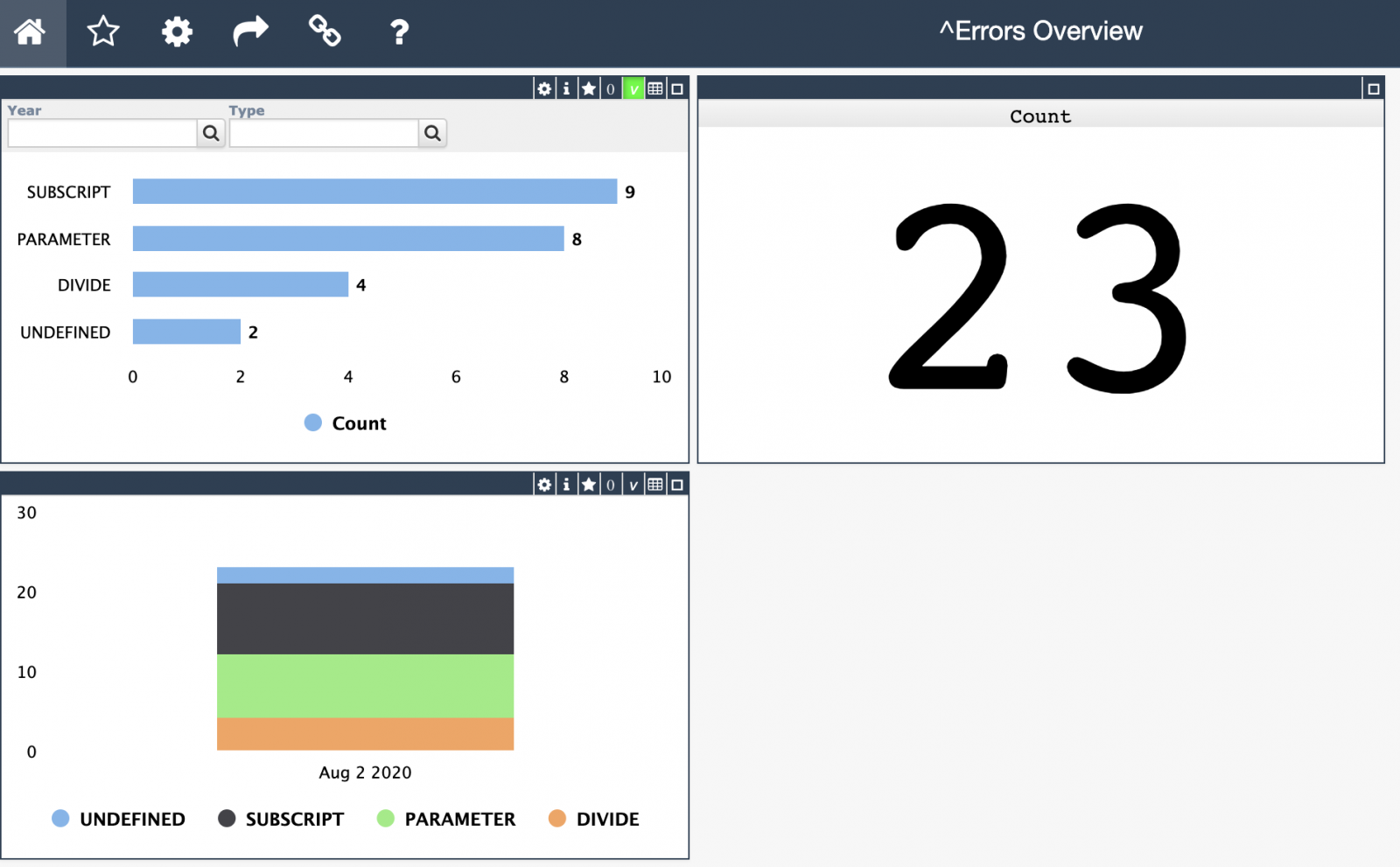
As you know the application errors live in ^ERRORS global. They appear there if you call:
d e.Log() in a Catch section of Try-Catch.
With @Robert Cemper's approach, you can now use SQL to examine it.
Inspired by Robert's module I introduced a simple IRIS Analytics module which shows these errors in a dashboard:
Hello, guys!
I'm facing a problem when I compile my code in Atelier (version 1.3) when connected to an Iris Community instance in Docker container.
When compiling, the code is synchronized with the server correctly, however, in the IDE, the code is inserted into the class again.
Class after compile:
InterSystems supports use of the InterSystems IRIS Docker images it provides on Linux only. Rather than executing containers as native processes, as on Linux platforms, Docker for Windows creates a Linux VM running under Hyper-V, the Windows virtualizer, to host containers. These additional layers add complexity that prevents InterSystems from supporting Docker for Windows at this time.
We understand, however, that for testing and other specific purposes, you may want to run InterSystems IRIS-based containers from InterSystems under Docker for Windows.
Hi All,
With this article, I would like to show you how easily and dynamically System Alerting and Monitoring (or SAM for short) can be configured. The use case could be that of a fast and agile CI/CD provisioning pipeline where you want to run your unit-tests but also stress-tests and you would want to quickly be able to see if those tests are successful or how they are stressing the systems and your application (the InterSystems IRIS backend SAM API is extendable for your APM implementation).
Hey Community,
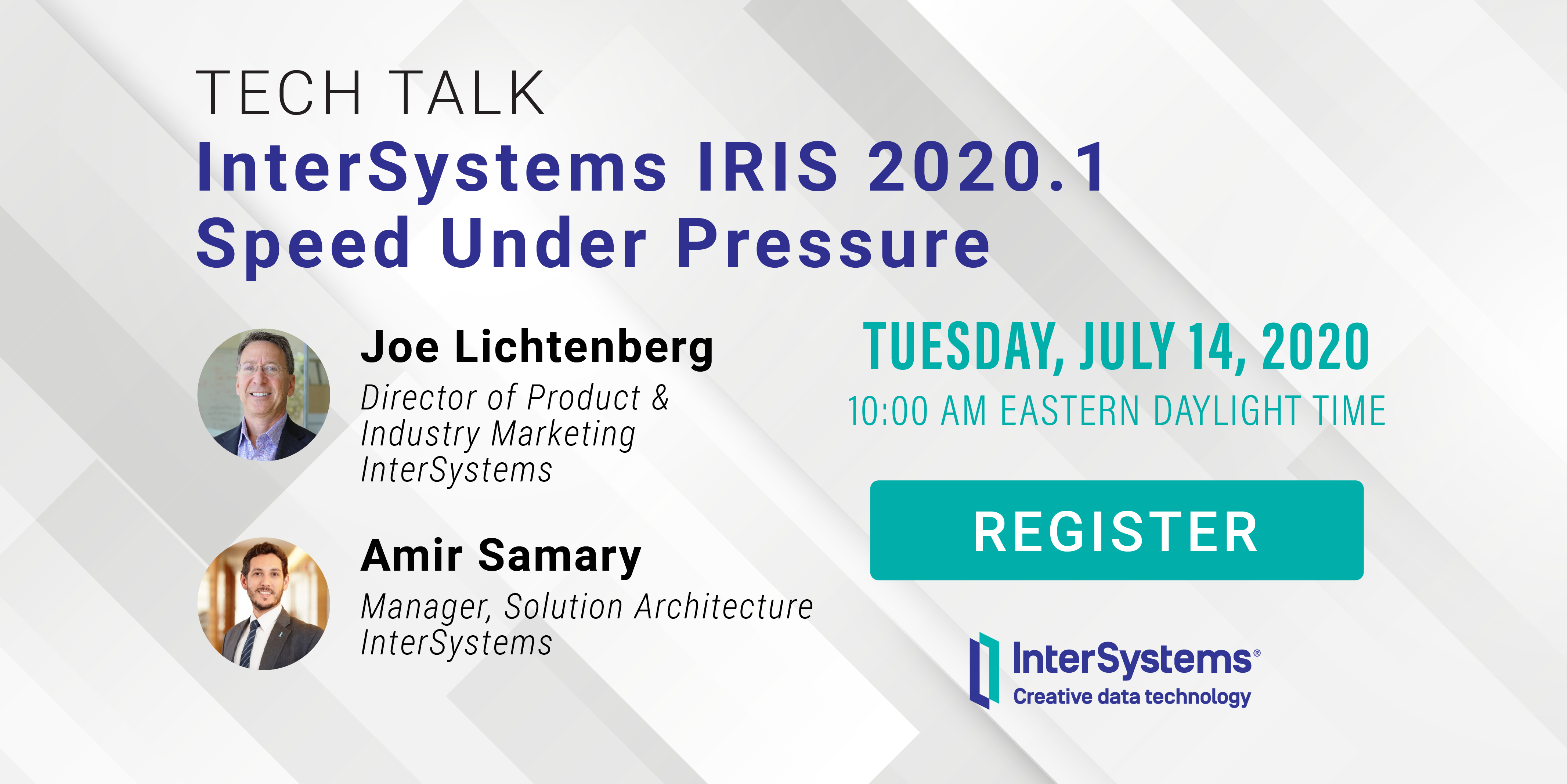
We're pleased to invite all the developers to the upcoming InterSystems IRIS 2020.1 Tech Talk: Speed Under Pressure on July 14 at 10:00 AM EDT!
In this InterSystems IRIS 2020.1 Tech Talk, we'll learn about the open source Ingestion Speed Test. We will explain:
After this Tech Talk, you'll be able to use the Ingestion Speed Test on InterSystems Open Exchange for your own testing and benchmarking.
Imagine you want to see what InterSystems can give you in terms of data analytics. You studied the theory and now you want some practice. Fortunately, InterSystems provides a project that contains some good examples: Samples BI. Start with the README file, skipping anything associated with Docker, and go straight to the step-by-step installation. Launch a virtual instance, install IRIS there, follow the instructions for installing Samples BI, and then impress the boss with beautiful charts and tables. So far so good.
Inevitably, though, you’ll need to make changes.
Hi Developers!
Looking for a fast, efficient IDE for developing ObjectScript code? Watch the new video on InterSystems Developers YouTube for more:
⏯ ObjectScript with Visual Studio Code
Hey,
I am pretty new to Docker and everything around that. I installed the container image from DockerHub and followed the instructions (https://hub.docker.com/_/intersystems-iris-data-platform/plans/222f869e-567c-4928-b572-eb6a29706fbd?tab=instructions). Everything is working fine except for the part where I want to change the default password.
I followed the instructions from this article (https://community.intersystems.
Hi developers!
We are starting InterSystems AI Programming Contest next week, and according to the rules, you can include some technology IRIS Features into your solutions, which will give you extra points in the voting.
Here are the technology bonuses for InterSystems AI Programming Contest!
1. IntegratedML usage - 2 expert vote points
IntegratedML is a new technology Introduced in InterSystems IRIS which you can use with InterSystems IRIS 2020.2 Advanced Analytics Preview release. IntegratedML:
Learn more in IntegratedML Resource Guide.
You can use with IntegratedML template.
2. Python Gateway usage - 1 expert vote point
Python Gateway is an addon to InterSystems IRIS which gives you the way to use Python in InterSystems IRIS environment:
Learn more about Python Gateway.
You can use the Python Gateway template, which includes IntegratedML too.
3. Docker container - 1 expert vote point
The application gets a 'Docker container' bonus if it uses InterSystems IRIS running in a docker container.
Both templates, IntegratedML template and Python Gateway template use docker so you can collect this bonus if you build your solution using these templates.
Or you can use any other Docker-based templates, published on Open Exchange.
Feel free to ask any questions about using the listed technologies.
Good luck in the competition!
In an earlier article (hope, you’ve read it), we took a look at the CircleCI deployment system, which integrates perfectly with GitHub. Why then would we want to look any further? Well, GitHub has its own CI/CD platform called GitHub Actions, which is worth exploring. With GitHub Actions, you don’t need to rely on some external, albeit cool, service.
In this article we’re going to try using GitHub Actions to deploy the server part of InterSystems Package Manager, ZPM-registry, on Google Kubernetes Engine (GKE).
Hi Devs!
Last weekend I had been testing the newborn csvgen module and was looking for a CSV file to test - thus I came across an interesting datafile on Data.World with Game of Throne episodes statistics. Death statistics. These folks documented all the murders through all the 8 seasons and noted where, who, from what clan with what weapon had killed another one.
So I imported it and made an IRIS Analytics dashboard.

Don't worry, Jon, with this dashboard we can figure out something ). See the details below.
Many times it is necessary copy or send files to your docker container instance.
In my case was with IRIS JDBC driver.
Docker has this recipe for this (credits to https://docs.docker.com/engine/reference/commandline/cp/):
docker cp [OPTIONS] CONTAINER:SRC_PATH DEST_PATH|-
docker cp [OPTIONS] SRC_PATH|- CONTAINER:DEST_PATH
But to copy you need your container name. Write this command for this:
docker ps
In my, my-iris is the container name.
If you need to know file location into your docker file system too, write:
1. To go to bash of your docker instance: docker exec -it my-iris /bin/bash.
2. Write cd .
Last time we deployed a simple IRIS application to the Google Cloud. Now we’re going to deploy the same project to Amazon Web Services using its Elastic Kubernetes Service (EKS).
We assume you’ve already forked the IRIS project to your own private repository. It’s called <username>/my-objectscript-rest-docker-template in this article. <root_repo_dir> is its root directory.
Before getting started, install the AWS command-line interface and, for Kubernetes cluster creation, eksctl, a simple CLI utility. For AWS you can try to use aws2, but you’ll need to set aws2 usage in kube config file as described here.
Hello!
I'm interested to hear if folks have experience using Docker containers with Caché instances using ECP. Wondering if there are any special considerations when setting up a distributed application with multiple containers communicating with ECP. Any input is appreciated!
Hi Community!
We are pleased to invite you to the upcoming Online Meetup supported by InterSystems Israel Team on May 26 at 3:00 PM IDT (Israel Daylight Time) / 8:00 EDT (Eastern Daylight Time)
Topic: Introduction to Using Containers
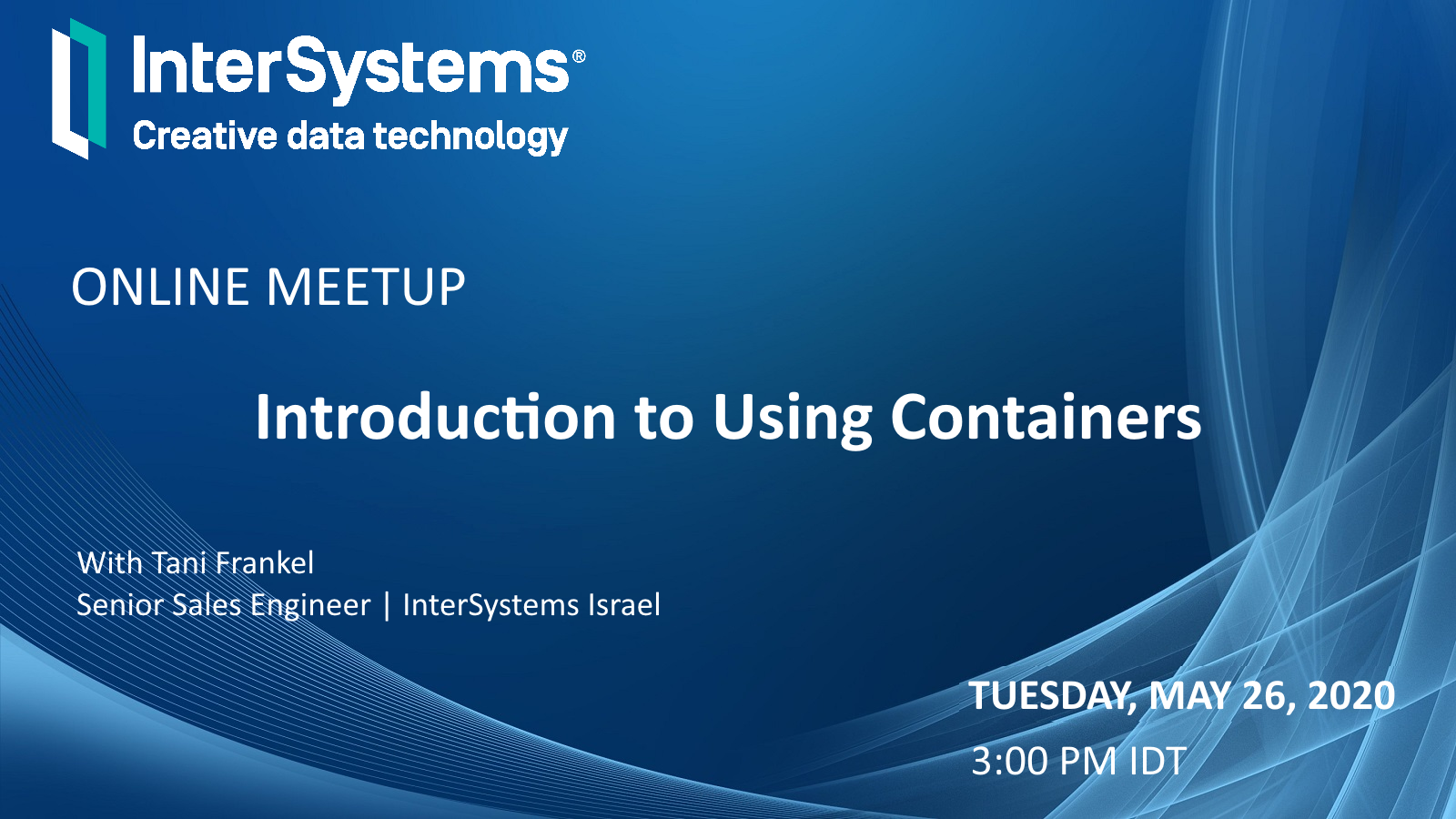
What awaits you?
How to use the IRIS Native API in Python to access globals and plot some charts.
With a large adoption and use in the world, Python have a great community and a lot of accelerators | libraries to deploy any kind of application. If you are curious (https://www.python.org/about/apps/)
As the pandemy evolves in the world a lot of information are being spreaded so I decided to create an application to audit those information.