New
Article Kate Lau · 3 hr ago 3m read

Hi, every one. Again, it's me!!😀😀

Recently I was trying to organize some learning materials for InterSystems IRIS😆, and realized that the resources are actually quite scattered.🤐

So I put together a list here—grouped by categories—for anyone who:

  • is new to InterSystems
  • or wants to go deeper into specific areas

Also adding some of my own experience on what worked (and what didn’t, may be only not work for me🤫🤐).


1. For starters

If you don’t know where to begin, start here:

2
0 22
InterSystems Developer Community is a community of 26,584 amazing developers
We're a place where InterSystems IRIS programmers learn and share, stay up-to-date, grow together and have fun!
Contestant
Article Muhammad Waseem · 43 min ago 10m read

Hi Community,

In our two preceding articles, we explored the fundamentals of the Interoperability Embedded Python (IoP) framework, including message handling, production setup, and Python-based business components.

In this third piece, we will examine advanced methodologies and practical patterns within the IoP framework that are pivotal for real-world interoperability implementations.
We will explore the following topics: 

DTL (Data Transformation Language) in IoP
✅ JSON Schema Support
✅ Effective Debugging Techniques

Collectively, these features help us create maintainable, validated, and easily troubleshootable production-grade interoperability solutions.


DTL (Data Transformation Language) in IoP 

DTL serves as the Data Transformation Language built into the IRIS Interoperability Framework. It provides a drag-and-drop graphical editor in the Management Portal, allowing us to define mappings from a source message to a target message field-by-field and loop-by-loop. Historically, this was restricted to ObjectScript-based messages. However, starting with IoP version 3.2.0, our Python message classes are treated as first-class citizens in DTL.

This is a significant milestone. It means a Python developer can define message structures using Python dataclasses, enroll them once, and then delegate the transformation logic to a business analyst or integration specialist. That individual can work entirely within the visual DTL editor without requiring any ObjectScript knowledge.

In this section, we will implement a practical use case: a patient appointment notification system in which an incoming appointment request message containing raw patient data will be transformed into an outbound notification message with a normalized subset of that data. The process will follow the steps below:

  • Step 1: Create the Python message classes

  • Step 2: Register the message classes in settings.py

  • Step 3: Run IOP --migrate to enroll all components

  • Step 4: Build and test the DTL transformation in the Management Portal

Let’s begin with Step 1:
Step 1: Create the Python message classes
Create the following msg.py file in your development environment:

# msg.py
from iop import Message
from dataclasses import dataclass, field
from typing import List

@dataclass
class AppointmentRequest(Message):
    patient_id: str = None
    patient_name: str = None
    date_of_birth: str = None
    appointment_date: str = None
    appointment_time: str = None
    department: str = None
    reason: str = None
    contact_numbers: List[str] = field(default_factory=list)

@dataclass
class AppointmentNotification(Message):
    patient_name: str = None
    appointment_date: str = None
    appointment_time: str = None
    department: str = None
    primary_contact: str = None
    confirmation_code: str = None

A few key points to note: both classes inherit from iop.Message and leverage Python’s standard dataclasses module. The AppointmentRequest includes a contact_numbers list, representing a repeating field that DTL can handle natively once the schema is registered by IoP. In contrast, AppointmentNotification is intentionally simplified, with the transformation step responsible for selecting only the data required for the notification.
Step 2: Register the Message Classes in settings.py
IoP must recognize these message classes before IRIS can expose them in the DTL editor. Create a settings.py file and enlist the previously defined classes within it.

# settings.py
from msg import AppointmentRequest, AppointmentNotification
SCHEMAS = [AppointmentRequest, AppointmentNotification]

The key addition here, compared to earlier articles, is the SCHEMAS list. It instructs iop --migrate to generate VDoc schema files in IRIS, making these Python classes available in the DTL editor.
Step 3: Run iop --migrate to Register Everything
Execute the following iop --migrate command to transfer the components into IRIS:

iop --migrate /path/to/your/project/settings.py

This generates IRIS VDoc schema classes for AppointmentRequest and AppointmentNotification

Step 4: Build and Test the DTL Transformation in the Management Portal
Open the IRIS Management Portal, go to Interoperability → Build → Data Transformations, and click the New button.

In the wizard, configure the following settings:

  • Package Name:  Demo
  • DTL Name:  APPTDTL
  • Source Class:  IOP.Message
  • Source Doc Type:  msg.AppointmentRequest (generated by IoP)
  • Target Class:  IOP.Message
  • Target Doc Type:  msg.AppointmentNotification

Click OK and you will land in the visual DTL editor.

Now map the fields as follows:

  • Drag source.patient_nametarget.patient_name
  • Drag source.appointment_datetarget.appointment_date
  • Drag source.appointment_timetarget.appointment_time
  • Drag source.departmenttarget.department
  • For target.primary_contact, employ a Set action with the value source.{contact_numbers(1)} to select the first phone number from the list
  • For target.confirmation_code, use a Set action with a custom ObjectScript expression like $system.Util.CreateGUID() to generate a unique confirmation code dynamically

Save and compile the DTL to make it ready for usage. 
You can test the transformation directly by clicking Test button from the Tools tab. Paste a sample payload in XML envelope format as shown below:

<test>
 <Message>
   <json><![CDATA[
{
 "patient_id": "P123456",
 "patient_name": "Maria Gonzalez",
 "date_of_birth": "1985-04-12",
 "appointment_date": "2026-04-15",
 "appointment_time": "14:30",
 "department": "Cardiology",
 "reason": "Follow-up after ECG abnormalities",
 "contact_numbers": ["+12025550123", "+12025550124"]
}
]]></json>
 </Message>
</test> 


JsonSchema Support


The DTL approach we covered works well when you control the message definition and can represent it as a Python dataclass. However, in integration scenarios, we often receive a JSON payload from an external system we did not design, such as a third-party API, a legacy system, or an external partner. In such cases, a JSON Schema file is usually the only available contract.

Starting with IoP 3.2.0+, we can import a raw JSON Schema file directly into IRIS and use it as a DTL document type without defining a Python class.

For this scenario, imagine we are receiving patient appointment details. They provide a JSON Schema document, and our goal is to build a DTL that extracts key fields and maps them into our internal AppointmentNotification message (defined earlier).
Similarly to message classes, we need to register our JSON schema. Save the following content as appointment_request_schema.json:

{
  "$schema": "https://json-schema.org/draft/2020-12/schema",
  "title": "AppointmentRequest",
  "description": "Schema for incoming appointment booking requests",
  "type": "object",
  "properties": {
    "patient_id": {
      "type": "string",
      "description": "Unique patient identifier (e.g., MRN or external ID)",
      "minLength": 1
    },
    "patient_name": {
      "type": "string",
      "description": "Full name of the patient",
      "minLength": 2
    },
    "date_of_birth": {
      "type": "string",
      "format": "date",
      "description": "Patient's birth date in YYYY-MM-DD format"
    },
    "appointment_date": {
      "type": "string",
      "format": "date",
      "description": "Requested appointment date in YYYY-MM-DD format"
    },
    "appointment_time": {
      "type": "string",
      "description": "Requested time in HH:MM (24-hour) format",
      "pattern": "^([01][0-9]|2[0-3]):[0-5][0-9]$"
    },
    "department": {
      "type": "string",
      "description": "Target department or specialty (e.g. Cardiology, Pediatrics)",
      "minLength": 1
    },
    "reason": {
      "type": "string",
      "description": "Reason for the appointment (chief complaint or referral reason)",
      "minLength": 5
    },
    "contact_numbers": {
      "type": "array",
      "description": "List of contact phone numbers",
      "items": {
        "type": "string",
        "pattern": "^\\+?[1-9]\\d{1,14}$"
      },
      "minItems": 1
    }
  },
  "required": [
    "patient_id",
    "patient_name",
    "date_of_birth",
    "appointment_date",
    "appointment_time",
    "department",
    "reason",
    "contact_numbers"
  ],
  "additionalProperties": false
}


Open an IRIS terminal session in your namespace and run the next command:


IOP>zw ##class(IOP.Message.JSONSchema).ImportFromFile("D:\IOP\hello_world\appointment_request_schema.json","Demo","AppointmentRequestJ")

The three arguments are the following:

  1. The absolute path to your JSON Schema file on the IRIS server filesystem
  2. The package name that groups the schema in IRIS (use Demo here)
  3. The schema name, used as a name in the DTL editor (AppointmentRequestJ)

Once this command is completed, IRIS will register your schema internally. There is no need to create a Python class for this structure.
Now you can create a DTL with the help of the JSON Schema. Just follow the steps outlined above to build the DTL.


Once the DTL is finalized, it can be tested with the following payload:

<test>
 <Message>
   <json><![CDATA[
{
 "patient_id": "P123456",
 "patient_name": "Maria Gonzalez",
 "date_of_birth": "1985-04-12",
 "appointment_date": "2026-04-15",
 "appointment_time": "14:30",
 "department": "Cardiology",
 "reason": "Follow-up after ECG abnormalities",
 "contact_numbers": ["+12025550123", "+12025550124"]
}
]]></json>
 </Message>
</test>

Effective Debugging Techniques

Since IoP is built on top of IRIS Embedded Python, in practice, your Python code does not run under a regular Python interpreter; it is executed inside an IRIS process. It means that the usual trick of just running a file with Python myfile.py and stepping through it with a debugger does not apply directly to active production.

There are two main approaches to tackle this: remote debugging (attaching directly to the live IRIS process) and local debugging (running the code outside IRIS using a native Python interpreter). Each one is helpful depending on what you are trying to diagnose.
Remote Debugging:
It was introduced in IoP version 3.4.1 and is currently the most direct way to debug a component running inside production.

Once you have this version or a later one, new options appear in the Management Portal for each production item:

  • Enable Debugging — activates the remote debug listener for that component.
  • Debugging Port — the port your IDE will connect to. Setting it to 0 lets IRIS automatically pick a random available port.
  • Debugging Interpreter —  a tool you leave at its default in almost all cases.

When you start the process with debugging enabled, the IRIS log will show a message indicating it is waiting for a connection on the assigned port. At that point, you have a window to connect from your IDE. However, if you wait too long, the port will close, and you will need to restart the process.
To connect from VSCode, you should add a launch configuration as shown below:

{
   "name": "Python: Remote Debug",
   "type": "python",
   "request": "attach",
   "connect": {
       "host": "<IRIS_HOST>",
       "port": <IRIS_DEBUG_PORT>
   },
   "pathMappings": [
       {
           "localRoot": "${workspaceFolder}",
           "remoteRoot": "/irisdev/app"
       }
   ]
}

The pathMappings section tells VSCode how to map file paths between your local machine and the IRIS instance. Once connected, you get full breakpoint and step-through support, just like when debugging a local Python script.
Local Debugging

If remote setup feels like too much work for a quick check, go for local debugging instead. The idea is to run your IoP code directly with a native Python interpreter outside of IRIS, so your standard debugger can do the job.

The trade-off is that you will need either a local IRIS installation or a running Docker container to back it. For Docker users, the Remote - Containers VSCode extension allows you to attach directly to the container and follow the local debugging steps from within.
 

0
0 5
New
Question Scott Roth · 21 hr ago

This past weekend we ran into something odd. When we failed over our mirror from 2022.1.3 to 2025.1.3 the one of the Business Rules that was on what became the Primary (2025.1.3), had a rule within it that was removed back in January. When the Failover occurred, we had to scramble to backup, disable, and remove the Rule that shouldn't have been there. 

Both the Data and Code live within the same IRIS.dat that is the main MIRROR database for that Namespace. 

If this happened to one Class file, could it happen to others we do not know about?

3
0 63
Announcement Anastasia Dyubaylo · Feb 26

Hey Community!

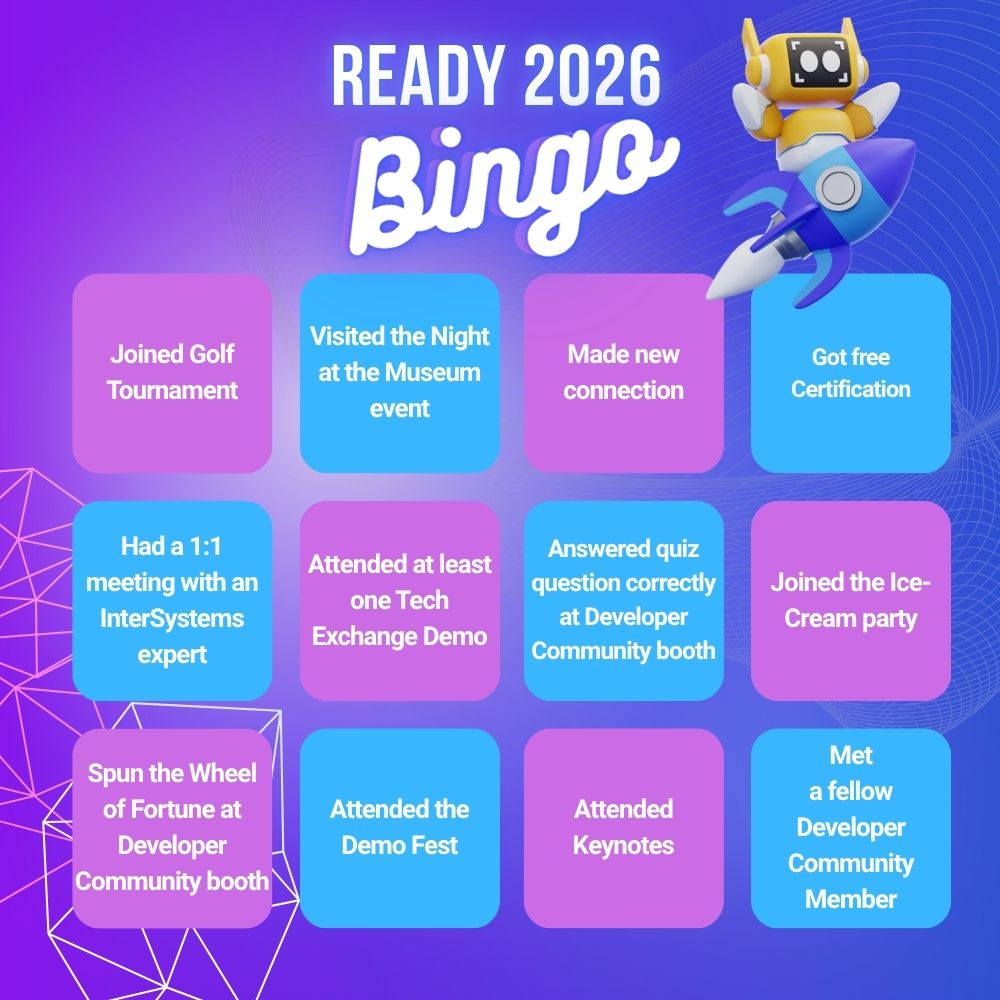
Have you attended one of the Global Summits or a previous READY 2025? We’d love your help to inspire others to join InterSystems READY 2026!

We’re inviting community members to record a short video (less than 1 minute) answering one or more of these questions:

  • What did you find most valuable about attending?
  • What surprised you?
  • Why should others join READY 2026?
  • Who would benefit most from attending?

Your authentic perspective helps future attendees understand the real impact of these events, beyond the agenda.

🎥 To record a short video, follow the link. No preparation needed.

13
0 256
New
Article Anastasia Dyubaylo · 21 hr ago 3m read

Every great community is enriched by those who work tirelessly behind the scenes, crafting the knowledge and resources that help others grow. In the InterSystems Developer Community, one such person is @Derek Robinson — a dedicated educator, whose passion for teaching has helped shape how developers everywhere learn to work with InterSystems technologies.

👏 Let's take a closer look at Derek's journey in the InterSystems ecosystem.

1
0 30
New
Question Mark Charlton · 20 hr ago

I'm starting to play more with AI enabled coding. 
I've been using Github Copilot inside Visual studio code, which is very good at coming up with autocomplete suggestions that are accurate and useful. (Along with some utter rubbish, naturally).
For web development I'm starting to use Claude Code in VS Code to help create web sites and integrations. I want to see how it can help with IRIS development. 

However I can't get claude to read any iris code directly as I'm connected to my server via isfs server connections.

4
0 56
Contestant
Article Yuri Marx · 18 hr ago 5m read

The PACELC theorem was created by Daniel Abadi (University of Maryland, College Park) in 2010 as an extension of the CAP theorem (created by Eric Brewer - Consistency, Availability, and Partition Tolerance). Both help design how to architect the most suitable operation of data platforms in distributed environments under the aspects of consistency versus availability. The difference is that PACELC also allows analysis of the best option for non-distributed environments, making it the gold standard for considering all possible scenarios to define your deployment topology and architecture.

The CAP theorem states that in distributed systems, it is not possible to have consistency, availability, and partition tolerance simultaneously, requiring a choice of two out of three, according to the following diagram.


Source: https://medium.com/nerd-for-tech/understand-cap-theorem-751f0672890e

0
2 21
Announcement Irène Mykhailova · Mar 10

Hi Community!

We’re building a series of short, hands-on Instruqt tutorials to help newcomers get up to speed with InterSystems technologies faster and more effectively. To kick things off, we’ve just released a new tutorial, “Data Models of InterSystems IRIS,” covering the fundamentals of the IRIS multimodel approach. This is exactly the type of focused, concise, practical learning experience we want to expand. And this is where you come in!

We’d love to hear your ideas for other tutorial topics to help developers new to InterSystems IRIS take their first steps with confidence. Please welcome the new sweepstakes:

💡 Topics for hands-on Instruqt Tutorials 💡

20
2 398
New
Question Mauricio Sthandier · Apr 12

hi 😊,

i'm able to LOAD DATA in IRIS from a rather complex, say Oracle's, query. It works pretty well but requires a target table created aforehand:

LOAD DATA FROM JDBC CONNECTION SOME_OTHER_SERVER QUERY 'complex query here' INTO TargetTable

is there a way to base such target table on the same query ? 
CREATE FOREIGN TABLE seems to require a column definition which I would prefer to be taken from the query
CREATE TABLE AS SELECT seems to be for local queries and other methods, like Linked Table Wizard or %SYSTEM.SQL.Schema.

1
0 30
New
Question Jainam Shah · Apr 12

Hello,

I am working on integrating a CELL-DYN Ruby hematology analyzer (Abbott) with InterSystems Ensemble using the ASTM E1394 protocol over TCP/IP via a Digi One SP serial-to-TCP converter. I am facing a persistent issue where the Link Test keeps failing on the CDRuby side and the Transmit button remains greyed out. I have overridden EOTOptional=1 in the service class file as Ensemble was not able to send ACK after ENQ. Now I am getting below logs like Machine sends ENQ, Ensemble sends back ACK and Machine sends EOT instead of STX.

1
0 20
Announcement Olga Zavrazhnova · Mar 16

Hey Developers,

Thank you for being part of the InterSystems Developer Ecosystem! 
We truly appreciate your participation across the Developer Community, Open Exchange, Global Masters, and the Ideas Portal.

Each year we run a short survey to understand how we can improve our platforms and better support developers like you. Your feedback helps us shape the future of the ecosystem.

Please take a few minutes to complete the survey:

👉 InterSystems Developer Ecosystem Annual Survey 2026 (3-5 min, 12 questions)

Note: The survey takes less than 5 minutes to complete.

2
0 135
Article Tani Frankel · Jan 22 4m read

If you already know Java (or .Net) and perhaps also have used other document databases (or looking for one), but you are new to the InterSystems world, this post should help you.

InterSystems IRIS Cloud Document is a fully managed document database that lets you store JSON documents and query them with familiar SQL syntax, delivered as a cloud service managed by InterSystems.

In this article pair I’ll walk you through:

  • Part I - Intro and Quick Tour (this article)
    • What is it?
    • Spinning up an InterSystems IRIS Cloud Document deployment
    • Taking a quick tour of the service via the service UI
  • Part II - Sample (Dockerized) Java App (the next article)
    • Grabbing the connection details and TLS certificate
    • Reviewing a simple Java sample that creates a collection, inserts documents, and queries them
    • Setting up and running the Java (Dockerized) end‑to‑end sample

The goal is to give you a smooth “first run” experience.

0
0 31
Article Peter Steiwer · Jan 21 2m read

Starting with InterSystems IRIS 2025.1, the way dependent cubes are handled in cube builds and cube synchronizes was changed.

This change may require modifying custom build/synchronize methods. If you are using the Cube Manager, these changes are already considered and handled, which means no action is needed.

Prior to this change, cubes were required to be built and synchronized in the proper order and account for any cube relationships/dependencies. With this change, dependent cubes are automatically updated as needed when using the %BuildCube or %SynchronizeCube APIs.

0
0 18
New
Question Pietro Di Leo · Apr 10

Hi everyone,

I was wondering if it is possible to use the InterSystems Server VSCode Extension to work in client side mode but importing locally the content of a project without having to choose the files manually.

It would be awesome to have all project-related assets synchronized in one go. Relying on InterSystems Projects (.prj files) would be convenient for several reasons:

  1. Projects bundle different file types (CLS, MAC, INT, CSP). Importing the project as a whole is much more efficient than picking individual files piece by piece.
5
0 59
New
Article Iryna Mykhailova · Apr 9 3m read

Claude Code has a strong understanding of IRIS, but unexpected issues still occur.

The first issue is one that has already happened several times and is likely to continue occurring if not properly addressed.

In IRIS, the collation for string data (%String) is set to SQLUPPER by default. As a result, when data is retrieved via SQL, it may be returned in uppercase (for example, when sorting and aggregating with GROUP BY).

3
0 69
Question Evgeny Shvarov · Feb 5

Hi developers!

In a method I need to return a result as a dynamic object aka JSON Object. And here is my logic:

Classmethod Planets() as %DynamicObject {

 set val1="Jupiter"
 set val2="Mars"
// this doesn't work! cannot compile
 return {"value1":val1, "value2":val2}

}

So I need to do the following:

28
1 318
Article Robbie Luman · Aug 15, 2025 7m read

Dynamic Entities (objects and arrays) in IRIS are incredibly useful in situations where you are having to transform JSON data into an Object Model for storage to the database, such as in REST API endpoints hosted within IRIS. This is because these dynamic objects and arrays can easily serve as a point of conversion from one data structure to the other.

6
6 451
New
Announcement Larry Finlayson · Apr 9

HealthShare Unified Care Record Fundamentals – Virtual* May 4-8, 2026

*Please review the important prerequisite requirements for this class prior to registering.

  • Learn the architecture, configuration, and management of HealthShare Unified Care Record.
  • This 5-day course teaches HealthShare Unified Care Record users and integrators the HealthShare Unified Care Record architecture and administration tasks. 
  • The course also includes how to install HealthShare Unified Care Record. 
  • This course is intended for HealthShare Unified Care Record developers, integrators, administrators and managers.
0
0 10
New
Announcement Irène Mykhailova · Apr 9

Hi Community!

Welcome to Issue #28 of the InterSystems Ideas newsletter! Let's look at the latest news from the Ideas Portal, such as:

✓ General Statistics
✓ Update on the current sweepstakes
✓ Your ideas implemented by InterSystems

And a little teaser: look forward to an exciting initiative linking Ideas Portal, Open Exchange, Global Masters, and Developer Community!

0
0 22
New
Article Iryna Mykhailova · Apr 9 3m read

Since I started using Claude Code, my motivation to create things has skyrocketed.

Previously, even if I wanted to build something, actually doing the coding felt like a hassle, so unless there was a very strong need, I rarely went as far as programming. But now, if I just jot down the specifications, Claude Code handles the rest automatically, resulting in a dramatic improvement in productivity.

I come from a generation native to ObjectScript, so I used to feel some hesitation when it came to switching to Python.

0
0 40
Article Pietro Di Leo · Aug 21, 2025 2m read

Recently, I replaced my old laptop with a new one and had to migrate all my data. I was looking for a guide but couldn’t find anything that explained in detail how to migrate server connections from InterSystems Studio and Visual Studio Code from one PC to another. Simply reinstalling the tools is not enough, and migrating all the connections manually seemed like a waste of time. In the end, I managed to solve the problem, and this article explains how.

InterSystems Studio

Exporting Server Connections

Migrating Studio connections was the most challenging part.

4
6 294