New
Hi Community,
Stay ahead with content relevant to your role and goals with the InterSystems Learning Services newsletter!
See how to customize your journey! 👇

Hi Community,
Stay ahead with content relevant to your role and goals with the InterSystems Learning Services newsletter!
See how to customize your journey! 👇
What's the most straight-forward way to install this on an offline server? I'm trying to set this up on an Azure DevOps server to support our CI/CD pipelines. I've tried using zpm installing the tgz from the local filesystem. I note zpm seems to need a repo configured to install but I can't work out how to setup a bare-bones Filesystem repo (please point me to some documentation on this). I have no idea what I'm doing...
Common Table Expressions (CTEs) provide a structured framework for defining reusable intermediate result sets within SQL statements. InterSystems IRIS implements CTEs via the WITH clause, enabling clearer query composition and modular analytical processing while remaining fully integrated with the IRIS cost-based optimizer.
This article explores the semantics of CTEs in InterSystems IRIS, explains their interaction with query optimization, discusses appropriate deployment scenarios, and presents executable examples illustrating practical patterns for production environments.
I’m excited to share the project I’ve submitted to the current InterSystems .Net, Java, Python, and JavaScript Contest — it’s called FHIR Data Explorer with Hybrid Search and AI Summaries, and you can find it on the InterSystems Open Exchange and on my GitHub page.
#North American Demo Showcase entry.
>> Answer the question below to be entered in the raffle!
⏯️ ExplantIQ: Ask Your Compliance Data Anything
ExplantIQ is an intelligent data application that tackles one of healthcare's most overlooked financial and regulatory risks: the management of explanted medical device warranty credits. When an implanted device is removed from a patient (due to failure or recall) hospitals are legally required to pursue manufacturer credits, refund payers if the credit exceeds 50% of the device's cost, and report to CMS. Miss that obligation and you're facing a reverse False Claims Act violation. Industry data shows hospitals miss 81% of eligible credits.
ExplantIQ, built entirely on InterSystems IRIS for Health and DeepSee, solves this by unifying clinical, supply chain, billing, and FDA recall data into a single real-time compliance dashboard, complete with KPI scorecards, trend analytics, and a Text-to-SQL AI Assistant that lets compliance officers query live operational data in plain English. No separate BI tool. No additional architecture. All questions can be answered without leaving your browser tab.
Special thanks to @Emil Polakiewicz and @Boris Mamkin for their contributions.
🗣 Presenter: @Alyssa Ross, Sales Engineer at InterSystems
#North American Demo Showcase entry.
>> Answer the question below to be entered in the raffle!
⏯️ Health Galaxy: AI-Enabling Healthcare Applications
Health Galaxy creates an AI access point on top of any FHIR server, bringing healthcare into the AI future that has become a reality for many other industries.
🗣 Presenter: @Zelong Wang, Sales Engineer at InterSystems
#North American Demo Showcase entry.
>> Answer the question below to be entered in the raffle!
⏯️ HL7 Validation Error Profiler: Rapid Insights into Batch HL7 Data Quality Issues
This demo highlights how HL7 validation logs can be transformed into scalable, actionable data quality insights using a lightweight application built on top of Health Connect.
Special thanks to @Henry Wojnicki for his contributions to designing and refining the application workflow.
🗣 Presenter: @Lynn Wu, Sales Engineer at InterSystems
#North American Demo Showcase entry.
>> Answer the question below to be entered in the raffle!
We are using IRIS for Health to develop an agentic AI chatbot workflow that can interact with a patient using voice commands, reach out to an EHR or other system for context, and provide recommendations back.
Presenters:
🗣 @Vic Sun, Sales Engineer at InterSystems
🗣 @Brad Nissenbaum, Sales Engineer at InterSystems
🗣 Danielle Micciantuono, Clinical Solutions Specialist at InterSystems
#North American Demo Showcase entry.
>> Answer the question below to be entered in the raffle!
⏯️ AI Assistants for the Unified Care Record Powered by Gemini
In this demo, you will see how Gemini works directly with FHIR data, and how it leverages the harmonized dataset provided by InterSystems Unified Care Record. It also showcases multiple AI assistants helping multiple groups of users, e.g. clinicians, patients.
🗣 Presenter: @Simon Sha, Sales Architect at InterSystems
When building a Production, should I create separate message classes for each integration flow, or is it acceptable to reuse generic request/response classes across different Business Operations? I'm trying to understand how to keep things organized as the number of integrations grows.
What is the recommended way to handle errors inside a Business Process in IRIS? Should I use Try/Catch within the BPL, return error responses to the caller, or rely on the built-in retry mechanism of the Production? Looking for guidance on what's considered good practice.
What is the recommended approach for handling upgrades in an InterSystems IRIS Kubernetes environment?
For example, if we deploy version 1.0.0 of our product and subsequently need to upgrade to 1.0.1, and this upgrade requires changes to SQL tables containing customer data.
The quickest solution that comes to mind is creating an 'upgrade method' that runs on startup to check if any data migration actions are required. However, I'm wondering if there are better solutions or established best practices for this.
Thanks in advance!

Hey Community,
Here are the bonuses for participants' articles that take part in the InterSystems Technical Article Contest 2026:
Hello Community,
What is the most efficient, memory-safe way to get the names of the corrupted indexes on very large tables for a rebuild. However, if an index has millions of corrupted rows, the .errors array in %ValidateIndices grows too large and throws a errorerror.
IRIS Audio Query is a full-stack application that transforms audio into a searchable knowledge base.
community/
├── app/                   # FastAPI backend application
├── baml_client/           # Generated BAML client code
├── baml_src/              # BAML configuration files
├── interop/               # IRIS interoperability components
├── iris/                  # IRIS class definitions
├── models/                # Data models and schemas
├── twelvelabs_client/     # TwelveLabs API client
├── ui/                    # React frontend application
├── main.py                # FastAPI application entry point
└── settings.py            # IRIS interoperability entry point
Hi!
We are deploying the iris image in a Kubernetes environment and the cluster state is "Hung" , looking the alerts endpoint we get 2 alerts:
[
{
"time":"2026-03-24T13:45:44.548Z",
"severity":"2",
"message":"System appears to have failed over from node a69a9f137593"
},
{
"time":"2026-03-24T13:46:30.274Z",
"severity":"2",
"message":"Error: <PROTECT>KillAlive+1^%SYS.CDIRECT in SERVERS"
}
]
Any idea / help where those are comming from and how to address them?
I recently started using Cursor/VSCode with an IRIS container for development rather than Studio/Terminal.
I've noticed that whenever I use %G (so basically all the time), when I exit %G, the terminal window simply closes, rather than returning me to my usual namespace prompt.
%G also does not retain the command stack like it does in old school terminal, so I'm forced to constantly retype every global reference.
Anyone figured out a solution to this? It's a relatively minor problem in the grand scheme of things, but a time consuming and irritating one.

When developing Python applications with InterSystems IRIS, you can quickly end up with several execution contexts:
python3 process that loads the Embedded Python libraries from a local IRIS installation;These three cases are useful, but they do not behave exactly the same way for imports, system configuration, object APIs, and SQL access.
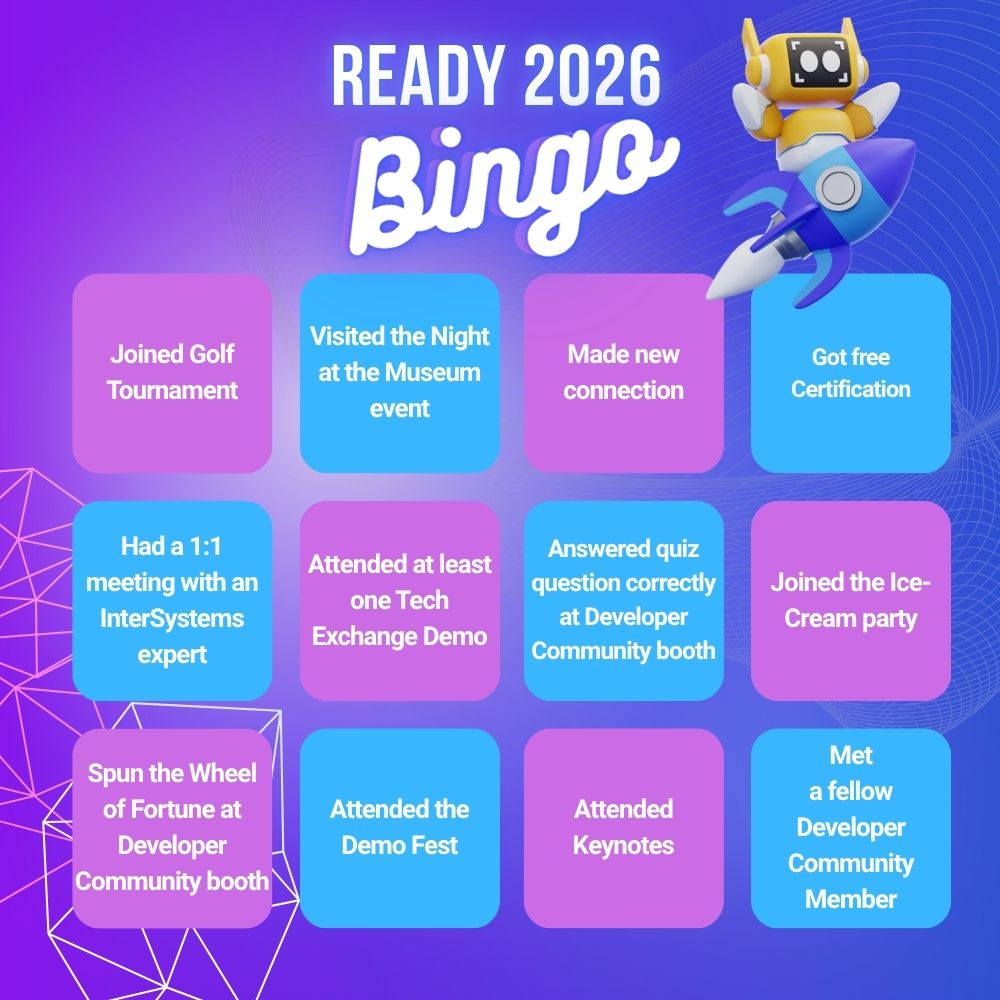
What was your READY experience like? 🎉
We’ve put together a bingo card — check out how many squares match your experience!
Mark the moments that happened to you or share them in the comments below.
And if you had a memorable READY moment that’s not on the card, tell us about it — we’d love to hear your story ✨
Hi everyone,
I’m thrilled to share that after several years of deep diving into the InterSystems IRIS data platform, I have finally summarized my project experiences into a new book IRIS (Data Platform) Programming Technical Guide. It is published by Beihang University Press, a prestigious central-level comprehensive publisher renowned for its leading role in aerospace, science, and technology publishing.
Writing this book was a significant engineering challenge for me. My goal was to bridge the gap between "understanding the syntax" and "building a production-ready project.
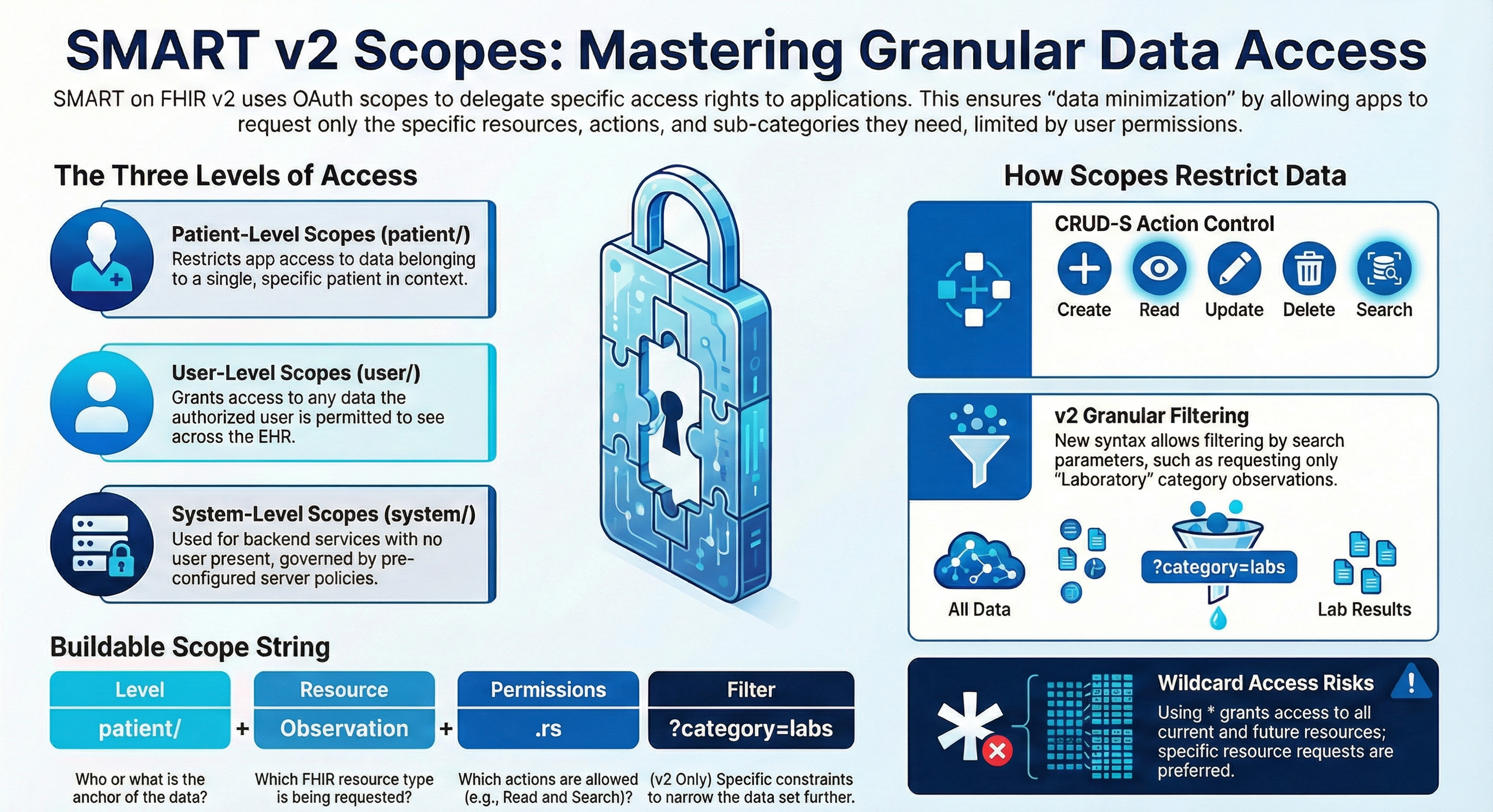
In v2026.1 we introduced support for a more robust and real-life secure authorization for your FHIR endpoints.
This is achieved by using SMART on FHIR v2 fine-grained scopes.
#North American Demo Showcase entry.
>> Answer the question below to be entered in the raffle!
⏯️ Message Operational Data Store
Create an operational data store using the data flowing through your production. Create user-defined analytics tables based on fields and paths to their data from incoming documents with varying standards (FHIR, CDA, HL7v2, etc.).
Presenters:
🗣 @Kwabena Ayim-Aboagye, Sales Engineer at InterSystems
🗣 @Christopher Carmichael, Sales Engineer at InterSystems
🗣 @Jeff Semmens, Senior Sales Engineer at InterSystems
Hey Community,
Round 1 of the Community Bounty Program "Idea to Application" is officially open. Three ideas from the Ideas Portal are ready to be implemented — pick one or more, build it, publish it on Open Exchange, and earn Global Masters points.
🏅Every qualifying submission earns a Credly badge, Global Masters badge, and 10k+ points. Implement all ideas this round and unlock Tier 2 rewards.
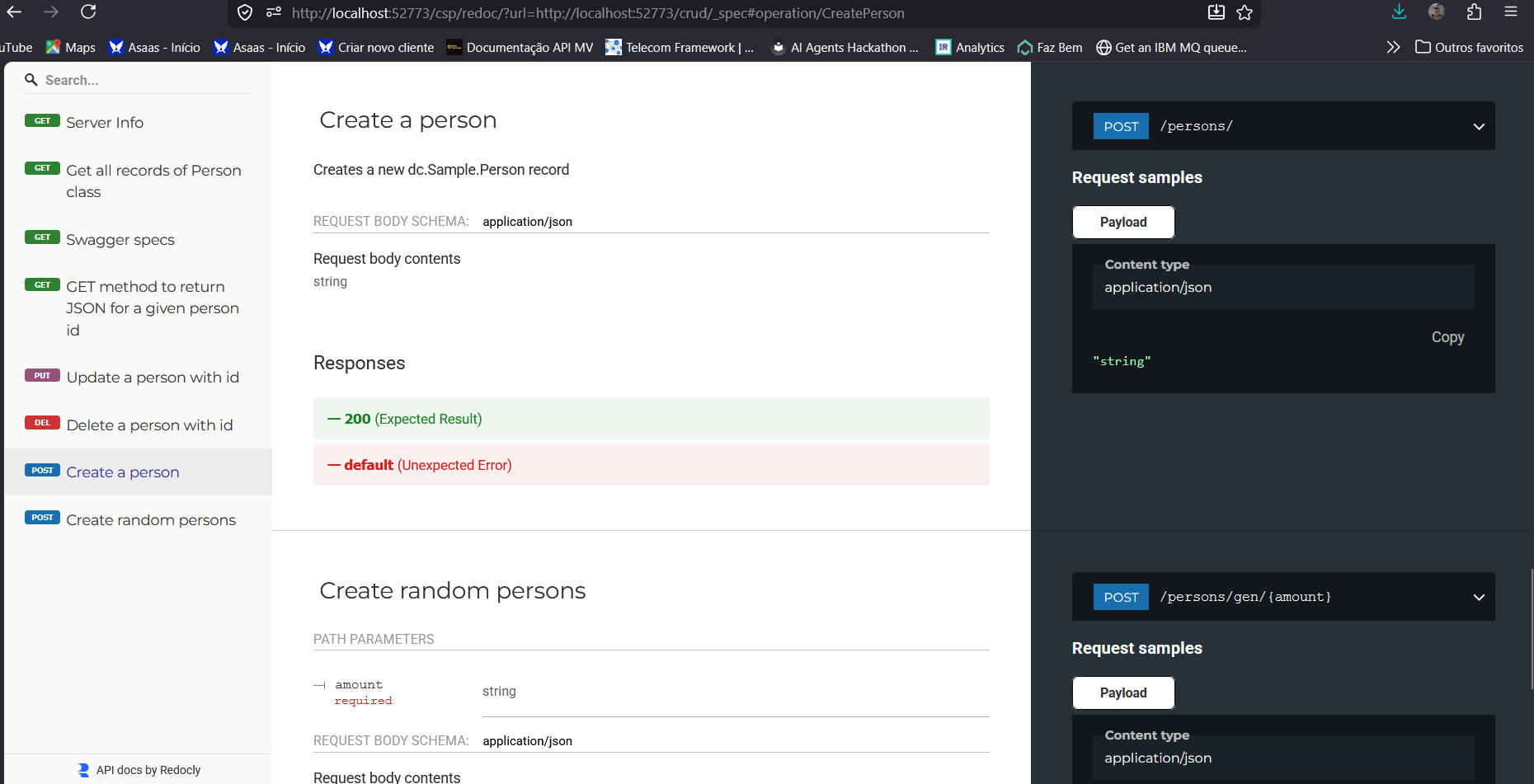
Redoc is an Open Source solution capable of rendering API specifications in OpenAPI 2.0 or 3.0+ as very beautiful and functional web portals. Currently, to have something similar, we need the ZPM SwaggerUI extension or we need to install IAM - InterSystems API Manager and then configure the IAM Developer Portal. Well, now the community has one more option, iris-redoc. This solution installs a web application on your IRIS instance that uses Redoc to present a beautiful web portal for your REST APIs:
For those who learned Caché ObjectScript from scratch: what kind of personal or practice projects did you build to get comfortable with the language? I come from a C# background and I'm looking for project ideas that are small enough to be feasible but meaningful enough to actually teach the core COS concepts.
Hello Community!
We’re excited to invite you to our upcoming Hebrew webinar, presented by @Keren Skubach, an InterSystems Senior Sales Engineer:
👉A Practical Guide to Leveraging AWS Adapters and APIs 👈
📅 Date & time: June 2nd, 3:00 PM IDT
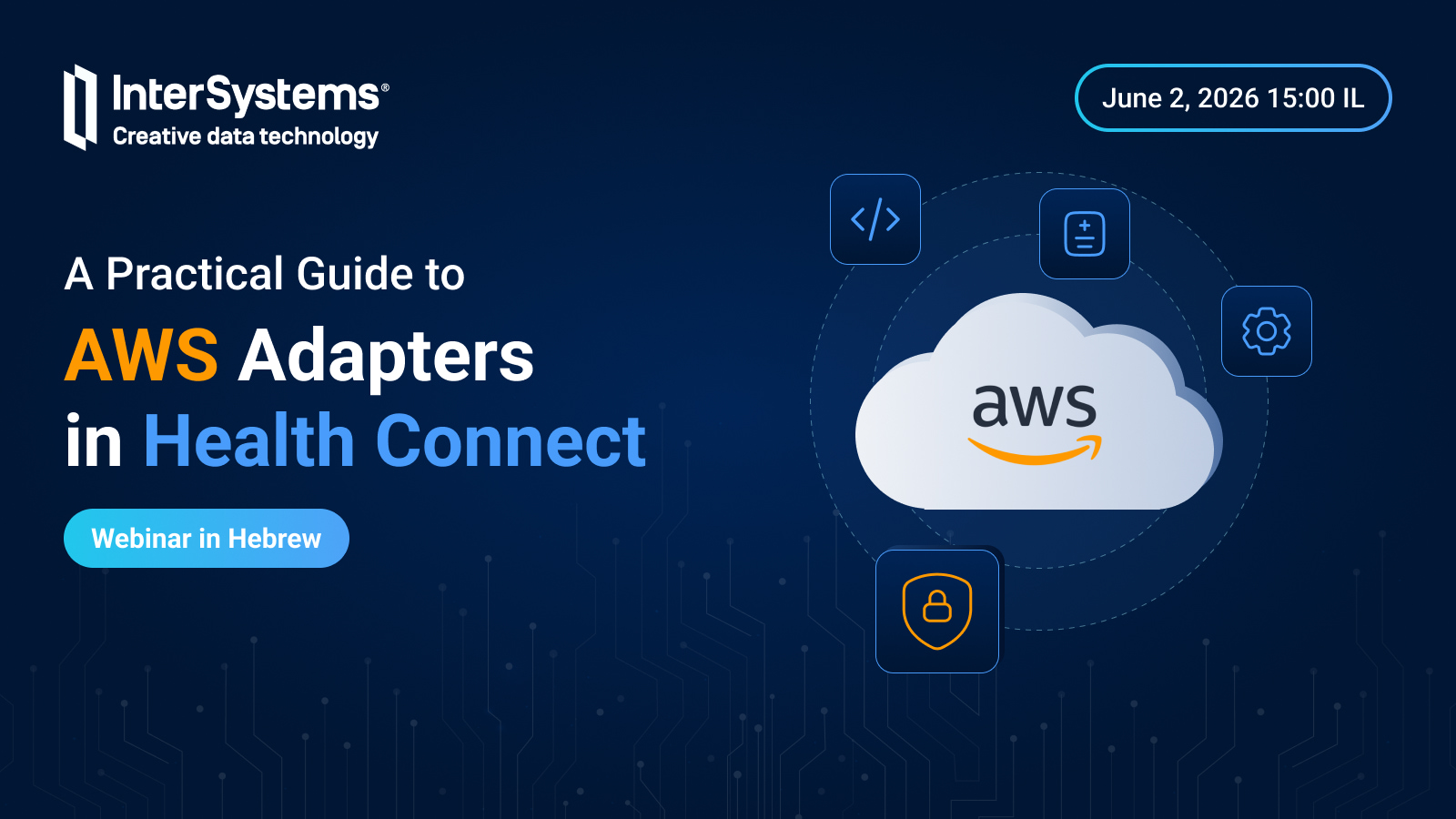
Discover how to accelerate cloud-based integration with InterSystems' native AWS adapters for S3, SQS, SNS, and CloudWatch.
This session provides a practical look at building modern interoperability workflows — from secure file ingestion and asynchronous messaging to automated notifications and centralized monitoring.
Recently, a question on the Community was asked by @Vermon Ferre about storing data from inherited classes in different globals. So, I decided to simulate the following behavior: I created a superclass called Article.MainClass and two subclasses, Article.Class1 and Article.Class2. By default, when each class extends %Persistent IRIS creates independent storage structures for them. This will work as intended if the first class in the list of superclasses is %Persistent. But it also means that if there are any parameters in the main class, they will be lost, because only parameters from the first class in the list get inherited.

IRIS 2026.1 provided Partitioned Tables as a new option for large data sets
It's a great improvement as it offers standardization of this feature.
Though:
It was possible also before, matching requirements and leaving room for creativity.
less elegant with a bit more coding and fewer automatisms.
Hi Community!
Welcome to Issue #29 of the InterSystems Ideas newsletter! Let's look at the latest news from the Ideas Portal, such as:
✓ General Statistics
✓ Results of the sweepstakes asking for topics for tutorials
✓ New Community Bounty Program "Idea to Application"

Hi Community!
We are excited to announce that the Hospitals On FHIR Meetup will take place during SantExpo 2026!
📅 Date: May 20, 2026, starting at 6:30 PM CEST
📌 Location: HIFE Paris Issy, 15 Rue Guynemer, 92130 Issy-les-Moulineaux, France