#Docker

6 Followers · 369 Posts

Docker is a software technology providing containers, promoted by the company Docker, Inc. Docker provides an additional layer of abstraction and automation of operating-system-level virtualization on Windows and Linux.

Announcement Michelle Spisak · Jan 3, 2020

Ease into the new year with the latest content from InterSystems Learning Services! Get info on:

  • How to get hands-on with Docker containers and InterSystems IRIS®
  • Designing healthcare productions with InterSystems IRIS for Health™ 
  • A new certification exam for InterSystems IRIS Core Solutions Developer Specialists
  • Improved UX with InterSystems documentation
0
0 217
Announcement Rob Tweed · Dec 7, 2019

Hot on the heels of the QEWD-JSdb announcement, QEWD-baseline provides a ready-to-run baseline environment for developing REST APIs.

The QEWD-baseline repository (https://github.com/robtweed/qewd-baseline) includes a fully-detailed tutorial on how to build RESY APIs using QEWD and the QEWD-JSdb database (running of course on IRIS).

https://github.com/robtweed/qewd-baseline/blob/master/REST.md

Included in the tutorial is:

- fully-worked examples, including how to integrate QEWD-JSdb's abstraction of the IRIS database 

- advice on debugging QEWD REST APIs

1
0 321
Question Ignacio Valdes · Dec 1, 2019

I want to add ports 9100 and 9101 in addition to 52773. I read on docker container documentation that this is not possible on a already ran image. Currently it starts the google cloud IRIS health container automatically without me able to specify the additional ports. How can I add ports to Google cloud IRIS Health container?

5
0 1003
Announcement Evgeny Shvarov · Dec 2, 2019

Hi Developers!

For those who want to participate in the Advent of Code 2019 and code with ObjectScript in IRIS, I created a very simple but handy Github Template.

Use the green button

to copy template in your own repo, clone the repo and run in the repo folder:

docker-compose up -d

you will get InterSystems IRIS 2019.4 Community Edition running with the template classes to load input data from files and Day1 solution.

This is also set up to start crafting solutions of Advent of Code 2019 and edit, compile and debug ObjectScript with VSCode addon.

Happy coding with Advent of Code 2019!

0
0 314
Article Jose-Tomas Salvador · Nov 27, 2019 5m read

¡Hi everybody!

As you likely are aware, the new version of InterSystems IRIS for Health (I4H) it's already available in Docker Hub. It's the Community version and is free and fully functional. There have been comments about it in other articles and posts,... so today I won't add anything about features. Here I want to explore "the mistery about the disappearance, or better, absence of our persistent data when we run a container with the durable option"  (I didn't find a terrifying font to emphasize the thriller... post editor is not terrific for styling smiley ) .

0
2 582
Article Evgeny Shvarov · Sep 14, 2019 1m read

Hi Developers!

Often I find questions on how to install IRIS, connect to IRIS from IDE, setup the environment, compile, debug, maintain the repository.

Here below possibly the shortest way to set up all the environment and start development with ObjectScript on InterSystems IRIS.

Prerequisites

Make sure you have Git, Docker, and VSCode installed

Install Docker and ObjectScript extensions into VSCode

Sign in or Create an account on Github

Here we go!

9
6 1582
Article Evgeny Shvarov · Oct 27, 2019 2m read

Hi Developers!

Those who use Dockerfile to work with InterSystems IRIS often need to execute several lines of ObjectScript.  For me, this was a game of "escaping this and that" every time just to shoot a few commands on ObjectScript to IRIS. Ideally, I'd prefer to code ObjectScript without any quotes and escaping.

Recently I found a nice "hack" on how this could be improved to exactly this state. I got this from @Dmitry Maslennikov's repo and this lets you use Objectscript in a way as you would type it in IRIS terminal.

Here is what you have in dockerfile:

///
COPY irissession.sh /
SHELL ["/irissession.sh"]
RUN \
  do $SYSTEM.OBJ.Load("Installer.cls", "ck") \
  set sc = ##class(App.Installer).setup()
# bringing the standard shell back
SHELL ["/bin/bash", "-c"]
CMD [ "-l", "/usr/irissys/mgr/messages.log" ]
///
12
1 827
Announcement Anastasia Dyubaylo · Oct 24, 2019

Hi Community,

As you may know, we successfully held InterSystems Developers Meetup in Boston at Global Summit 2019. And now it's time to find out which solutions development on InterSystems IRIS have been discussed! 

Please welcome the Meetup video recording on InterSystems Developers YouTube Channel:

⏯ InterSystems Developers Meetup - Global Summit 2019

0
0 256
Announcement Mario Sanchez Macias · Oct 9, 2019

Hi, 

If you like to play and test with mirroring, now you can do it very easily with dockers and these simple mirror scripts.

  • The docker-compose.yml will create 2 containers with the preferred version. 
  • The installer.sh script will start the ISCAgent, load the Installer.cls class into Iris and call it. 
  • The interesting part is inside the Installer.cls class, you will find some methods to create a mirror,  join and create databases in mirror.  The scripts are quite simple and you can borrow them to create your own mirrors.
4
1 786
Article Erik Hemdal · Jul 22, 2019 3m read

One of my colleagues at InterSystems encountered an unexpected issue when running InterSystems IRIS on a Macintosh in a container using Docker for Mac.  I’d like to share what we found, so you might avoid running into similar issues.

The Problem

The task at hand was running a Java application with XEP to do a large data load into IRIS.  When running the data load, the write daemon hung soon after starting the job, with messages like these in messages.log:

05/21/19-14:57:50:625 (757) 2 Process terminated abnormally (pid 973, jobid 0x00050016) (was a global updater)

2
0 1098
Announcement Anastasia Dyubaylo · Oct 3, 2019

Hi Community!

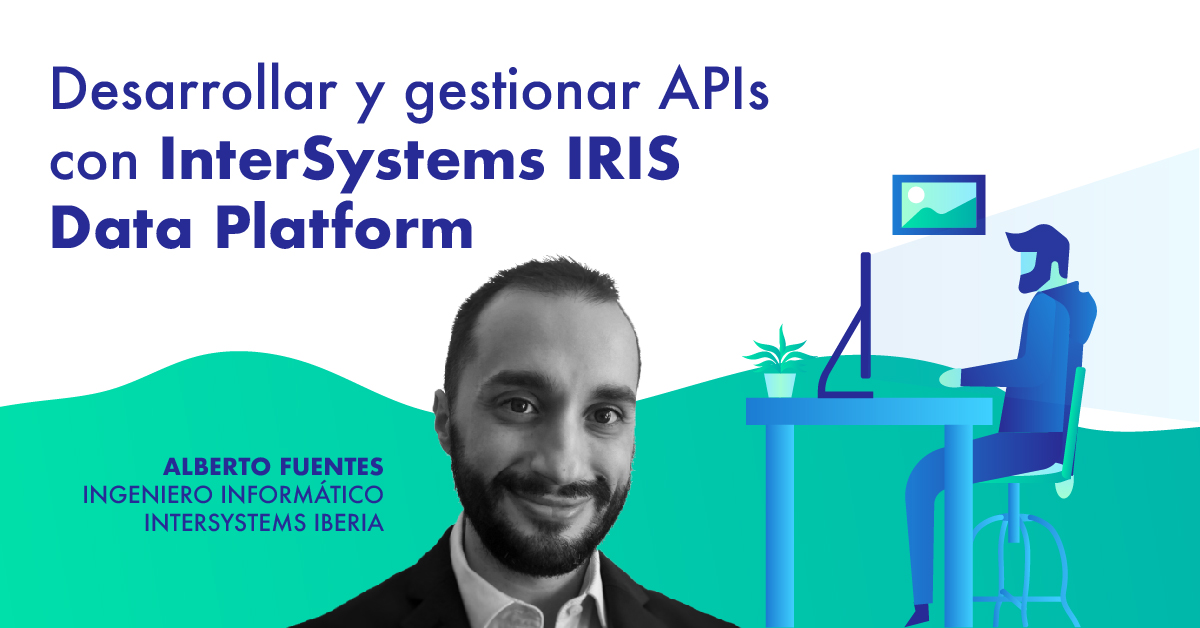
We are pleased to invite you to the upcoming webinar in Spanish "Desarrollar y gestionar APIs con InterSystems IRIS Data Platform" / "Developing and managing APIs with InterSystems IRIS Data Platform" on October 15 at 16:00 CET!

Are you a backend developer? Or a Systems integration specialist? If so… this webinar is for you!

0
0 256
Question Cristiano Silva · Sep 18, 2019

Hi folks,

I started to play with docker and InterSystems products, it's amazing, but I got the error when try to load the IAM-0.34-1-1.tar.gz image to docker:


[root@CONF-RHEL-DOCKER-IRIS-API admconf]# docker load -i IAM-0.34-1-1.tar.gz
open /var/lib/docker/tmp/docker-import-547148651/IAM/json: no such file or directory

Bellow docker and docker-compose version:

[root@CONF-RHEL-DOCKER-IRIS-API admconf]# docker --version
Docker version 19.03.2, build 6a30dfc

[root@CONF-RHEL-DOCKER-IRIS-API admconf]# docker-compose --version
docker-compose version 1.18.0, build 8dd22a9

OS version (Azure VM)

4
0 390
Article Evgeny Shvarov · Jul 13, 2019 2m read

Hi guys!

Was coding today with InterSystems IRIS in a docker container and decided to share with you the commands you may find useful in everyday coding.

# docker-compose build

command to build a container. Remember, it is useful if you have dockerfile in the repo.

if the build is successful call the following to launch it:

# docker-compose up -d

Find IRIS management portal on:

localhost:port/csp/sys/%25CSP.Portal.Home.zen?$NAMESPACE=%25SYS

where the port is what you set in docker-compose.yml - 52775 in this case.

Run the following if you want to launch a terminal session inside IRIS container:

# docker-compose iris iris session iris

gfhj gj 


sdfdsfsdf


USER>

And run the following to shut down the container:

# docker-compose down

Troubleshooting

4
4 731
Article Evgeny Shvarov · Sep 6, 2019 2m read

Hi Developers!

InterSystems Package Manager (ZPM) is a great thing, but it is even better if you don't need to install it but can use immediately.

There are several ways how to do this and here is one approach of having IRIS container with ZPM built with dockerfile.

I've prepared a repository which has a few lines in dockerfile which perform the download and install the latest version of ZPM. 

Add these lines to your standard dockerfile for IRIS community edition and you will have ZPM installed and ready to use.

To download the latest ZPM client:

1
1 1055
Article Zhong Li · Apr 12, 2019 11m read

1. Purpose

This is a 10-minute simple step-by-step guide on how to quickly set up various flavors of HealthShare docker containers from scratch on a Win10 laptop. 

For example, we can build a couple of  HealthShare "global edition vs UK Edition" demos as shown below.  

There are a couple of frequently asked questions from HealthShare colleagues and partners:

3
2 927
Question Evgeny Shvarov · Sep 6, 2019

Hi Developers!

Suppose I have a project where I want to build an IRIS container with two different dockerfiles depending on goals.  How can I make it?

The issue is that docker-compose is looking for the file with name 'dockerfile'

Are there any #IF constrations in a dockerfile syntax? 

Commenting works but sometimes it's more than one line.

2
0 352
Question Dmitrii Kuznetsov · Sep 1, 2019

OAuth server to be deployed on the IRIS learning cloud platform. Clients - one on the other instance of the learning IRIS server, the other client locally on my computer in the container docker.

Both clients get a seemingly correct link (through ##class(%SYS.OAuth2.Authorization).GetAuthorizationCodeEndpoint()) to the login request form:  

3
1 1064
Question Evgeny Shvarov · Aug 3, 2019

Hi developers!

Every day coding with IRIS and docker I call the following 3 commands in VSCode terminal. Always the same for any projects:

docker-compose build   ; to build the container

docker-compose up -d   ; to run the IRIS in container

docker-compose exec iris iris session iris ; to open the IRIS terminal

Is there any way to map the key sequence which will type me the rest? 

e.g.

irisb for docker-compose build,

irisup for docker-compose up -d,

irist for docker-compose exec iris iris session iris

I know and use keyboard sequences for mac, but it doesn't work in VSCode terminal :/

2
0 573