Hi Community!
InterSystems France & Benelux Ready 2026 is all about learning, sharing, and connecting. And we’re extending the experience to the Developer Community with a fun, light Bingo challenge.
.png)
Hi Community!
InterSystems France & Benelux Ready 2026 is all about learning, sharing, and connecting. And we’re extending the experience to the Developer Community with a fun, light Bingo challenge.
Hey Community!
We're happy to share a new video from our InterSystems Developers YouTube:
⏯ Taking the Fear out of FHIR - Fast Tracking Organizational FHIR Readiness @ Ready 2025

In Part 1, we laid the technical foundation of MAIS (Multi-Agent Interoperability Systems). We have successfully wired up the 'Brain', built a robust Adapter using LiteLLM, locked down our API keys with IRIS Credentials, and finally cracked the trick code on the Python interoperability puzzle.
However, right now our system is merely a raw pipe to an LLM. It processes text, but it lacks identity.
Today, in Part 2, we will define the Anatomy of an Agent We will move from simple API calls to structured Personas.
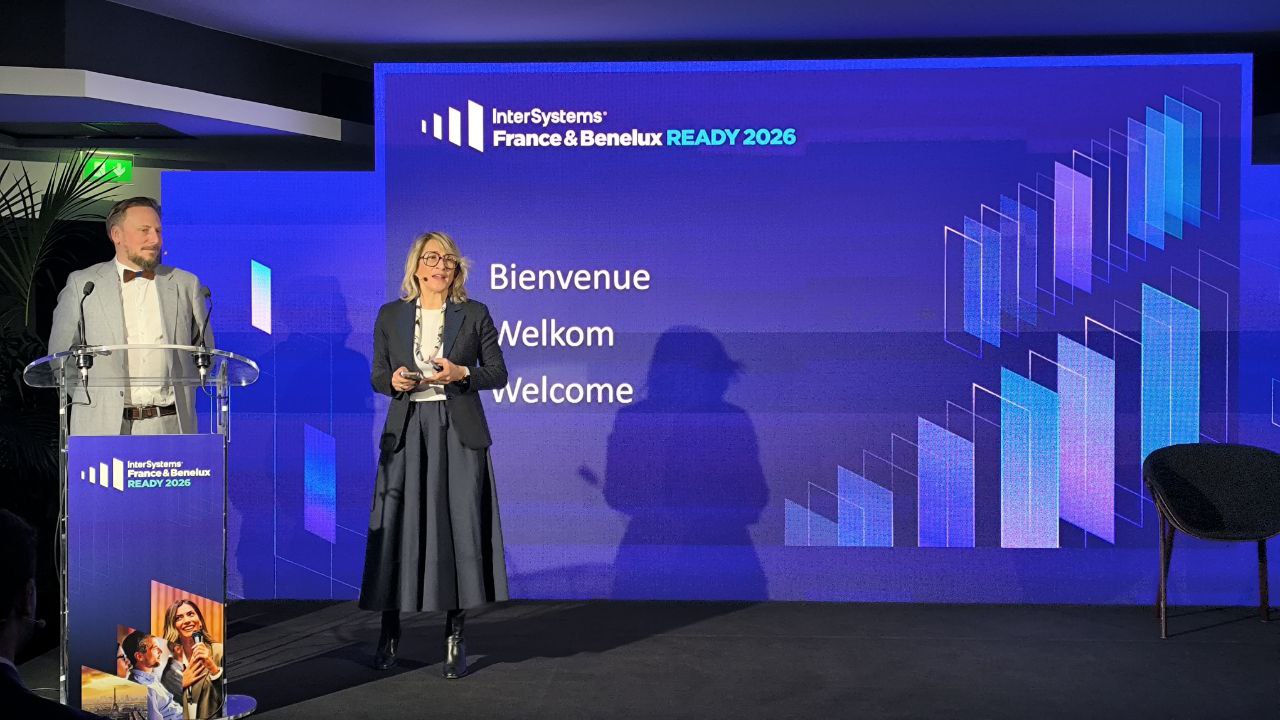
France & Benelux READY 2026 has just come to an end, and once again, these two days demonstrated how dynamic, curious, and engaged the Developer Community truly is. Here is a look back in words and images at this great edition.
The event kicked off with welcome remarks from @Adeline Icard and @Geoffroy Vitoux, setting the tone for the days ahead: innovation, sharing, and collaboration.
In my previous HttpRequests, I have used Content-Type = application/json but I have a vendor that is requesting we send application/x-www-form-urlencoded. How would I go about formatting the Payload as x-www-form-urlencoded?
Thanks
i am install the IRISHealth on Mac,however,it met below error,can someone help on this issue:
below is the setup when do install,id/group irisusr is create during install setup.
Instance name: IRIS
Destination directory: /Users/xxx/Downloads/IRIS
IRISHealth version to install: 2025.3.0.226.
As applications grow, every database eventually hits scaling limits. Whether it's storage capacity, concurrent users, query throughput, or I/O bandwidth, single-server architectures have inherent constraints. This guide explains fundamental approaches to database scalability and shows how InterSystems IRIS implements these patterns to support enterprise-scale workloads.
We'll explore two complementary scaling strategies: horizontal scaling for user volume (distributing computational load) and sharding for data volume (partitioning datasets). Understanding the general principles behind these approaches will help you make informed decisions about when and how to scale your IRIS applications.
The examples in this guide use InterSystems IRIS in Docker containers.
IPM version 0.10.5 has been released on January 15, 2026. This new version contains a ton of improvements and bug fixes so be sure to check it out either directly from the GitHub page or from the Community Registry!
1-command only required for an entire IRIS instance for Data Science projects, and leveraging this to compare query methods' speed (Dynamic SQL, Pandas Query, and Globals).
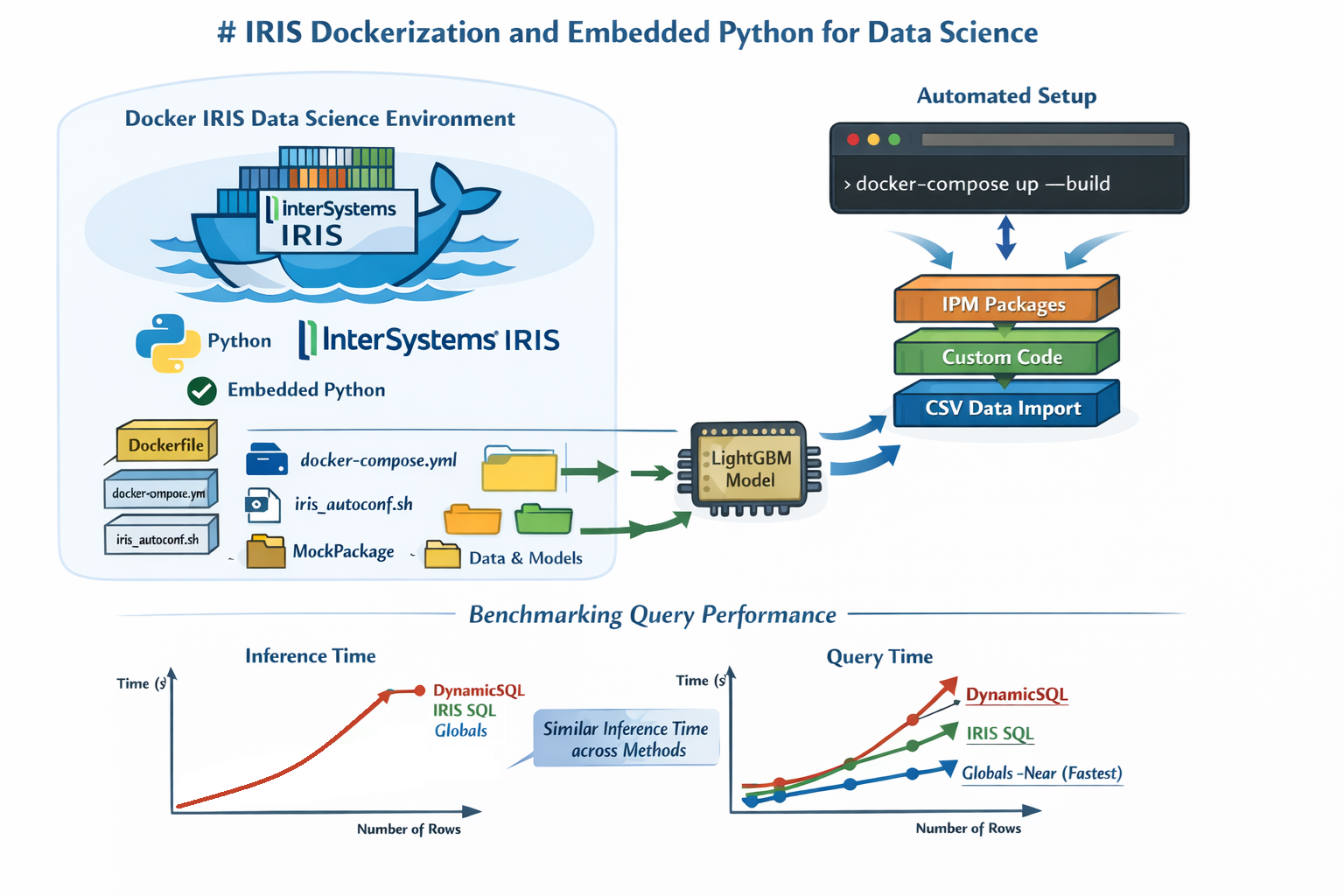
Before joining InterSystems, I worked in a team of web developers as a data scientist. Most of my day-to-day work involved training and embedding ML models in Python-based backend applications through microservices, mainly built with the Django framework and using Postgres SQL for sourcing the data.
I wanted to try vibecoding a real backend + frontend setup on InterSystems IRIS, ideally using something realistic rather than a toy example. The goal was simple: take an existing, well-known persistent package in IRIS and quickly build a usable UI and API around it — letting AI handle as much of the boilerplate as possible. Here is the result of the experiments.
Here are the technology bonuses for the InterSystems Full Stack Contest 2026, which will give you extra points in the voting:
See the details below.
I've modified the class file, but messages still arrive as a single line (e.g., "H|.../rQ|.../rL") instead of separate lines in the ASTM service. The <ENQ>..<EOT> header looks correct, logs show no errors, and the service receives messages fine. Is there an Ensemble 2018.1 engine setting (like line terminator handling or TCP framing) to fix the line splitting?
✓ 280 new members joined in January
✓ 15,979 posts published all time
✓ 18,408 members joined all time
Hello everybody,
I would like to export project contents using Visual Studio Code, as well as I do with InterSystems Studio.
However, while attempting the export through the InterSystems extension I get the following error:
- There are no folders in the current workspace that code can be exported to.
.png)
These are the step to reproduce my error:
Anyone can help me solving this issue?
Hey Community!
We're happy to share a new video from our InterSystems Developers YouTube:
⏯ Multi-threading an HL7 Interface and scaling beyond FIFO constraints @ Ready 2025
Who this guide is for.
This guide is intended for developers, solution architects, and DevOps engineers who want to deploy InterSystems IRIS Community Edition on Amazon Web Services (AWS). No prior AWS automation experience is required, but basic familiarity with EC2 and SSH is helpful.
What you will achieve.
After completing this guide, you will be able to:
Prerequisites
Before you begin, make sure you have:
Deployment overview
The deployment process consists of the following steps:
Hi Gang!
Did you know you can deploy InterSystems IRIS Community Edition on the cloud without paying for a license? You can try for free, and it could even come in handy if you want to show off that shiny new app you've created (maybe for the full stack competition..?)
In this article I will provide a complete walkthrough on how to deploy IRIS on Amazon Web Services (AWS), and will also add a follow up for deploying on Azure.
Now before I begin the walkthrough, I want to admit that I was terrified of using AWS the first time because I'd seen memes about how easy it is to rack up costs on AWS. So if you're thinking the same, I suggest you start by signing up to a Free Tier Account, which gives you $100 free credit to evaluate, and automatically shuts off to prevent charges. InterSystems IRIS Community Edition has a free license so if you pair the two, you can deploy without risk and completely for free. (Disclaimer: although I'm sure this is true, please do read the free account terms and make your own decisions 😅 )
Note, this article walks through deploying IRIS Community on AWS, however the same guide can be followed to deploy IRIS for Health Community Edition, or with Bring-your-own-licence editions of IRIS and IRIS for Health, to deploy a fully licensed, production version of IRIS on AWS.
How can I programmatically retrieve a SQL query execution plan and analyze its results?
Can the IRIS SQL engine be extended with custom optimization rules (e.g., prioritizing certain indices or join orders)? If not, is there a supported way to influence cost models?
A .iostream file got stored in /intersystems/HCENG01B12/mgr/Temp for a BatchFileOperation class while HC was on the secondary node. HealthConnect is now on the primay node and cannot find that .iostream file path. The operation starts throwing errors when the RolloverSchedule is reached
OnKeepalive() returned ERROR #5012: File '/intersystems/HCENG01B12/mgr/Temp/QWhoZAwFF3f9jQ.iostream'
does not exist
How can I resolve this issue?
where can use sandbox in InterSystems IRIS Data Platform 2025.3
CCR now includes an AI-powered 'CCR Assistant', available to beta testers. The CCR Assistant helps you quickly get answers about common CCR workflows, terminology, or best practices. Every response includes references to relevant ICC Training courses, making it easy to dive deeper into any topic. As a future improvement, the links will point directly to the specific page of the ICC Training PDF that was used to generate the response.
To access the assistant, hit the blue "Open CCR Assistant" icon in the bottom right of the CCR application.
Currently in the health connect code, we are using Epic FHIR API Patient.Create, code return 200 or 201 status values, we process the message based on this return values.
Now I need to use Epic FHIR Patient.$match API, need to check FHIR Error code 4101 for this API. I looked for FHIR statndard return code, but this this seems not standard code, please advice how can I check 4101 value?
Hey Community,
We're pleased to invite everyone to the upcoming kick-off Webinar for the InterSystems Full Stack Contest!
During the webinar, you will discover the exciting challenges and opportunities that await developers in this contest. We will also discuss the topics we would like the participants to cover and show you how to develop, build, and deploy applications using the InterSystems IRIS data platform.
Date & Time: Monday, February 2 – 12:00 pm EST | 6:00 pm CET
How many times have you had to receive or generate a JSON and wished you could work on it using DTLs without having to deal with DynamicObjects trying to remember the name of each field? Do you want to break down and make your giant JSON file more digestible?

In my case, never, but I thought that someone might find it useful to have a feature that captures your JSON and breaks it down into a series of ObjectScript classes that you can work with more easily and conveniently.
Well then...behold JSON2Class in all its glory!
Hello Community,
I am facing a JDBC connection issue after migrating from Caché 2016 to Caché 2018.1. When I attempt to connect using the following connection settings:
CACHE_DATASOURCE_URL=jdbc:Cache://localhost:1972/TEST
CACHE_DB_USERNAME=test
CACHE_DB_PASSWORD=test
I consistently receive the following error:
[Cache JDBC] Communication link failure: Access Denied
This configuration worked perfectly with Caché 2016. I have verified the following:
TEST) exists and is correctly specified in the connection URL.test, password: test) are correct.Job Title: InterSystems Developer / Specialist (IRIS / HealthShare)
Location: New York City, NY (Hybrid / Remote)
Duration: Contract (2+ years)
Experience: Min. 8 Years
We are looking for an experienced InterSystems Developer / Specialist with expertise in InterSystems IRIS / HealthShare to support healthcare integration and interoperability initiatives. The ideal candidate should have hands-on experience in ObjectScript development, healthcare data standards, and integration protocols supporting EHR/HIE

Some concepts make perfect sense on paper, whereas others require you to get your hands dirty. Take driving, for example. You can memorize every component of the engine mechanics, but that does not mean you can actually drive.
You cannot truly grasp it until you are in the driver's seat, physically feeling the friction point of the clutch and the vibration of the road beneath. While some computing concepts are intuitive, Intelligent Agents are different. To understand them, you have to get in the driver's seat.
