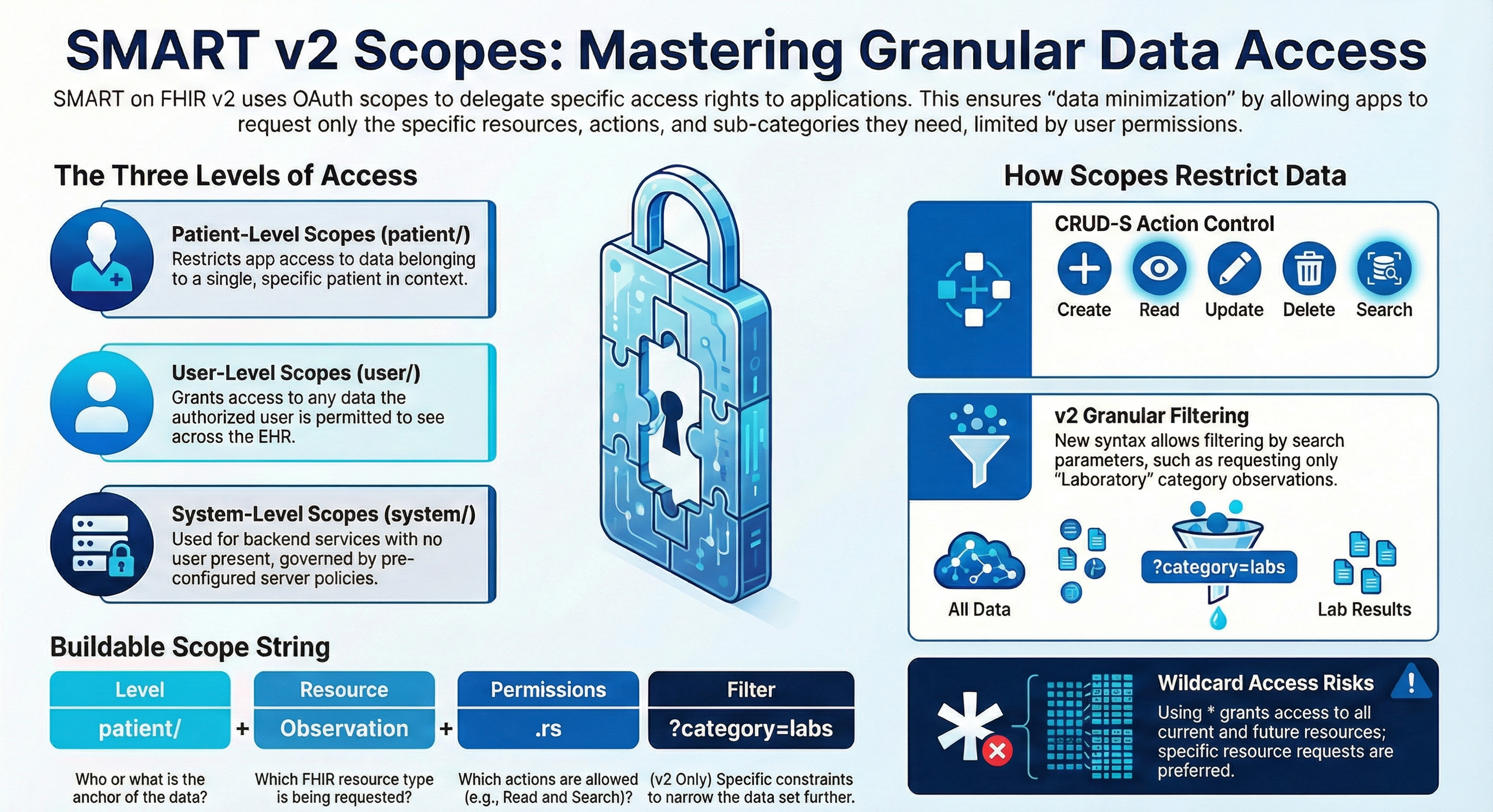
Hello Community!
We're pleased to invite you to the upcoming webinar in Hebrew:
👉Getting Started with OAuth 2.0 on InterSystems 👈
📅 Date & time: March 25th, 3:00 PM IDT

Hello Community!
We're pleased to invite you to the upcoming webinar in Hebrew:
👉Getting Started with OAuth 2.0 on InterSystems 👈
📅 Date & time: March 25th, 3:00 PM IDT

This article is intended as a beginner level article for people that want to learn how to use OAuth2 in their web applications natively.
There is an accompanying video/demo that may be helpful here:
and you can reproduce this locally with the Open Exchange application attached.
OAuth (Open Authorization) 2.0 is a standard way to let one application call another application’s API without sharing a username and password.
Hi, now I would like to continuous on the topic that we talk about previously
Using Postman for testing the OAuth2.0 of the InterSystems FHIR repository - Part1
.png)
Question 1: Where is my client_id and client_secret come form?
Short answer: Authentication Server.
If you don't have an Authentication Server, you may set up one as following
.png)
Provide the hostname (the host must support Https), at least 1 grand type (we choose client credential here), and SSL/TSL configuration
.png)
Input the scopes (here we input user/*.read and user/*.
What is JWT?
JWT (JSON Web Token) is an open standard (RFC 7519) that offers a lightweight, compact, and self-contained method for securely transmitting information between two parties. It is commonly used in web applications for authentication, authorization, and information exchange.
A JWT is typically composed of three parts:
1. JOSE (JSON Object Signing and Encryption) Header
2. Payload
3. Signature
These parts are encoded in Base64Url format and concatenated with dots (.) separating them.
If you want to generate JWT from x509 cert/key, any operation (including reading) on %SYS.X509Credentials requires U on %Admin_Secure resource.%Admin_Secure is required because %SYS.X509Credentials is persistent, and it's implemented this way to prevent all users from accessing private keys.
If %Admin_Secure resource is not available at runtime, you can use the following workaround.
Upon reviewing the code for JWT generation, I discovered that the JWT code utilizes %SYS.X509Credentials solely as a source of runtime data for PrivateKey, PrivateKeyPassword, and Certificate.
Hi all, it's me again for sharing what I am studying recently.😓
Recently, I am studying how to setup OAuth2 authentication for the InterSystems FHIR repository. And I found the following articles are very good and easy to follow.😁
SMART on FHIR EHR Launch with IRIS for Health
For me, as a user who do not have much knowledge about OAuth2.0. I think it quite difficult to understand how to setup the whole OAuth2.0 environment before knowing how's it look like (what is it?
I built a BP, that every time that a message is received from a BS, it executes
set isAuth=##class(%SYS.OAuth2.AccessToken).IsAuthorized("EpicFHIRPOC",,,.accessToken,.idtoken,.responseProperties,.error)
if 'isAuth {
set tSC=##class(%SYS.OAuth2.Authorization).GetAccessTokenClient("EpicFHIRPOC", "*",, .error)
set isAuth=##class(%SYS.OAuth2.AccessToken).IsAuthorized("EpicFHIRPOC",,,.accessToken,.idtoken,.responseProperties,.error)
}To save time, I was thinking of just creating a BS that goes out and gets the Authorization Token every hour.
InterSystems API Manager (IAM) is a core component of the InterSystems IRIS Data Platform, offering centralized API management with a strong emphasis on security. IAM simplifies the entire API lifecycle, from creation to retirement, and provides a developer portal for easy API discovery and integration. Access control features allow administrators to define precise permissions, and IAM seamlessly integrates with the IRIS Data Platform, enhancing data management and integration capabilities.
Features of IAM include:
Also in previous versions you could define your FHIR Server to accept requests via OAuth 2.0 (e.g. for a SMART on FHIR client) but nowadays with v2024.3, which was released a while ago, there is a new feature, that enables doing this more easily - the OAuth FHIR Client QuickStart.
.png)
.png)
I need to connect IRIS to a third-party FHIR server which in turn is connected to Keycloak.
For machine-to-machine communications, client credentials grants should be used. I don't know why exactly but the FHIR server requires access tokens to contain the "openid" scope, otherwise it returns 401 (unauthorized).
If the access token returned by Keycloak contains that scope, IRIS complains about ""ERROR #8859: Unsupported response to access token request: OpenID Connect is not supported for password and client credentials grant type". The error is produced by the OAuth2.
I have an API set up in IRIS which is secured using an IRIS authentication service, so there is a bearer token being passed down in the request header.
I've already set
Hi,
I do have the problem to send mails to outlook after getting the new OAUTH2 token.
I have no problem getting the token, but after I got the token I try to send the mail thru smtp but authorization failed , please see my try to send the token thru the %Net.Authenticator mechanism %Net.SASL.XOAUTH2
Is this ok?
Or is there an other method to authenticate using the needed bearer method instead of user/pwd with the authenticator?
....code to get the token is working..
... set s=##class(%Net.SMTP).%New()
set m=##class(%Net.MailMessage).%New()
set auth=##class(%Net.
One of the most common kinds of integration we are asked to do is emailing. One of the most typical email services our customers use is Microsoft’s Office 365. After setting up the right configuration on the Microsoft side, we can email from IRIS with two HTTP requests. By the end of this article, we will be able to send an email with an attachment through our Microsoft 365 service!
Microsoft’s REST API, called Graph, allows you to do a lot of things within Microsoft’s various apps, and it is precisely what we will employ to send our email.
Hello Community,
I’m working on an InterSystems IRIS production that needs to call an external API using OAuth client credentials (client_id and client_secret). For security reasons, I must pass these credentials via environment variables in my Docker container.
In the IRIS terminal, I can successfully retrieve these environment variables using $System.Util.GetEnviron("api-clientid") and $System.Util.GetEnviron("api-clientsecret"). However, inside my Business Operation class (OnMessage method), these environment variables return empty strings.
In this 3-part series of articles, is shown how you can use IAM to simply add security, according to OAuth 2.0 standards, to a previously unauthenticated service deployed in IRIS.
In the first part, was provided some OAuth 2.0 background together with some IRIS and IAM initial definitions and configurations in order to facilitate the understanding of the whole process of securing your services.
Based on a great sample and workshop built by @Luis Angel Pérez Ramos (see related articles and related Open Exchange app), which included a local InterSystems IRIS for Health container (and desired setup), this sample presented here, adapted the workshop for using the InterSystems Cloud FHIR Server, and it's related setup.

We have an OAuth server configured as an identity provider, and we have an external application (from another provider) that connects correctly with OAuth.
Hello, community!
I am working on implementing OAuth 2.0 authentication in InterSystems IRIS and need to correctly define a CSRF token that will be validated by OAuth.Response. However, I am having trouble finding a clear method to configure the CSRF token correctly.
So far, I have tried:
Despite these attempts, I haven’t been successful. On the OAuth.Response page, the CSRF token is empty, and I get the error message “Invalid CSRF token” because the csrfToken is empty.
Over the past couple of months, I have been working on the SMART on FHIR EHR Launch to test the capabilities of IRIS for Health using two open-source apps from CSIRO: SMART-EHR-Launcher and SMART Forms App. This journey has been incredibly interesting, and I’m truly grateful for the opportunity to work on this task and explore more of IRIS for Health’s potential.
After successfully demonstrating the seamless launch of multiple external SMART apps at the HL7 AU FHIR Connectathon, I’m excited to share what I’ve learned with the community.
InterSystems IRIS 2025.2.0 introduces several features to improve the user experience of configuring OAuth2.
- OAuth2 is now a native authentication type and can be easily enabled for your services and web applications. Previously, OAuth2 was a type of delegated authentication.
- You can now create resource servers with the new OAuth2.ResourceServer class, which simplifies resource server configuration significantly. Previously, resource servers were instances of OAuth2.Client.
- The OAuth2.
JSON Web Token (JWT) Authentication
Hi Everyone,
I would like to share the code and step-by-step instructions/or guideline for generating a JWT (JSON Web Token) signature, as well as how to test it using Postman / HealthConnect.
JWT is an open standard (RFC 7519) that defines a compact, URL-safe method for securely transmitting information between parties in the form of a JSON object.
Structure of a JWT:
A JWT consists of three parts, separated by dots (.):
|
Header |
. |
Payload |
. |
We are trying to create a JWT in order to get oauth2 token from login.microsoftonline.com and then use that token to get key/secret from an Azure Key Vault.
It seemed like it would be quite straightforward by using the Create method of class
But already trying to set the first header parameter alg PS256 as specified by https://learn.microsoft.com/en-us/entra/identity-platform/certificate-c… becomes a problem.
In your Interoperability Production you could always have a Business Operation that is an HTTP client, that uses OAuth 2.0 for authentication, but you had to customize the Operation for this authentication methodology. Since v2024.3, which was lately released, there is a new capability, providing new settings, to handle this more easily.
Hi!
I'm trying to set up a Clinical Viewer demo env with HealthShare 2024.2.
I've done the standard installation following the doc :
Everything works until I get to the point where I have to enable federated SSO (UCR demo - Federated SSO). Once it is activated, I can no longer access the instance through the portal, and the browser displays the following error:.png)
Checking the messages.log, I see that every time I try to enable federated SSO and access the portal, I encounter the following error:
12/24/24-10:51:55:639 (98515) 2 [Utility.
I have started working on utilizing Epic on FHIR about a month ago.
mkdir /home/ec2-user/path_to_key
openssl genrsa -out ./path_to_key/privatekey.pem 2048
For backend apps, you can export the public key to a base64 encoded X.509 certificate named publickey509.pem using this command...
openssl req -new -x509 -key ./path_to_key/privatekey.pem -out ./path_to_key/publickey509.pem -subj '/CN=medbank'
where '/CN=medbank' is the subject name (for example the app name) the key pair is
Hi, Community!
Great news for HealthShare® customers! You can use single sign-on (SSO) to access your HealthShare apps more efficiently.
🔒Configuring Federated SSO in HealthShare (video, 11m)
Using SSO, you can access all your HealthShare apps at once, including HealthShare® Clinical Viewer and Care Community.
I am trying to work with Epic on FHIR. Epic's documentation stated, your application makes a HTTP POST request to the authorization server's OAuth 2.0 token endpoint to obtain access token.
Set tSC = ##class(%SYS.OAuth2.Authorization).GetAccessTokenClient(pClient,pScopes,.prop,.err) returns
ERROR #9761: No key in provided JWKS for alg ES512 and kid
I check this /csp/sys/oauth2/OAuth2.JWTServer.cls?
I have created an OAuth Client and have created the credentials etc successfully.
I have tested using the curl command and have received the token back from the Server using the terminal.
I now need to create an Operation to use my client credentials to connect to the Server and receive the token back.
What adapter would I use as I am unable to link my client credentials and secret - currently I am using the EnsLib.HTTP.OutboundAdapter
but I am not sure if this is the correct.
Hi all,
I'm performing a migration of some services from one instance to another, and I noticed that the technique defined within the InterSystems Server Migration Guide does not include OAuth client configurations. The recommended technique is to use the ##class(Security.System).ExportAll() and ##class(Security.System).ImportAll() methods.
Is there a way to migrate OAuth client configurations, or do those have to be re-created manually?
I want to integrate IRIS with Keycloak OAuth2 provider to use delegated authentication everywhere and to secure everything - sys*/Portal applications, REST services, FHIR server and so on. If an unathenticated user tries to access any IRIS URL - he or she should be redirected to Keycloak. After the user has successfully authenticated, i would like to access his requistes (username, email, roles, scopes) extracted from the JWT token, programmatically. What should be done to achieve that?