New SMART on FHIR v2 Scopes
In v2026.1 we introduced support for a more robust and real-life secure authorization for your FHIR endpoints.
This is achieved by using SMART on FHIR v2 fine-grained scopes.
Focus - Not SMART in general, rather, the fine-grained scopes; Hands-on easy sample
I have dived into the topic of SMART on FHIR in the past, for example see this article I wrote (with an accompanying Open Exchange app, and related video series).
Also others have discussed this topic, for example @Luis Angel Pérez Ramos in his Developing SMART On FHIR Applications with Auth0 and InterSystems IRIS FHIR Server article series, @Nicole Sun in her SMART on FHIR EHR Launch with IRIS for Health article, and @Kate Lau in her two-part Using Postman for testing the OAuth2.0 of the InterSystems FHIR repository.
1. I want to use a 3rd party OAuth Server, but not one you will need to register (and perhaps pay) for. This will be Keycloak.
2. I want to take care of all of the setup for you in a Dockerized sample -
- InterSystems IRIS for Health up an running with a FHIR Endpoint defined, including an OAuth client defined, and some Resources in the Repository.
- Keycloak up and running with a client corresponding to the IRIS OAuth client.
- A Postman Collection to allow for quick testing and demonstration.
3. I want to focus on the relatively newer fine-grained SMART scopes, not the basic ones. This is really the crux of the matter here. The other two above, are enablers for letting us focus just on this item.
SMART Scopes - The Granular Fine-grained Version
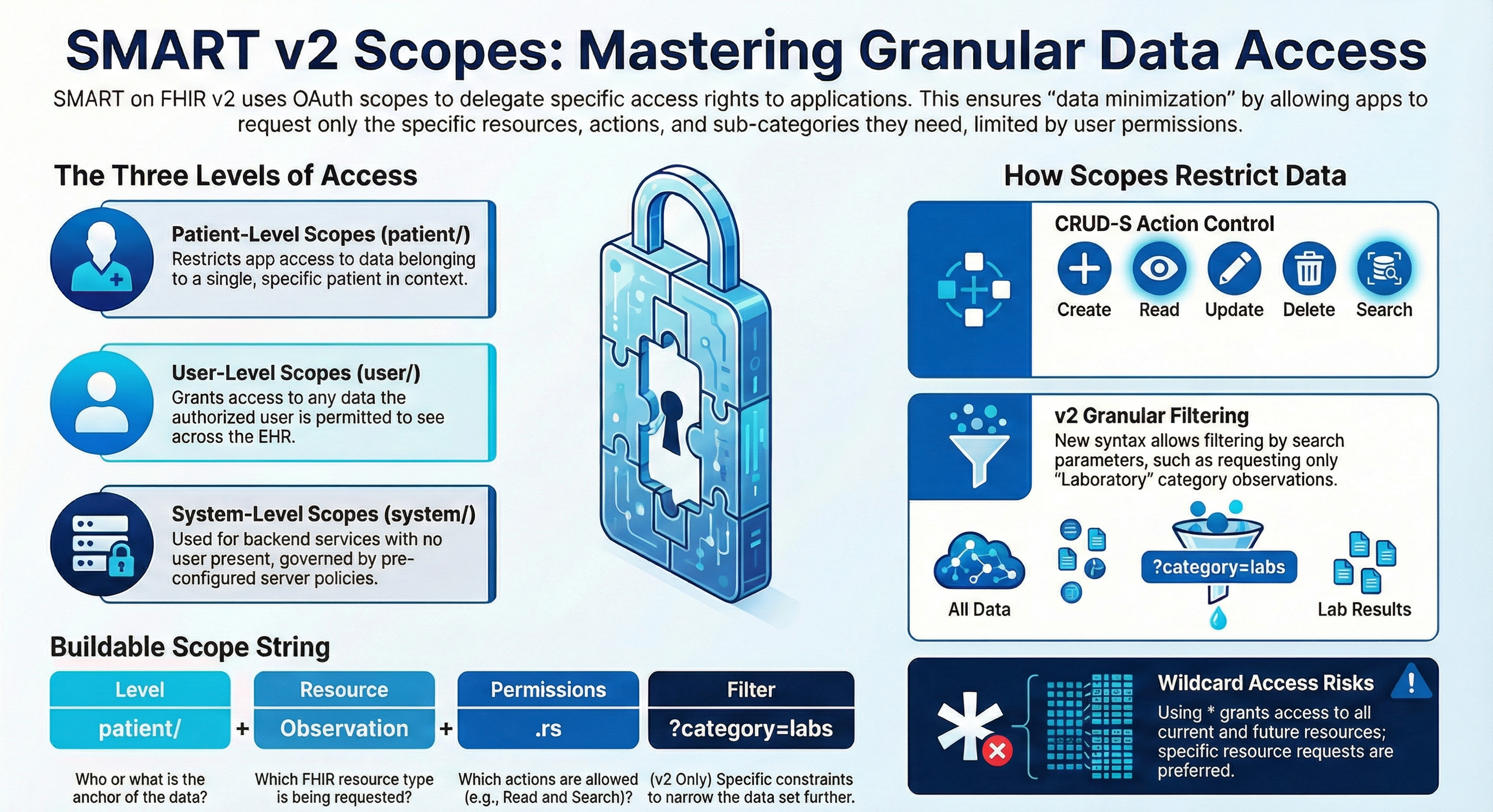
Above I generated (thank you NotebookLM) a nice infographic that summarizes the general syntax and usage of SMART scopes.
In particular I want to focus on the filter part, the part in the scopes from the question mark (?).
Here you can use standard FHIR Search syntax, with standard FHIR Search Parameters.
Let's take this example:

Instead of just allowing access (Read & Search in this case) to all categories of Observations, here we are allowing only access to lab results (category=laboratory).
So to illustrate, instead of getting access to a set like this:
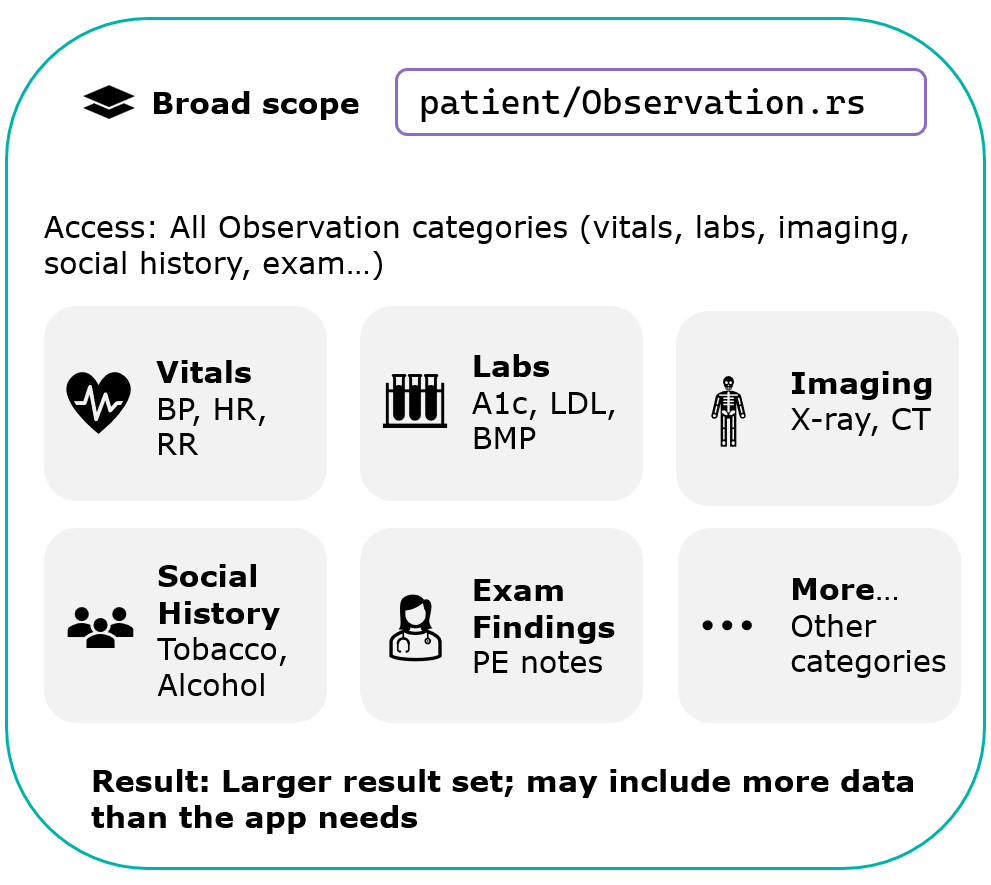
We can limit the access to a set like this:
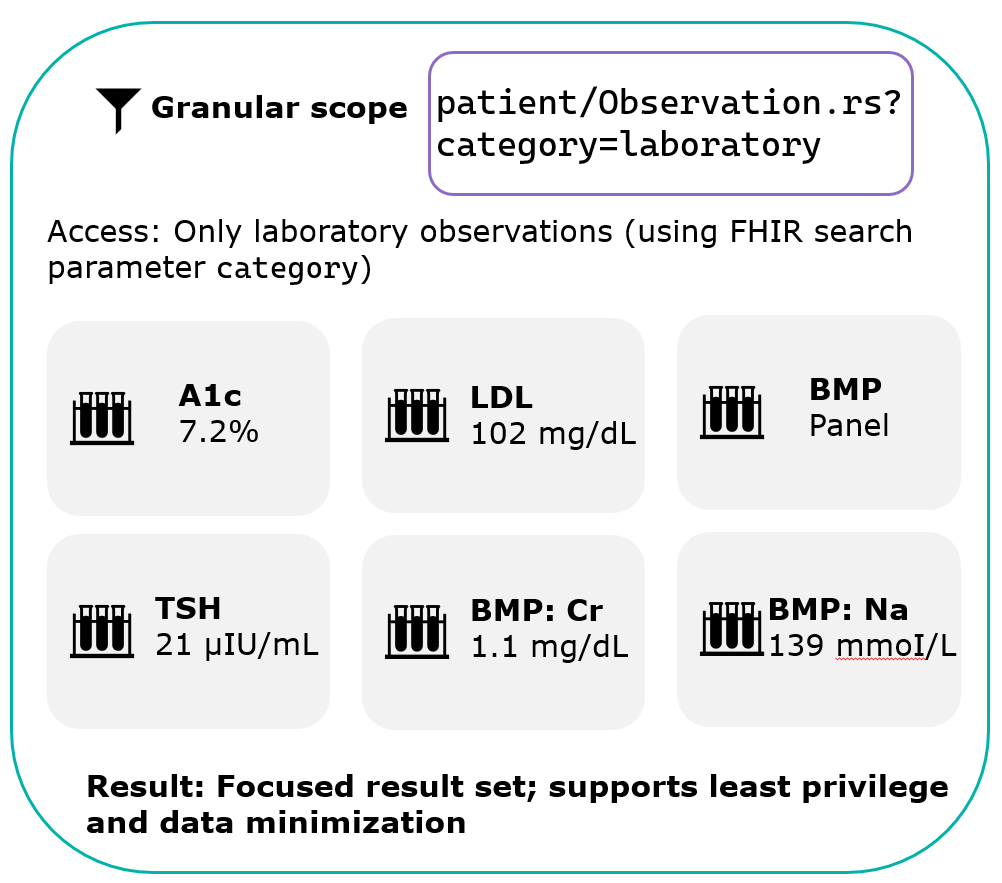
This allows for an ABAC (Attribute-Based Access Control) approach to access FHIR data (see more about this topic in the FHIR docs).
Some local national regulations mandate enforcing this kind of access control, including for example using security tags to limit access to data.
One example is the ONC certification in the US, but other countries have similar demands.
So supporting this is not only important for securing your data, it is also a hard requirement by local law, in a growing number of places.
The Power to Filter (or Not to)
You can control whether, if the FHIR request does not adhere exactly to the scopes, to filter out the unauthorized data and return just what is allowed, or to fail the request and return a 403 error HTTP status.
This setting is in the FHIR endpoint Authorization settings:
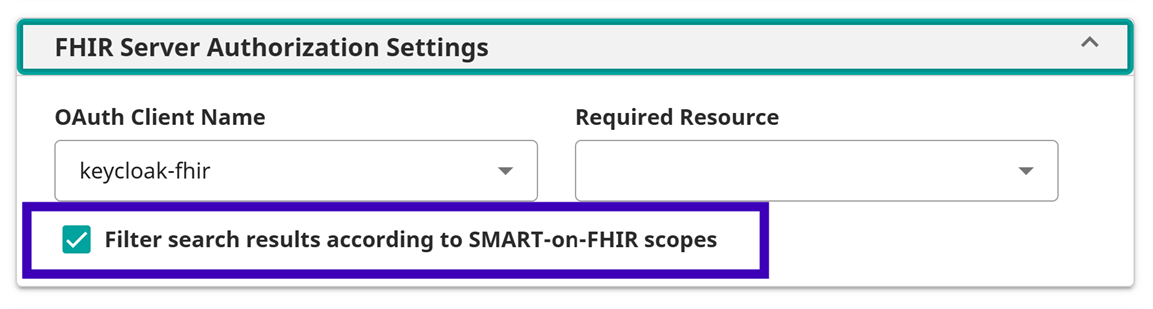
Note this is relevant not only to fine-grained scopes but also without using the ? filter. For example if you use _include or the $everything operation, this could filter "whole" Resource Types from the Result Set.
Here's an example to illustrate -
Observation Search Example
Say we issue a Search for Observations, using Basic Authentication, so no SMART Scope are applied.
You can see here we are getting back 793 Resources.
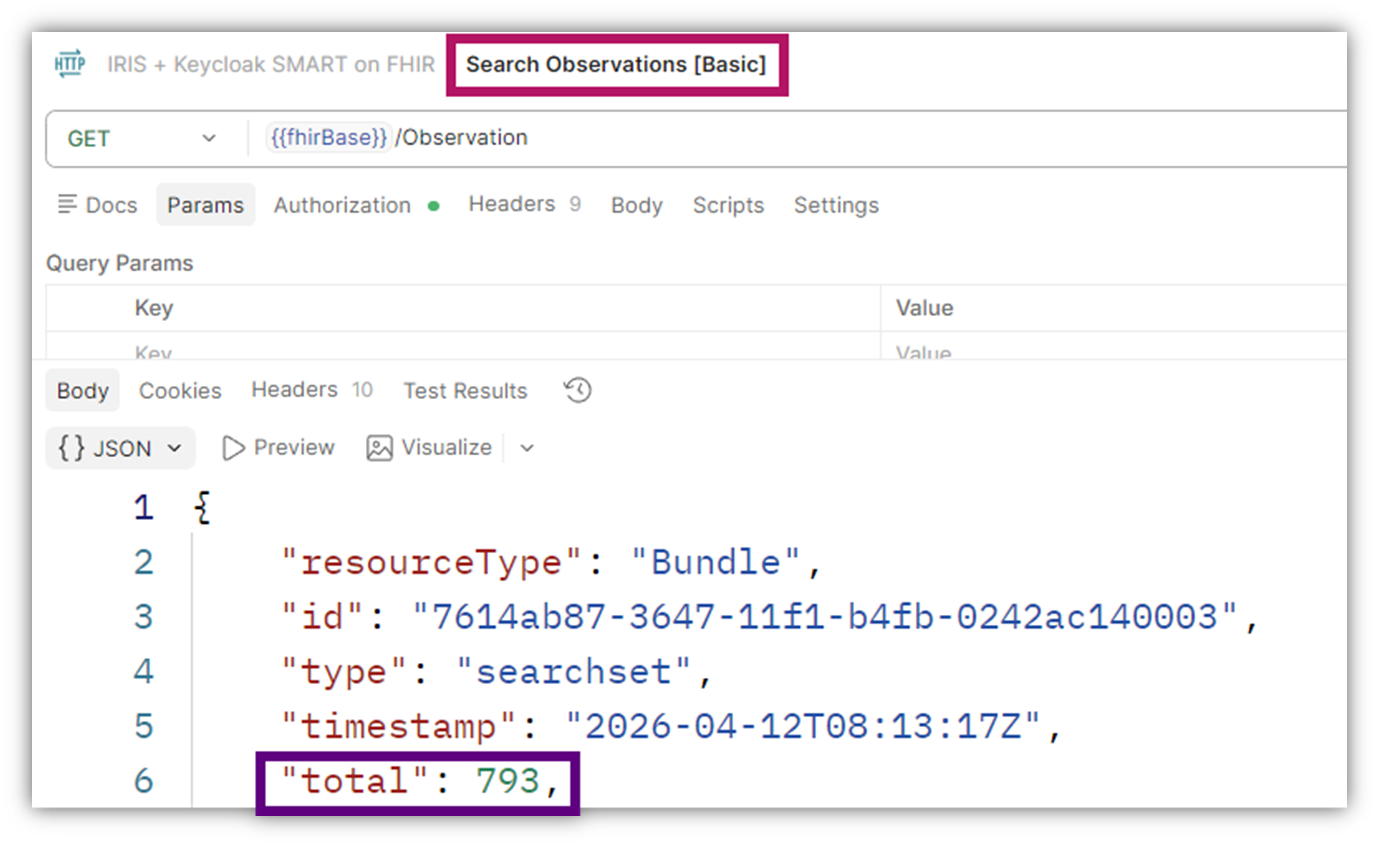
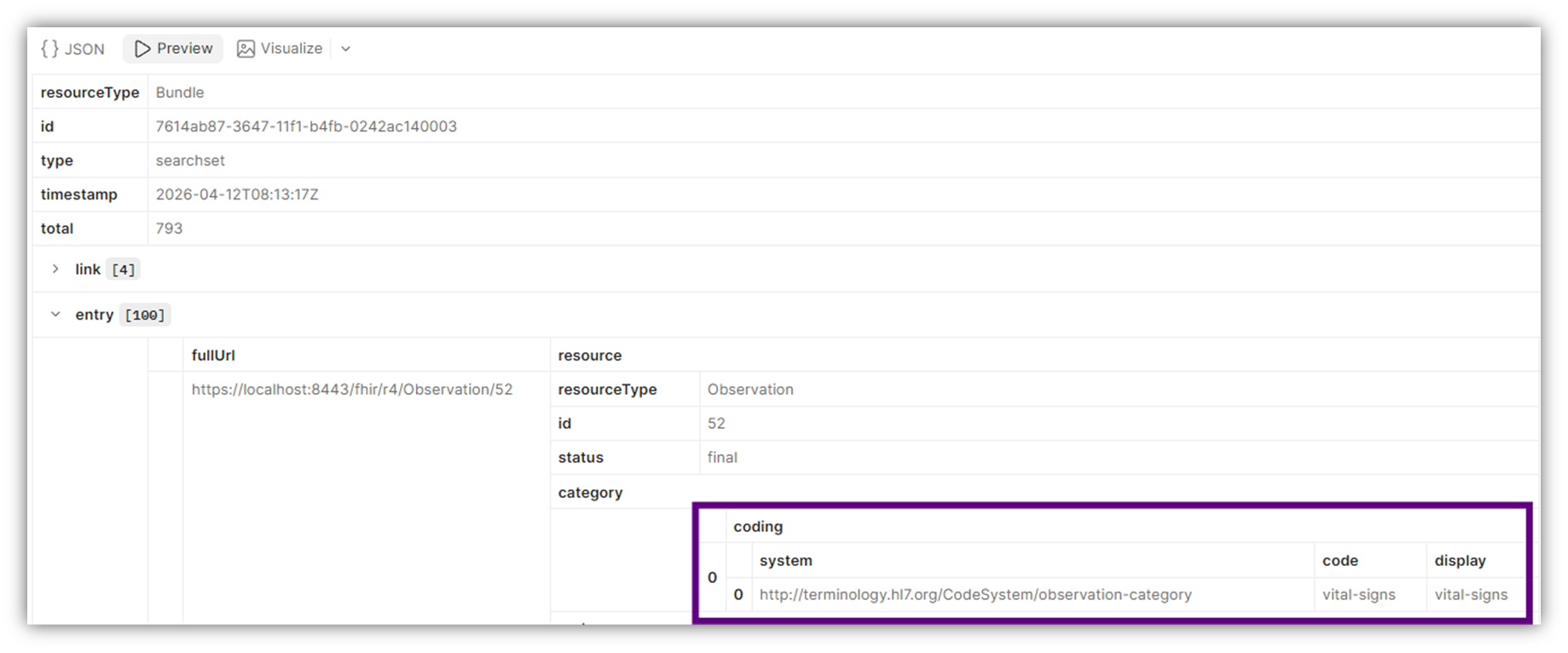
Looking a little closer we can see for example the first one has a category of vital-signs:
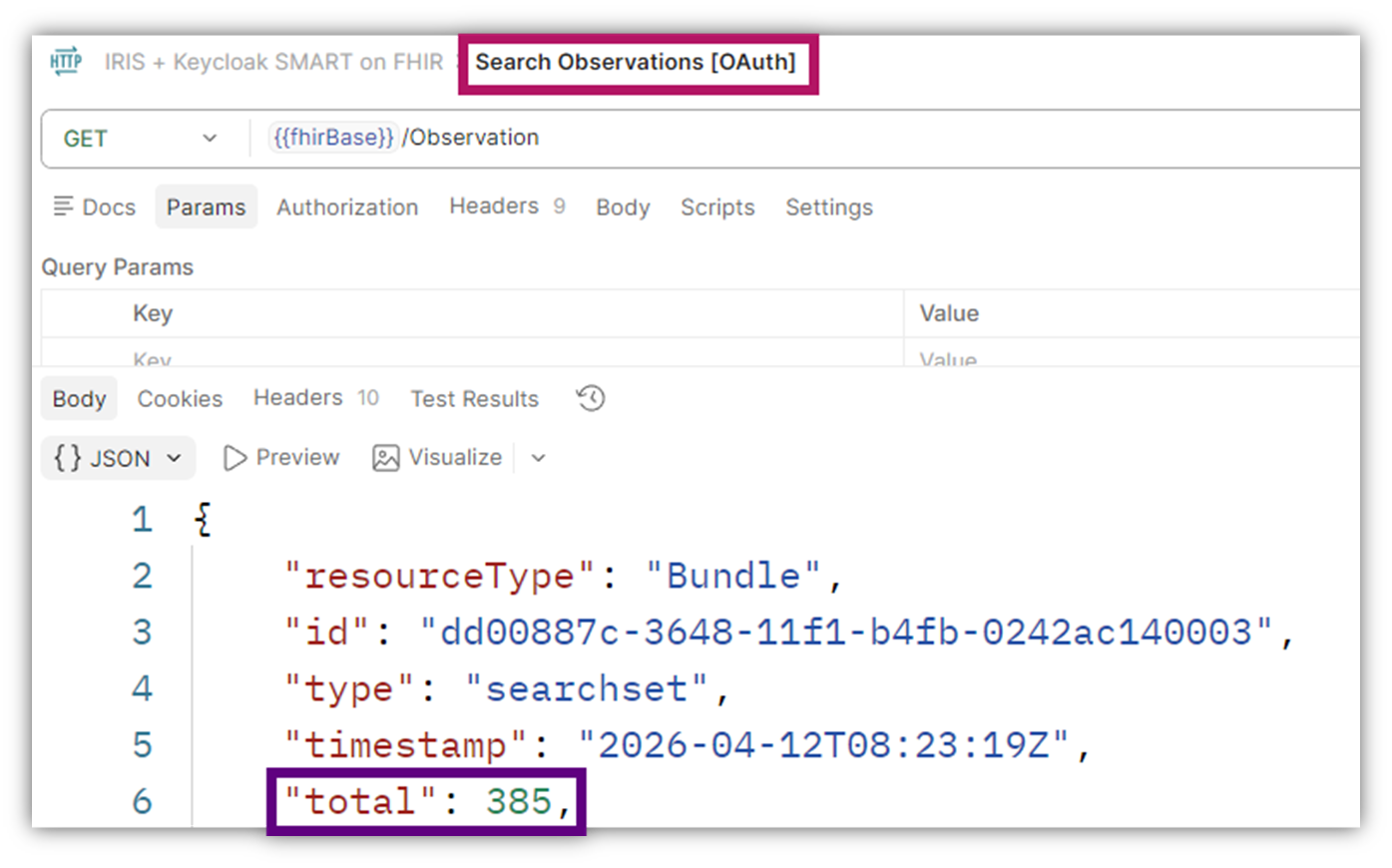
And in comparison if I use OAuth 2 authentication and have a scope of user/Observation.rs?category=laboratory, we get only 385 (vs. 793 above) Resources:
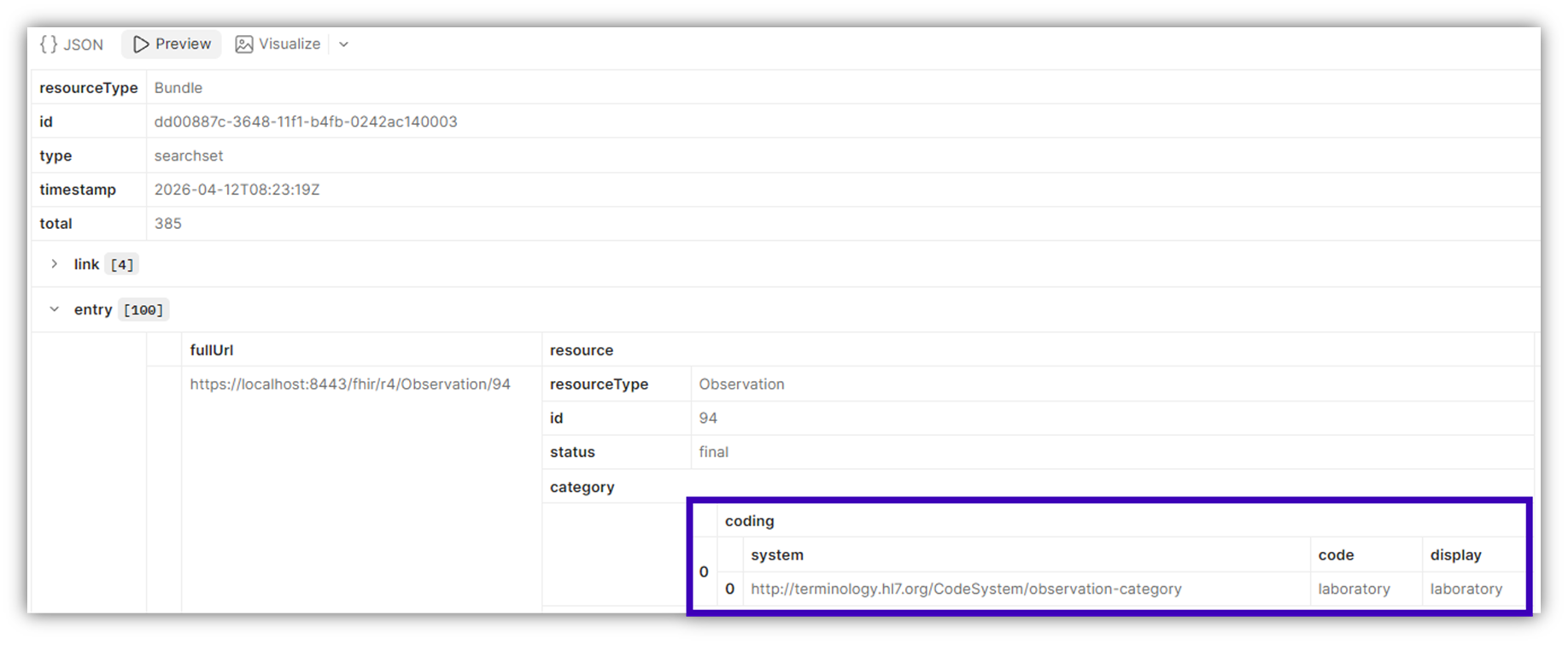
And the first one (instead of vital-signs) is usurpingly of a category of laboratory:
A similar comparison can been seen with $everything -
$everyting Example
With Basic Authentication (no Scopes):
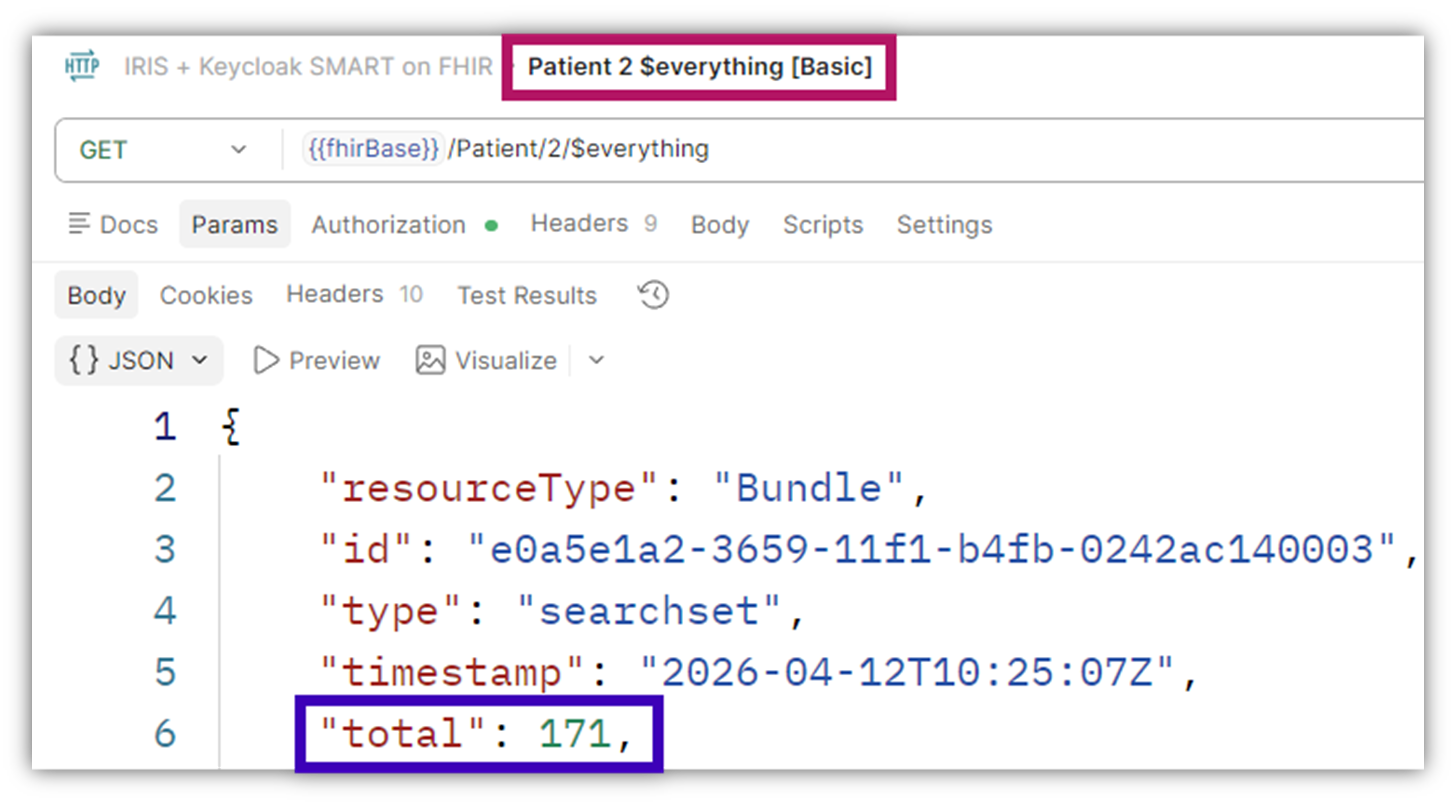
We get of course the Patient Resource itself, but also related Resources (per the example above): Encounter, Practitioner, Organization, Condition, Claim, ExplanationOfBenefit, Observation (of various types), MedicationRequest, Immunization, DiagnosticReport
With OAuth (and scopes that include only: user/Patient.rs and user/Observation.rs?category=laboratory):
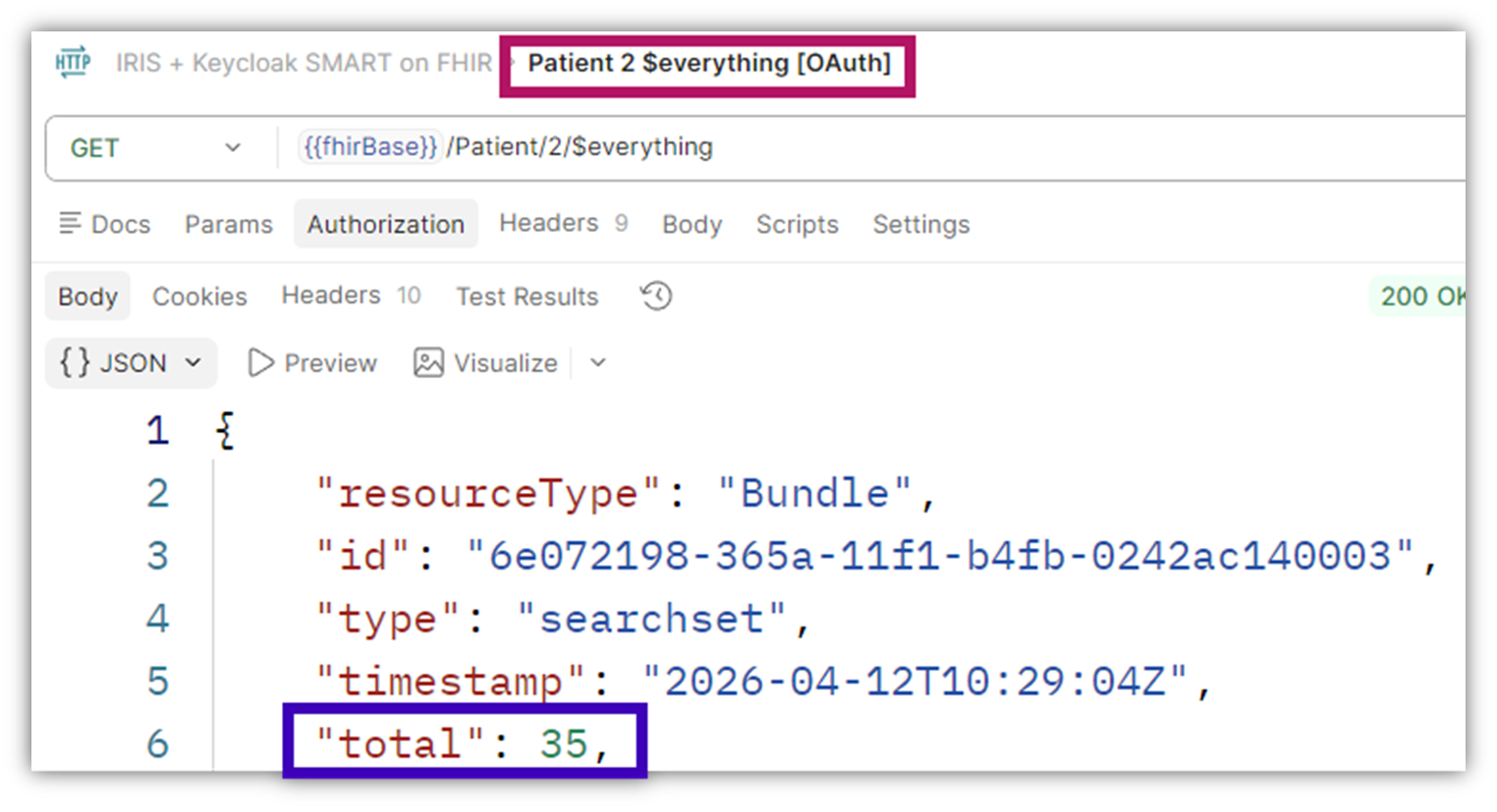
Here apart from the Patient itself, we only get Observations (laboratory ones), and no other related Resources.
So, 171 Resources vs. 35 after the filtering.
Some Technical Notes
- As mentioned you need to be at least on v2026.1 to support this.
- Most FHIR Interactions are supported for these kind of Scopes (Create, Read, Update, Delete, Search), some not yet (History, VRead)
- As mentioned in the filter search string you can use standard FHIR Search syntax, but some parameters simply won't make sense in this context (like _include), so some might fail the request and others might simply be ignored, see referenced Docs for details.
- There are some notes re the $everything and $lastn, again see Docs for details.
Debugging
While using OAuth in general, and with SMART scopes in particular, not everything will work always as expected at first.
Good resources to debug your situation will be the FHIR Server Log (aka FSLOG) and the HTTP Request Log (aka ISCLOG), see more details in the Docs here.
To illustrate here's an example -
Say this time we turned off the filter results settings, and we're trying to Search for all Observation while our scope allows only laboratory.
We will get a 403 Forbidden HTTP status:
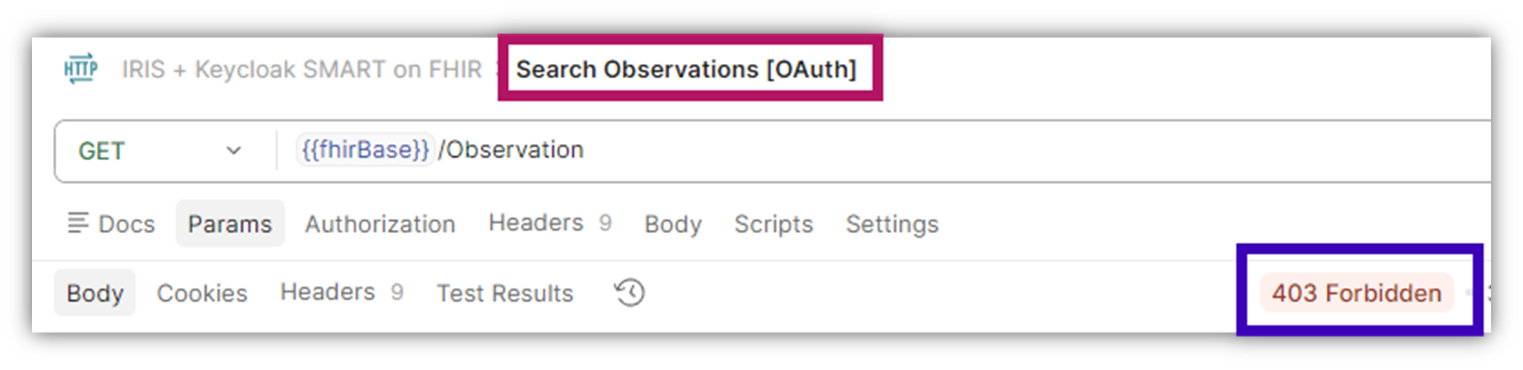
And if we turned on the FHIR Server Log, we can see something like this:


Sample Demo
Tackling a topic hands-on always helps and deepens the understanding, so I encourage you to take the related Open Exchange app for a ride. It is a very simple click & go sample, where a docker compose will build and start up everything you need, and includes a sample Postman Collection for you test drive with.