DC Feedback relates to discussions on Developer Community UI, UX and performance problems and enhancements.
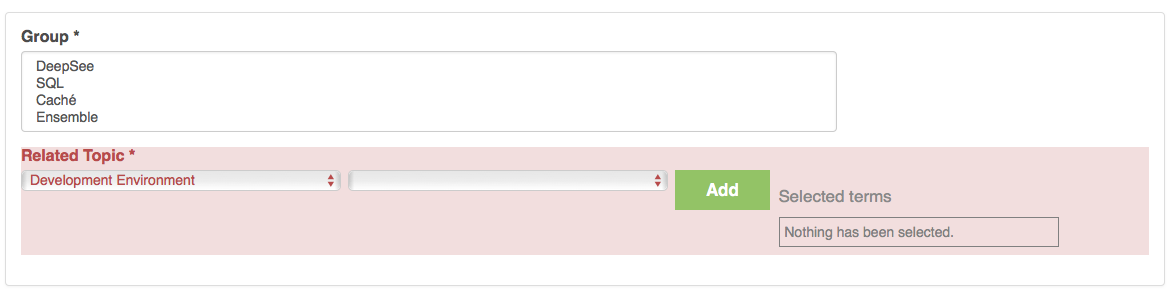
We can change to this mode of UI in the Create New Post that I think makes the tag usage easier. There's help text under the window in this screen shot and it will contain instructions on the use of tagging, the benefits and also a link to a standing post to request new tags. I think this method of operation will allow us to add many more tags without making them burdensome to navigate.
Thoughts?
Not quite sure how to connect groups to tags in this UI but that might be the next step.

I received an email notification and the only link was directly to the comment: https://community.intersystems.com/question406316/answer406331
From that page you can see that there is no way to get to the full question itself (unless I'm missing it).
Looking through my subscriptions it looks like I'm literally subscribed to the answer and not the main topic.

it's so good it's repeating. Not sure why. Investigating.
Here's the scenario. I write a post, click the Publish button to post it, but overlook the fact that because I didn't add a tag I'm still on the same page. The pink area highlighting what I forgot to fill in is out of sight at the bottom of the page. I carelessly navigate away (e.g. back button, or DC app tabs). There's no warning, and I've lost what I wrote.
Hi, Community!
The Second InterSystems Global Summit Contest finished yesterday, and we have a new winner!
John Murray has won the prize and showed very impressive contribution activity with the result:
- he did 20 posts with 40 votes on them,
- these posts were commented 96 times by other members
- made 53 comments with 39 positive votes.
- All this happened in 2 weeks.
Congratulations!
John gets Free Registration on InterSystems Global Summit 2016 and the 4-night stay in Arizona Biltmore, Waldorf Astoria Resort!
Thanks everyone who participated in this contest!
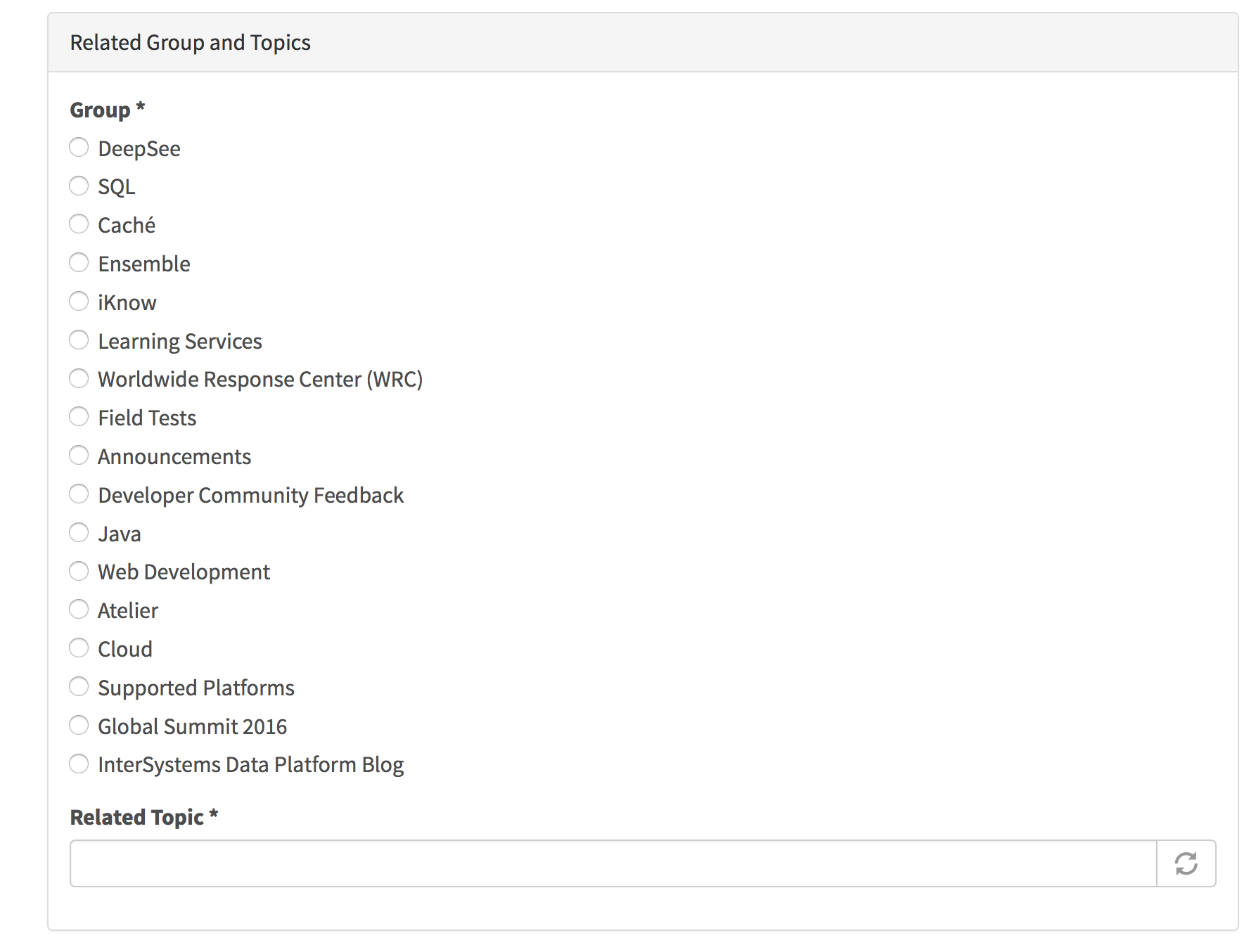
Groups are now listed out to make them easier to see and select. Select one.
For the tagging, just start typing and the tags will appear i.e. Cache. Select one or more.

I think there should at the very least be a third option; "discussion".
Was this intentional? I don't like it.
How about a default tag for each community? If I'm in the Developer Community Feedback I shouldn't have to also pick a related topic of Developer Community.
This post brought to you by the department of redundancy department.
This latest update was a huge stride in making the community usable. I think you fixed almost all of the major usage gripes I had and it's looking great!
We will be publishing another update to Developer Community tomorrow, March 17th with the following enhancements and fixes:
** Task
* [DCE-61] - Give content authors a way to Save Draft
* [DCE-66] - Fix line wrapping in post listing
* [DCE-69] - Developer Synchronization: New block for feedback link
* [DCE-70] - Developer Synchronization: Fix paging for /group
* [DCE-71] - Developer Synchronization: Main page now filtering Feedback
* [DCE-72] - Verify that all pages w/right-hand column have the same column dimensions
* [DCE-73] - Remove "Recent Posts" and "Related Groups"
In the recent march 15 update, there are multiple references to "groups". However in the menus, it still references "Communities" (Connect->Communities)
Shouldn't we update the menus to standardize on the word group(since that seems to be the popular/de facto term)?
Also I was forced to choose a related topic. There is no topic like: "misc", "other", "feedback", "site ui", etc. so I choose online learning
Look at this screenshot from the homepage. The "post" timestamp is the same as the "last comment" one.
Drilling into the item shows the correct amount of time since I created it.
When adding a new post, you now need to provide one or more tags to categorize the content appropriately. After selecting the tag, please remember to click the Add button to fully select the tag.

When you click on the My Content icon in the navigation bar you see a page with tabs, two of which are "My Content" and the other is "My Collaborations". The formatting of this content is not very good and is inconsistent between the two.
Questions:
1. How many of you are using these pages?
2. What are you using them for?
3. What information do you expect to see here?
4. How can we improve this?
We will soon be implementing a filter that will remove Developer Community feedback from the home page. Please keep the suggestions and comments coming.
You can still access the feedback from the "Browse by Group" section on the home page by clicking on the Developer Community Feedback link.
Should we have a tag cloud on the homepage in place of partial list of tag shown in the Browse by Tag?
or at least a better formatted page than the current tagcloud at:
https://community.intersystems.com/tagclouds/chunk/1
This is a very very hard listing of tags to interact with. It is one giant block of unformatted text.
Maybe turn this in to a full page tagcloud? Or a multi-column bulleted list?
Once again I choose the online learning topic for this post as no appropriate tag is available.
With this release we've done a few things with subscriptions
1. Exposed personalization settings so you can control how and when you receive the email subscription notifications. See the image below
2. The ability to selectively subscribe to email notification for content by Tag. At the top of the "Browse by Tag" page there is a new link to Subscribe with Email.
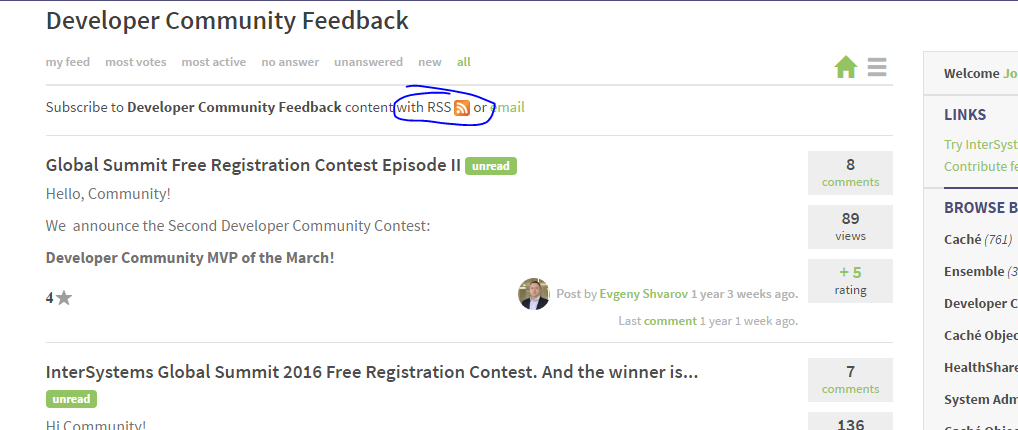
3. Made RSS feeds available for content based on Tag and based on Group. At the top of the "Browse by Tag" and "Browse by Group" pages you will see the RSS link.
4.The ability to subscribe/unsubscribe to individual posts.
Since the March 15 update, Related Topic is now a mandatory field. My first post since the update was to this Developer Community Feedback group, and I found it hard to choose an appropriate Related Topic. I ended up picking "Online Learning" for that post, and will use the same for this one too.
When I post, I am now required to select a Releated Topic.
However on the homepage I see "Browse By Tag" and can view all tags at https://community.intersystems.com/tagclouds/chunk/1
Shouldn't we use the same naming conventions throughout the Site UI? Change Related Topic to Tag?
Again, I had to choose online learning for the lack of any appropriate tag.
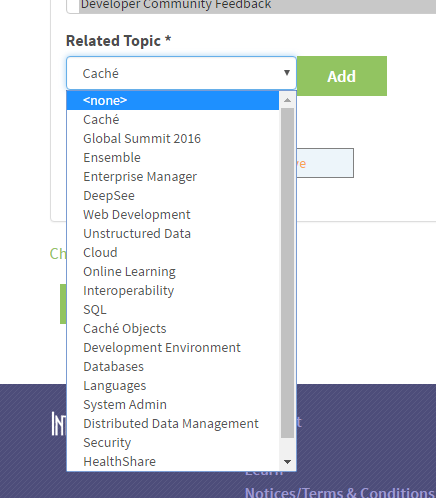
I do not understand the ordering of the topics/tags in the new post interface.
Why are they in this order?

In anyevent I suggest the standard alphabetical ordering ...any else have thoughts?
Here's what I now get (screenshot from Chrome at 75% zoom, yellow markers added to the posts with the wrong font)
:
Look at this. I see the same whether using Firefox or Chrome.
Are titles such as "answer406171" expected?
Here are a few other changes and updates coming in this release.
1.When making a new post, the Related Topics (tagging) is now required.We are doing this because we want to add more features to the site and need the content organized by tag for more granular navigation, cross-linking and page customization.We will create a posting in Developer Community Feedback so that tags can be discussed and we'd be happy to adjust what tags are available now.
This is the first of several postings on the release coming March 15th
Questions vs. Articles
We now have the ability to distinguish, at posting time, between a "Question" and an "Article". These two types of postings will exhibit different behaviors that we think will optimize the experience of the user.
I noticed a lot of sites these days support use of Gravatar user profile pictures so your profile picture can follow you around from site to site, could we support this here?
Also there appears to be some HTML bug in the user profile edit page, when I click on the 'edit' tab I see options to edit the profile for a fraction of a second before this closes and I am unable to edit anything.
Most of my comments/contributions are personal, not reflecting the point-of-view of my current client. My WRC account is normally 'connected' with my clients email domain (e.g. csc.com).
I would like to set a personal account for DC so I can receive the digests in my own email box.
More sophisticated, I would like to use more then one email per account where I can specify on which address I want to receive DC digests