Evgeny Shvarov · Oct 24, 2018 go to post

Hi, David!

Thanks for the question!

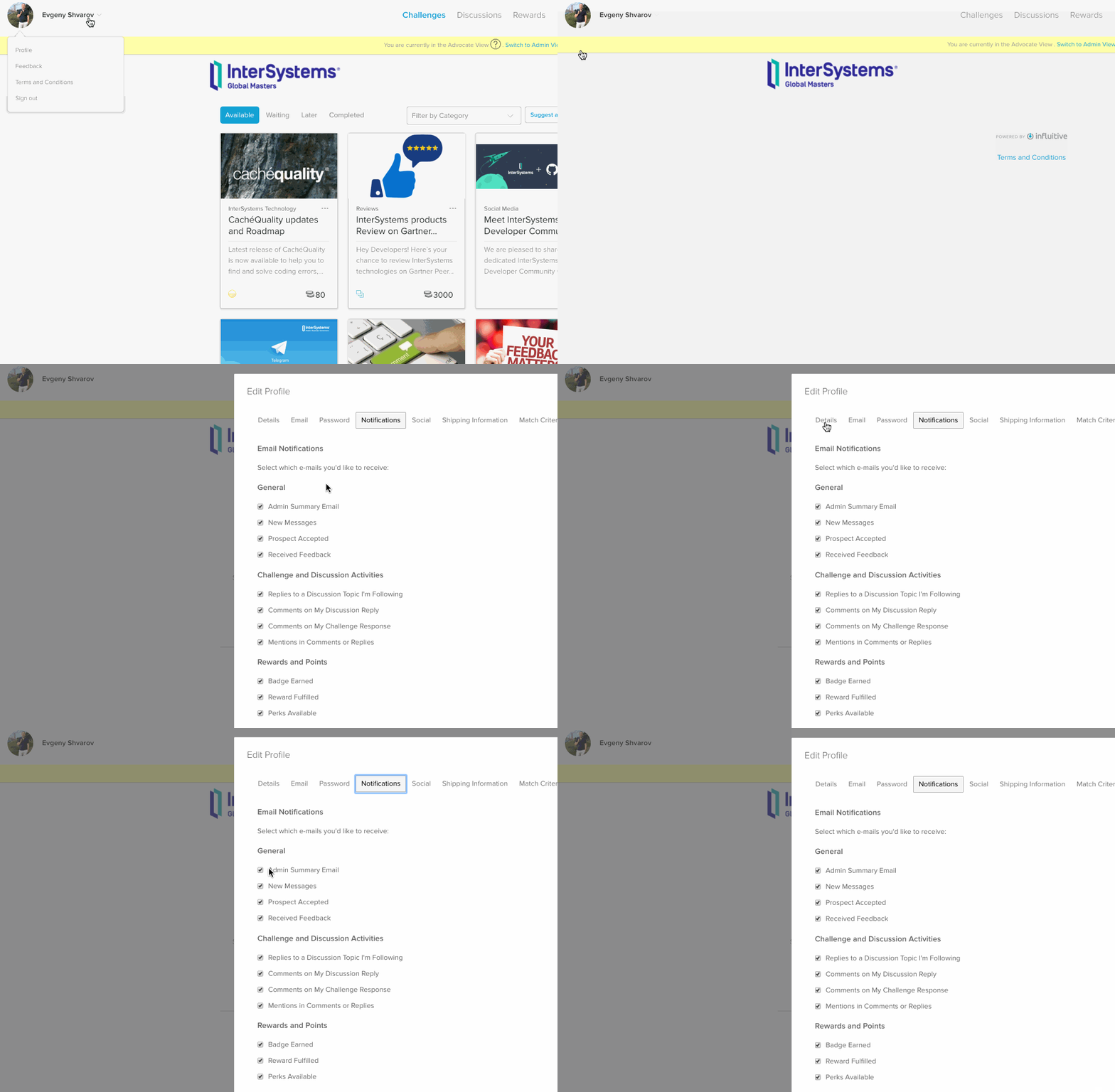
Today the procedure is the following: Unpublish, Edit, Send for Approval again.

Evgeny Shvarov · Oct 24, 2018 go to post

Hi, Steve!

Thanks for your feedback! 

Does it have to be a Github repo or can I use BitBucket ?

It can be any public repository: Github, BitBucket or Gitlab. But today we have the embedded support only for Github. E.g. if you submit Github repo in the application OE will use README.md as description, LICENSE.md as license and we plan to introduce more support in the near future.

You can add the request for BitBucket support in Open Exchange issues.

Also - if we find an error  (eg WebTerminal on IRIS), can we leave a comment generally or for the developer ?

Every application has either repo with issues or the support link which are intended to receive feedback, bug reports, and feature requests.

If you find an error on Open Exchange, please submit it here! )

Evgeny Shvarov · Oct 20, 2018 go to post

Hi, Stefan!

In this situation, I would suggest using RELEASES approach for different InterSystems Data Platforms. E.g. you can generate XML release package from the code base in git and then replace all the specific places for a given version on a build release phase. As a result you will have different XML packages for Ensemble and for InterSystems IRIS and have one code base, say in IRIS.

For example, you can see that approach @Eduard Lebedyuk used for RESTForms distribution. There are 2016.1 and 2016.2 release packages which can be installed in 2016.1 and 2016.2+ Caché or Ensemble versions respectfully.

To simplify release building I can recommend ISC.DEV utility which can export a release or patch file(upon git commits) for a given mask of classes.

HTH

Evgeny Shvarov · Oct 17, 2018 go to post

Hi, Robert!

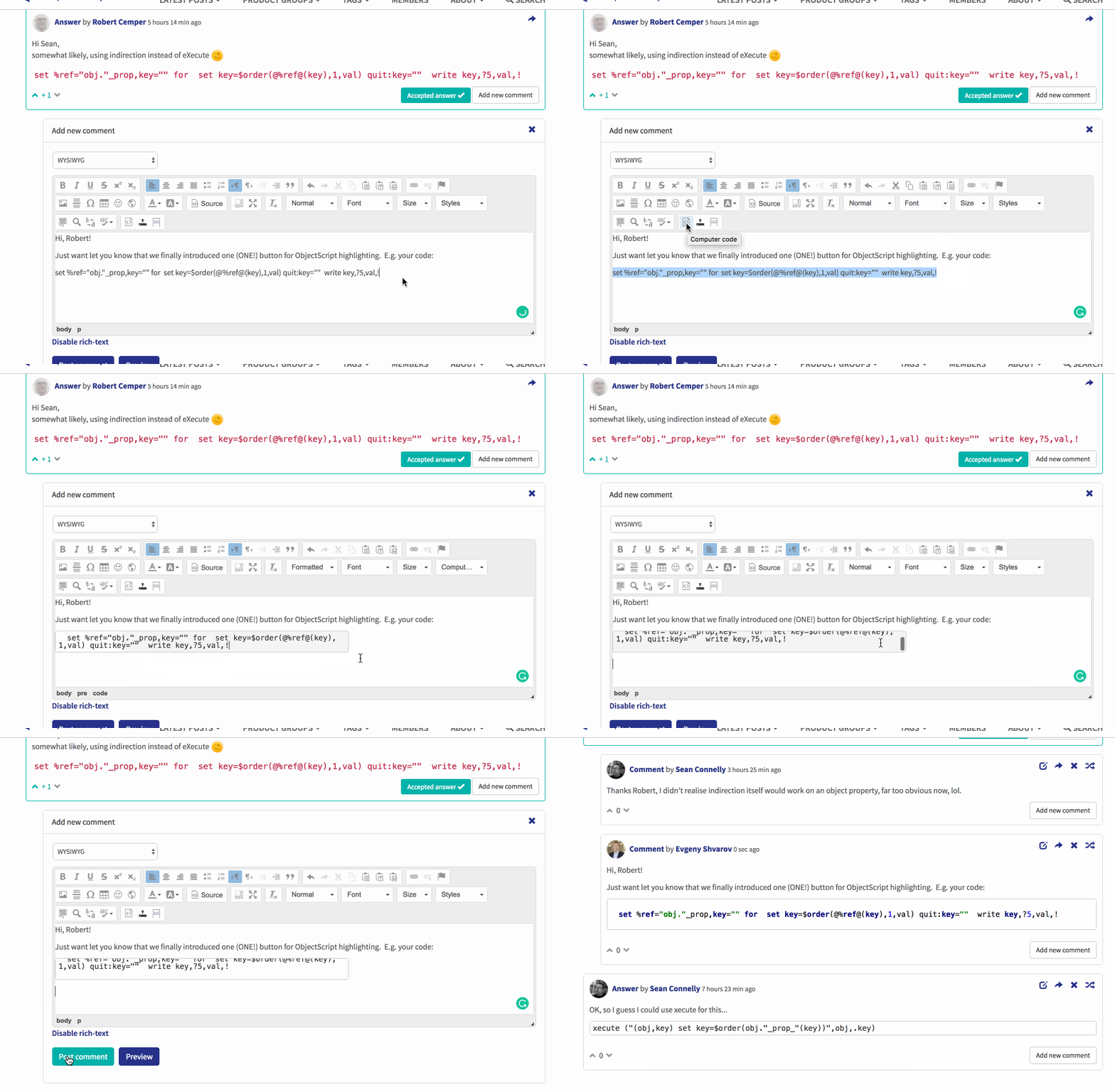
Just want let you know that we finally introduced one (ONE!) button for ObjectScript highlighting.  E.g. your code:

set %ref="obj."_prop,key="" for  set key=$order(@%ref@(key),1,val) quit:key=""  write key,?5,val,!

Can be highlighted like this:

Evgeny Shvarov · Oct 8, 2018 go to post

Community license is a free license for a limited configuration - up to 8 cores.

Express license is a cloud server license without configuration limitations (but maybe with some other usage limitations, will be announced later) for a fix price of $200 per month or $2,000 per year.

But let's wait for an official announcement and availability in November.

Evgeny Shvarov · Oct 5, 2018 go to post

Hi, Edward!

Here is the post about using Twilio

It’s about phone calls but Twilio provides services for SMS too.

HTH

Evgeny Shvarov · Oct 2, 2018 go to post

Today is the second InterSystem Global Summit KeyNotes day! Don't miss breaking news!

Evgeny Shvarov · Oct 1, 2018 go to post

And one more topic from me: 

InterSystems Open Exchange -  marketplace of Solutions, Tools and Adapters for InterSystems Data Platforms!

The updated the agenda is here and in the topic:

Tuesday 10/02, at Tech Exchange Global Summit 2018!

2 pm Open source approaches to work with Documents @Eduard Lebedyuk, InterSystems

2-15 InterSystems IRIS on Kubernetes by @Dmitry Konnov Maslennikov, 

2-30 Visual Studio Code IDE for InterSystems Data Platforms by @John Murray, GeorgeJames Software

2-45 Static Analysis for ObjectScript with CacheQuality by @Daniel Tamajon, Lite Solutions

3-00 InterSystems Open Exchange by @Evgeny Shvarov, InterSystems

3-15 Q&A Session on Developer Community, Global Masters and Open Exchange

Evgeny Shvarov · Sep 30, 2018 go to post

And, we have another flash talk topic - "Visual Studio Code IDE for InterSystems Data Platforms" from @John Murray!

So many exciting topics! Looking forward! 

Evgeny Shvarov · Sep 27, 2018 go to post

Nice!

USER>s rc=p.AddItem("TestPackage.Test.cls")

Can one use a wildcard in this method to add 1,000+ classes?

Evgeny Shvarov · Sep 25, 2018 go to post

Few days before Global Summit 2018!

And I can announce yet another presenter: @Eduard Lebedyuk, InterSystems.

Title: Open source approaches to work with Documents.

And we have the day and time!

Find Developer Community Flash Talks "Share Your InterSystems IRIS Solution!"  on Tuesday the 2nd of October on Flash Talks Stage from 2pm to 3-30 pm.

Evgeny Shvarov · Sep 24, 2018 go to post

PS I would send an image but I don't know how as the image loader asks for a URL, images are on my desktop and will not load.

Yes, this is "not obvious", but there is a image upload button. 

Here it is.

After loading it worth to apply image settings button to provide a reasonable width (300-700px).

So next question is how do I compile my test.mac in VS Code terminal?

There is a hotkey Ctrl+F7 as in Studio. But I prefer auto-compile on Save. it's not a default option so turn it on in preferences:


Evgeny Shvarov · Sep 23, 2018 go to post

Few questions, Ciaran, just to be sure:

1. Is it Visual Studio or Visual Studio Code you are testing? "Это две большие разницы, как говорят в Одессе" - this is different, as we say in Odessa ;)  We need the second product.

2. Could you send the screenshot of your mac routine? it should be highlighted as ObjectScript.

3. What is the version of the plugin? Mine is 0.3.6: 

Evgeny Shvarov · Sep 22, 2018 go to post

Ciaran!

You need to setup a connection to every workspace in VSCode.

Place your mac file into any folder. Preferably into 

/mycoding/testproject/src/myOSFile.mac

Then open this /testproject/src folder in VSCode.

Then go to VSCode Preferences and find CachéObjectScript settings section. It is what is used by default. If your current project differs from the default (e.g. another server connection or namespace) place it into UserSettings section on the right. Like it is shown in this gif:

You can check the connection in Output window of the terminal with name cos. 

Or you can just try to save any file - it tries to compile on save and will popup you the results.

HTH