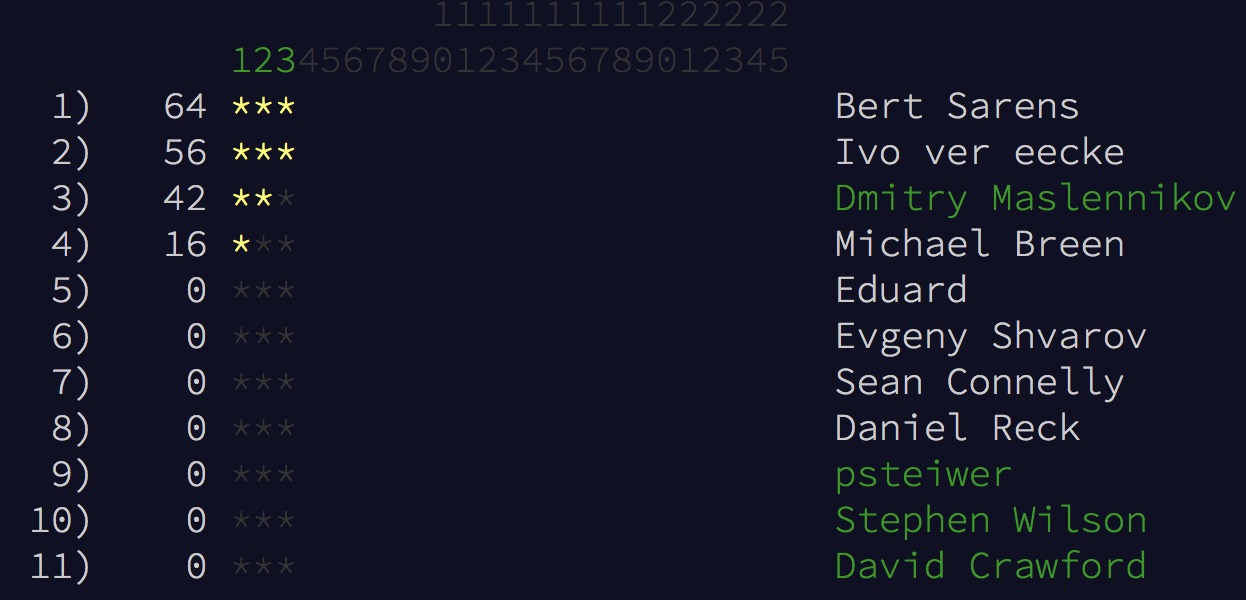
It's the 3rd day! Join InterSystems ObjectScript competition! (it needs you to be logged in first).

We'll introduce some incentive from InterSystems soon ;)
- Log in to post comments
It's the 3rd day! Join InterSystems ObjectScript competition! (it needs you to be logged in first).

We'll introduce some incentive from InterSystems soon ;)
That's easy:
1. Register on Open Exchange - in your case just sign in with same credentials as on DC.
2. In your personal page submit a new app which is the set of Name, Description, Github, License and Product link.
3. Submit for Approval.
That's it.
Once approved start to receive the traffic for your application via Open Exchange.
Hi Felipe!
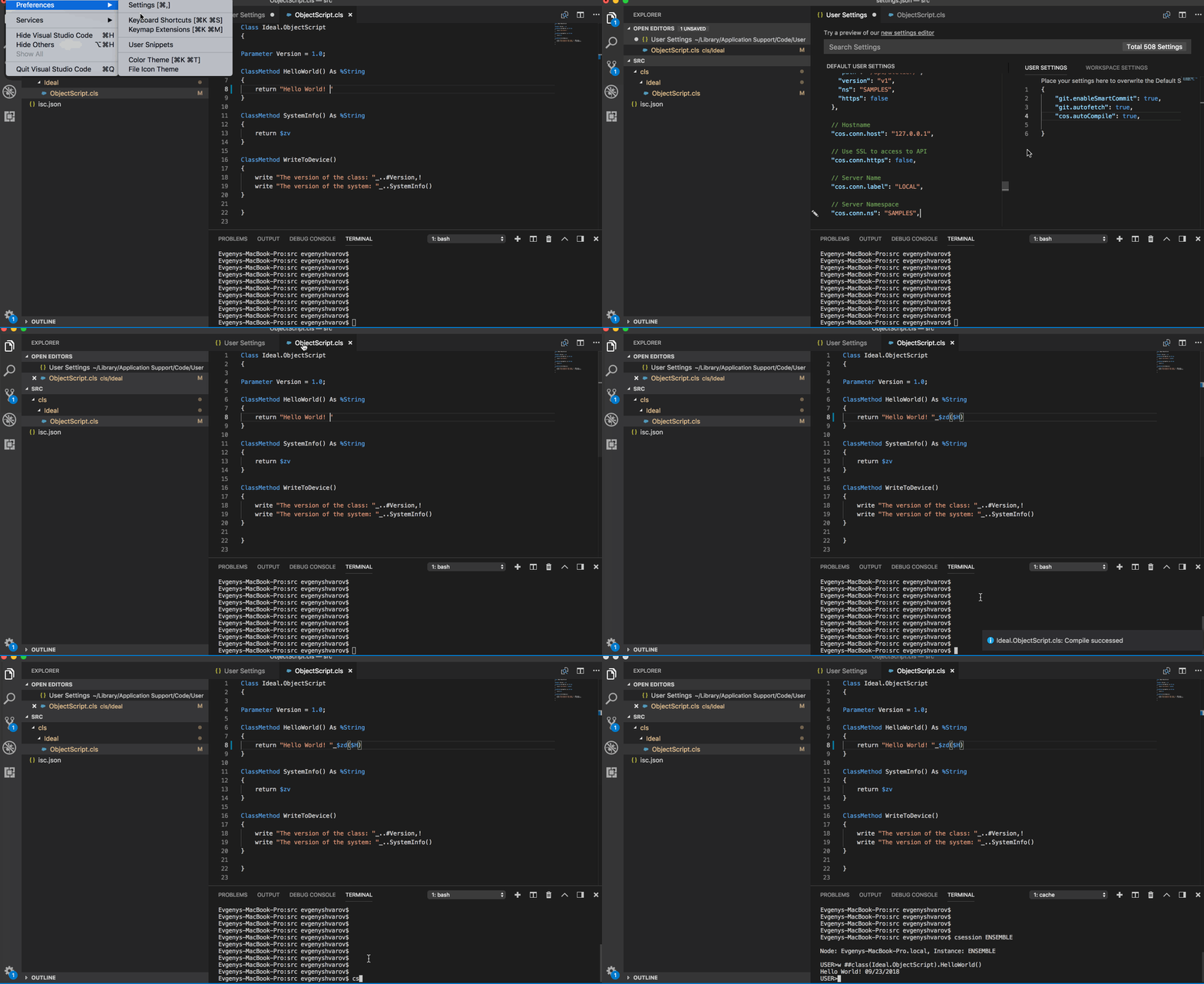
Recorded the short "Coding video" to illustrate how it code and compile ObjecScript in VSCode.
As it was announced on Global Summit it should happen in November. We have at least one more week of November. So, stay tuned )
Great point, Alexander! It's in a queue.
Also available on OpenExchange
The new version has independent mobile UI for DeepSee dashboards.
To join Global Masters leave a comment to the post and we'll send the invite.
Congrats, @Scott Roth! Welcome to the DC moderators team!
Hi Jimmy!
Do you mind to introduce it as another question?
The title looks "scary" )
Dmitry, does your approach need Caché Studio only? Could it be used for Eclipse or Visual Studio Code?
Thanks, Robert!
I realized now that DR site should be in another cloud and on a distance because of the purpose.
DR is being implemented as ASYNC Mirror in InterSystems and I think the network performance/bandwidth is the key.
All you mentioned here is fair enough, thanks.
And what I realize in the end that network bandwidth requirements totally depends on the transactions load of the PRIMARY.
The hardware requirements of DR site is an easier thing - DR site can have the same configuration as PRIMARY.
Thanks, Ed!
So that means if you have enough bandwidth and not an awful lag you can place your async mirror even in another cloud.
Do we have any minimum bandwidth and lag requirements?
Can we measure it somehow between two servers before starting the mirroring?
Also available on OpenExchange
Hi Felipe!
Are you able to edit ANY files with VSCode? With ObjectScript files, it should be the same.
Just to make sure:
1. - check out your ObjectScript files from the repository to a local file folder.
2. Open this folder in VSCode.
3. Setup the connection in VSCode to an InterSystems server and namespace you want your files to be compiled.
4. Code it!
There are also other steps of commit/push/test/patch/deploy - but it is another story.
And you can check connection and compilation logs in Output/cos window, see the gif above.
Hi Felipe!
As @David Reche mentioned you can get it from the Command Palette menu and as you can see Command +F7 hotkey can be used for import+Compile.
I also like the option:
cos.Autocompile=true;
which gives you compilation on every Save (Command + S) and which you can setup in workspace settings of VSCode.
Also, make sure that you connect to a right server and right namespace. See the following gif which illustrates how it works:

Hi Jan!
The support of Hibernate 5.2 or 5.3 is stated in IRIS 2018.2 release notes. Hope it solves the issue.
What is great about InterSystems objects is that you exactly know what's going on with your data.
You can look into the generated code for classes with Cache Storage and see where and when class writes the data into ^OBJ.DSTIME when the class has
Parameter DSTIME As STRING [ Constraint = ",AUTO,MANUAL", Flags = ENUM ] = "AUTO";So, there is no magic here: DSTIME=AUTO parameter introduces "sets" into ^OBJ.DSTIME global in the places where records are being updated or created.
It doesn't work for non-standard SQL storage because DSTIME Parameter simply doesn't know about insert/update/delete procedures anything.
In your case you can forget about DSTIME and place this sets in Global (or inserts into some Record.ChangeHistory class) in the places, where your data is being inserted/updated/deleted.
Hi Eric!
Thanks for your interest!
Conctacted you directly.
Hi Yaniv!
As @Chris Thompson mentioned you can use DSTIME for automatic records changes tracking which will be stored in a special global. But I doubt if it works for classes with non-standard storage schema just by adding DSTIME=auto;
How do you add/update records in your application? You need to introduce special calls in your "create/update" procedures to track changes. DSTIME=auto; does exactly same adding "tracking" logic in SQL and Object requests for class changes. Maybe you can use some calls with DSTIME=manual; mode.
@Alexander Koblov do you know if it is possible to use DSTIME somehow in this case?
Another approach which may work in your case is to use AUDIT to track the changes users made to DB and then analyze this data, e.g. like here. But I never did it for non-standard storage schema.
Hi Harkirat!
You have two questions here) Answering on the limits for a particular user.
Yes, you can limit the data user see via DeepSee interfaces.
Implement the callback %OnGetFilterSpec of your Cube which will introduce an extra filter on all the queries to the cube. You can use the $User or $Role of the current user and tie it to a dimension and so filter the data, which is available to a certain user or group of users. So all your dashboards and pivots will use this extra filter to all the data sources.
HTH
Hi Yaniv!
I think if your class is mapped to globals the only way to have “last update” field is to store it in a global during update and map then into the appropriate field.
Another approach I see here is to parse transaction journals seeking particular “row” in a particular global to have a “Last update” moment.
There is also a good article by @Olga Phomina on Reflection in ObjectScript.
Hi Alexander! I believe this is solved!
Alexey, sorry for disturbing with GM notifications.
You can turn it off in Profile settings. See the gif:

Hi Goran!
You are invited
Thanks, Anastasia!
Also the Ethereum Interoperability Adapter is available on InterSystems Open Exchange.
Hi, Yuri!
I can advise you to have a look at iKnow Reviews Analysis (iKRA) solution which analyses the sentiment of travellers' reviews.
Also, there is a post regarding iKnow REST API
HTH
Pinging @Vasiliy Bondar to share his experience in multi-user systems.