#Object Data Model

4 Followers · 498 Posts

An object data model is that data or code is composed of modules that combine data and procedures that work on the data.

Learn more.

Announcement Mike Kadow · Feb 4, 2018

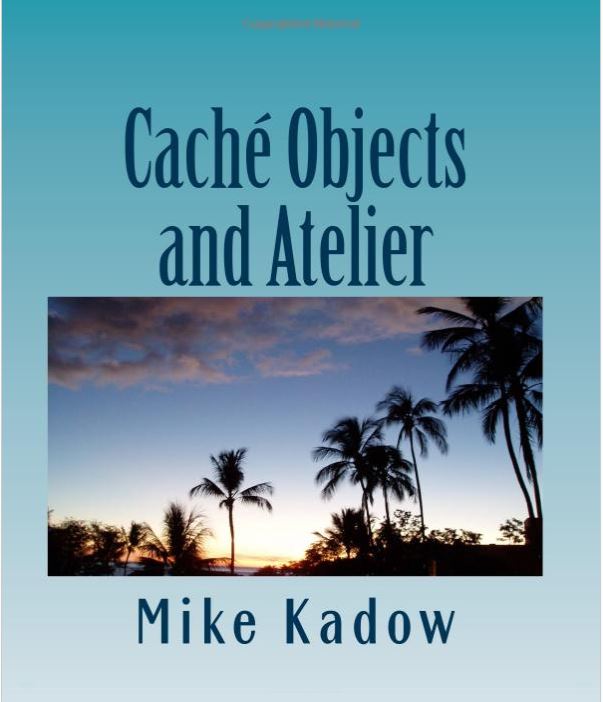
A new book on Caché Objects and Atelier                     $25 at Amazon.com                                                                                               

TinyUrlhttps://tinyurl.com/y74jw49c

Coming on Kindle

There are many good MUMPS developers who want to learn Caché Objects but do not know how to start.

At the same time, InterSystems is pushing the envelope of technology with a new development platform

such as Atelier along with Eclipse.

It is my aim in this book to help those developers bridge the gap into Caché Objects at the same time learn

Atelier as well.

5
0 1384
Question Thembelani Mlalazi · Jan 30, 2018

I am trying to write an application that will take some information on the database make a call to the Google API distance matrix and get the information to use with rest of the application without using the ensemble part of the development is this possible and how can I do my communication with the  API from a cache class thanks in  advance

7
0 1497
Question John Murray · Jan 30, 2018

In part of this post in 2016 @Eduard Lebedyuk asked if anyone knew what is meant by an "expanded class", as referred to in the text that appears when we run the ShowQualifiers classmethod of %SYSTEM.OBJ thus:

SAMPLES>DO $system.OBJ.ShowQualifiers()
...
            Name: /checkuptodate
    Description: Skip classes or expanded classes that are up-to-date.

3
0 555
Question Scott Roth · Nov 18, 2016

I am trying to come up with a way to decode the Base64 we receive in an HL7 message into a PDF file and save it in a directory on our AIX machine. I thought I had the following working at one time but I am having issues. Has anyone done this before?

ClassMethod DecodeBase64HL7ToFile(base64 As %Stream, Ancillary As %String) As %Boolean
{
set Oref = ##class(%FileBinaryStream).%New()
set Oref.Filename = Ancillary
Do base64.Rewind()
While 'base64.AtEnd {
    set ln=base64.ReadLine()
    set lnDecoded=$system.Encryption.Base64Decode(ln)
do Oref.Write(lnDecoded)
}
Do Oref.%Save()
quit 1
}

Thanks

Scott

5
2 4685
Question Paul Rick · Jan 14, 2018

I have a class to track data changes.
As it becomes slower and slower to find last changes I think I need an index.
The 2 classes are just simplified reality.
HowTo ?

Class Rick.ChangeItem Extends %SerialObject
{
Property Subject As %String;
Property Author As %String;
Property Change As %TimeStamp;
}

and

Class DC.listItem Extends (%Persistent)
{
Property Title As %String;
Property Changes As List Of Rick.ChangeItem ;
/// where & how create the index ?
}
6
0 1155
Question Alex Kogan · Jan 11, 2018

My questions are regarding ClassMethods with a private keyword tags.

When we use a wizard to add a new method, we are given a options to
select private checkbox to make it a private method as well as 
Class Method checkbox in the same time. 

1. What would be the reason and the case to select and use them both?   
2. Secondly, if there is such a case in already developed application is it
safe to remove the private tag from ClassMethod? Obviously if it's not a 
ClassMethod private tag cannot be removed as easily.

Thank you,

11
0 652
Question Thembelani Mlalazi · Jan 5, 2018

I have read here  and tried to use the supplied examples to see what they do but keep on getting error please advice:

Method GetXMLDocFromFile(file = "C:test2.xml") As %XML.Document
{
    set reader=##class(%XML.Reader).%New()
    set status=reader.OpenFile(file)
    if $$$ISERR(status) {do $System.Status.DisplayError(status) quit $$$NULLOREF}
    set document=reader.Document
    set reNo=##class(%XML.Node).%New()//check here//how to use the below method

the error I am getting is as follows

6
0 1231
Question Thembelani Mlalazi · Jan 4, 2018

I am trying to achieve this in cache objects I am using  2014.1 here is the original code in C# and would like to convert this to cache

here is my code first c# and cache follows

     class Program
    {
        /// <summary>
        /// This function loads a XML document from the specified string.
        /// </summary>
        /// <param name="xml">Input XML string</param>
        /// <returns>XML to Json converted string</returns>
        public static string XmlToJSON(string xml)
        {
            XmlDocument xmlDoc = new XmlDocument();
            xmlDoc.LoadXml(xml);
            
            StringBuilder sbJSON = new StringBuilder();
            sbJSON.Append("{ ");
            XmlToJSONnode(sbJSON, xmlDoc.DocumentElement, true);
            sbJSON.Append("}");
            return sbJSON.ToString();
        }
        
        /// <summary>
        /// Output a XmlElement, possibly as part of a higher array
        /// </summary>
        /// <param name="sbJSON">Json string to be created</param>
        /// <param name="node">XML node name</param>
        /// <param name="showNodeName">ArrayList of string or XmlElement</param>
        private static void XmlToJSONnode(StringBuilder sbJSON, XmlElement node, 
                                            bool showNodeName)
        {
            if (showNodeName)
            {
                sbJSON.Append("\"" + SafeJSON(node.Name) + "\": ");
            }
            sbJSON.Append("{");
 
            // Building a sorted list of key-value pairs where key is case-sensitive
            // nodeName value is an ArrayList of string or XmlElement so that we know
            // whether the nodeName is an array or not.
            SortedList<string, object> childNodeNames = new SortedList<string, object>();
 
            // Add in all node attributes.
            if (node.Attributes != null)
            {
                foreach (XmlAttribute attr in node.Attributes)
                    StoreChildNode(childNodeNames, attr.Name, attr.InnerText);
            }
 
            // Add in all nodes.
            foreach (XmlNode cnode in node.ChildNodes)
            {
                if (cnode is XmlText)
                {
                    StoreChildNode(childNodeNames, "value", cnode.InnerText);
                }
                else if (cnode is XmlElement)
                {
                    StoreChildNode(childNodeNames, cnode.Name, cnode);
                }
            }
 
            // Now output all stored info.
            foreach (string childname in childNodeNames.Keys)
            {
                List<object> alChild = (List<object>)childNodeNames[childname];
                if (alChild.Count == 1)
                    OutputNode(childname, alChild[0], sbJSON, true);
                else
                {
                    sbJSON.Append(" \"" + SafeJSON(childname) + "\": [ ");
                    foreach (object Child in alChild)
                        OutputNode(childname, Child, sbJSON, false);
                    sbJSON.Remove(sbJSON.Length - 2, 2);
                    sbJSON.Append(" ], ");
                }
            }
            sbJSON.Remove(sbJSON.Length - 2, 2);
            sbJSON.Append(" }");
        }
                
        /// <summary>
        /// Store data associated with each nodeName so that we know whether 
        /// the nodeName is an array or not.
        /// </summary>
        /// <param name="childNodeNames">Collection of child nodes</param>
        /// <param name="nodeName">XML node name</param>
        /// <param name="nodeValue">XML node value</param>
        private static void StoreChildNode(SortedList<string, object> childNodeNames, 
            string nodeName, object nodeValue)
        {
            // Pre-process contraction of XmlElements.
            if (nodeValue is XmlElement)
            {
                // Convert <aa></aa> into "aa":null
                // <aa>xx</aa> into "aa":"xx".
                XmlNode cnode = (XmlNode)nodeValue;
                if (cnode.Attributes.Count == 0)
                {
                    XmlNodeList children = cnode.ChildNodes;
                    if (children.Count == 0)
                    {
                        nodeValue = null;
                    }
                    else if (children.Count == 1 && (children[0] is XmlText))
                    {
                        nodeValue = ((XmlText)(children[0])).InnerText;
                    }
                }
            }
            // Add nodeValue to ArrayList associated with each nodeName.
            // If nodeName doesn't exist then add it.
            List<object> ValuesAL;
 
            if (childNodeNames.ContainsKey(nodeName))
            {
                ValuesAL = (List<object>)childNodeNames[nodeName];
            }
            else
            {
                ValuesAL = new List<object>();
                childNodeNames[nodeName] = ValuesAL;
            }
            ValuesAL.Add(nodeValue);
        }
 
        /// <summary>
        /// This functions outputs all the stored information inside a child node.
        /// </summary>
        /// <param name="childname">Chile node name</param>
        /// <param name="alChild">Child node</param>
        /// <param name="sbJSON">Json string</param>
        /// <param name="showNodeName">Node visibility</param>
        private static void OutputNode(string childname, object alChild, 
            StringBuilder sbJSON, bool showNodeName)
        {
            if (alChild == null)
            {
                if (showNodeName)
                {
                    sbJSON.Append("\"" + SafeJSON(childname) + "\": ");
                }
                sbJSON.Append("null");
            }
            else if (alChild is string)
            {
                if (showNodeName)
                {
                    sbJSON.Append("\"" + SafeJSON(childname) + "\": ");
                }
                string sChild = (string)alChild;
                sChild = sChild.Trim();
                sbJSON.Append("\"" + SafeJSON(sChild) + "\"");
            }
            else
            {
                XmlToJSONnode(sbJSON, (XmlElement)alChild, showNodeName);
            }
            sbJSON.Append(", ");
        }
        
        /// <summary>
        /// This function makes a string safe for JSON.
        /// </summary>
        /// <param name="sIn">Input child node</param>
        /// <returns>String safe Json</returns>
        private static string SafeJSON(string sIn)
        {
            StringBuilder sbOut = new StringBuilder(sIn.Length);
            foreach (char ch in sIn)
            {
                if (Char.IsControl(ch) || ch == '\'')
                {
                    int ich = (int)ch;
                    sbOut.Append(@"\u" + ich.ToString("x4"));
                    continue;
                }
                else if (ch == '\"' || ch == '\\' || ch == '/')
                {
                    sbOut.Append('\\');
                }
                sbOut.Append(ch);
            }
            return sbOut.ToString();
        }
 
        /// <summary>
        /// This function converts Json string to XML
        /// </summary>
        /// <param name="json">Inout Json string</param>
        /// <returns>Converted XML string</returns>
        public static XmlDocument JsonToXml(string json)
        {
            XmlNode newNode = null;
            XmlNode appendToNode = null;
            string[] arrElementData;
 
            XmlDocument returnXmlDoc = new XmlDocument();
            returnXmlDoc.LoadXml("<menu />");
            XmlNode rootNode = returnXmlDoc.SelectSingleNode("menu");
            appendToNode = rootNode;
            
            string[] arrElements = json.Split('\r');
            foreach (string element in arrElements)
            {
                string processElement = element.Replace("\r", "").Replace("\n", "").Replace("\t", "").Trim();
                if ((processElement.IndexOf("}") > -1 || processElement.IndexOf("]") > -1) &&
                    appendToNode != rootNode)
                {
                    appendToNode = appendToNode.ParentNode;
                }
                else if (processElement.IndexOf("[") > -1)
                {
                    processElement = processElement.Replace(":", "").Replace("[", "").Replace("\"", "").Trim();
                    newNode = returnXmlDoc.CreateElement(processElement);
                    appendToNode.AppendChild(newNode);
                    appendToNode = newNode;
                }
                else if (processElement.IndexOf("{") > -1 && processElement.IndexOf(":") > -1)
                {
                    processElement = processElement.Replace(":", "").Replace("{", "").Replace("\"", "").Trim();
                    newNode = returnXmlDoc.CreateElement(processElement);
                    appendToNode.AppendChild(newNode);
                    appendToNode = newNode;
                }
                else
                {
                    if (processElement.IndexOf(":") > -1)
                    {
                        arrElementData = processElement.Replace(": \"", ":").Replace("\",", "").Replace("\"", "").Split(':');
                        newNode = returnXmlDoc.CreateElement(arrElementData[0]);
                        for (int i = 1; i < arrElementData.Length; i++)
                        { newNode.InnerText += arrElementData[i]; }
                        appendToNode.AppendChild(newNode);
                    }
                }
            }
            return returnXmlDoc;
        }
 
        static void Main(string[] args)
        {
            string xml = "<menu id=\"file\" value=\"File\"> " +
                  "<popup>" +
                    "<menuitem value=\"New\" onclick=\"CreateNewDoc()\" />" +
                    "<menuitem value=\"Open\" onclick=\"OpenDoc()\" />" +
                    "<menuitem value=\"Close\" onclick=\"CloseDoc()\" />" +
                  "</popup>" +
                "</menu>";
            Console.WriteLine("Input XML string:\n");
            Console.WriteLine(xml);
            Console.WriteLine("\nOutput JSON string:\n");
            Console.WriteLine(XmlToJSON(xml)); 
            Console.WriteLine("\n================================================================================\n");
            
            const string json = @"{
                                ""foo"":""bar"",
                                ""complexFoo"": {
                                    ""subFoo"":""subBar""
                                    }
                                }";
            Console.WriteLine("Input JSON string:\n");
            Console.WriteLine(json);
            Console.WriteLine("\nOutput XML string:\n");
            Console.WriteLine(JsonToXml(json).InnerXml);
            Console.WriteLine();
        }
    }
8
0 1611
Question Kishan Ravindran · Dec 26, 2017

What is difference between using a command $classmethod rather than just invoking them straight away?

For example if i need to call a class and its method i can just use like

do ##class(circle).radius()

rather than using

do $classmethod("circle",radius)

(I suppose both of them doing the same function i am not aware of it)

Please help me understand what is different and is there any specific usage.

Correct me if i have made mistake.

7
0 519
Question Thembelani Mlalazi · Dec 20, 2017

I am trying to read an xml document using %XML.TextReader and that's is all well and l can get my elements values  but would like to determine where the next record start on the xml without referring to the document path in essence would like to use the same method to read different xml docs. I would like to know if is there a way or a function that I can use to get the start and end of a record in xml  as I would to get the start and end element.

6
0 922
Question Thembelani Mlalazi · Dec 7, 2017

I am trying to transform an Enlib.EDI.XML.Document through aXLT I know how to trans form the xml document  through a xlt stylesheet but been trying to get an Enlib.EDI.XML. Document from a procees by creating aoperation that will do the transformation of this to file if this can be done in a process all ideas welcome  so far I have come to this and I keep getting an error

:ERROR{ERROR #5002: Cache error: <PROPERTY DOES NOT EXIST>zXMLTOJson+6^TestEnvironment.Custom.GENERAL.CUSTOM.XLT.XMLToJsonOperation1.1 *Parameters,EnsLib.EDI.XML}
Class XLT.XMLToJsonOperation1 Extends (Ens.BusinessOperation, EnsLib.XSLT.Transformer)
{ Parameter ADAPTER = "EnsLib.File.OutboundAdapter"; Property Adapter As EnsLib.File.OutboundAdapter; /// Style sheet to convert Message to Json
Property XLTStyleSheet As %String(MAXLEN = ""); Parameter SETTINGS = "XLTStyleSheet:Basic"; Parameter INVOCATION = "Queue"; /// Default operation is to use a TransformationRequest to transform the input XML into the output
Method XMLTOJson(pRequest As EnsLib.EDI.XML.Document, Output pResponse As EnsLib.XSLT.TransformationResponse) As %Status
{
 Set tSC=$$$OK,$ZT="Trap"
 do {
  // Grab the input content and the stylesheet key
  Set tInput = pRequest
  Set tSSKey = ..XLTStyleSheet
  
  Set tSC = ..Transform(tInput,tSSKey,pRequest.Parameters,.tOutput)
    
  If $$$ISOK(tSC) {
   Set pResponse = ##class(EnsLib.XSLT.TransformationResponse).%New()
   Set pResponse.Content = tOutput
  }
  
 } while (0)
Exit Quit tSC
Trap Set tSC=$$$ERROR($$$CacheError,$ZE) Goto Exit
} XData MessageMap
{
<MapItems>
 <MapItem MessageType="EnsLib.EDI.XML.Document">
  <Method>XMLTOJson</Method>
 </MapItem>
</MapItems>
} }
7
0 1050
Question Thembelani Mlalazi · Dec 12, 2017

I have a business operation which I want to run an d I keep getting the above error have tried trace and logging every stage but can not figure out why the error comes from I am expecting this service to run everytime it is called hence the implementation  so could anyone help out  please

Operation 

Class XmlToJsonOperation Extends (Ens.BusinessOperation, )
{
Parameter ADAPTER = "EnsLib.File.OutboundAdapter";
Property Adapter As EnsLib.File.OutboundAdapter;
Parameter INVOCATION = "Queue";
Property CompiledStyleSheet As %XML.XSLT.CompiledStyleSheet;
/// Style sheet to convert Message to Json
Property XLTStyleSheet As %String(MAXLEN = "");
Parameter SETTINGS = "XLTStyleSheet:Basic";
Method XmlToJson(pRequest As EnsLib.EDI.XML.Document, Output pResponse As Ens.Response) As %Status
{
 set tSC=$$$OK
 
    set oInStream = ##class(%Library.GlobalCharacterStream).%New()
   
    set outputiing =##class(%Stream.FileCharacter).%New()
 
    set tSC  = pRequest.OutputToLibraryStream(oInStream)
   
    if ($$$ISOK(tSC))
    {
     $$$TRACE("we in the if")
     $$$LOGINFO("we in the if")
   do ..OnInit()
   $$$LOGINFO("we in OnIT")
   set outputiing= ..getJSON(oInStream)
   $$$LOGINFO("On The Stream")
  set fileName="json.txt"
  set tSC=..Adapter.PutStream(fileName,outputiing)
 }
 Quit $$$ERROR($$$NotImplemented)
}
XData MessageMap
{
<MapItems>
 <MapItem MessageType="EnsLib.EDI.XML.Document">
  <Method>XmlToJson</Method>
 </MapItem>
</MapItems>
}
/// This user callback method is called via initConfig() from %OnNew() or in the case of SOAP Services from OnPreSOAP()
Method OnInit() As %Status
{
 
 set tXSL=..XLTStyleSheet ;; file path from parameter
 Set tSC=##class(%XML.XSLT.CompiledStyleSheet).CreateFromFile(tXSL,.tCompiledStyleSheet)
    set ..CompiledStyleSheet=tCompiledStyleSheet
   
    $$$TRACE("compliled sheet name"_..CompiledStyleSheet)
    $$$LOGINFO("gone pass the trace compile")
 Quit $$$OK
}
Method getJSON(inStream As %Stream)
{
 set tSC=$$$OK
 set tSC=..CompiledStyleSheet
  if ($$$ISERR(tSC))
   {
  $$$LOGINFO("Error on the Complied sheet")
  $$$LOGINFO(tSC) 
 }
 set tSC=inStream
 
  if ($$$ISERR(tSC))
   {
  $$$LOGINFO("Error on the instream")
  $$$LOGINFO(tSC) 
 }
 Set tSC=##class(%XML.XSLT.Transformer).TransformStreamWithCompiledXSL(inStream,..CompiledStyleSheet,.tOutput)
 If ($$$ISERR(tSC))
 {
  $$$LOGINFO("Error on the getJson")
  $$$LOGINFO(tSC)
 }
 
 quit tOutput
}
}
3
1 1751
Question Thembelani Mlalazi · Dec 5, 2017

I am trying to age based on a given date and current date here is my code:


Property DOB As %Date
Method GetAge() As %Integer
{
   if (..DOB="")
    {
  set today=0 
    }
   else
  {
  set today=$ZDate($HOROLOG,2)-$ZDate(..DOB)
  }
  write "Today's==="_$ZDate($HOROLOG),!
  write today
  return today
}
4
0 2806
Article Vitaliy Serdtsev · Dec 8, 2017 6m read

First-class functionwiki

In computer science, a programming language is said to have first-class functions if it treats functions as first-class citizens. This means the language supports passing functions as arguments to other functions, returning them as the values from other functions, and assigning them to variables or storing them in data structures. Some programming language theorists require support for anonymous functions (function literals) as well. In languages with first-class functions, the names of functions do not have any special status; they are treated like ordinary variables with a function type.

This post continues the article “Declarative development in Caché”.

[2357111317].forEach(function(i) {
  console.log(i);
});

How to do something like this in Caché using COS?

Below are some exercises on this topic.

0
0 545
Question Scott Roth · Nov 30, 2017

I have a process that I am trying to duplicate from SQL Integration Services (SSIS) into Ensemble so that the rest of my team can help support any issues that may happen.

This particular job creates multiple dictionary files, but for each one of the dictionary files it creates, it also creates a control file that tells the vendor what to process.

So example....I have a result set that is written to a.txt but I also need to create a a.ctrl, then I will have a b.txt and need a b.ctrl.

Using only one EnsLib.RecordMap.

1
0 553
Question Arun Kumar · Dec 1, 2017

Hi Guys,
Can you please guide me to get rid of this issue. Please find the image files with this post.

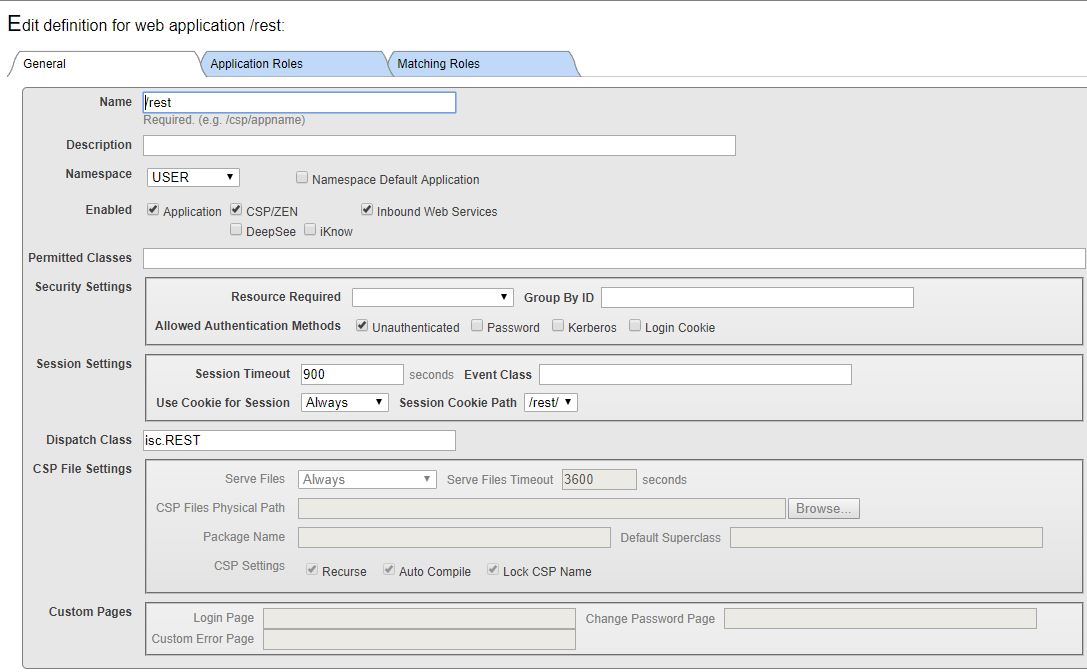
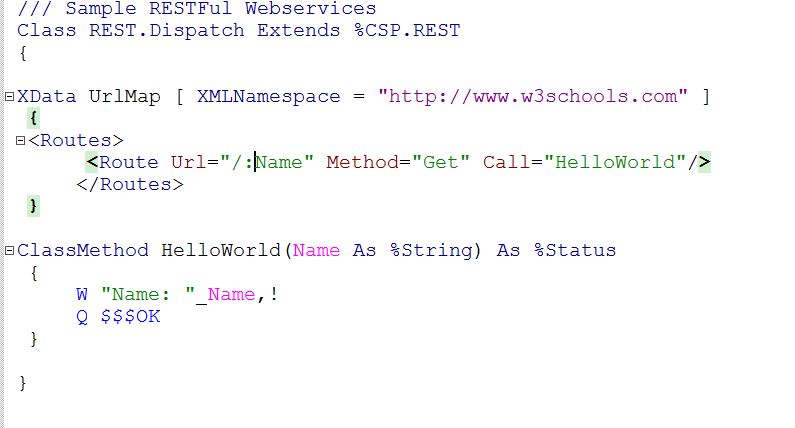
Please let me know, before we are developing an API what are all the setup/Configuration(Apache/web server) need to do in my machine. 

If any lead would be appreciated. 

I don't know, in XMLNamespace parameter which URL need to use.  

.

Thanks,

Arun Kumar Durairaj.

3
0 601
Question Evgeny Shvarov · Nov 6, 2017

Hi, folks!

Suppose you have a Caché class with %String property which contains relatively large text (from 10 to 2000 symbols).

The class:

Class Test.Duplicates Extends %Persistent 

{

Property Text As %String (MAXLEN = 2000);

}

And you have thousands of entries.

What are the best options to find entries which are duplicates on this property?

26
1 1534
Question Nikita Savchenko · Nov 26, 2017

Hello!

Suppose I have a package with classes which I want to rename. All these classes are persistent and they already have a lot of data stored.

The best I can think of to do is the following:

  1. Duplicate class definitions of old classes, rename each of them and save
  2. Write a routine to copy (duplicate) all the data from old classes to new ones. (which is not trivial at some point)
  3. Refactor all the application's code to use new classes. (which may not be trivial at some point too)
  4. Test the things above
  5. Load new code to live environment and launch the script
  6. Hope that 5. finishes successfully.
10
0 1581
Question Mike Kadow · Nov 15, 2017

Hello, this is going to be a stupid question, yea I know, there are no stupid questions.

Say, I have an Object Property, Name or Count or Title, or whatever.

How can I get a list, or find out all the different ways it can be expressed?

Example:

-Property Name As %Name;

-Property Name As %String="me"

-Property Name As %String [ Required];

But what other parameters, keywords, restrictions, lists, etc. that I can apply to this Property?

I have been search the I/S documentation and so far at least, I cannot find that sort of information, or in one place.

5
0 627
Question Marco Blom · Nov 21, 2017

Hello Community,

I have a simple question but somehow hard to find the solution:

this is a property in my class:

Property RelationAID As ZenCrm.Relationtypes;

this is my method to save:

ClassMethod PopulateMatrix(tvar1, tvar2) As %Status
{
set RelationMatrix=##class(ZenCrm.RelationMatrix).%New()
set RelationMatrix.RelationAID= tvar1
set RelationMatrix.RelationAType= tvar2
do RelationMatrix.%Save()
quit $$$OK
}

However the 'set' line does not work for the 'related properties.

I have tried: set RelationMatrix.Relationtypes.RelationAID but this failed.

Any suggestion? thanks!

2
0 520