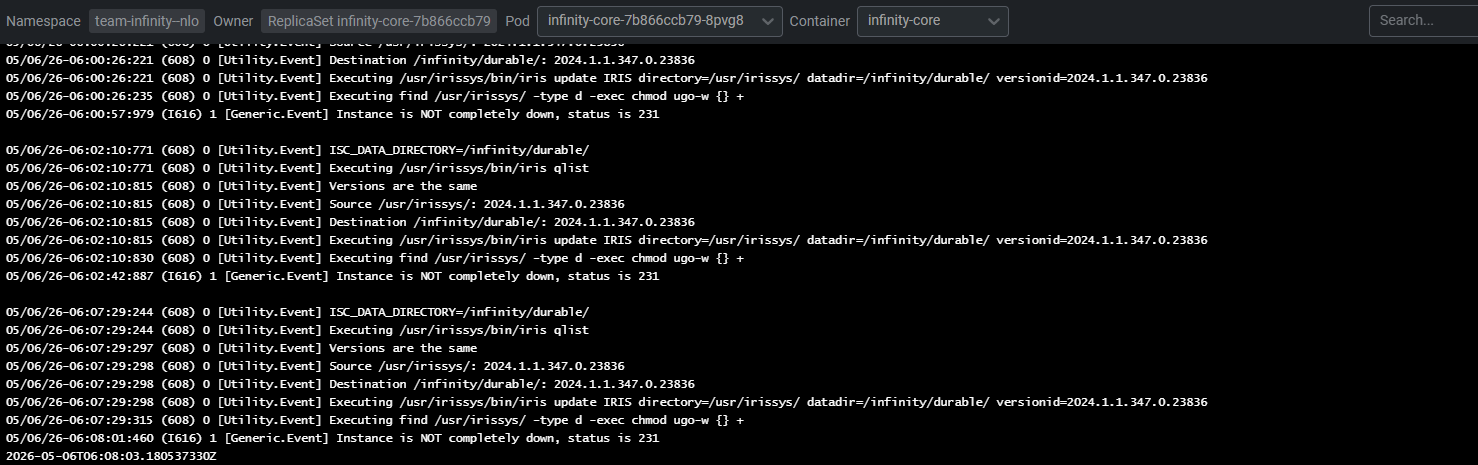
The Management Portal doesn't have a native way to switch to Dark Mode. This can be resolved using a Chrome extension called Dark Reader. See the result:
To install and use the Dark Reader:
InterSystems IRIS is a Complete Data Platform
InterSystems IRIS gives you everything you need to capture, share, understand, and act upon your organization’s most valuable asset – your data.
As a complete platform, InterSystems IRIS eliminates the need to integrate multiple development technologies. Applications require less code, fewer system resources, and less maintenance.
The Management Portal doesn't have a native way to switch to Dark Mode. This can be resolved using a Chrome extension called Dark Reader. See the result:
To install and use the Dark Reader:
I'm starting to play more with AI enabled coding.
I've been using Github Copilot inside Visual studio code, which is very good at coming up with autocomplete suggestions that are accurate and useful. (Along with some utter rubbish, naturally).
For web development I'm starting to use Claude Code in VS Code to help create web sites and integrations. I want to see how it can help with IRIS development.
However I can't get claude to read any iris code directly as I'm connected to my server via isfs server connections.
This article reflects my recent experiences at trying to connect an IRIS Business Operation to a secure Kafka Server, using SSL tunnels to encrypt the communications and using SASL (Simple Authentication and Security Layer) password hashing with SCRAM-SHA-512.
Most IRIS developers use $LISTBUILD every day — often without even noticing it.
It is not just a convenient function for building lists. It is also the default internal format used to store row data, global values, and many intermediate structures inside the database engine.
Despite this, the actual binary representation of $LISTBUILD values is rarely discussed. Most developers rely on its behavior, but never look at how the data is really stored.
This article focuses strictly on the binary layout of $LISTBUILD values, based on direct inspection via zzdump.
This is the second part of an article pair where I walk you through:
As mentioned the goal is to give you a smooth “first run” experience.

I need a %SYS.Python object that will be accessible from different processes. The goal is to avoid reinitializing the Python object whenever it is called. Ways that I checked and decided that it is NOT what I want:
Next, my ideas (none of them look like a silver bullet):
Hello, community.
I've been working with Intersystem Caché for two years, and right away I was excited about the rich ecosystem that Caché provides. However, I was disappointed with calls using #call, and I understand that it was a limitation of the time. Well, the frustration is that #call returns null by default, meaning an AJAX request is executed, but there's no hook to retrieve the return from that request. The only way to retrieve the data from that request is by building a callback on the server side using &js<>.
A microservice is an architectural style that structures an application as a collection of small, autonomous services. Each component is developed around a specific business capability, can be deployed independently, and is typically managed by a miniature, specialized, self-governing team. (Source: https://microservices.io/)
During my work with customers and also following I often met the
explicit or embedded question: What is this "GLOBALS" ?
I'll try to explain the history to unfold the context.
Has anyone done this successfully? Customer wants to receive HL7 data over https using OAUTH 2.0 client credentials. I am assuming a custom Operation will be needed? I tried using CoPilot for assistance but was unsuccessful. I am not great with Object script :(
Hey Developers,
Watch this video to learn about the analytics approach to InterSystems IRIS encryption and how it interacts with in-storage data compression and deduplication compared to storage-level encryption:
Hi Community,
Are you looking for resources to help your team onboard? Use these guides to get started!

Updated 04/16/26
Hi Community,
You can unlock the full potential of InterSystems IRIS—and help your team onboard—with the full range of InterSystems learning resources offered online and in person, for every role in your organization. Developers, system administrators, data analysts, and integrators can quickly get up to speed.


I'm a huge sci-fi fan, but while I'm fully onboard the Star Wars train (apologies to my fellow Trekkies!), but I've always appreciated the classic episodes of Star Trek from my childhood. The diverse crew of the USS Enterprise, each masterminding their unique roles, is a perfect metaphor for understanding AI agents and their power in projects like Facilis. So, let's embark on an intergalactic mission, leveraging AI as our ship's crew and boldly go where no man has gone before
Customer support questions span structured data (orders, products 🗃️), unstructured knowledge (docs/FAQs 📚), and live systems (shipping updates 🚚). In this post we’ll ship a compact AI agent that handles all three—using:
InterSystems FAQ rubric
There is data, such as execution log data, that you do not want to return to its previous state even if a rollback occurs during a transaction. The above requirement can be met by placing that data in the IRISTEMP database, which will not be rolled back.
Temporary Globals and the IRISTEMP Database
By mapping the table entities you do not want to roll back to this database, you can retain the information after the rollback.
Introduction
InterSystems IRIS Adaptive Analytics is an optional extension that provides a business-oriented, virtual data model layer between InterSystems IRIS and popular Business Intelligence (BI) and Artificial Intelligence (AI) client tools. Adaptive Analytics is powered by AtScale, the AtScale documentation can be found at this link: https://documentation.intersystems.atscale.com
This article will showcase some AtScale features that can facilitate data analysis:
Aggregates
Hi Community,
The InterSystems Learning Website has many important iterative courses.
The 2025.1.4 and 2024.1.6 maintenance releases of InterSystems IRIS® data platform, InterSystems IRIS® for Health, and InterSystemsHealth Connect™ are now Generally Available (GA). These releases include the fixes for a number of recently issued alerts and advisories, including the following:
One of the newest features of .Net core 10 with C# 14 is the file-based apps. This feature allows you to execute C# code in a simple .cs file without the need to create a solution, a project, or any of the related structure.
For example you can create a script.cs file using the notepad with the content:
Console.WriteLine(“This is a script in c#.”);Then in the command line or the terminal you execute the command:
dotnet run script.csThere is plenty of information about this new feature of .net 10.
Before finding the best solution for Supply Chain, we need to understand what Supply Chain is. Well, regardless of the language used, the term is known by the name already mentioned. For your information, the translation in Brazilian Portuguese is "Cadeia de Suprimentos" (Supply Chain), sometimes also called "Cadeia Logística" (Logistics Chain), but we will not dwell on the nomenclature, but rather on the meaning.
Hi, every one. Again, it's me!!😀😀
Recently I was trying to organize some learning materials for InterSystems IRIS😆, and realized that the resources are actually quite scattered.🤐
So I put together a list here—grouped by categories—for anyone who:
Also adding some of my own experience on what worked (and what didn’t, may be only not work for me🤫🤐).
If you don’t know where to begin, start here:
While starting with Intersystems IRIS or Cache, developers often encounter three core concepts: Dynamic Objects, Globals & Relational Table. Each has its role in building scalable and maintainable solutions. In this article, we'll walk through practical code examples, highlight best practices, and show how these concepts tie together.
1. Working with Dynamic Objects:
Dynamic objects (%DynamicObject and %DynamicArray) allow developers to manipulate JSON-like structures directly in Objectscript. They are especially useful for modern applications that need to parse, transform or generate JSON.
Over the past year there have been a few DC articles offering MCP servers designed to connect to IRIS and help the AI features of VS Code and its cousins do a better job. For example:
I use cspa24.so Apache module to connect to IRIS. I have notified that idle Apache processes will always result in connections being kept open to the IRIS server, and thus some amount of IRIS processes being kept alive (and dedicated to those apache processes) because of those connections.
Eg: if I have 50 idle Apache processes, I will have 50 IRIS processes being kept alive in IRIS even if there is no client connection being made at that time.
It's even worse with multiple Apache nodes and a load balancer.
Updated 14/04/26
Before you can start building with InterSystems IRIS, you need a working local or server installation. This guide walks through downloading the distribution and installing IRIS on Windows in a straightforward way, focusing on the steps and decisions that matter in a development setup.
I’ll cover where to get the appropriate version, what prerequisites to check before installing, and how to run through the installer on your platform. The goal is to get you to a clean, usable environment with minimal friction, so you can move on to writing code, exploring the data platform, and integrating with your existing tools.
To download a Community version, please read this article: How to get InterSystems IRIS Community Edition. It explains the different ways to obtain InterSystems IRIS Community Edition, highlighting options for local, containerized, and cloud-based setups. It shows how to use Docker to quickly pull and run a ready-to-use IRIS instance. You can also learn how to deploy IRIS in the cloud via marketplaces like AWS to avoid local installation. What's important here, this guide walks through downloading an install kit from the InterSystems Evaluation Service and selecting the right version and platform.
As part of a recent documentation technical project to optimize the search, I needed to use Embedded Python in my ObjectScript code. The main blocker was passing a Python list from a Python class method to a ObjectScript method. Sending the list by reference to the python method, populating it with the Insert() method, and returning the reference to the ObjectScript method resulted in an list with type %SYS.Python, a process that was straightforward but not efficient.
I explored an alternative method: converting a Python list to an ObjectScript list using JSON as the intermediary format.
This past weekend we ran into something odd. When we failed over our mirror from 2022.1.3 to 2025.1.3 the one of the Business Rules that was on what became the Primary (2025.1.3), had a rule within it that was removed back in January. When the Failover occurred, we had to scramble to backup, disable, and remove the Rule that shouldn't have been there.
Both the Data and Code live within the same IRIS.dat that is the main MIRROR database for that Namespace.
If this happened to one Class file, could it happen to others we do not know about?
Why do we need this?
Lack of Compiled Context: AI tools only see source code; they don't know what the final compiled routine looks like.
Macro Hallucination: Because AI doesn't see our #include files or system macros, it often makes them up, wasting time during debugging.
The Documentation Gap: Deep logic optimization often requires understanding internal macros that aren't fully covered in public documentation.
Manual Overhead: Currently, the only way to fix this is to manually use the IRIS VS Code extension to find the "truth" in the routine.
The PACELC theorem was created by Daniel Abadi (University of Maryland, College Park) in 2010 as an extension of the CAP theorem (created by Eric Brewer - Consistency, Availability, and Partition Tolerance). Both help design how to architect the most suitable operation of data platforms in distributed environments under the aspects of consistency versus availability. The difference is that PACELC also allows analysis of the best option for non-distributed environments, making it the gold standard for considering all possible scenarios to define your deployment topology and architecture.
The CAP theorem states that in distributed systems, it is not possible to have consistency, availability, and partition tolerance simultaneously, requiring a choice of two out of three, according to the following diagram.

Source: https://medium.com/nerd-for-tech/understand-cap-theorem-751f0672890e