Previously we had irishealth-ml images too, e.g.
containers.intersystems.com/intersystems/irishealth-ml:2021.2.0.651.0
What about this brunch of images?
- Log in to post comments
Previously we had irishealth-ml images too, e.g.
containers.intersystems.com/intersystems/irishealth-ml:2021.2.0.651.0
What about this brunch of images?
What about previous images in containers.intersystems.com? It seems they are gone?
And you can vote for it and other apps in the programming contest that is going on now on Open Exchange.
Or execute the line:
set $namespace="%SYS", name="DefaultSSL" do:'##class(Security.SSLConfigs).Exists(name) ##class(Security.SSLConfigs).Create(name)
Hi Ankur!
if you need ssl client just do:
USER>zpm install “ssl-client”
calling @Patrick Jamieson and @Mark Massias
Thanks @Dmitry Maslennikov !
This line will help to install docker-ls on Mac:
brew install docker-ls
And this line helps to see the community images available now:
docker-ls tags --registry https://containers.intersystems.com intersystems/iris-community
And this command shows available IRIS Community tags on Docker Hub:
docker-ls tags intersystems/iris-community

requesting list . done

repository: intersystems/iris-community

tags:

- 2021.1.0.215.3

- 2021.2.0.617.0

- 2021.2.0.651.0

- 2022.1.0.114.0

- 2022.1.0.131.0

- 2022.1.0.164.0

- 2022.1.0.172.0

- 2022.1.0.191.0

- 2022.1.0.199.0
No, you are expected to come in person! We are looking forward to our first in-person summit in 2019!
You can redeem free registration and accommodation if you have enough points in Global Masters.
And here is the portal where you can start using the FHIR accelerator.
Like it! So it means that the dev environment of Python/Java/C#/Whatever goes with the repo! Great feature!
What about my favorite VSCode plugins? Can it be there too "automatically"? Where can (if can) setup it?
I see. Do you mean if a developer wants to use VSCode outside the container he/she needs to install certain versions of python/java/c# e.g. to run/debug it from VSCode?
@Paul Hurley , thanks for the feedback!
Developers! Please, provide more reviews if you like/dislike the tool, thanks in advance!
Calling @Patrick Jamieson
Thanks @Lucas Enard ! This is a really helpful sample!
Just tried vs my FHIR deployment - works like a charm!
I didn't get through the advantage of having VSCode inside the container? Can't I do the same mapping source folder using volumes in docker-compose?
Also, is it possible to VSCode inside a container with IRIS? e.g. if I want to build something using Embedded Python?
Hi @AndreClaude Gendron !
What about publishing it on OEX? There will be more exposure! Here is the documentation!
Thanks in advance!
Agree with @Herman Slagman . Can we help you with the performance issues?
Hi Rochdi! curl is a software that can make http calls from a command line.
Are you sure you need curl? Or maybe you need to make http calls from IRIS or Ensemble?
There are plenty of examples.
E.g. here is a one line to make an http GET request and download and install ZPM:
s r=##class(%Net.HttpRequest).%New(),r.Server="pm.community.intersystems.com",r.SSLConfiguration="ISC.FeatureTracker.SSL.Config" d r.Get("/packages/zpm/latest/installer"),$system.OBJ.LoadStream(r.HttpResponse.Data,"c")
It is an example of http request
Thanks, @Guillaume Rongier! Nice finding on the BUILDKIT!
Maybe we can move them to "solved"? Or at least provide the list of solutions in OEX? What do you think @Dean Andrews ?
So isn´t there a solution for linear cost pagination with customizable filtering and ordering?
THanks for the question @Rodrigo Werneck
Calling for @Benjamin De Boe and @Bob Kuszewski to help.
Hi @Daniel Bertozzi ! I hope this article by @Istvan Hahn is relevant.
I see! Maybe you want to share a PR to make the app compatible with WIN10?
I find Global-tool as a much more user-friendly app to deal with globals compared to SMP.
Hi @Nicholai Mitchko ! Thanks for sharing! Do you want to add your GitHub repo to Open Exchange? This will broaden the audience and will let it be easier found.
@Robert Cemper, why did you provide such a low assessment for the tool in your review?
I've just tested the repository: it builds and works as expected:
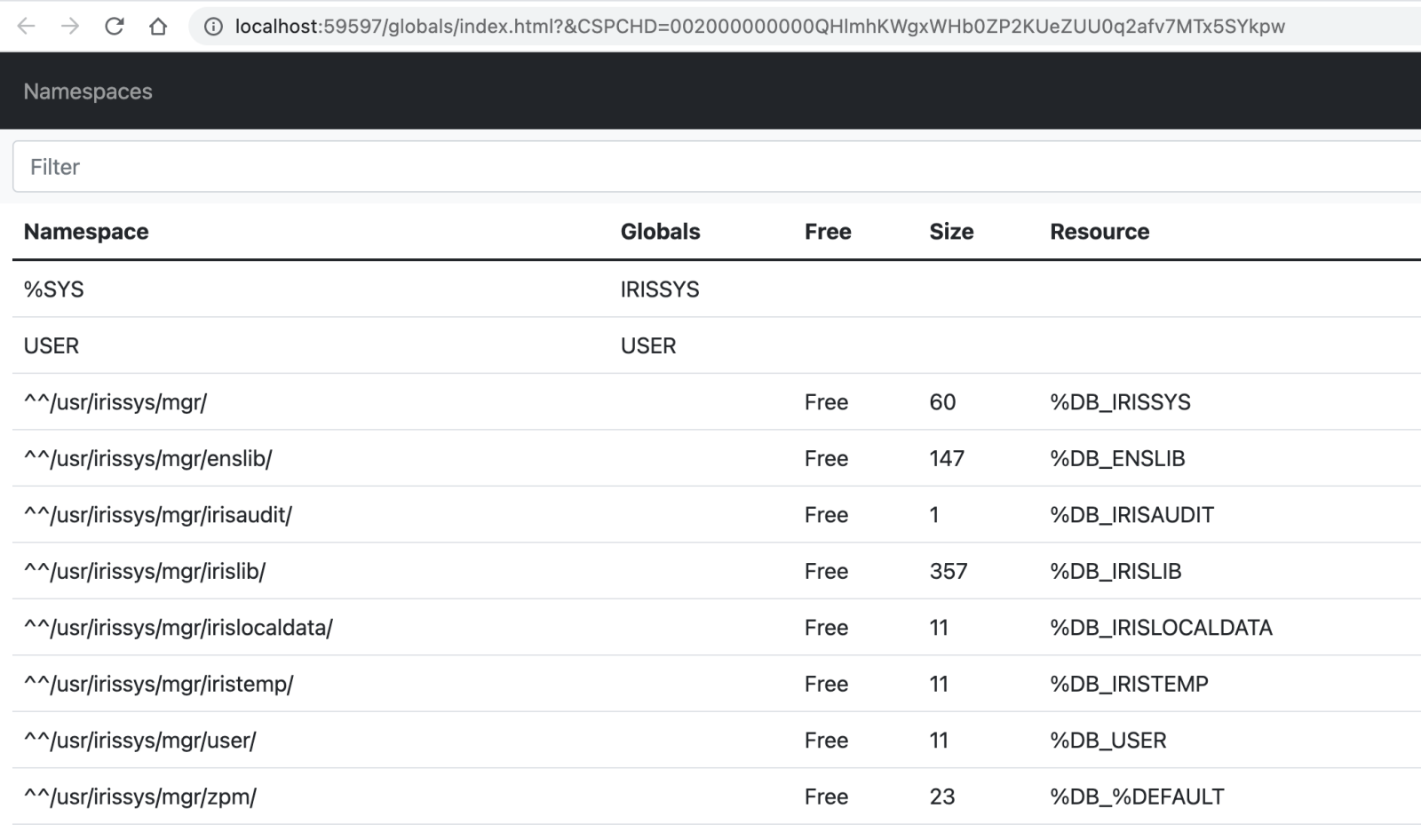
You can follow the instruction, but I did it with VSCode:
1. Opened Visual Studio Code with Docker and ObjectScript plugins installed. Cloned the repository in VSCode.
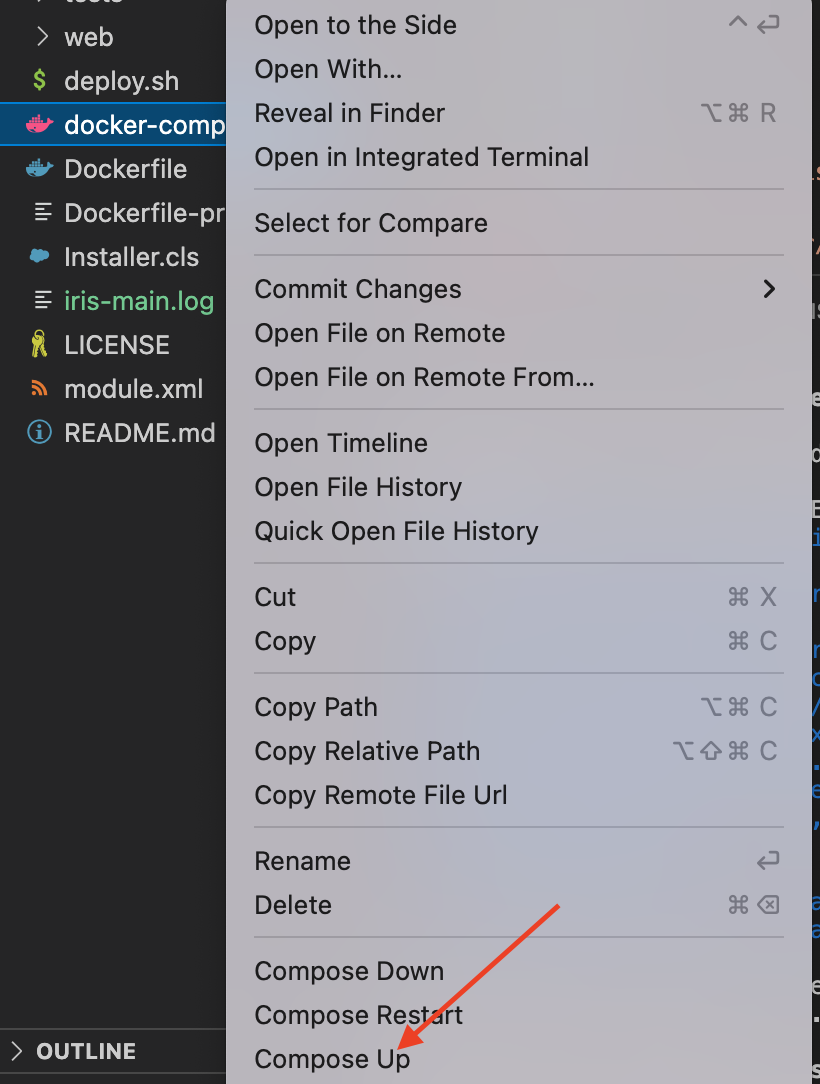
2. Right-click on the docker-compose.yml file and choose "Compose Up" in the menu.
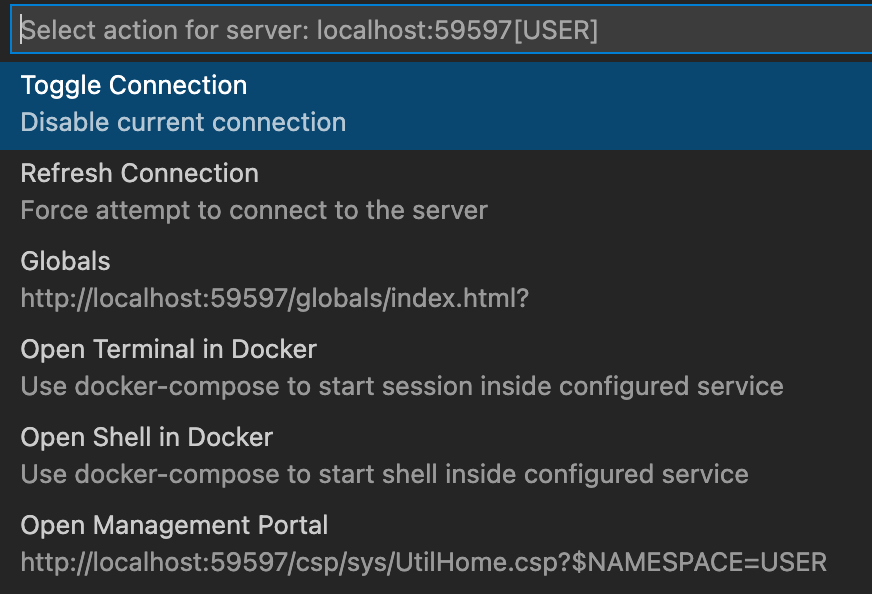
3. Once it builds successfully it indeed goes with a random available port. But this is done intentionally to not force you to stop other docker images if they own the port. To start the application comfortably just click on ObjectScript menu in the bottom bar to choose Refresh - it will find the port and show the user menu.
4. Choose Globals menuitem and start using the app.
What's wrong, @Robert Cemper ?
What ENV variables do you mean?
@Dmitry Maslennikov , thanks for contributing it! It’s so fast working UI with clear UX to filter and search for globals and find the data across different namespaces! Well done! I recommend adding the tool to a usual InterSystems IRIS developer toolset!
I suppose your code is in some repository, e.g. GitHub, GitLab or Bitbucket. So you can just do the class rename code-refactoring procedure in all the classes of the package and in all the places the methods of package class can be called: rename code test.a->work.a.
and move all the files from folder test.a to work.a.
Calling for @Regilo Regilio Guedes de Souza and @sween
Calling @Benjamin De Boe