The release comes with a new configuration setting "docker-compose" which solves the issue with ports you need to set up to make your VSCode Editor connect to IRIS. It was not very convenient if you had more than one docker container with IRIS running on the same machine. Now, this is solved!
The Update Checklist for v2015.1 recommends setting the TZ environment variable on Linux platforms and points to the manpage for tzset. This is recommended to improve the performance of Cache’s time-related functions. You can find out more about this here:
Continuing on with providing some examples of various storage technologies and their performance profiles, this time we looked at the growing trend of leveraging internal commodity-based server storage, specifically the new HPE Cloudline 3150 Gen10 AMD processor-based single socket servers with two 3.2TB Samsung PM1725a NVMe drives.
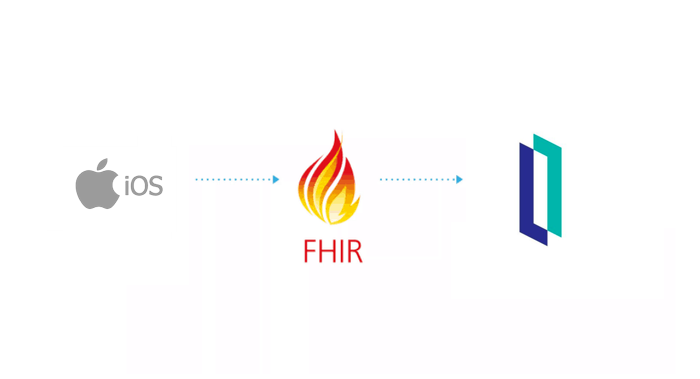
In the previous article we saw how we could recover a resource stored in the database of our particular HIS, so today we will see how we can add new records in our HIS whose origin is an FHIR resource that we receive in our system.
When working at the Caché command prompt I sometimes want to run an operating system command on the server host. By prefixing my command line with ! or $ I can do this with ease. The following examples are from 2017.1 on Windows, but the feature is available on all versions and platforms:
Last time we deployed a simple IRIS application to the Google Cloud. Now we’re going to deploy the same project to Amazon Web Services using its Elastic Kubernetes Service (EKS).
We assume you’ve already forked the IRIS project to your own private repository. It’s called <username>/my-objectscript-rest-docker-template in this article. <root_repo_dir> is its root directory.
Before getting started, install the AWS command-line interface and, for Kubernetes cluster creation, eksctl, a simple CLI utility. For AWS you can try to use aws2, but you’ll need to set aws2 usage in kube config file as described here.
With the release PEX in InterSystems IRIS 2020.1 and InterSystems IRIS for Health 2020.1, customers have a better way to build Java into productions than the Java Business Host. PEX provides a complete set of APIs for building interoperability components and is available in both Java and .NET. The Java Business Host has been deprecated and will be retired in a future release.
Let’s imagine that you are a Python developer or have a well-trained team specialized in Python, but the deadline you got to analyze some data in IRIS is tight. Of course, InterSystems offers many tools for all kinds of analyses and treatments. However, in the given scenario, it is better to get the job done using the good old Pandas and leave the IRIS for another time.
If you've worked with iKnow domain definitions, you know they allow you to easily define multiple data locations iKnow needs to fetch its data from when building a domain. If you've worked with DeepSee cube definitions, you'll know how they tie your cube to a source table and allow you to not just build your cube, but also synchronize it, only updating the facts that actually changed since the last time you built or synced the cube. As iKnow also supports loading from non-table data sources like files, globals and RSS feeds, the same tight synchronization link doesn't come out of the box. In this article, we'll explore two approaches for modelling DeepSee-like synchronization from table data locations using callbacks and other features of the iKnow domain definition infrastructure.

We return with our example of using the FHIR Adapter, in this article we are going to review how we can configure it in our IRIS instances and what the result of the installation is.
The steps taken to configure the project are the same as indicated in the official documentation, you can review them directly here. Well, let's get to work!
InterSystems IRIS Business Intelligence allows you to keep your cubes up to date in multiple ways. This article will cover building vs synchronizing. There are also ways to manually keep cubes up to date, but these are very special cases and almost always cubes are kept current by building or synchronizing.
If you’ve ever wondered whether there is a way to regulate access to resources in Caché, wonder no more. In version 2014.2 special classes were added that allow developers to work with semaphores.
I am planning to implement Business Intelligence based on the data in my instances. What is the best way to set up my databases and environment to use DeepSee?
This article is a continuation of Deploying InterSystems IRIS solution on GKE Using GitHub Actions, in which, with the help of GitHub Actions pipeline, our zpm-registry was deployed in a Google Kubernetes cluster created by Terraform. In order not to repeat, we’ll take as a starting point that:
In previous articles on iKnow, we described a number of demo applications (iKnow demo apps parts 1, 2, 3, 4 & 5) that are either part of the regular kit or can be easily installed from GitHub. All of those applications assumed you already had your iKnow domain ready, with your data of interest loaded and ready for exploration. In this article, we'll shed more light on how exactly you can get to that stage: how you define and then build a domain.
Managed File Transfer (MFT) feature of InterSystems IRIS enables easy inclusion of a third-party file transfer service directly into an InterSystems IRIS production. Currently, DropBox, Box, and Kiteworks cloud disks are available.
In this article, I'd like to describe how to add more cloud storage platforms.
I have a few cubes and numerous dashboards and I am ready to deploy them to our end users and administrators. How to configure DeepSee so that users don’t disrupt each other’s areas and are restricted from using functionalities specific to developers?
In a conference call earlier this week, a customer described how they built an iKnow domain with clinical notes and now wanted to filter the contents of that domain based on the patient's diagnosis codes.
I needed to know programmatically if last ran failed or not.
After some exploring, here's the code:
ClassMethod isLastTestOk() As %Boolean
{
set in = ##class(%UnitTest.Result.TestInstance).%OpenId(^UnitTest.Result)
for i=1:1:in.TestSuites.Count() {
#dim suite As %UnitTest.Result.TestSuite
set suite = in.TestSuites.GetAt(i)
return:suite.Status=0 $$$NO
}
quit $$$YES
}