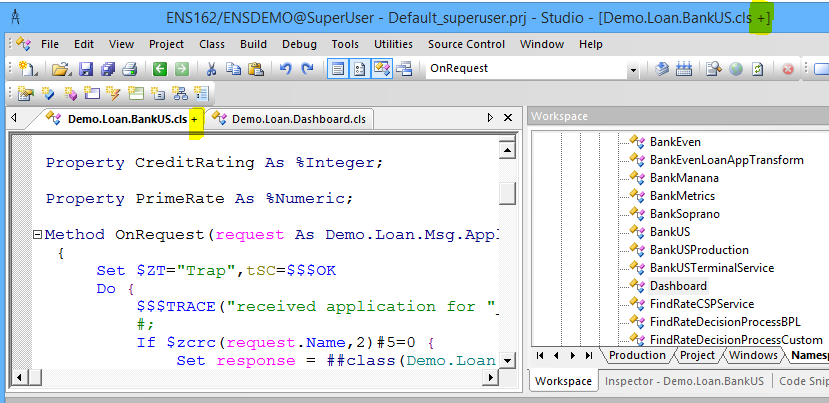
Want to throw a custom error not the default one from the $ZDTH. It does in the try as will write "Error" when testing the DTL but the actual error not showing. Report errors is turned on. I also tried the THROW logic from best practices but that doesn't work either. $SYSTEM.Status.DisplayError(status) does display what the error should be returned.
I have MacBook Pro M3 and I'm new to the IRIS for Health setup / installation with all pre-requisite / requirements so someone could please help me with detailed instructions on how to setup IRIS for Health (HL7 & FHIR) from scratch along with SQL Server? I have Windows 11 installed in parallel desktop if that's required and complete installation / setup is not possible on MacBook.
I'm currently testing out IRIS 2024.3 for a new project, and it's been running smooth for the most part. However, I noticed that when running some heavier analytical queries, the memory usage spikes more than I expected, even when result sets aren’t that large.
I’ve gone through the basics (buffer sizes, query plans, etc.), but I’m wondering if there are any new tweaks or recommended settings in 2024.3 specifically for managing memory better during these peak loads.
Anyone else run into something similar or have tips to fine-tune this?
When setting up a new web app in iris (iris is in a container) iris complains that a WSGI framework is not installed. I have installed python into the container as well as both flask and django via the python virtual environment (see second screenshot) and the python language server is running
Is this the wrong way to install flask? How do I get the container version to recoginize that flask is installed?
If you are using the client-side development paradigm (i.e. editing code in local files that get imported and compiled onto the IRIS server your `objectscript.conn` settings point to) you can now use IPM in VS Code to manage the packages in your IRIS target by launching it from the Explorer view.
https://www.youtube.com/embed/sbnVcg-6c5o [This is an embedded link, but you cannot view embedded content directly on the site because you have declined the cookies necessary to access it. To view embedded content, you would need to accept all cookies in your Cookies Settings]
https://www.youtube.com/embed/LJkxFAKqIxY [This is an embedded link, but you cannot view embedded content directly on the site because you have declined the cookies necessary to access it. To view embedded content, you would need to accept all cookies in your Cookies Settings]
I'm using the below to populate a tree to just show the root with a folder icon but whenever I click on a folder it loops back to the original folder, how can I disable the root folder from expanding to the next, I only want to show the main opened root folder and not to go any further?
When using something like BeyondCompare when working with production class exports, the XData block "items" content very rarely if ever wind up in the same order making Beyond compare a total mess.
Is there a way of either sorting it on the export, or would I have to find (or write) some XSLT-based tool to go into the exported class and sort all the items? Does anyone know of a tool like that available?
InterSystems IRIS interoperability production development involves using or writing various types of components. They include services (which handle incoming data), processes (which deal with the data flow and logic), and operations (which manage outgoing data or requests).
I am trying to create a treeMapChart in IRIS BI that will then be displayed on my DeepSeeWeb dashboard. In the IRIS BI User Portal, this is an example of what my treeMapChart looks like:
I know there is a huge amount of rectangles in this graphic - I care most about the common components (the largest boxes) but I still want all of the boxes to show. However, it projects to my DeepSeeWeb dashboard as the following:
Visual Studio Code releases new updates every month with new features and bug fixes, and the July 2025 release is now available.
Enhancements include revamped tool picker and expanded tool limits for MCPs, Chat GPT-5 integration and chat checkpoints, and multi-branch Git worktrees plus coding agent session management to improve productivity.
https://www.youtube.com/embed/hfqELHz5FeI [This is an embedded link, but you cannot view embedded content directly on the site because you have declined the cookies necessary to access it. To view embedded content, you would need to accept all cookies in your Cookies Settings]
Watch this video to learn about InterSystems IRIS's new ability to integrate seamlessly with industry-standard observability tools to gather and visualize your InterSystems IRIS metrics, logs, and traces.
https://www.youtube.com/embed/NxA4nBe31nA [This is an embedded link, but you cannot view embedded content directly on the site because you have declined the cookies necessary to access it. To view embedded content, you would need to accept all cookies in your Cookies Settings]
One of our clients has a 'Notes' class with over 3 million records. We have a report that pulls data from this table that was taking about an hour to run. Our test environment (which has a copy of the production database) runs the same report query in 1 second.
We attempted to purge and rebuild indices which made an improvement (down to 15 minutes) but still not great.