Eventually, I introduced a module that reproduces typical ObjectScript errors: UNDEF, SYNTAX, PARAMETER, etc.
Pull request for more examples! )
- Log in to post comments
Eventually, I introduced a module that reproduces typical ObjectScript errors: UNDEF, SYNTAX, PARAMETER, etc.
Pull request for more examples! )
I mean what is the simplest snippet which generates errors to ^ERRORS?
Cool!
How to generate errors to test the module?
This looks like a bug in OEX. Thanks, @Robert Cemper
Exactly!
As discussed previously in the Naming Convention topic, the first package in a class name is your name or your company.
dc. - is for packages contributed to InterSystems Community, by InterSystems or by individuals and companies when a personal name or company's name is not an option for some reason.
So, dc. is the selected package name for Community-related packages.
e.g.
dc.library.class
is an example of the name.
And this "SQL format" could be imported then into PostgreSQL only or to any SQL-driven DBMS?
There is no such feature in IRIS, but if you share an example I think it could be baked shortly.
IRIS can export data into Globals format in Global output file (GOF), or XML. which could be imported then into any IRIS.
And you can export CSV file from IRIS class/table.
Augusto, what do you mean by “sql format”?
Docker Images with IRIS 2020.3 and ZPM 0.2.4:
intersystemsdc/iris-community:2020.3.0.200.0-zpm

intersystemsdc/iris-community:2020.2.0.204.0-zpm

intersystemsdc/irishealth-community:2020.3.0.200.0-zpm

intersystemsdc/irishealth-community:2020.2.0.204.0-zpm

intersystemsdc/iris-aa-community:2020.3.0AA.331.0-zpm
And to launch IRIS do:
docker run --name my-iris -d --publish 9091:51773 --publish 9092:52773 intersystemsdc/iris-community:2020.3.0.200.0-zpm

docker run --name my-iris -d --publish 9091:51773 --publish 9092:52773 intersystemsdc/iris-community:2020.2.0.204.0-zpm

docker run --name my-iris -d --publish 9091:51773 --publish 9092:52773 intersystemsdc/irishealth-community:2020.3.0.200.0-zpm

docker run --name my-iris -d --publish 9091:51773 --publish 9092:52773 intersystemsdc/irishealth-community:2020.2.0.204.0-zpm

docker run --name my-iris -d --publish 9091:51773 --publish 9092:52773 intersystemsdc/iris-aa-community:2020.3.0AA.331.0-zpm
And for terminal do:
docker exec -it my-iris iris session IRIS
and to start the control panel:
http://localhost:9092/csp/sys/UtilHome.cspThanks, Stefan!
What about integratedML image store/intersystems/iris-aa-community:2020.3.0AA.331.0 released a while ago. Was it updated too?
Another example which I use in Covid-19 online dashboard to update the data:
ClassMethod CreateTask() As %Status
{
    Set task=##class(%SYS.Task).%New()
    Set task.Name = "Update data"
    Set task.NameSpace=$Namespace
    Set task.TimePeriod=0 // Daily
    Set task.TimePeriodEvery=1 // Every 1 day
    Set task.DailyFrequency=1 // Run Several times in a day
    Set task.DailyFrequencyTime=0 // Run every x minutes
    Set task.DailyIncrement=60 // # of minutes between runs
    Set task.DailyStartTime = 0 // Start at 00:00:00
    Set task.DailyEndTime = 86399 // End at 23:59:59
    Set task.StartDate = $p($H,",",1) // Start today

    Set taskdef = ##class(Covid19.UpdateTask).%New()
    Do task.AssignSettings(taskdef)
    Set task.TaskClass=$classname(taskdef)

    Set st = task.%Save()
    Return:$$$ISERR(st) st
    Return ##class(%SYS.Task).RunNow(task.%Id())
}
But you need to have the class, Covid19.UpdateTask in this case:
Class Covid19.UpdateTask Extends %SYS.Task.Definition
{

Method OnTask() As %Status
{
    return ##class(Covid19.Utils).DailyUpdate()
}

}
HTH
Thanks, Robert! Yes, this is relevant stuff. I'm not sure if this fits in that case, I mean if the approach could be used with ntegratedML
Hi Yuri!
It is still not working for me using the docker run.
Any ideas on how can I fix it?
1000 cols problem looks serious. I bet we discussed it before: @Dmitry Maslennikov , @Robert Cemper , @Eduard Lebedyuk ?
Hi Renato!
A small note:
SELECT id, Name, Tags, Text FROM Community.Post Where not text is null order by idSELECT id, Name, Tags, Text FROM Community.Post Where not text is null order by idDo we really have posts without text there?
Hi Lucas!
It's not an answer on how to use DeepSee Zen, but if you try DSW, it has Dashboard export to PDF and even sending on schedule.
Take a look DSW Reports, also tagging @Semion Makarov
Hi @Nigel Salm!
Tagging @Q Q, an author of the app.
Yes.
Hi Yuri!
I tried the "Docker way" to install - all installed properly. I follow your video but I do not see the IntegratedML option on my laptop, no IntegratedML item:
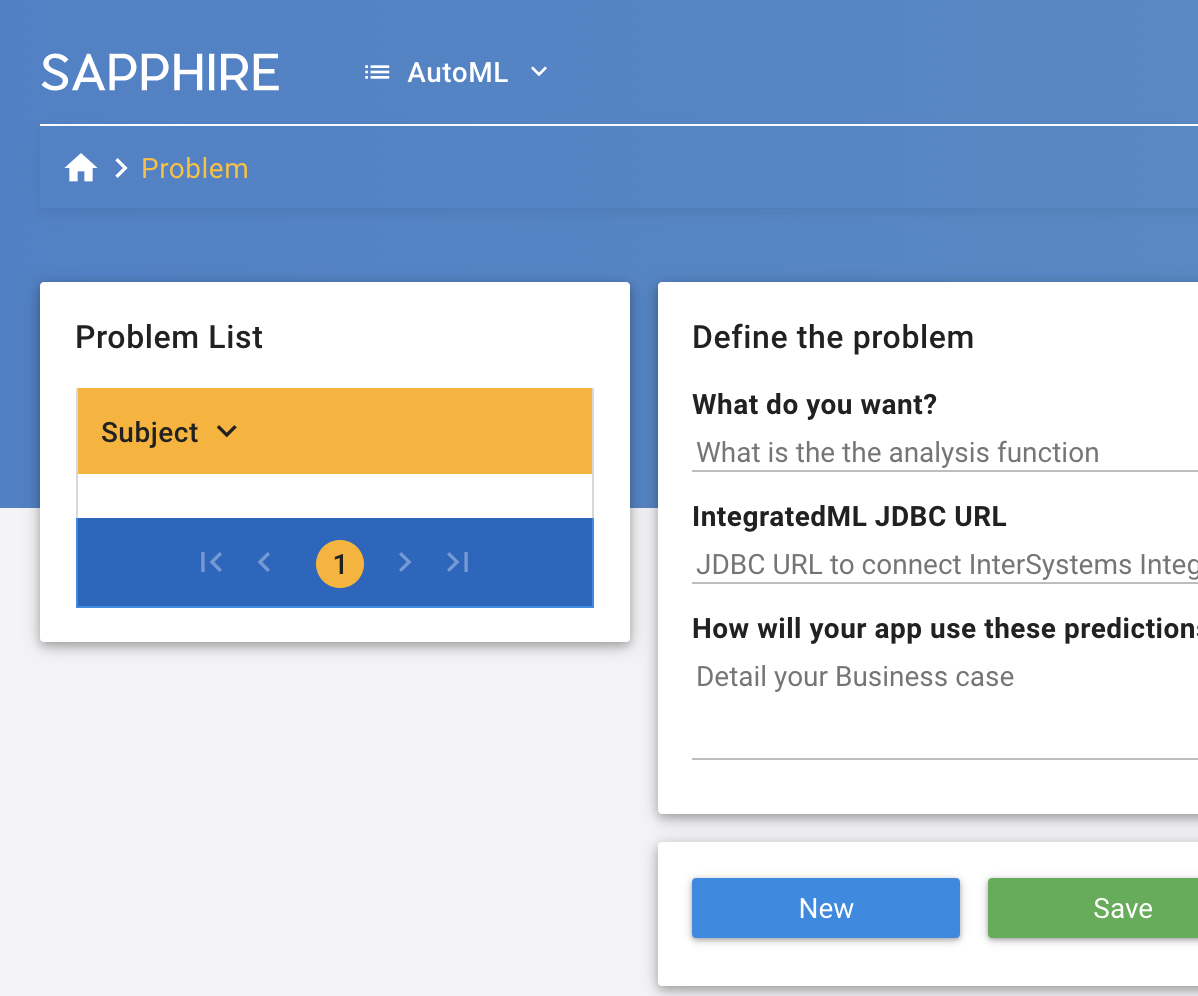
What do I miss?
Yes, I think of using it with the site. We may introduce it as an option for authors to use "guessed" tags, or to moderators to update it. Curious to see the IntegratedML option working too!
Renato! Do you plan to provide an API?
URL or text as input, tags as output?
Works like a charm!
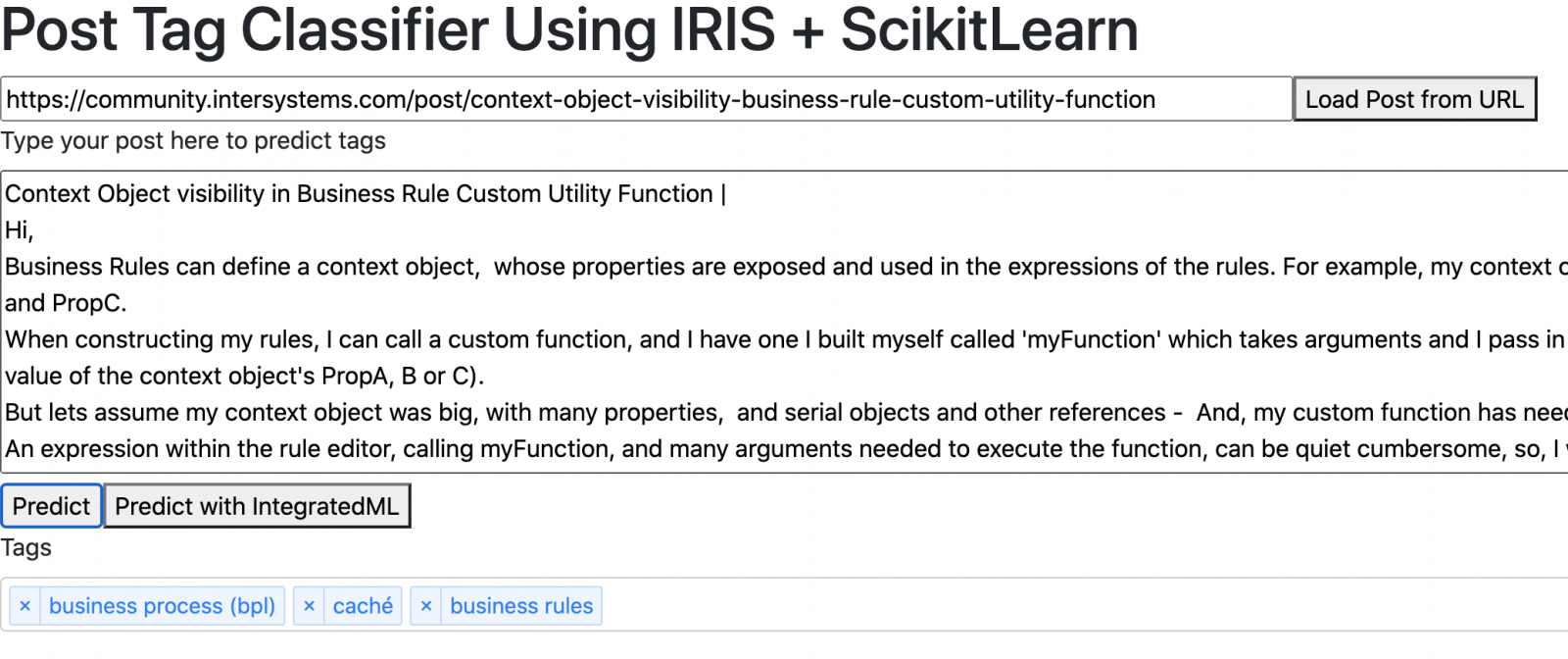
IntegratedML button didn't work for me - not implemented yet?
Hi Mikhail!
Thank you! This is fixed with the latest release!
In fact, It works!
Installation:
USER>zpm
zpm: USER>install terminal-multiline

[terminal-multiline]    Reload START
[terminal-multiline]    Reload SUCCESS
[terminal-multiline]    Module object refreshed.
[terminal-multiline]    Validate START
[terminal-multiline]    Validate SUCCESS
[terminal-multiline]    Compile START
[terminal-multiline]    Compile SUCCESS
[terminal-multiline]    Activate START
[terminal-multiline]    Configure START
[terminal-multiline]    Configure SUCCESS
[terminal-multiline]    Activate SUCCESS
zpm: USER>q
Usage with copy-n-paste from docs:
USER>d ^%zml
Entering multi line mode. Run with empty line. Stop with single "."
USER:zml:1> SET x=8
USER:zml:2>   FOR { WRITE "Running loop x=",x,!
USER:zml:3>         SET x=x-1
USER:zml:4>         QUIT:x=3
USER:zml:5>       }
USER:zml:6>   WRITE "Next command after FOR code block"
USER:zml:7>
Running loop x=8
Running loop x=7
Running loop x=6
Running loop x=5
Running loop x=4

Next command after FOR code block
USER:zml:1>
It works like a charm!
Bravo, @Robert Cemper!
But are you sure that method which does the thing was invoked?
Is there a matter of Namespace (just a guess)?
And what is the status then?