Hi Matt!
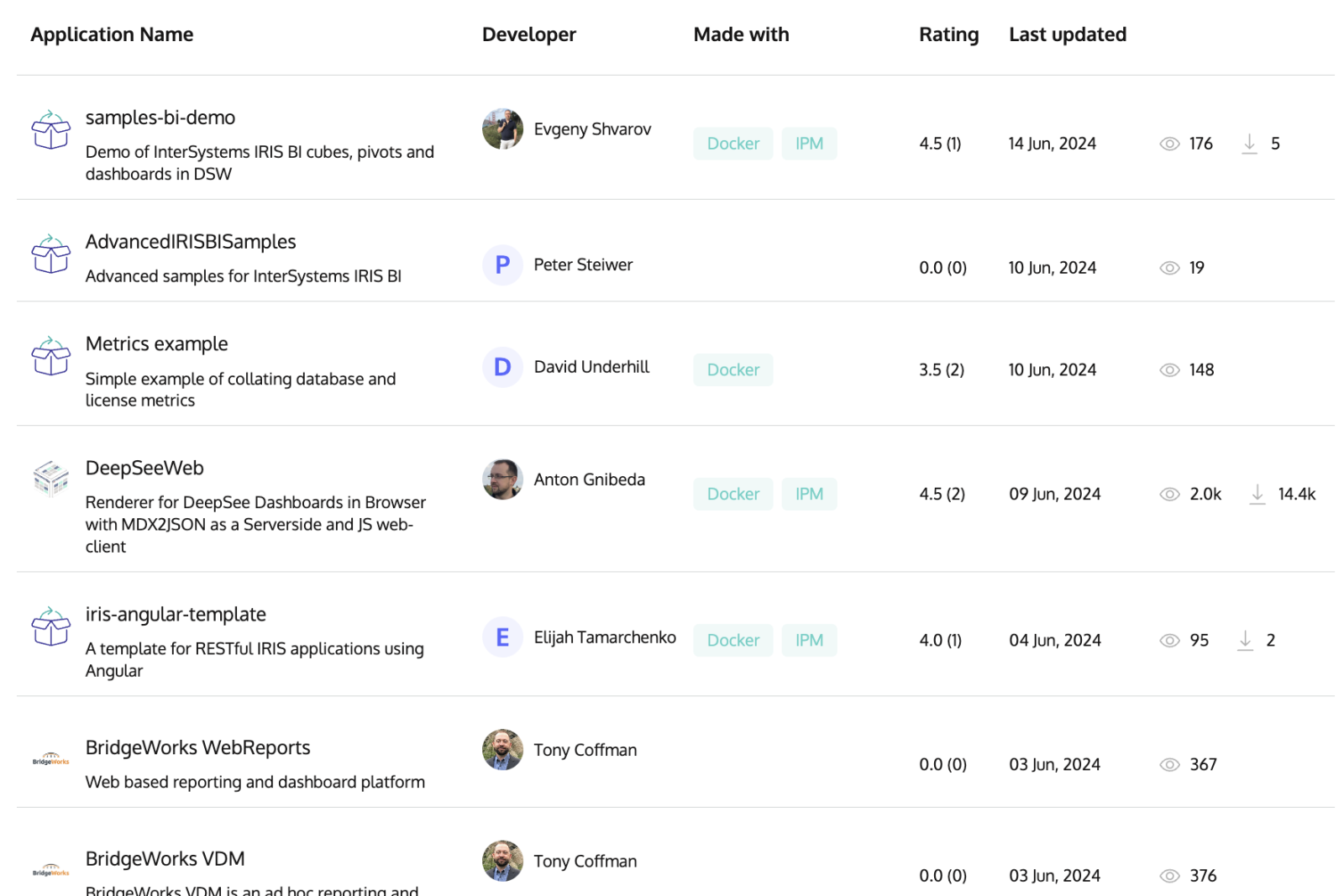
Apologies for the delay. Yes, the InterSystems partner program is working. You can see the implementation partners that applied for the partnership here.
- Log in to post comments
Hi Matt!
Apologies for the delay. Yes, the InterSystems partner program is working. You can see the implementation partners that applied for the partnership here.
Also here is the production view
.png)
Guys, tried your app - having the following error after sending text and audio to telegram bot:

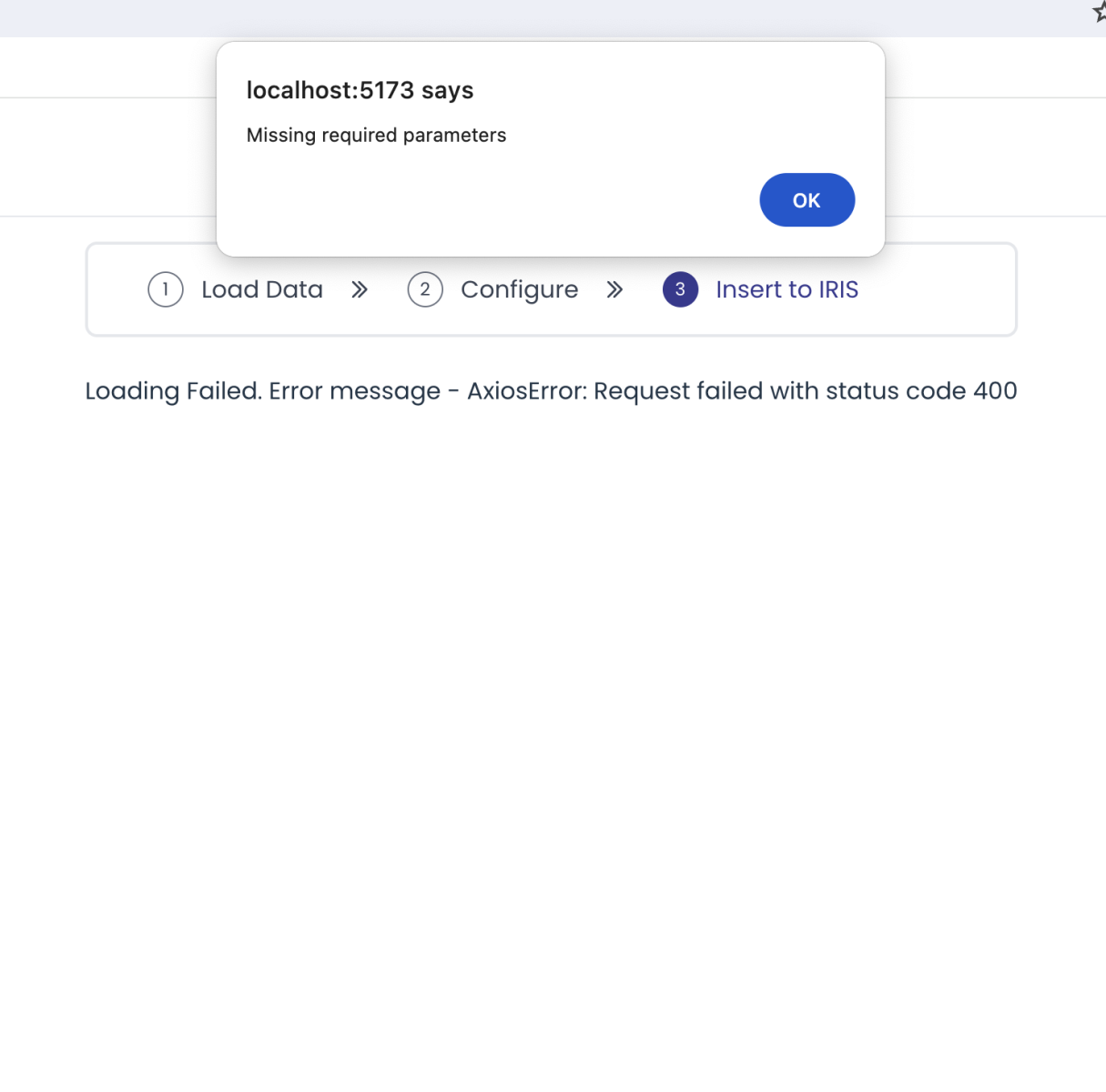
Though @Ikram Shah , we were not able to load text into IRIS via local storage - having the following error popup message:

We followed your video instructions. IRIS in docker is working well. Any thoughts?
Hi @Ikram Shah !
We discussed internally and tested your application again, and it indeed works using the InterSystems docker container locally, which meets our requirements. So you have your bonus. Thanks for introducing such an exciting application.
@Hao Ma , there is such a setting in compiler flags: - e. But usually it is a very dangerous idea not to store global storage within the persistent class. As the storage is being generated, if not presented in a code on a target machine, it can become completely different from the data associated with the class that already exists, and this can lead to unpredictable data losses and failures.
So usually, it is not recommended practice to delete the storage information from the class other than you are sure that there is no data in the system or it is deleted in advance.
You also can export the webapp and deploy it using IPM. The module.XML can be generated (and get the WebApp features) via the 'generate' command. Learn more in this article.
Hi @David Hockenbroch ! Nice example! Could you please share the code snippet on Open Exhcange too?
Do you want to add an Open Exchange app to demo the case? That'd be fantastic!
What a great case of using Embedded Python in InterSystems IRIS BI! Wonderful, @Evgeniy Potapov !
Nice article @Hiroshi Sato !
Similar behavior can be achieved also with iris-cron-task app.
Can be installed as:
USER>zpm "install iris-cron-task"
and used as the following (run every day at midnight with cron expression for the schedule):
USER>zw ##class(dc.cron.task).Start("IRIS cron task name","0 0 * * *","do ^Test",1,.taskId)Very useful article! Thank you, @Flávio Lúcio Naves Júnior
Hi @Daniel Aguilar ! Very nice!
As I can observe you are using IRIS tasks heavily, maybe you’ll find useful the cron-task app that helps to create arbitrary IRIS tasks in one line with cron expression
Very nice, @Ewan Whyte !
Do you want also to add a code example and publish on Open Exchange?
Great example, @Irène Mykhailova!
Do you want to add an app example on Open Exchange?
Nice article, @Veerarajan Karunanithi! Do you want to add a code example to Open Exchange?
Great topic! I can also recommend this article which proved to be handy for developers on other languages to start with ObjectScript.
I also recommend to go through the basic Digital Health interoperability interactive experience and go through and understand the cookbook in this example.
interesting idea
Great example, @Alberto Fuentes !
There is also JSON Trace Viewer app which looks like does the same
Hi @Flávio Lúcio Naves Júnior , thanks for raising an important question!
Could you please submit an idea?
Now answering your question :)
Name="src" means the folder related to the one where module.xml is situated on the development/testing or publishing machine.
In order to protect the IP you can use "Deployed packages" mode, see the documentation. Just include Deploy="true" in a resource element, and only compiled code will be installed.
<Resource Name="Sample.Demo.PKG" Deploy="true"/>
Load command locally still will import package with the source code, which is quite handy for development and testing.
Hi @Stephen Canzano !
Unit tests are not included into the package when you publish it into repository. So when you install the package on a target machine only "solution" classes will be installed, not unit-tests.
E.g. here is csvgen app. I you check the source code it contains "solution" classes in src folder here and unit-tests in /tests folder.
module XML for csvgen has resources, that will be packaged while published in the IPM registry:
and the unittests, that are being used only development phase and can be imported to the system via load command:
So when you install csvgen package, e.g.:
USER>zpm "install csvgen"
you'll see only RESOURCES classes installed.

Thank you, @Steve Pisani !
Source control is a recommendation to track such changes. I recommend git-source-control package by @Timothy Leavitt
Also you can just do (in IRIS for Health):
USER>zpm "install fhir-server -dev"
And you'll have it setup in "FHIRSERVER" namespace with fhir server R4 at /fhir/r4
BTW, @Enrico Parisi , see OEX has introduced the option to download ANY IPM package listed on Open Exchange. It's right below the IPM command: