Yes, I confirm that! Thank you!
BTW, the image in the top of the article is not visible:
- Log in to post comments
Yes, I confirm that! Thank you!
BTW, the image in the top of the article is not visible:
Yes. But docker-compose provides the mapping of PWS server (9092 in my case), so the web apps based on it should be reached out via 9092 in the host system. Even more - the FHIR SQL Builder setup application is running on 9092 port, but the settings should be on 52773.
Hi @Enrico Parisi !
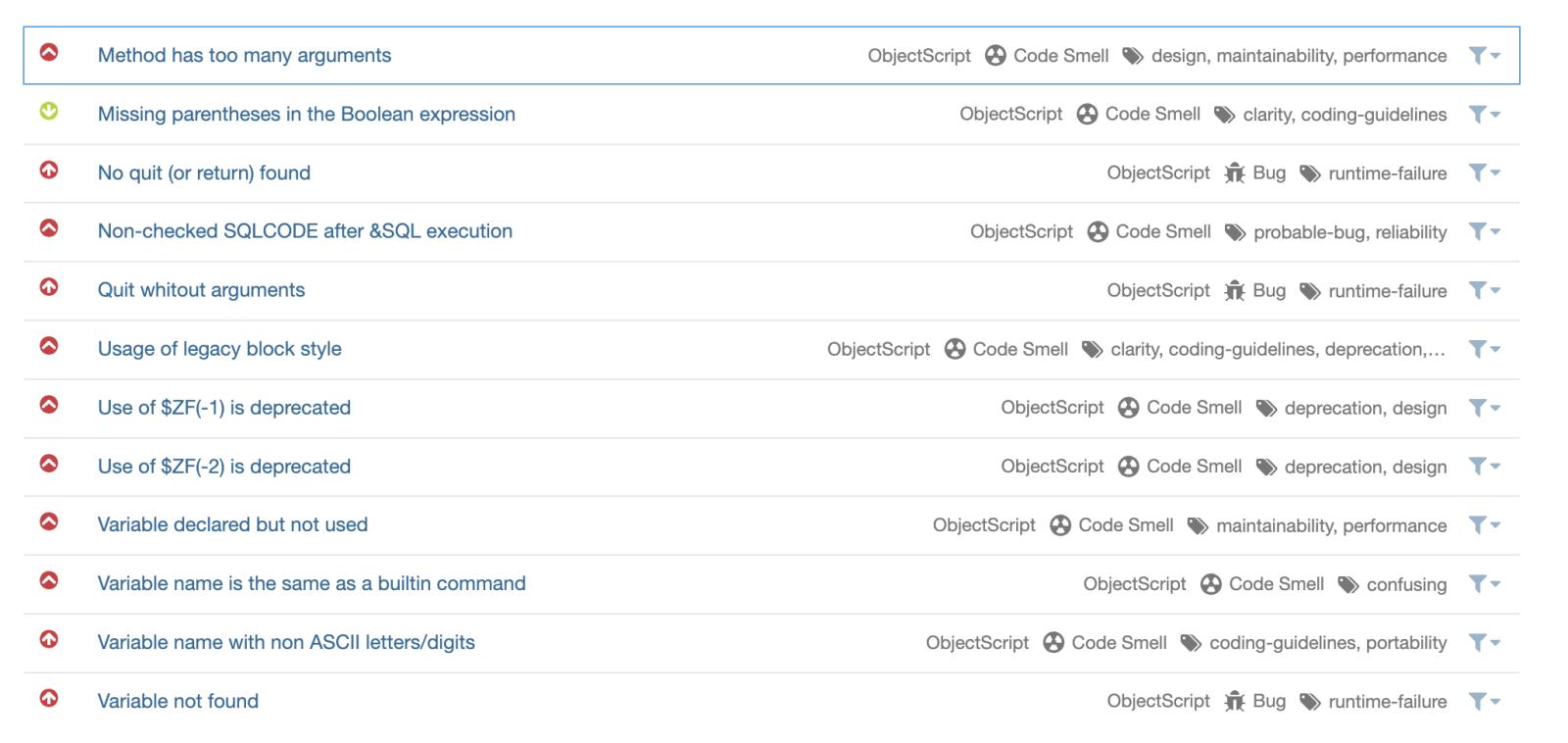
Where do you see these rules? I agree, they are quite strange, but some customers of ObjectScript quality use them.
Anyway, the rule set we use for the community is here - there are only 12 rules currently.
Great idea! @xuanyou du , installed your app via ipm.
Cannot open settings after that:.png)
Clicking on settings doesn't react
Hi @Brenna Quirk ! Yes, Graph builder, a part of ClinFHIR is the app we invite FHIR developers to use.
Great app, @Yuri Marx !
It's be great to use it as a module to visualize the data on InterSystems FHIR server
This worked finally!
With the next step I'm trying to import file. the instruction in the repo doesn't tell where can I find it:

52773 worked. Even I have 9092 port mapped for the host system. This was not very obvious. Thank you!
I'm trying the app with IPM installation. I have different port in this case.
@Enrico Parisi , thanks for reviewing the rules! I request @Dmitry Maslennikov and @Daniel Tamajon to comment.
It'd be great also if you could suggest the new objectscript scanning rules that will help developers.
Hi @Maria Nesterenko !
Installed Health Harbor with IPM:
zpm "install health-harbour -dev"
no errors.
But, when I try to setup a FHIR SQL Builder configuration it doesn't allow me to choose fhir end-point:
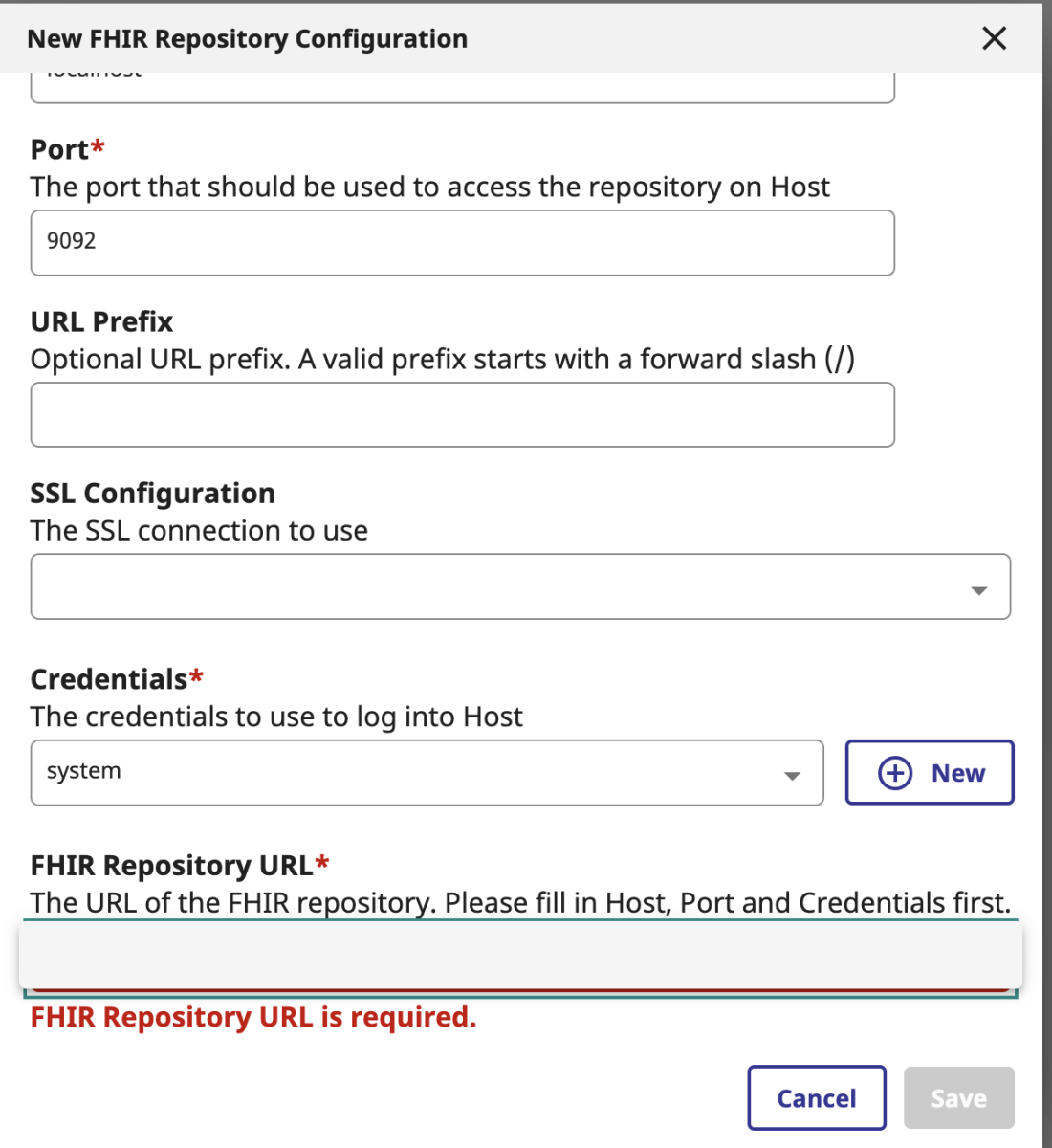
I don't see any FHIR repository in drop-down. Any thoughts?
The system is IRIS for Health 2024.1 preview.
Hi @Theo Stolker !
Do you want to share the code as an Open Exchange project and IPM package then? Would be great!
Thank you @Patrick Jamieson ! Can I check several ports with the command? Like comma separated?
Ah, it's connected in series, nevermind.
Thank you, @Henrique Dias ! Can you connect it please?
It says: ListResources+12^dc.FhirLab.Client.1 *FHIRLAB.FoundationProduction : CLASS Doesn't exist for this line:
set status = ##class(FHIRLAB.FoundationProduction).Start()
Hi Muhammad!
Thanks for publishing such a useful application.
Though, I cannot open the application which is installed via IPM.
I see the following picture:

Could you please check?
Hi @David hay !
If I don't know the ID of the patient any chance I can discover it with clinFHIR services to feed then to Patient Viewer?
Thank you, Theo! I'll give it a try
Today to achieve the similar people do:
X "New $roles Set $roles="""" If ($extract($roles,1,$length(""%All""))=""%All"") Set tHaveAllRole =1"Looks great!
Do you want to submit an idea on Ideas Portal? So people will vote for the enhancement?
You are welcome, @Sylvain Guilbaud ! Sometimes "Less is more" indeed :)
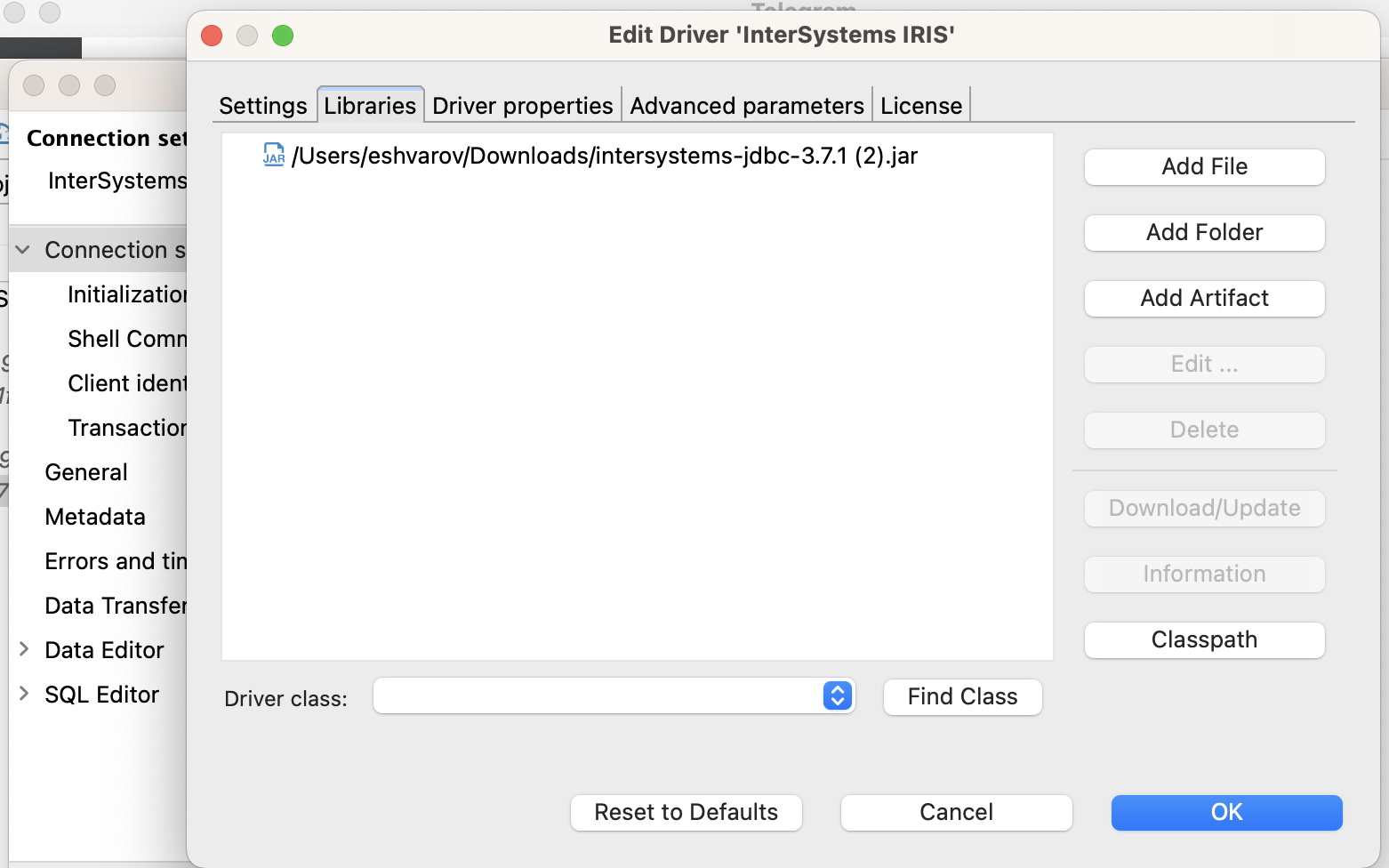
Could you please check if you are using the latest IRIS JDBC driver? In my case it was outdated so I updated it manually:
Hi @Learning by_passion !
Please take a look this project - it is an example of CSV transformation, hope it can help you to get some ideas.
Hi @Sylvain Guilbaud! Had a similar issue (with the same "Socket is closed" message at least).
In my case the issue was in SSLConfig.properties file. It MUST be in the expected folder. On MacOS it is:
$ ls

SSLConfig.properties

dbeaver

$ pwd

/Applications/DBeaver.app/Contents/MacOS
Hi @Fahima Ansari !
You can check this example by @Guillaume Rongier
That solved it! Thank you, @Robert Cemper !
I replaced $$$Lower() but still getting <SYNTAX>
Here is the alias in the file:
:alias enablebi do EnableDeepSee^%SYS.cspServer("/csp/"_$zcvt($namespace,"L"))And here is SYNTAX i'm getting:
IRISAPP>:enablebi
do EnableDeepSee^%SYS.cspServer("/csp/"_$zcvt($namespace,"L")

DO EnableDeepSee^%SYS.cspServer("/csp/"_$ZCVT($NAMESPACE,"L")
^
<SYNTAX>
Here is what I have in the alias:
IRISAPP>:enablebi
do EnableDeepSee^%SYS.cspServer("/csp/"_$zcvt($namespace,"L")

DO EnableDeepSee^%SYS.cspServer("/csp/"_$ZCVT($NAMESPACE,"L")
^
<SYNTAX>
IRISAPP>:alias
  enablebi              do EnableDeepSee^%SYS.cspServer("/csp/"_$zcvt($namespace,"L")

IRISAPP>
Interesting, if I set the alias in terminal as @Robert Cemper did it works.
Perhaps the issue is in line endings? Any ideas?