Thank you, @Kurro Lopez! And thanks for introducing chatGPT package to the community!
- Log in to post comments
Thank you, @Kurro Lopez! And thanks for introducing chatGPT package to the community!
It is your choice, but I personally recommend to use IRIS as docker images for development.
It is very convenient and this approach eliminates a gazillion problems you can met developing with IRIS desktop.
Nothing happens until you intentionally load classes from a new branch and other resources into an IRIS namespace.
But I highly recommend you to rebuild iris docker image and reload classes from a new branch when switching branches otherwise you could have a mix of two (or even more) branches in IRIS that can lead to unexpected behaviour.
Great article, @Muhammad Waseem !
I'd add a docker command to start terminal.
First this one launches IRIS and creates a fresh namespace alone with the user 'demo' and password 'demo':
docker run --rm --name iris-demo -d -p 9091:1972 -p 9092:52773 -e IRIS_PASSWORD=demo -e IRIS_USERNAME=demo -e IRIS_NAMESPACE=DEV intersystemsdc/iris-community
Then to launch a terminal in PROD namespace:
docker exec -it iris-demo iris session iris -U DEV
DEV>
@Michael Davidovich , this is a good idea!
If you could provide a repo with legacy application inviting for dockerization I believe a lot of DC members could help.
Here is another video that updates the class and commits changes to the repo
Well, if you have git repo cloned with objectscript files and VSCode connected to IRIS all your files are imported into IRIS and can be executed there.
You change the objectscript files in VSCode, compile and they are imported into IRIS automatically.
VSCode and git maintain the versioning of changes for you.
I understand the argumentation, makes sense. Just curious how do you debug those unittests that fail?
Thanks @Guillaume Rongier !
Is it possible to use your export/import mechanism to change only one element of the production?
BTW,
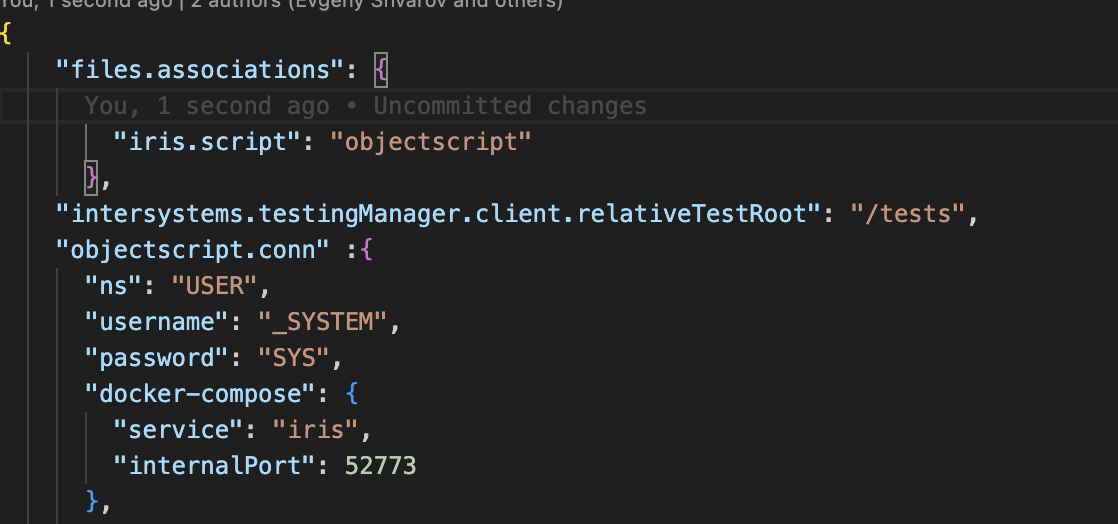
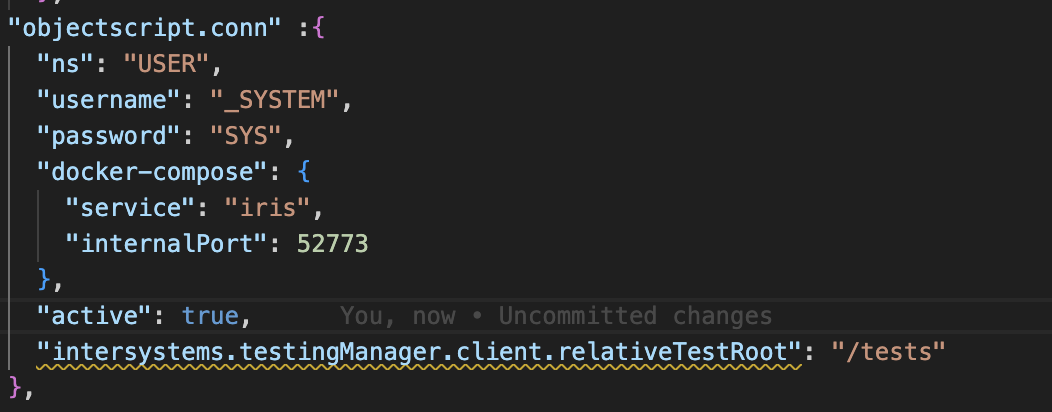
this setting worked:
"intersystems.testingManager.client.relativeTestRoot": "/tests",
Now it sees them:
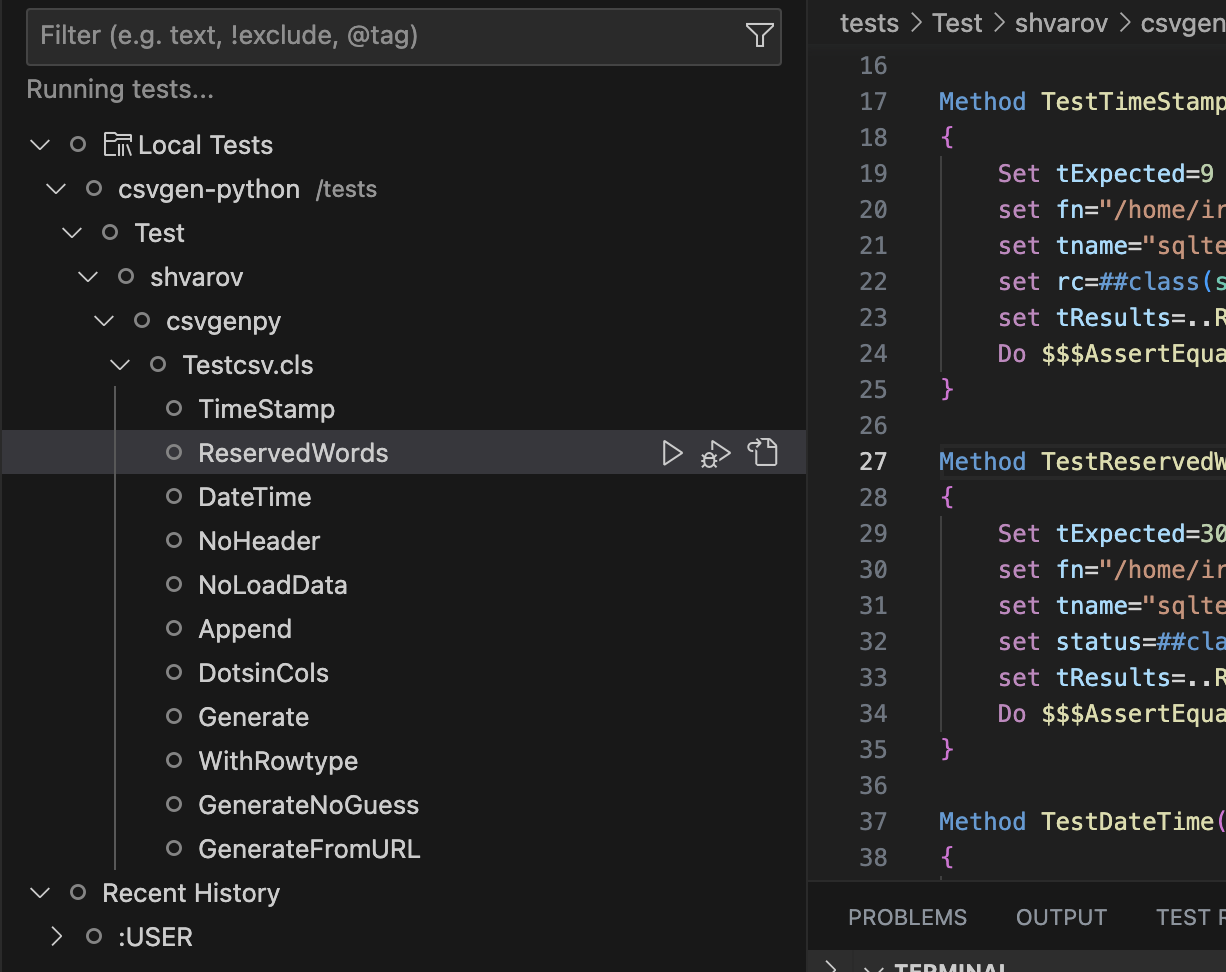
But they ask for ^UnitTest to be setup, instructions, etc.
Could it work similar as it works in IPM as @Timothy Leavitt demonstrated?
Because with IPM I can run tests all and standalone without any settings at all - it just works.
Could the IPM be leveraged if it is presented in the repo/namespace?
Also you can create NAMESPACE/DATABASE via SQL. e.g.:
USER>:sql

SQL Command Line Shell

----------------------------------------------------


The command prefix is currently set to: <<nothing>>.

Enter <command>, 'q' to quit, '?' for help.

[SQL]USER>>Create Database TEST

1. Create Database TEST


0 Rows Affected

statement prepare time(s)/globals/cmds/disk: 0.0235s/2,162/14,045/0ms

          execute time(s)/globals/cmds/disk: 0.0843s/29,325/395,226/0ms

                          cached query class: %sqlcq.USER.cls21

---------------------------------------------------------------------------

[SQL]USER>>exit


USER>zn "TEST"


TEST>
HTH
It looks like that organization field for Open AI integration is not mandatory, so only Telegram Token and ChatGPT key needed.
Voted!
How about now?
Hi Gautam!
You can start from this template - it is a ready-made template that provides git, docker, ipm and unit-testing development environment.
The only drawback - there is no Microsoft Solitaire :)
Jokes aside maybe you'll miss InterSystems Studio. But VSCode does more than Studio can.
Also Docker is much more stable on Mac.
Also you might be interested in ZPM Hub project by @Sergei Shutov
Yes, just install it on IRIS and you'll have your own registry. Learn more.
Looking forward!
Thanks @Joel Solon!
But all this could be achieved without instance methods, right? Anyway, I'm struggling to find an easy way to debug a failed unittest. @Michael Davidovich suggested the closest way to achieve it but I still want to find something really handy, e.g. an additional "clickable button" in VSCode above the test method that invites "debug this test method". Similar what we have for class methods now - debug this classmethod and copy invocation.
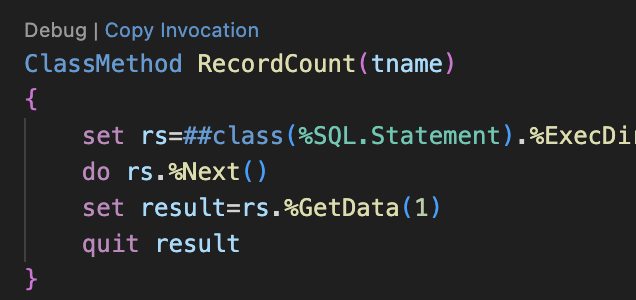
That'd be ideal.
That's indeed hacky! Thanks @Michael Davidovich!
Thank you!
Thank you, @Irène Mykhailova ! I can even feel the summit's atmosphere with your report! Wish I were there with all the team!
Package Manager is going to be a part of a product in near future, but right now it is not a part and can be installed with the following command:
s r=##class(%Net.HttpRequest).%New(),r.Server="pm.community.intersystems.com",r.SSLConfiguration="ISC.FeatureTracker.SSL.Config" d r.Get("/packages/zpm/latest/installer"),$system.OBJ.LoadStream(r.HttpResponse.Data,"c")Caution! This is for IRIS only.
It has documentation, a bunch of videos, and there is a tag here.
I'm not answering your question, but just as a side note - with using Docker as a dev environment you don't bother with installing of Ensemble or IRIS at all. You can switch IRIS version at any moment if something went wrong or you need a fresher version.
In case of IRIS Community Edition just download the newest desktop version or pull the latest docker image - both will contain the refreshed license
Hi @Guillaume Rongier !
Well explained. I just hope the UI be more intuitive - this pays a lot in the future for the better adoption of the tool.
I understand that there are not many letters in the alphabet and it can go to the end quickly. In this case I'd keep with what you think on one-letters and also introduce synonyms of fulltext with double --.e.g.
--import for import,
--export for export and
--status for status.
This could help with readability in long scripts with cli or with documentation.