Introduction

The InterSystems IRIS Data Platform has long been known for its performance, interoperability, and flexibility across programming languages. For years, developers could use IRIS with Python, Java, JavaScript, and .NET — but Go (or Golang) developers were left waiting.

Golang Logo

That wait is finally over.

The new go-irisnative driver brings GoLang support to InterSystems IRIS, implementing the standard database/sql API. This means Go developers can now use familiar database tooling, connection pooling, and query interfaces to build applications powered by IRIS.


Why GoLang Support Matters

GoLang is a language designed for simplicity, concurrency, and performance — ideal for cloud-native and microservices-based architectures. It powers some of the world’s most scalable systems, including Kubernetes, Docker, and Terraform.

Bringing IRIS into the Go ecosystem enables:

  • Lightweight, high-performance services using IRIS as the backend.
  • Native concurrency for parallel query execution or background processing.
  • Seamless integration with containerized and distributed systems.
  • Idiomatic database access through Go’s database/sql interface.

This integration makes IRIS a perfect fit for modern, cloud-ready Go applications.

12 25
0 313

Table of Contents

  1. Purpose of the article
  2. What containers are and why they make sense with IRIS
     2.1 Containers and images in a nutshell
     2.2 Why containers are useful for developers
     2.3 Why IRIS works well with Docker
  3. Prerequisites
  4. Installing the InterSystems IRIS image
     4.1 Using Docker Hub
     4.2 Pulling the image
  5. Running the InterSystems IRIS image
     5.1 Starting an IRIS container
     5.2 Checking container status
     5.3 Executing code in the container terminal
     5.4 Accessing the IRIS Management Portal
     5.5 Connecting the container to VS Code
     5.6 Stopping or removing the container
     5.7 Setting a specific password with a bind mount
     5.8 Using durable %SYS volumes
      5.8.1 What gets stored with durable %SYS
      5.8.2 How to enable durable %SYS
  6. Using Docker Compose
     6.1 Docker Compose example
     6.2 Running Docker Compose
  7. Using a Dockerfile to run custom source code
     7.1 Dockerfile example
     7.2 Docker Compose example
     7.3 Understanding layers, image tagging and build vs. run time
     7.4 Source code and init script
     7.5 Building the image with Dockerfile
     7.6 Running instructions in the containerized IRIS terminal
  8. Conclusion and what’s next

14 6
6 288

Hi developers!

Observing the avalanche of AI-driven and vibe-coding developer tools that have been appearing lately almost every month with more and more exciting dev features, I was puzzled whether it is possible to leverage it with InterSystems IRIS. At least to build a frontend. And the answer - yes! At least with the approach I followed.

Here is my recipe to prompt the UI vs InterSystems IRIS Backend:

  1. Have the REST API on the IRIS side, which reflects some Open API (swagger) spec.
  2. Generate the UI with any vibe-coding tool (e.g., Lovable) and point the UI to the REST API endpoint.
  3. Profit!

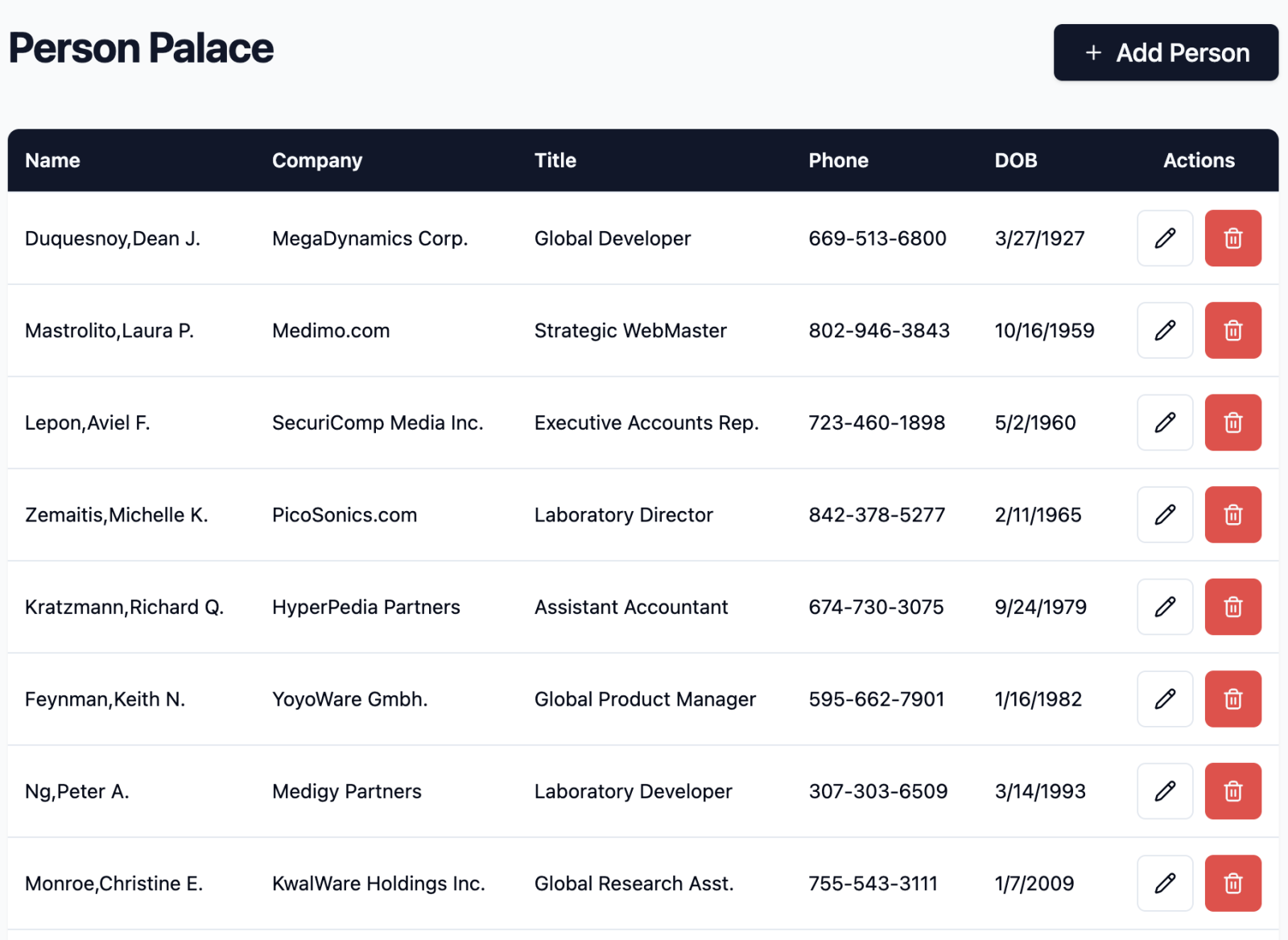
Here is the result of my own exercise - a 100% prompted UI vs IRIS REST API that allows to list, create, update delete entries of a persistent class (Open Exchange, frontend source, video):

What is the recipe in detail?

7 5
1 231

A benefit of using Doxygenerate is that Doxygen does more than just HTML output. Tweak the Doxyfile that tells Doxygen what to do and you can easily create a PDF. Our example MARINA application yielded a 524-page PDF. Here's what page 94 looks like:

You can browse the whole file here.

6 1
1 291

Hi colleagues!

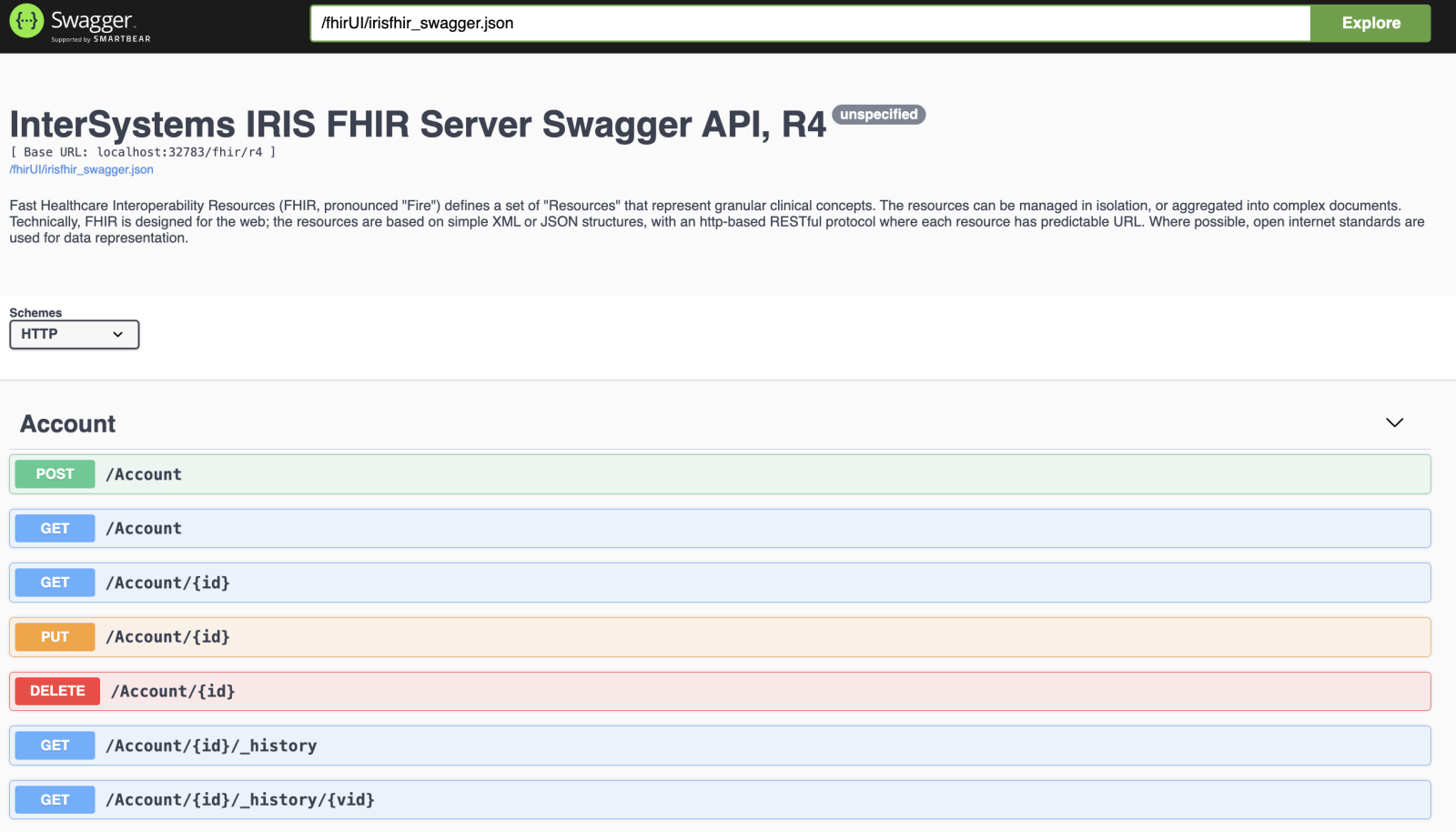
Often, while developing a frontend app or any other communication vs REST API, it is worth having a Swagger UI - a test UI for the REST API that follows Open API 2.0 spec. Usually, it is quite a handful as it lets have quick manual tests vs REST API and its responses and the data inside.

Recently I've introduced the Swagger support to the InterSystems IRIS FHIR template for FHIR R4 API:

How to get it working.

11 0
3 310

In this article I'll show you how to set up in your laptop, very quickly, a cluster of IRIS nodes in sharding. It's not the goal of this article neither to talk about sharding in detail nor define a deployment of a production ready architecture, but to show how to set up quickly, in your own machine, a cluster of IRIS instances configured as shard nodes, with which you'll able to play and test this functionality. If you're insterested in knowing more about sharding in IRIS, take a look at the documentation clicking here.

First and foremost, I want to remark that IRIS sharding will allow us 2 things:

  • Define, load and query shard tables, which data will be distributed transparently between the cluster's nodes
  • Define federated tables, which offer a global and composed view of data belonging to different tables that will be physically stored in different distributed nodes

So, as I said, we let for other article playing with shard or federated tables, and just focus now in the previous step, that is, setting up the cluster of shard nodes.

9 1
3 226

IRIS supports CCDA and FHIR transformations out-of-the-box, yet the ability to access and view those features requires considerable setup time and product knowledge. The IRIS Interop DevTools application was designed to bridge that gap, allowing implementers to immediately jump in and view the built-in transformation capabilities of the product.

In addition to the IRIS XML, XPath, and CCDA Transformation environment, the Interop DevTools package now provides:

3 0
1 117

Hi folks!

Sometimes, when designing a class method and feeding it with more and more useful features, very soon the number of parameters can reach 10 and even more.

It becomes pretty difficult for users of useful methods to remember the position of the important parameter, and it is very easy to misuse the position and transfer the wrong value to the wrong parameter.

Here is an example of such a method (I asked GPT to create a method with 20 params):

ClassMethod GenerateReportWith20Params(
    pTitle As %String = "",
    pAuthor As %String = "",
    pDate As %String = "",            // e.g. 2025-09-03
    pCompany As %String = "",
    pDepartment As %String = "",
    pVersion As %String = "1.0",
    pFormat As %String = "pdf",       // pdf|html|docx
    pIncludeCharts As %Boolean = 1,
    pIncludeSummary As %Boolean = 1,
    pIncludeAppendix As %Boolean = 0,
    pConfidentiality As %String = "Public",
    pLanguage As %String = "en",
    pReviewers As %String = "",       // CSV, e.g. "Alice,Bob"
    pApprover As %String = "",
    pLogoPath As %String = "",
    pWatermarkText As %String = "",
    pColorScheme As %String = "default",
    pPageSize As %String = "A4",
    pOrientation As %String = "Portrait",
    pOutputPath As %String = "report.pdf"
) As %Status
{

// implementation
}

3 0
1 80

Technical Documentation — Quarkus IRIS Monitor System

1. Purpose and Scope

This module enables integration between Quarkus-based Java applications and InterSystems IRIS’s native performance monitoring capabilities.
It allows a developer to annotate methods with @PerfmonReport, which triggers IRIS’s ^PERFMON routines automatically around method execution, generating performance reports without manual intervention.

1 1
0 57