I'm seeing this happen with every "Last answer" and "Last comment" link that I've tested in the Developer Community Feedback group. I haven't seen the same problem with those links in posts in other groups.
- Log in to post comments
I'm seeing this happen with every "Last answer" and "Last comment" link that I've tested in the Developer Community Feedback group. I haven't seen the same problem with those links in posts in other groups.
Today's DC update means that questions with an accepted answer have the background of their answer count box shown differently. In the screenshot below, the first question has received 3 answers but the OP hasn't marked any of them as accepted. The second has now answers, and the third has two, one of which has been accepted by the OP:
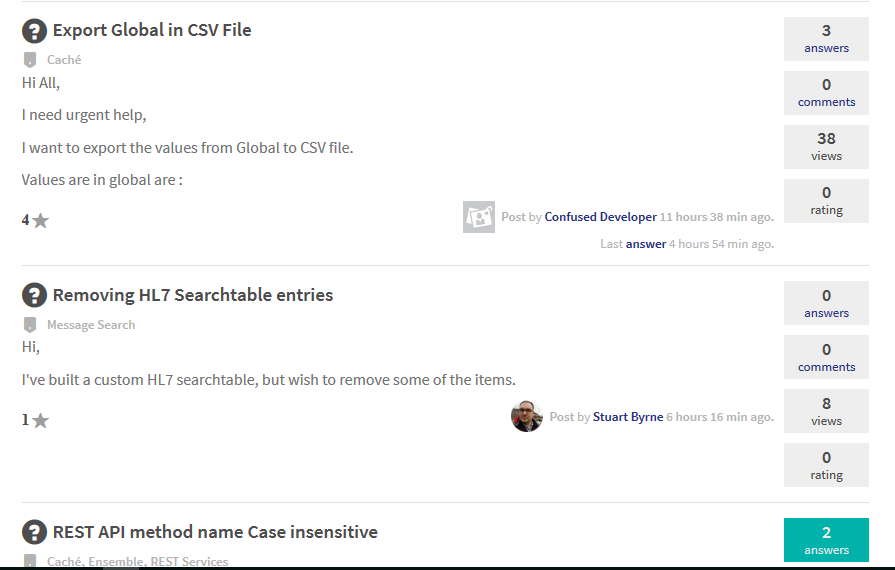
That's good, but when I click into the third question I am no longer shown which of the answers the OP accepted:
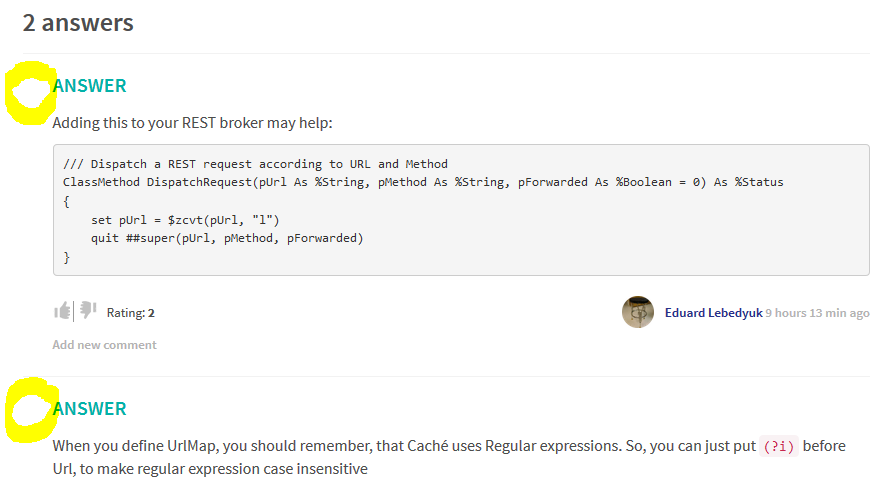
Prior to the DC update I would have seen a green checkmark alongside the accepted one.
Is this change deliberate, or an unintended side-effect of you no longer showing the checkmarks when they're not clickable (which means they're hidden from everyone except the OP)?
This has been fixed by today's DC update.
Daniel, you posted this as a Question but perhaps it should be an Article. If so, I think you can change that.
In case you haven't already reviewed it, this article by @Murray Oldfield contains some debugging tips that could be useful.
Looks like something broke. I tried to use the "Last answer" link to see what you said:
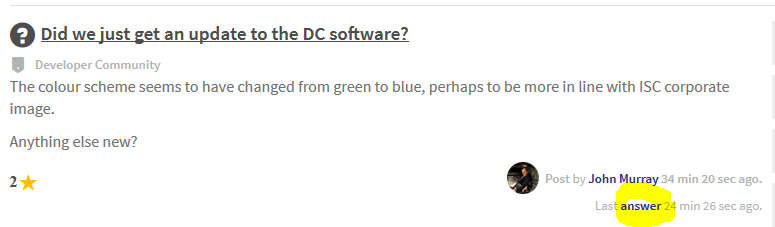
But this is all it gave me:
Any information appearing in cconsole.log on the server? Or in the audit database?
Is this a local SNMP service connecting to a local Ensemble instance? Any chance of it being a firewalling issue?
The announcement post includes the following information:
It includes hundreds of bug fixes and new features, including:
* DeepSee improvements to the Folder Manager and Dashboard Filters
* iFind and iKnow improvements like coocurrence search, REST API extensions, and performance when building iKnow domains
* Improved XML VDoc performance in Ensemble
* Caché Nodejs now supports Node 7
It was added in a recent version, perhaps 2017.1.
Thanks Raghu. AFAIK the DC software only allows one answer to be accepted. It does allow answers to be deleted by their author, so I guess Alexey did that.
Unless you upgrade to 2016.2 or beyond you can't yet use Atelier as your code editor, so integration with file-based source code management (SCM) tools such as Git or Perforce isn't so straightforward. Deltanji works natively inside Caché 2008.1 and later and integrates easily with Studio (as well as with Atelier). The Solo edition is free.
Or maybe when you write "Configuration management tools" you aren't referring to SCM?
In the same way as you create an instance of any class:
ENSDEMO>set oInst=##class(Demo.Loan.FindRateProduction).%New()
ENSDEMO>zw oInst
oInst=<OBJECT REFERENCE>[1@Demo.Loan.FindRateProduction]
+----------------- general information ---------------
| oref value: 1
| class name: Demo.Loan.FindRateProduction
| reference count: 2
+----------------- attribute values ------------------
| AlertActionWindow = 60
|AlertNotificationManager = ""
|AlertNotificationOperation = ""
|AlertNotificationRecipients = ""
| ShutdownTimeout = 120
| UpdateTimeout = 10
+-----------------------------------------------------
ENSDEMO>
On this post the answer by @Dmitry Maslennikov might be useful for you.
This documentation might help.
Raghu, please consider accepting one of the answers by clicking the big checkmark alongside it.
By looking at the code of the InstanceGUID method in the %SYS.System class we can see where it's stored:
/// Returns instance GUID.
/// <br>
/// An instance GUID is a 16 byte (128 bit) globally unique identifier, assigned per instance of Cache installation.
ClassMethod InstanceGUID() As %String
{
    s ns="^^"_$zu(12)
    if ('$d(^[ns]SYS("INSTANCEGUID"))) Set ^[ns]SYS("INSTANCEGUID")=$system.Util.CreateGUID()
    Q ^[ns]SYS("INSTANCEGUID")
}
It's in ^SYS("INSTANCEGUID") in the CACHESYS database.
USER>w ##class(%SYS.System).InstanceGUID()
C59DD3E8-8474-4045-B252-1AF1A0D94F3C
USER>w ^|"%SYS"|SYS("INSTANCEGUID")
C59DD3E8-8474-4045-B252-1AF1A0D94F3C
USER>w $zv
Cache for Windows (x86-32) 2016.2.1 (Build 803U) Wed Oct 26 2016 13:33:05 EDT
USER>
However I don't know what might happen if you change it. Best check with InterSystems.
I don't know if this is related, but recently when I've been posting images in new articles, or in answers or comments, I sometimes upload my standard filename (Capture.PNG) but the image that appears in the DC editor window is wrong. It often seems to be one that I've previously uploaded, though not necessarily my most recent previous upload. I delete it in the editor, repeat the upload, and it's usually OK the second time. I recall once having to do two retries. I'm using Firefox 53.0 on Windows 10.
Anyone else seeing this kind of event?
Did you see my answer above? Did you look at using the ExportAllClasses method of %SYSTEM.OBJ to write a file? And then use the Import method from within another namespace to load the contents of that file?
To help you get started, here's me running the first step:
SAMPLES>s sc=$system.OBJ.ExportAllClasses("c:\s\samples-allclasses.xml")
Exporting class: Aviation.Aircraft
Exporting class: Aviation.Classification.Utils
Exporting class: Aviation.Crew
...
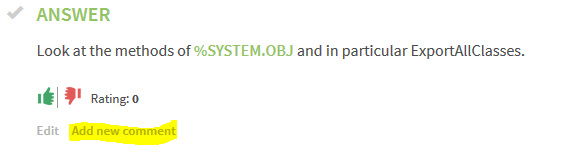
Also, you may find the "Add new comment" links in Developer Community useful, instead of posting answers that are really questions. For example:
Please also be aware that you can mark one answer to your question as "accepted" by clicking on that checkmark you see in my screenshot above.
Look at the methods of %SYSTEM.OBJ and in particular ExportAllClasses.
For reference, I think if you'd chosen anything other than Minimal security during the install wizard it would have asked you which Windows account to run the service under.
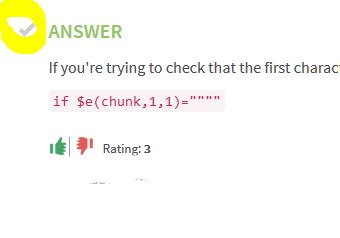
In that case @David Reche, please accept either Dmitry's answer or mine by clicking the checkmark alongside it. The screenshot below shows you what to look for:
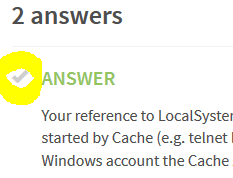
You're welcome Richard. As author of the question you're entitled to mark my answer as "accepted" by clicking the checkmark alongside it. Here's a screenshot that may help, but just don't click the checkmark on the screenshot 
The AutheEnabled property is an integer value that is treated as a set of bitflags. Here's one way of decomposing it:
%SYS>set sc=##class(Security.System).Get(,.props)
%SYS>for bit=0:1:31 if $zboolean(props("AutheEnabled"),2**bit,1) write !,"Bit ",bit," is set"
Bit 4 is set
Bit 5 is set
Bit 6 is set
Bit 10 is set
%SYS>
Documentation for the $ZBOOLEAN function is here. You can use the OR operation (third argument = 7) to set a specific bit within the existing value. For example, to ensure bit 4 (whose meaning is AutheOS) is set:
set props("AutheEnabled")=$zboolean(props("AutheEnabled"),2**4,7)
If you are satisfied with my answer please click on the checkmark alongside its title.
Your reference to LocalSystem means I assume you're running Cache on Windows. On this platform Cache processes started by Cache (e.g. telnet logins, web application handlers, Studio connections) will run at the OS level as whatever Windows account the Cache service is set to log on as (see Windows service control manager tab as shown below).
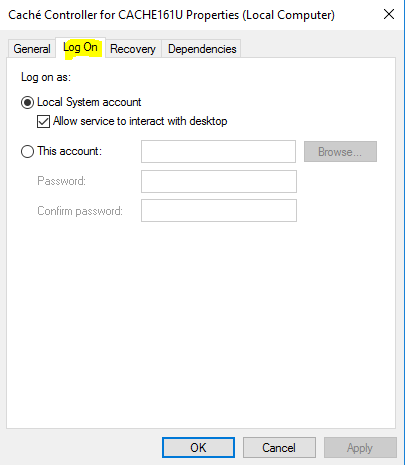
If you make your Cache service run as a specific account rather than as Local System, then all of the processes started by Cache will run with those credentials.
I don't know if this will help you.
UPDATE: Starting at 2015.2 (I think), it is important to use the cinstall.exe utility (located in your installation's bin subdirectory) to change which account the service runs as:
cinstall setserviceusername <InstanceName> <username> <password>
If you don't do this but instead only change the setting in the Log On tab of the service (screenshot above), then in certain circumstances the $ZF() functions may return a -1 failure code. See http://docs.intersystems.com/latest/csp/docbook/DocBook.UI.Page.cls?KEY… Search the docs for "setserviceusername" for more details.
It looks like the AutheEnabled property of Security.System is the equivalent. See class doc here.
Use the Get and Modify classmethods to fetch and update values.
Can you read the Caché ObjectScript code that implements the GetPatientInfo method in the com.siemens.med.hs.Country.WebServices.pats.ClassPatientServices class, and work out why it returns ErrDesc="Erreur: IPP manquant." ?