You can use cross-platform Atelier IDE.
- Log in to post comments
You can use cross-platform Atelier IDE.
Setting the credentials on the Operation did not work.
Do you redefine request object in your own code? It really should and does work. Please consider posting an example.
Maybe Ensemble Message Bank can help?
Depending on PDF type (character-based) using GZIP file stream may provide additional size advantages.
It would be easier to start and finish the transaction in one method (or rather one request to a BO).
Why not send the request to BO containing a list of UPDATES to perform and BO would automatically wrap them in a transaction, returning either a success or error and the position of failed UPDATE statement? Even better send list of some struct and construct statements in BO.
While workarounds are possible (1 Job for BO + indefinite timeout + FIFO on caller part) it would probably be a bad idea.
Some examples of calling HTTPS GitHub API.
Have you tried setting autocommit off and calling COMMIT/SET TRANSACTION NAME/ROLLBACK manually?
I think that would get the results you need.
1: How can the httprequest object be viewed in Ensemble?
You can use DEBUG=2, to see the output you need to start your BH in Debugging mode.
Another option would be to install Debugging proxy such as Fiddler and specify ProxyServer/ProxyPort settings in your BH.
Finally, you can install packer sniffer such as WireShark and see the raw packets.
These options are discussed more in detail in my series of articles Debugging Web: part1, part2.
2: How is the Adapter password set?
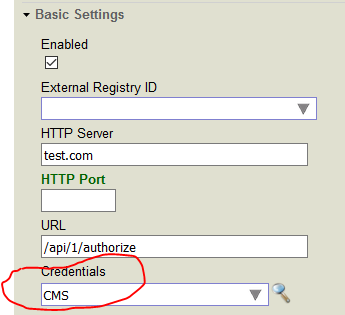
No need to write code for that, just set Credentials setting in your BH.
Do you want to accept requests via HTTPS?
If so, you need to:
How many Jobs are working on that BP?
SELECT
$TRANSLATE(CallbackComment  ,'''','?')
FROM SQ.CBPhoneResult_View
WHERE PhoneDateODBC = '2018-04-09'
Also try
As i have mentioned that i am using the Intersystem ODBC
Where? I thought you were using SMP.
Try to change SELECT field CallbackComment to one of:
Looks like Timeout issue.
1. Do you have index on PhoneDateODBC?
2. Can you execute the same query using some JDBC tool?
It's a REST broker method so status should be returned.
Thank you, missed the TABs.
You can receive all filter values for cube if you pass its name as a datasource:
/Info/FilterMembers/YourCubeName
Here's an output I get:
USER>

USER>

USER>

This is written by INT routine
USER>

 which is created from a script injected to csession.
USER>

USER>

D ^MyBootRoutine
^
<NOROUTINE> *MyBootRoutine
USER>

USER>

USER>
Looks like it's still line-by-line execution.
It's executed during container build, so to load something I need a script.
This answer by @Timothy Leavitt explains how to get CLS line from INT line.
Maybe we can add that functionality to Atelier?
First you need to load CSV into class.
After that you can convert objects of your new class into json using SQL JSON_OBJECT function or %ZEN.Auxiliary.altJSONProvider.
You can determine, where does the message comes from by inspecting it's header, get header Id from:
$$$JobCurrentHeaderId
and query Ens.MessageHeader class.
Alternatively, check "process" variable in BPL or current context in ObjectScript processes. Maybe the whole object would be available somewhere.
Check out this list of tools for C#/InterSystems interoperability.
I think you need Caché Managed Provider for .NET.
In <installdir>\dev\dotnet there are several examples available.
Here's an example of accessing properties and array elements:
set jsonObj = [].%FromJSON(filename)
set i = jsonObj.resultSets.%GetIterator()
while i.%GetNext(.key , .resultSet ) {
    set i2 = resultSet.rowSet.%GetIterator()
    write resultSet.name,!
    while i2.%GetNext(.key , .rowSet ) {
        write rowSet.%Get(0),!
    }
}$zu(68,40,switch)
can be replaced with:
set old=$system.Process.SetZEOF(switch)
Also, what does this command do?
kill ^TMP($zn,$j)
This error indicates that either login and password are incorrect or that user has insufficient permissions to access management portal.
Generally you'll need to check the service and adapter method lists. Callbachs are often called "On*".
1. Connect to other system via xDBC
2. Query %Dictionary package on a local and remote system and compare results.
But prior to 2010.1 we didn't have $NAMESPACE
As @Lucas Fernandes uses $namespace in his solution:
#dim currentNamespace As %String = $namespace
that is not a concern in this particular case.
Here's my URL template
jdbc:Cache://{host}[:{port}]/{database}
If you connect but get Access Denied, try user with %ALL permissions to remove doubts about insufficient privileges.
Are there advantages to using:
set currentNamespace = $namespace
znspace "%SYS"
// do stuff
znspace currentNamespace
Instead of:
new $namespace
set $namespace = "%SYS"
// do stuff