Eduard Lebedyuk · Jun 9, 2018 go to post

What do you mean? How does it look in config file?

In the best case like this:

{
  "storage-driver": "devicemapper",
  "storage-opts": [
    "dm.directlvm_device=/dev/xdf",
    "dm.thinp_percent=95",
    "dm.thinp_metapercent=1",
    "dm.thinp_autoextend_threshold=80",
    "dm.thinp_autoextend_percent=20",
    "dm.directlvm_device_force=false"
  ]
}

Docker documentation explains setting direct-lvm in detail.

Eduard Lebedyuk · Jun 9, 2018 go to post

There are system implementations too:

>write $$toRoman^%bi.SWr.FolderTest(124)
CXXIV
>write $$toRoman^%bi.SWr.FolderTest(1245)
MCCXLV
Eduard Lebedyuk · Jun 9, 2018 go to post

If you're sure that all your keys are consecutive integers, then use $order to get the last element, which would also be a count of them:

write $order(a(""),-1)
Eduard Lebedyuk · Jun 7, 2018 go to post

If you  want to connect to external database, couldn't you just provide domain name and password and authenticate with that?

Eduard Lebedyuk · Jun 7, 2018 go to post

KILLdes is a record for kill of descendents journaled as part of a higher-level kill inside of transaction.
So it's a Kill command.

Eduard Lebedyuk · Jun 7, 2018 go to post

%DeepSee.Utils:%FormatDate offers this options

Format a date value (in $H format) according to the format in pFormat. The format string can contain:

  • "y" - Year number (4 digits).
  • "q" - Quarter number.
  • "m" - Month number, with no leading zero.
  • "mm" - Month number, with leading zero.
  • "mmm" - Short name of month (using server locale).
  • "mmmm" - Long name of month (using server locale).
  • "d" - Day number, with no leading zero.
  • "dd" - Day number, with leading zero.
  • "ddd" - Short name of day (using server locale).
  • "dddd" - Long name of day (using server locale).
  • "\x" - display character "x"
  • " " - space
  • "/" - "/"
  • "-" - "-"
  • "." - "."

Added mm as Time Format and rebuilt cube. Got 01 instead of JAN.

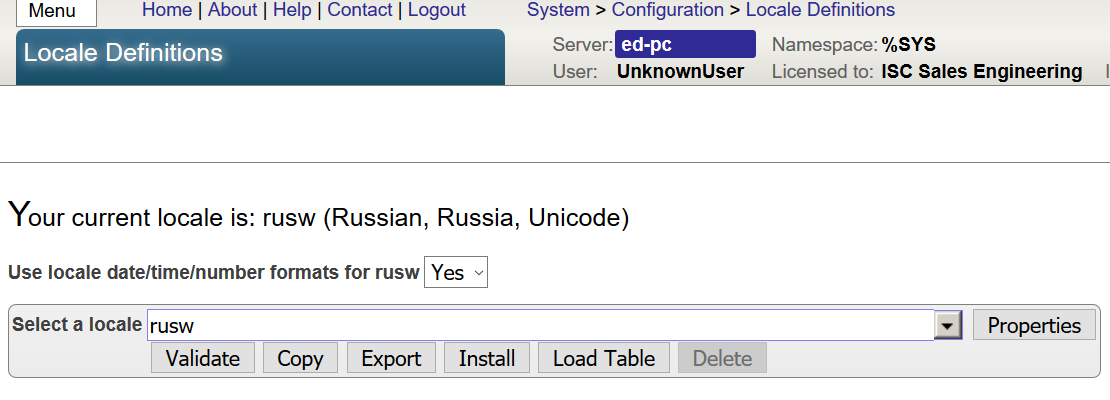
Removed mm. Turns out, all you need to do is to use locale defaults in Locale Settings

Eduard Lebedyuk · Jun 7, 2018 go to post

Not that Count approach is while easiest, can significantly slower the query down.

Extending the adapter so you have an "after all rows" callback has speed advantage and also you wouldn't need to rewrite your queries to add Count().

Eduard Lebedyuk · Jun 6, 2018 go to post

Follow these steps:

  1. Change superclass from %Persistent to %RegisteredObject
  2. Delete Storage part of class definition.
  3. Compile.

Table should be gone after that.

If you already deleted the class in Atelier (and synced that change with a server) the the table would be gone too.

Eduard Lebedyuk · Jun 6, 2018 go to post

Use Send method:

Set httprequest = ##class(%Net.HttpRequest).%New()
Set httprequest.Server = "www.intersystems.com"
Set sc = httprequest.Send("PATCH", location, test, reset)
Eduard Lebedyuk · Jun 6, 2018 go to post

Do you wan to do something specific with the last row or do you just want a callback after all rows?

If it's the later, you can subclass SQL inbound adapter:

Class Project.Ens.Adapter.SQLInbound Extends EnsLib.SQL.InboundAdapter {

Method OnTask() As %Status
{
  Set sc = ##super()
  // all rows were just processed
  // add your logic here
  Quit sc

}

}

Other approach is to UNION a dummy row to the end of your query, or add COUNT() property.

Eduard Lebedyuk · Jun 5, 2018 go to post

Like this?

write $case(condition,             1:"hello " _"world",             2:"name",:"!")

Hello world is a multiline expression.

Eduard Lebedyuk · Jun 5, 2018 go to post

I'd go with if, but you can also resolve case expression beforehand:

set condition = .... several lines of logic...
write $case(condition, ...)

And condition then can be separaten into several different lines.

I'm against method chaining in general and several functions on one line/step in particular.

Each line should contain one small operation.

Eduard Lebedyuk · Jun 1, 2018 go to post

What risk?

There are two distinct cases - where we have users/passwords in place or we don't.

In the first case container should use these passwords (via Durable %SYS) and they shouldn't be be superseded by anything happening with a container change.

In the second case we have some empty application - no users, no data and so specifying random password only adds unnecessary steps down the line.

There is one case where we need to force our container user to create new password - when we are:

  • supplying a complete application
  • don't have control over how it is deployed
  • passwords are stored inside the container

in this case yes (when all conditions are met), password should be scrambled, but this situation is wrong on itself (mainly in storing passwords inside the container), and should be resolved by other means.

Eduard Lebedyuk · Jun 1, 2018 go to post

On non-prod servers we don't need that - developer/ci server should be able to pull the image and work with it.

On prod Durable %SYS should be used with secret password and not changed with each new app version, but rather through a separate process (once a year, etc).

Eduard Lebedyuk · May 30, 2018 go to post

This feels more like a DevOps process, where coding is more acceptable. Anyway, maybe you need to ask a separate question on configuration synchronization best practices?

Eduard Lebedyuk · May 30, 2018 go to post

1. Import task has these two qualifiers:

displayerror
displaylog

They do not affect import.

2. No. If you check exported xml, you can see that exported tasks do not contain IDs, so, on import they could not overwrite existing tasks. Not sure about how correlate/next work on ID fields btw.

Exporting and importing what is currently present is the best way. 

It's the easiest way. The best way would be to write and document  a script (ObjectScript code) that transforms base instance into what they need. This way changes are documented and adding another server is easy.

Eduard Lebedyuk · May 30, 2018 go to post

1. Execute this to get a list of available flags and qualifiers:

Do $System.OBJ.ShowQualifiers()
Do $System.OBJ.ShowFlags()

Qualifiers are preferable to use.

2. I'd rather go with programmatic access. Write code that's:

  • Opens system task object
  • Modifies and saves it

What system task did you modify?

Eduard Lebedyuk · May 27, 2018 go to post

Sure.

  1. Open Chrome
  2. Go to Settings | Manage search engines...
  3. Scroll to the bottom of the window
  4. In Add a new search engine, enter InterSystems
  5. For Keyword, enter i
  6. For URL, enter one of:
  7. Click Done

After that you'll be able to search InterSystems documentation in Chrome address  bar by typing:

i keyword

and pressing Enter.

Eduard Lebedyuk · May 25, 2018 go to post

Do you want to pull all the rows each time?

If so,  just clear “key Field Name”  setting and BS would process all rows every time it's run.