Thanks a lot, Robert.
It's better not to look into the source code, I'm afraid to look there myself. Some parts of the global editor's code still remember DSM11, and the release took place in 1991.
- Log in to post comments
Thanks a lot, Robert.
It's better not to look into the source code, I'm afraid to look there myself. Some parts of the global editor's code still remember DSM11, and the release took place in 1991.
Hello Mary
I solved this problem in this way. Found by context Prevent page refresh at session end - #;YSD2224
method ##class(%CSP.Util.AutoPage) .DrawAutoLogout ()
Modified the place:
...
If % request.URL'["UtilSqlQuery.csp" {
...
I think there is something similar in the Healthshare portal.
But you'd better contact WRC.
If you use zapm, then even more information is available.
zapm:%SYS>find * -d.png)
Module based zpmshow 1.0.2 Desc: from module.xml: Helper to Search, Install, Uninstall ZPM packages
https://github.com/rcemper/zpmshow/
Thanks Robert.
If your projects have a Description attribute in the module, please republish anyway. There was a crash and some Descriptions were not included in the register.
thanks for pointing out my mistake
Oh, how unexpected! Let's cut it down a bit to get another nice number of characters.
zn "%SYS",n="SL" d:'##class(Security.SSLConfigs).Exists(n) ##class(Security.SSLConfigs).Create(n) s u="https://pm.community.intersystems.com/packages/zpm/latest/installer" D ##class(%Net.URLParser).Parse(u,.c) s h=##class(%Net.HttpRequest).%New(),h.Server=c("host"),h.Port=443,h.Https=1,h.SSLConfiguration=n,s=h.Get(c("path")) q:'s $System.Status.GetErrorText(s) s x=##class(%File).TempFilename("xml"),f=##class(%Stream.FileBinary).%New(),f.Filename=x d f.CopyFromAndSave(h.HttpResponse.Data) d h.%Close(),$system.OBJ.Load(x,"ck") do ##class(%File).Delete(x)
Thanks friends. Very nice.
Hey.
It's easier ?
```
ClassMethod setValue(params...) As %Status
{
quit:params<2 0
s name="%session.Data"
for i=1:1:params-1 set:$GET(params(i))'="" name=$NA(@name@(params(i)))
set @name=params(params)
quit $$$OK
}
```
.png)
I really like the opportunity to see which modules are installed in which namespaces. And quickly go there without leaving the shell of the ZPM.
zpm: USER>help zn

namespace [<name>]

Alias: zn

  See list modules in namespace and go to the namespace

  Arguments

    name

      Name namespace, * or context name*

  Examples

zn *

      Show all modules in all namespaces

zn sql*

      Show all modules in namespaces by context
Thank you all for your help and support.
Hi, Bob
It may be easier to make an analogue of ^% G ?
Something like this:
```
ClassMethod AlterG(gn = "", Output rep) As %Status
{
OPEN 2:$job USE 2
zwrite @gn ;
CLOSE 2
set i="",rep=""
for { set i=$order(^SPOOL($job,i),1,s) quit:i=""
set rep=rep_s
}
KILL ^SPOOL($job)
}
Hi, Evgeny
I would add a question to your poll: Do you allow the return of a value other than Status in your functions. If so, in what cases. Then I think the survey would have been not so clear.
Thanks Eugene, I am using this section
But what about when you have a development team and you need to share and update repo fragments?
Thank you Dmitry.
I have not read this article. I'll take note
Hi Katherine.
I agree with you, and the problem of minimizing processes launched from root, my module will not solve
Hi Evgeny.
If the separator in the file is a semicolon, then import does not occur and the class is not generated.
https://github.com/evshvarov/csvgen/issues/2
You can store user pages in your favorites, with this command
Set tSC=##class(%SYS.Portal.Users).%AddFavorite("AppTools","/ apptools/App.LogInfo.cls")
Tested on Ensemle 2016.1 and higher.
And in the file https://github.com/SergeyMi37/cache-iris-app-tools/blob/master/src/xml/apptools.xml
you need to replace
<Export generator = "IRIS" version = "26" with
<Export generator = "Cache" version = "26"
Thanks for the error found.
Yes, this is implemented in my decision, since I also really need to watch the end of the aray.png)
If the developer does not have access to SMP, but has access to %SYS through the studio, then he can programmatically create a web application.
Hello,
in Studio in the Output panel you can execute COS commands.
Copy the file you need to the CSP directory. For example for Windows:
write $zf(-1,"copy g:\readme.txt c:\InterSystems\IRIS\CSP\aaa\readme2.txt")
After editing, copy it back.
Or another way, create a new application with the file storage you need..png)
Thanks!
Hi Michael,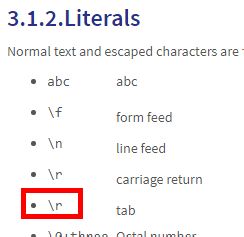
|
tab |
This is probably a typo.
Great article, thank you