Visual Studio Code eating licenses
Windows 10/Windows Server 2016:
I am currently monitoring our license use with a new rest-service I am implementing when I noticed my licenses on my instance being consumed and never released by Visual Studio Code.
For this I restarted my Instance, watched the licenses for a while, which remained at 1 during idle (I am guessing my MMGT Portal session uses 1)
But when I connect to my Instance using Visual Studio Code (with my Instance setup in the extension already), suddenly 2 licenses are used. (I am guessing 1 for the "studio" and 1 for a terminal session, so far so good)
But then when I open any file in the project, another license is used.
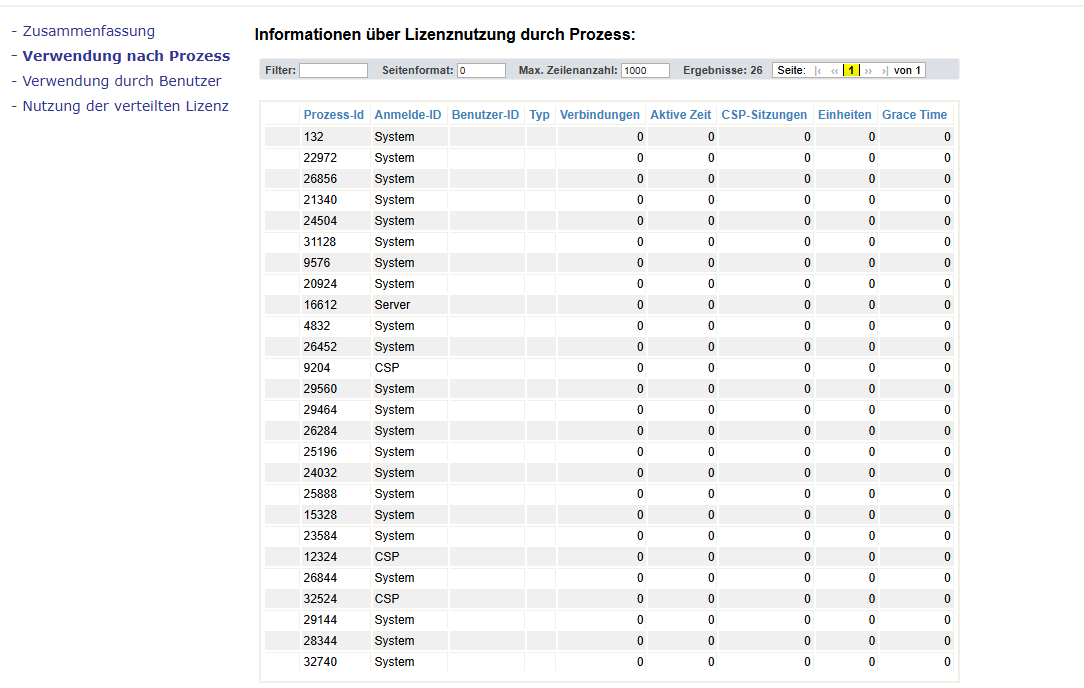
All of them have User-IDs and the "CSP" type. No Grace time and stay active.
So 3 licenses per active developer.
Now here's the problem:
If I do that on a new machine, with a InterSystems IRIS 2024.2 Entree - Concurrent Users for x86-64 (Microsoft Windows):5, Natural Language Processing (NLP), Develop license
Even AFTER CLOSING VS Code, 2 of the 3 licenses are still in use. When I reopen VSCode, I get "service unavailable" because I ran out of licenses.
Is this normal behaviour? Do I need more than 5 licenses to program with 2 developers on a new machine? 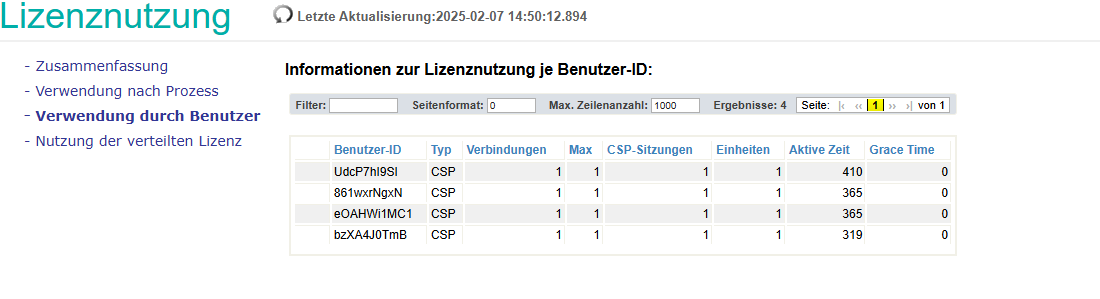
Comments
What does the "Web Sessions" report on the "System Operation" section of IRIS Portal show?
 /iris/api/atelier/
The timeout also is in the past
I just had a similar issue, where there were 25 sessions open with my name. We hit our limit of licenses, so I ended up killing what I was not using so it did not interrupt my team. I did not capture the Timeout (UTC) before I did it, but should of.
After I freed up sessions, I did notice that if I opened VSCode that /api/atelier sessions still opened after I had closed out VS Code. We have the CSP Inactivity Timeout on the Web Gateway to 24 hrs, so I don't know if those sessions were over that timeframe or not.
The next versions of the three extensions (vscode-objectscript, Server Manager and Language Server) will attempt to close their web sessions when VS Code shuts down. This should help avoid sessions stacking up if you restart VS Code often.