Deleting messages relating to deleted production components
We have a large, existing production taking a feed from a single up-stream system and sending to a wide-variety of downstream systems. One of the downstream systems has been decommissioned, and we have deleted the classes that implemented the routing/transformations from the namespace, and deleted the components from the production (Wardview and WV Out in the diagram below). We now want to delete the messages associated with those components without deleting the messages associated with any other components.
In our production environment we are running a message purge job, so those messages will disappear. However, in our test environment we are not running purge jobs, so how can we delete the messages there?
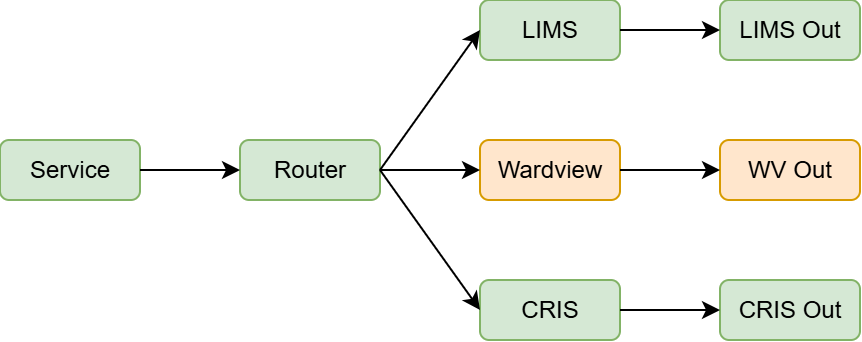
First stab is a couple of SQL statements run from the management portal:
-
DELETE from EnsLib_HL7.Message WHERE ID IN (SELECT MessageBodyId FROM Ens.MessageHeader WHERE TargetConfigName = 'Wardview' OR TargetConfigName = 'WV Out') -
DELETE FROM Ens.MessageHeader
   WHERE TargetConfigName = 'Wardview'
      OR TargetConfigName = 'WV Out'
(In this specific case we know that there are no response messages back through the production, and we know that all messages are HL7.)
Would this work? Would we need to do anything else to keep the tables in sync with each other?
Or is there a way of utilising the built-in purge functionality to purge messages associated with a particular component?
FWIW, we are deleting around 100K messages in this instance, so its not that huge a number, and if we can't do this cleanly we'll just not bother deleting the messages, but interested in the answer.