- Log in to post comments
I successfully connected via dbeaver to the server, but I still get an error via odbc powerbi
We took the latest driver from the page https://intersystems-community.github.io/iris-driver-distribution/ (ODBC-2023.1.0.229.0-win_x64.exe)
I put the file at C:\Program Files\Common Files\InterSystems\IRIS
I don't have an x86 address
I checked this several times, there shouldn't be any errors :(
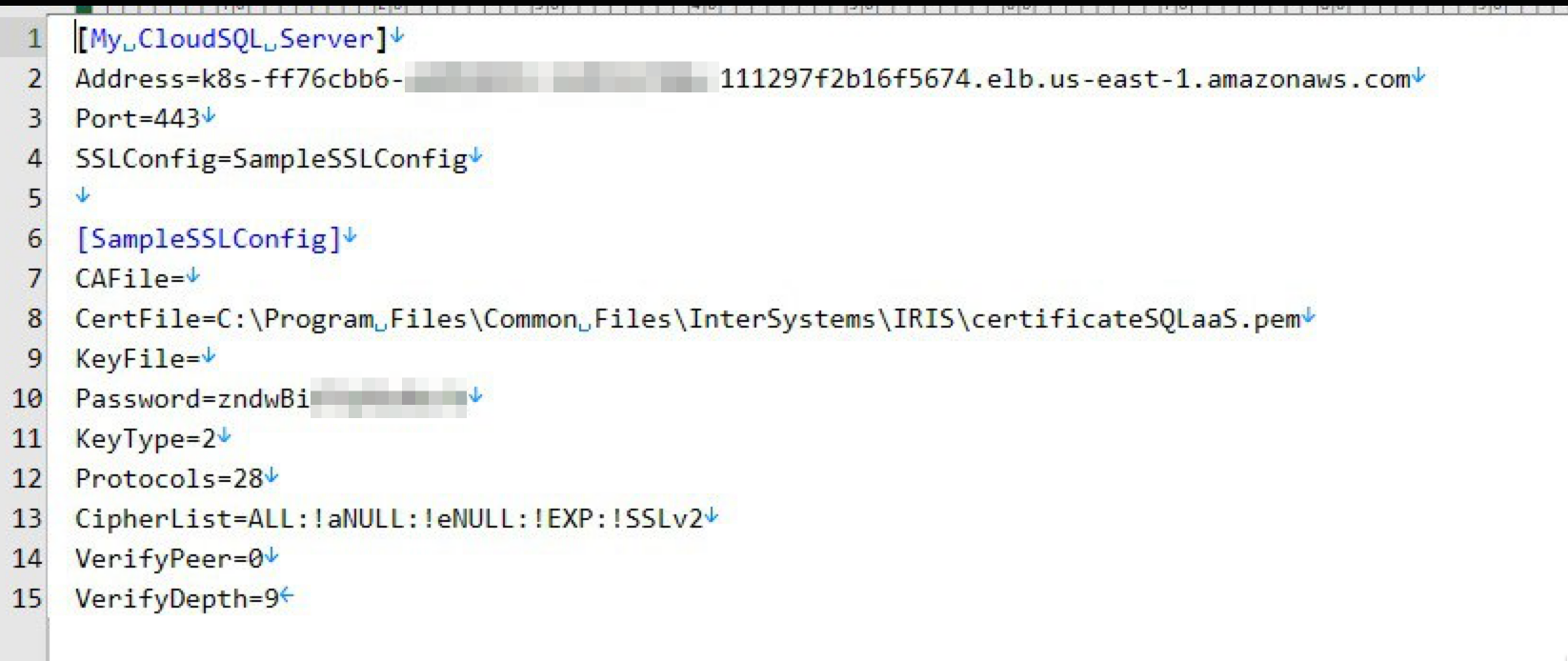
I did everything according to the instructions, but for some reason the configuration file is not found, below is an example of the error. What other options might there be?

Thank you very much for your response, unfortunately this doesn’t work for me - CALL returns an empty result, I call the command through my REST API (it uses this)
Set sql = ##class(%SQL.Statement).%New()

Set sqlStatus = sql.%Prepare("call multi_results()")

Set sqlResult = sql.%Execute()Congratulations! it was a great competition
Hi there, I've added online demo https://iris-dmn.demo.community.intersystems.com/dmn/index.html
Hi all! I added the use of AI to my solution (By adding a separate utility https://openexchange.intersystems.com/package/iris-pretty-gpt-1)
Below is an example of use

-
https://iris-dmn.demo.community.intersystems.com/dmn/index.html#
^ I made an online demo, you can test it
Robert, I thought about usability and added this thing
docker-compose run iris irispython ./rh/flask/app/configer.pyThe result looks something like this
 Maybe this should be put into a separate ZPM package?