Same old terminal but in web
We have Webterminal around for quite a while, but it was limited, not all features worked there. There was no shell support or the latest feature as embedded Python support. There are some issues with tools that require programmer mode. Basic Authorization, not as handy as simple login page, where you could have options to add own login page, in case if you would wish to change the way how to login to the application, such as using SSO.
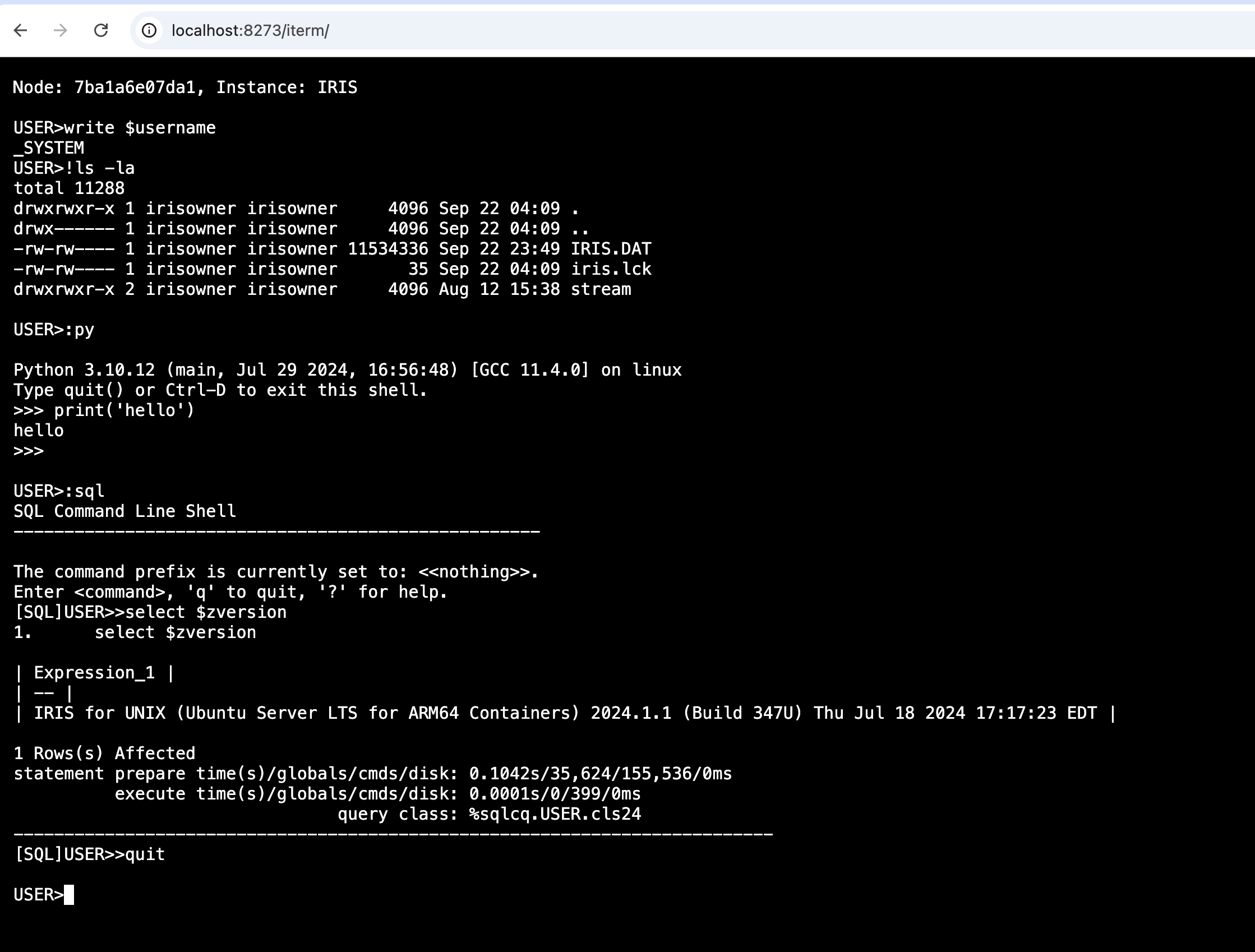
With the original iris terminal, wrapped into a web form, using most used in the web world xterm.js, used in tools like VSCode as well, with some magic from Python, which helped with interprocess tty. We can get the the terminal in the web, in the full capacity.
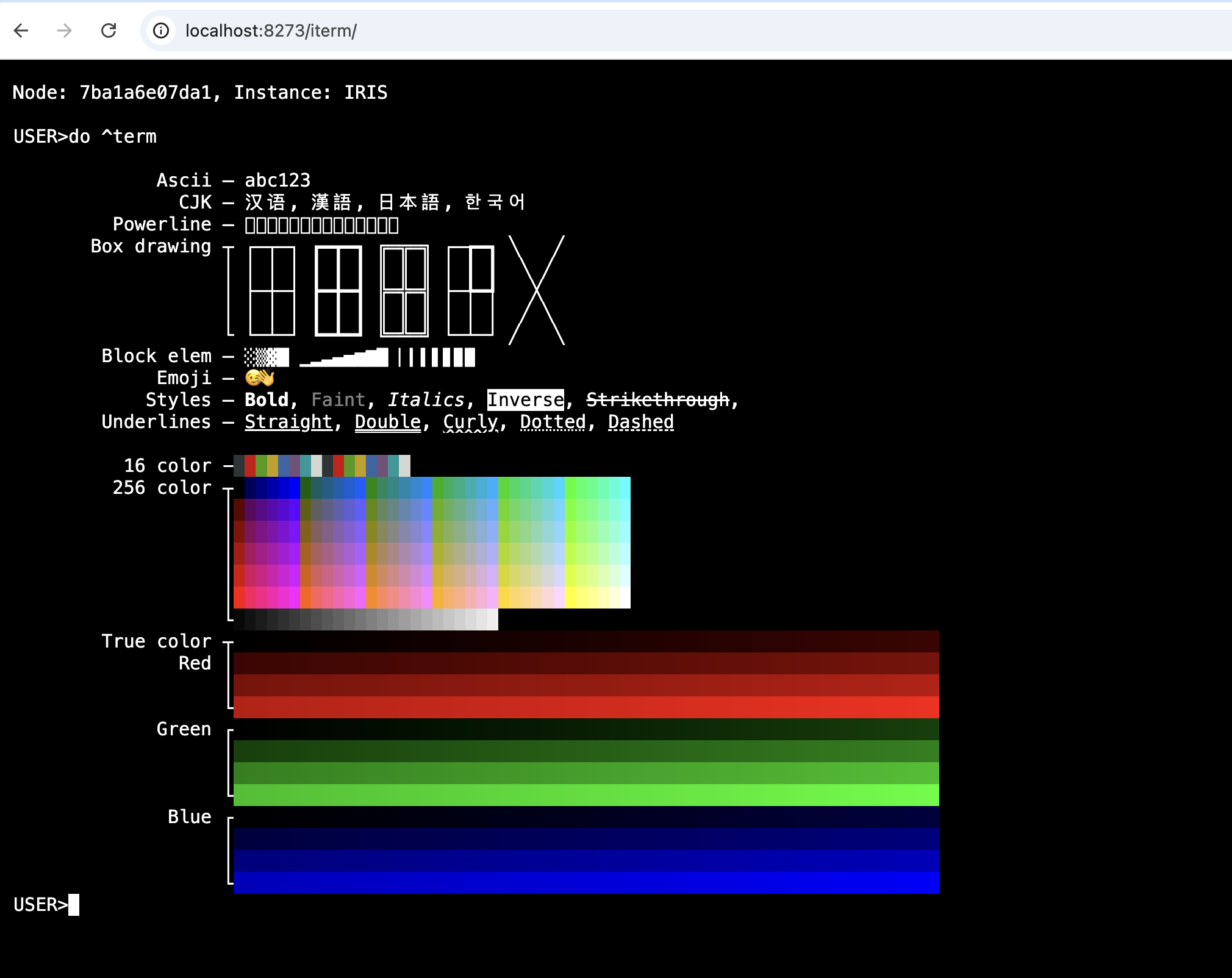
To test how does it work in the web, I've added term routine, which generates some formatting
Ideas for future
- Suggestions and Syntax highlighting You may remember one my previous projects, irissqlcli, which provided intellisense and syntax highlighting to a terminal specifically for SQL access. Mine idea is to add the same level of support to an ObjectScript terminal And this is already as part of this project, as a tool named iterm, unfortunately not finished yet, it's quite tricky to catch the point between when terminal executes something and awaits for some command.
- Small VSCode look like with terminal Another project, is irislab, which can inject new item in it
Please vote in the current contest if you like this project
Comments
I just can repeat my message from OEX review !
.png)
Great stuff, @Dmitry Maslennikov !
What are the benefits compared to Web Terminal?
simple case:
write some lines of ObjectScript in TERMINAL with Functions, ....
NO need to compile it, no INT, no MAC, no traces.
Just DO it:
---
or load some INT., apply your changes, run it, forget it
no save, no recompile, ...
WebTerminal is based on Xecute and compiled code
Same in Studio.
Most missing is access to shell and nowadays python
After further review of the play, this app is a touchdown.
Great work/contribution @Dmitry Maslennikov
installed as IPM module into USER - doesn't work.
Installed after that into %SYS - works. Any ideas?
So: for everyone who tries it via IPM - works ONLY if installed in %SYS.
Otherwise it installs itself but doesn't work silently.
Here's a technique I previously wrote up, maybe useful until IPM supports this scenario itself.
https://community.intersystems.com/post/can-zpm-ipm-package-be-required…
Great work, Well done @Dmitry Maslennikov
After re-installing in %SYS, I'm almost there ...
I'm getting a login screen when launching, but after authenticating I get a black page. When I click the page, I get a flashing cursor in the upper left corner. No IRIS prompt, though.
The audit log is showing this error:
.png)
This is IRIS for Health 2024.2, running on Ubuntu 24.04.1 LTS.
I tested only with docker images, where we have OS Auth for terminal, which is not friendly in case if you need to pass through this step, maybe this is missing here. I’ll try to check
I normally have OS Auth enabled, but I also tried disabling it with the same result.
Super, You brought my x^% back to work
!Edit: ?
Enter one of the following
.B   to break a line into two pieces
.C   to change all occurrences of a string
.D   to display s specific range of lines
.F   to file the routine
.FX  to file the routine and exit the editor
.G   to get lines that were put into in a buffer (see .P)
.I   to insert additional lines (or use the TAB key)
.J   to join a line with the next one
.M   to move lines within the routine
.P   to put lines into a buffer (see .G)
.R   to remove one or more lines
.S   to search for all occurrences of a string
tag OR tag+offset  to edit a line
+n   to move down n lines and edit
-n   to move up n lines and edit
""+n to edit the nth line of the program
^globalref  to edit a value stored in a global node
any line of Cache ObjectScript source code, to execute it
     (but if you call another routine before filing this one,
     it will wipe out any edits you have made).
"." use decimal point to move character by character on the current line
" " use space bar to move from space to space on the line
"e" to enter characters, use "." and " " to move to entry point,
    then press "e".  To get out of entry mode, press <RETURN>.
"d" to delete the characters to the end of the word the cursor is on
Backspace: Depending on your terminal settings, backspace will either move
           back character by character, or delete the character at the cursor.
Edit:
Setting this up on a 2024.2 Windows instance hasn't been easy, and even now I'm only getting a blank page like @Jeffrey Drumm reported elsewhere on this thread. His IRIS was 2024.2 but not on Windows.
Hurdles were:
- zpm 0.7.2 was failing because 2024.2 on Windows doesn't bundle pip. I got a bit further by upgrading to 0.7.3 which shipped last week.
- zpm 0.7.3 wouldn't install iterm until I'd gone through the Flexible Python Runtime setup steps and also worked out for myself the extra zpm steps (did I overlook documentation for these?):
zpm:%SYS>config set UseStandalonePip 1

zpm:%SYS>config set PipCaller "C:\Program Files\Python312\Scripts\pip.exe"
So now I have it installed in %SYS (thanks to the tip from @Evgeny Shvarov in this thread):
zpm:%SYS>list
zpm   0.7.3
iterm 0.1.0
zpm:%SYS>
But still the blank page. And I'm wondering why the iterm contest entry mentions WSGI but the /iterm app set up by the installer is a REST one rather than a WSGI one.
So far, no gain in return for the pain, and I'll continue to get along with Lite Terminal that's built in to the VS Code ObjectScript extension. It requires zero config and works on 2023.2+
Hi John,
Sorry the documentation didn't quite get updated in time but you are right, IPM 0.7.3 includes a fix to using flexible python runtime. I just added a wiki page on how to use it.
I noticed that you were trying to run `config set UseStandalonePip 1` but missed the `set` word. That means UseStandalonePip is not properly set. But seeing that you successfully installed the package, I think it should fine.
I would recommend trying to import the packages listed in requirements.txt of iterm in an interactive embedded Python shell
do ##class(%SYS.Python).Shell()
and if that works, it means the python dependencies are properly installed and the problem lies somewhere else.
If it doesn't work, maybe the section on incompatible python dependencies in the wiki page can provide some help.
I get a ModuleNotFoundError with
import Pygmentsbut not
import pygments
Everything else in the dependencies imports ok.
The missing `set` was because I had copied the wrong line from my shell session. I have edited the post to correct this.
I get the same as Jeff, so it seems the zpm install installed the requirements OK.
Thanks for adding the BYOP doc to the wiki.
Hey @Dmitry Maslennikov , awesome job!
Have you thought about using WebSockets with a simple HTML/JS setup for your terminal, as the VS Code extension does? If you've already tried that and moved on, I’d love to know why. If not, it’s a super easy approach, and I’m sure you’ll have it working in no time.
Just create a WebSocket connection:
const socket = new WebSocket("ws://localhost:8273/api/atelier/v8/%25SYS/terminal");
Then hook it into your terminal like this:
term.onData(data => socket.send(data)); // Send input to the server
I did some tests and got a working terminal. It’s not as smooth as VS Code Lite or yours, but it's close! Let me know if you want to dive deeper.
That WebSockets terminal would have the same issues as WebTerminal. It uses Xecute, which has many limitations, I use real terminal, which has full control over the execution
Just to be sure I understand, the VS Code - InterSystems Lite Terminal (based on web sockets) also has the Xecute limitations you mentioned. If so, can you give some examples of the limitations and what your terminal can do better? I guess other people will have the same questions (especially people who doesn't live on terminal 😅
run
USER > zn "%SYS"
%SYS > ZLOAD JOURNAL
%SYS > Print
in WebTerminal you just get NOTHING
in normal terminal and iterm you see the code
Understood! Thanks.
@Mario Sanchez Macias You missed the point.
The essential functionality is to have a total autonomous partition to work in.
It was never named so, but it is the real Shell for ObjectScript and its predecessors for >50 years !
Has anyone here succeeded in making this work with 2024.1 or 2024.2 on Windows? I've tried two separate IRIS instances, and in both cases I only get a blank black page after IRIS authentication.
Browser devtools network trace shows this repeatedly:
oops: <PYTHON EXCEPTION> 246 <class 'ModuleNotFoundError'>: No module named 'termios'
Probably has no hope of working on Windows:
.png)
In my future no one uses windows
But anyway could you check if try’s can work on windows, maybe I can find a way to use it here
In my case, on Ubuntu, I get the same behavior but different errors in the console:
.png)
The network trace simply shows a continuous stream of GETs:
| GET |
ws://hostname.domain:52773/iterm/pty/?EIO=4&transport=websocket
|
@Jeffrey Drumm does this also happen if you launch iterm from a private browser session?
@John Murray I don't get the cookie errors, but I still get this:
.png)
Are you able to launch an IRIS Lite Terminal onto this server from inside VS Code? Testing this could rule out it being an issue with websockets.
Yes, I can launch an IRIS Lite Terminal from VS Code.
@Jeffrey Drumm I think your issue is likely to be that the app apparently assumes this OS-level command will lead directly to an IRIS shell prompt without requiring credentials. On Linux this means the %Service_Terminal service is accepting Operating System authentication. There must also be an IRIS user definition that matches the OS username under which IRIS runs, and that user must have sufficient rights. Enabling login-related audit messages may help you diagnose failures in this area:
/path/to/iris/bin/irisdb -s/path/to/iris/mgr
That command does get me directly to an IRIS shell prompt when logged into Linux as a user with the same name as an IRIS user.
What about if you are logged into Linux as the userid which your IRIS runs as? On a default install it's typically irisusr, and on the containerized IRIS instances @Dmitry Maslennikov probably uses it's typically irisowner.
Here's what I find when I successfully connect to a Docker container created from a DC registry image, authenticating as SuperUser/SYS
Node: d2ba2ec8dbce, Instance: IRIS

USER>w $zv
IRIS for UNIX (Ubuntu Server LTS for x86-64 Containers) 2024.1 (Build 262U) Thu Mar 7 2024 15:36:40 EST
USER>w $username
SuperUser
USER>!whoami
irisowner

USER>
While iris session can’t be created as a job, with inherited security, I’m rely on ability to automatically login to iris session, without entering username and password. And when session is opened I try to use $sysyem.Security.Login without password to user actually logged to iterm, and it may fail and probably will get into black screen
If the user I authenticate with doesn't have USE permission on %Service_Login you don't even try, which means I get a terminal session with the username and roles (typically %All) of the account IRIS runs as.
I have raised https://github.com/caretdev/iterm/issues/2 about this.
As Linux user irisusr:
jeff@host:~$ sudo su - irisusr
irisusr@host:~$ /isc/iris/sys/bin/irisdb -s/isc/iris/sys/mgr

Node: host, Instance: IH

USER>!whoami
irisusr

USER>