JDBC Gateway Server - Automatically Start
We are trying to script a High Availability Shutdown/Start script in case we need to fail over to one of our other servers we can be back up within mins. Is there a way to configure the startup procedure to Automatically Stop/Start the JDBC server when shutting down or starting up cache? is there an auto setting we can change?
Thanks
Scott Roth
The Ohio State University Wexner Medical Center
Comments
Check ^%ZSTART routine. And ^%ZSTOP for shut down.
And a ZMIRROR routine is useful if you're using InterSystems mirroring and need things to happen only on the primary, for example.
Yes the JDBC Gateways within the Production do stop and start when Cache' is going down and coming back up, but I am talking at the %SYS level,
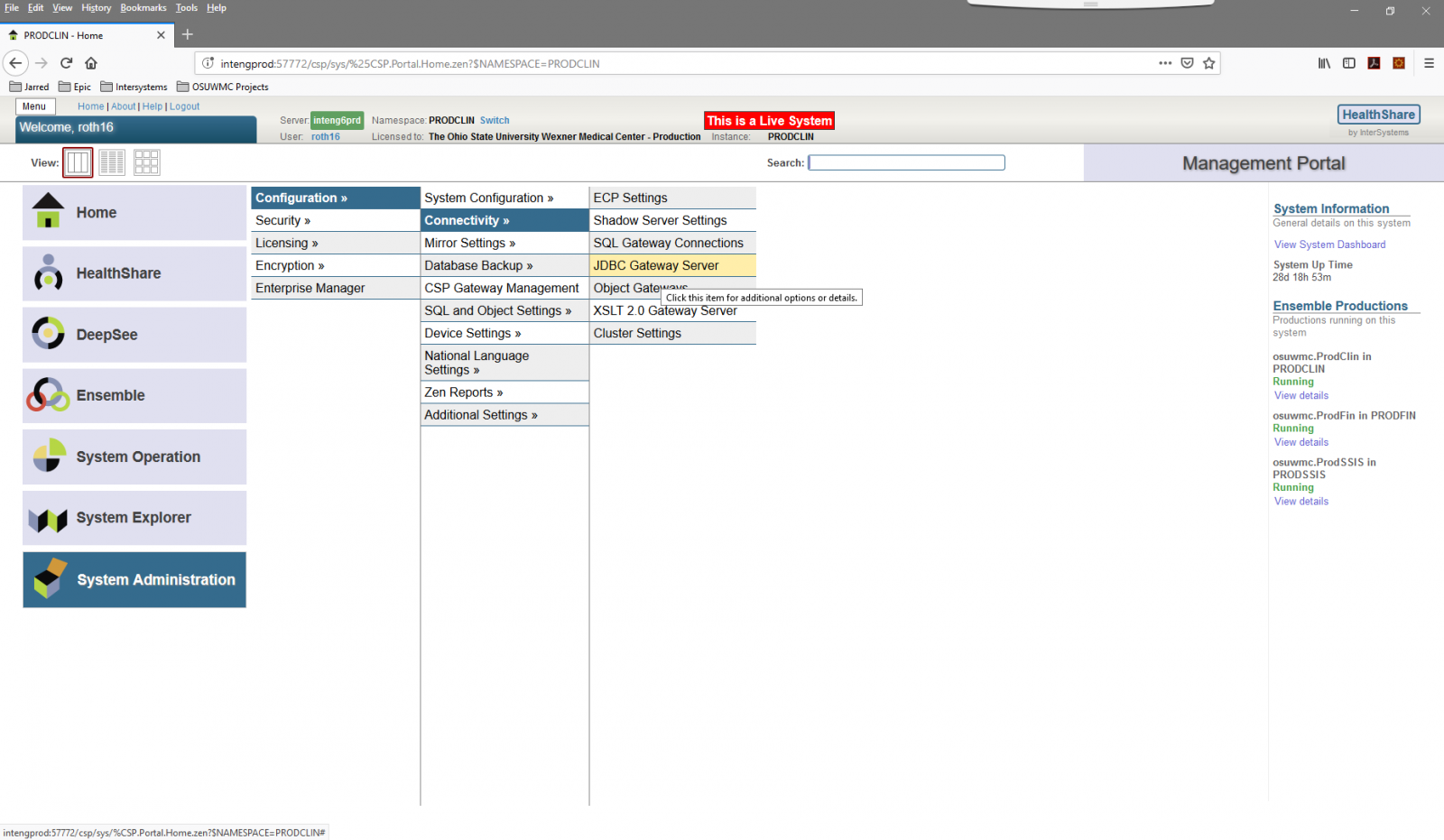
Without the JDBC Gateway Server running a lot of the JDBC Gateway's (Services) start failing in the production which causes us issues.
ZSTART and ZSTOP are kind of vague, how does that fit into ccontrol start and ccontrol stop. Is there any setting where this can be set to automatic?
Scott
Hi Scott.
JDBC Gateway already automatically stops when Caché is stopped. And automatically started on first attempt to use it.
So maybe you don't need to do anything specific here.
I'm also talking about %SYS level.
For example, stop JDBC Gateway server. Then go to SQL Gateway Connections. Choose any JDBC connection, click "Test Connection". You should receive "Connection successful".
Now go back to JDBC Gateway Server and notice that its process is running. It was started automatically when you clicked "Test Connection"
Eduard, where can I see the code for ZSTART AND ZSTOP?
Thanks
Scott
You need to write it. From docs:
You can execute your custom code when certain events occur. Two steps are required:
1. Define the ^%ZSTART routine, the ^%ZSTOP routine, or both.
- In these routines, you can define subroutines to execute when the certain activities start or stop.
- ^%ZSTART and ^%ZSTOP must be defined in the %SYS namespace, although they can be mapped to a non-default database.
2. Use the Management Portal to configure Caché to invoke the desired subroutines.
Specifically, if you define the routine ^%ZSTART and ^%ZSTOP and you include subroutines with specific names, the system automatically calls these subroutines when the activity is beginning or ending. The subroutine names are as follows:
- SYSTEM — Executed when Caché as a system starts or stops
- LOGIN — Executed when a user performs a login or logout using the %Service_Console or Service_Telnet services.
- JOB — Executed when a JOB begins or ends
- CALLIN: — Executed when an external program begins or completes a CALLIN
For example, when a system starts, the system automatically invokes SYSTEM^%ZSTART, if that is defined and if you have used the Management Portal to enable this subroutine.
SYSTEM^%ZSTART and SYSTEM^%ZSTOP are run with $USERNAME set to $system and $ROLES set to %All. To run your code with a different username, use $SYSTEM.Security.Login() to set the desired name and then continue with your custom code. If you use JOB to launch any additional processes, those processes will inherit the same username (and roles) as the initiating process.
Enabling %ZSTART and %ZSTOP
Once the routines have been designed, developed, compiled, and are ready to be tested, individual entry points may be enabled through the Management Portal. Navigate to the Startup Settings page by selecting System Administration, then Configuration, then Additional Settings, then Startup Settings, and edit the appropriate individual settings:
- SystemStart, SystemHalt
- ProcessStart, ProcessHalt
- JobStart, JobHalt
- CallinStart, CallinHalt
To deactivate one or more of the entry points, use the same procedure but change the value to false.
Hi Scott,
What errors do you see in the Gateway services in the production?
Stelios
ZSTART and ZSTOP are kind of vague, how does that fit into ccontrol start and ccontrol stop. Is there any setting where this can be set to automatic?
ZSTART and ZSTOP are executed on startup/shut down automatically.
Does anyone have some good examples of ZSTART, ZSTOP, or ZMIRROR that they use to start the External Language Server like the %JDBC Server? As we move to mirroring I worry about remembering to start up the %JDBC Server if it does not start automatically.
Please and thanks
Scott