I have modified Directory to point to a physical path, and restarted Caché. Still getting 404.
UPD. Adding trailing slash to directory name solved my problem.
Thank you.
- Log in to post comments
I have modified Directory to point to a physical path, and restarted Caché. Still getting 404.
UPD. Adding trailing slash to directory name solved my problem.
Thank you.
You need to query Ens.MessageHeader class.
Here's an example of calling class method with two parameters:
<call method="Method">
  <parameter expression="%request.Get("URLPAPAM")"/>
  <parameter value="123"/>
</call>
Check %ZEN.Report.call and %ZEN.Report.parameter for details.
User roles should be limited to databases in that namespace.
Why do you prefer $System.Status.OK()to $$$OK and $System.Status.IsError(sc) to $$$ISERR(sc)and $$$ISOK(sc)?
You can add your own DeepSee dimension levels by extending %DeepSee.Time.AbstractLevel class. Check %DeepSee.Time.Year class for an example of Year level within a time dimension.
List of available time level classes is obtained in %DeepSee.Utils:%GetTimeLevelClasses and is used during cube generation.
You can define a parameter as an ObjectScript expression that it is evaluated at runtime. To do so, specify its type as COSEXPRESSION and specify an ObjectScript expression as the value:
Parameter PARAMNAME As COSEXPRESSION = "ObjectScriptExpression";
where PARAMNAME is the parameter being defined and ObjectScriptExpression is the ObjectScript content that is evaluated at runtime.
An example class parameter definition would be:
Parameter DateParam As COSEXPRESSION = "$H";
That said, I'd recommend gradual refactoring of these parameters into methods.
8th of July?
ens.log
Where can I find that file?
Ensemble event log?
It is stored in Ens.Util.Log class, so you can easily export it to csv/html/xml/pdf/txt from SQL. Here's a sample export to CSV:
set rs = ##class(%SQL.Statement).%ExecDirect(,"SELECT * FROM Ens_Util.Log")
set file = "C:\InterSystems\Ensemble\mgr\Temp\Ens.Log"
do rs.%DisplayFormatted(100, file) // 100 for CSV format
Docs for %DisplayFormatted.
You can upload images using this button:
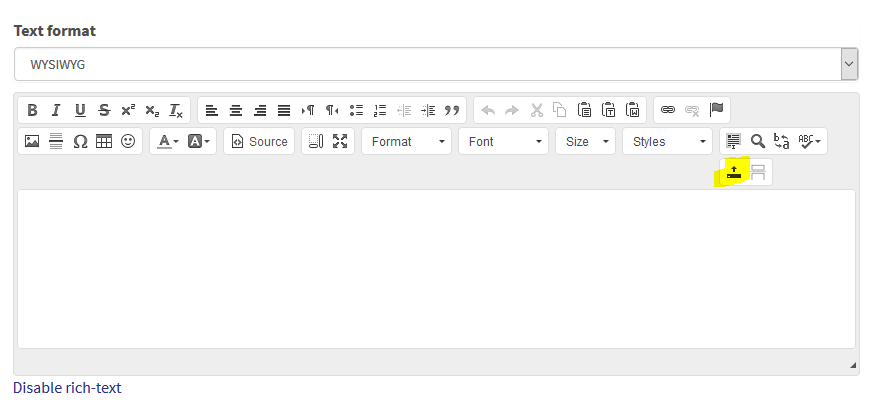
There are several ways to do that.
Maybe something in %SYSTEM.INetInfo would help.
If it's a part of Ensemble Production, you need to create Business Operation. Here's a sample BO that does POST request:
/// This operation does a POST request to a REST API and receives Auth token
Class Production.Operation.NLPAuthOperation Extends Ens.BusinessOperation
{

Parameter ADAPTER = "EnsLib.HTTP.OutboundAdapter";

Property Adapter As EnsLib.HTTP.OutboundAdapter;

Parameter INVOCATION = "Queue";

/// Get Auth token
Method GetAuth(request As Ens.Request, Output response As Ens.StringResponse) As %Status
{
    #dim sc As %Statis = $$$OK

    // Form request body (using Credentials)
    set input = {"user": ( ..Adapter.%CredentialsObj.Username), "pass": (..Adapter.%CredentialsObj.Password)}

    // Send post request
    set sc = ..Adapter.Post(.httpResponse,,input.%ToJSON())
    quit:$$$ISERR(sc) sc

    // Get token from response
    set token = {}.%FromJSON(httpResponse.Data).token

    //
    set response = ##class(Ens.StringResponse).%New(token)
    quit sc
}

XData MessageMap
{
<MapItems>
    <MapItem MessageType="Ens.Request">
        <Method>GetAuth</Method>
    </MapItem>
</MapItems>
}

}
If you're outside of Ensemble, you need to use %Net.HttpRequest class. Here's an example.
Let's say you have called this url:
http://localhost:57772/rest/users/1?fields=list
And you have this route:
<Route Url="/users/:id" Method="GET" Call="Test"/>
Then in your Test method call:
write %request.Get("fields")it would output list.
Turns out, I forgot to setup DispatchClass for /passthrough application. After setting it to EnsLib.SOAP.GenericService, the following URL works:
http://localhost:57773/passthrough/PassthroughService/CurrencyConvertor.asmx
That's $$$defClassDefined(class). It shows that class definition exists (or doesn't), but it doesn't show if a class is compiled.
%ExistsId does not open an object for %Dictionary package. Just checks the globals (see %Dictionary.CompiledClass for example).
The fastest way to check if a class exists would be:
write $$$comClassDefined(class)
For your specific usecase REST seems like a way to go. Check Caché FileServer and ClassExplorer projects - they both do file serving.
How do you populate Ens.StreamContainer object?
Open User.zKQRest.
The name is not important. This method is an method generator, so it runs during compilation. But as it produces no code, the method does not get generated.
If you have access to Caché database you can create custom query that accepts date as an argument and based on that returns specific table. It can be used via ODBC like this:
SELECT * FROM Package.Class.MyQuery(DATE)
or
Call Package.Class.MyQuery(DATE)
Here's a sample query that returns Ids from a table or a class and has an argument - class name (or table name):
Class Utils.CustomQuery2
{

/// Return ids from a table or a class
Query GetTable(Table) As %Query(CONTAINID = 1, ROWSPEC = "Id:%String") [ SqlProc ]
{
}

ClassMethod GetTableExecute(ByRef qHandle As %Binary, Table) As %Status
{
    #Dim Status As %Status = $$$OK

    If ##class(%Dictionary.ClassDefinition).%ExistsId(Table) {
        // Got a class, we need to calculate a table name and quote it
        #define ClassSQLTable(%c)    ($$$comClassKeyGet(%c,$$$cCLASSsqlschemaname)_"."_$$$comClassKeyGet(%c,$$$cCLASSsqltablename))
        Set Table = ##class(%CSP.UI.Portal.SQL.Home).Quoter2($$$ClassSQLTable(Table))
    }


    Set qHandle = ##class(%SQL.Statement).%ExecDirect(,"SELECT ID FROM " _ Table)
    If qHandle.%SQLCODE'=0 {
        Set Status = $$$ERROR($$$SQLError, qHandle.%SQLCODE, qHandle.%Message)
    }
    Quit Status
}

ClassMethod GetTableFetch(ByRef qHandle As %Binary, ByRef Row As %List, ByRef AtEnd As %Integer = 0) As %Status
{
    If qHandle.%Next() {
        // Same as in ROWSPEC
        Set Row = $Lb(qHandle.ID)
    } Else {
        /// No more data
        Set AtEnd = 1
        Set Row = ""
    }
    Quit $$$OK
}

ClassMethod GetTableClose(ByRef qHandle As %Binary) As %Status
{
    Kill qHandle
    Quit $$$OK
}

}
Call samples from ODBC:
SELECT * FROM Utils.CustomQuery2_GetTable('Cube.Cube.Fact')
Call Utils.CustomQuery2_GetTable('Cube_Cube.Fact')
You can use %Dictionary package to do that. Here's a method that sets selectivity of a specified class/property (assuming Default storage) to an arbitrary value:
/// w $system.Status.DisplayError(##class(User.Selectivity).ModifySelectuvity())
ClassMethod ModifySelectuvity(class As %Dictionary.CacheClassname = {$classname()}, property As %String = "field1", selectivity As %Integer(MINVAL=0,MAXVAL=100) = {$random(101)}) As %Status
{
    #dim sc As %Status = $$$OK
    set id = $lts($lb(class, "Default", property), "||")
    set strategy = ##class(%Dictionary.StoragePropertyDefinition).%OpenId(id)
    set strategy.Selectivity = selectivity _ ".0000%"
    set sc = strategy.%Save()
    quit:$$$ISERR(sc) sc

    set sc = $system.OBJ.Compile(class)
    quit sc
}Here's a code snippet:
// Really %sqlcq.<NAMESPACE>.cls<NUMBER>
#dim rs As %SQL.ISelectResult
set rs = ##class(%SQL.Statement).%ExecDirect(, "SELECT * FROM Sample.Person")
//set rs = ##class(Sample.Person).ExtentFunc()
//do rs.%Display()

while rs.%Next() {
    write rs.ID,!
}Why do you want to change selectivity?
You can run TuneTable to recalculate selectivity.
301 is "Moved permanently". Try setting
Set aa.FollowRedirect = $$$YES
You can use method generators:
ClassMethod OnCompile() [ CodeMode = objectgenerator ]
{
    do $system.OBJ.Compile("class")
    quit $$$OK
}
If method generator produces no code, then it would not be created, only ran at compile time.