Time chat cannot show properly in Deepsee Web when there is a missing field in the pivot table
Hi everyone, This is me again🥲...
Today I want to share a sad story, which is my Deepsee Web is not working properly.😭
The story is like that.
Initially, I have a dashboard on monitoring how much I spend on the sky (by time chart) and look like the following originally
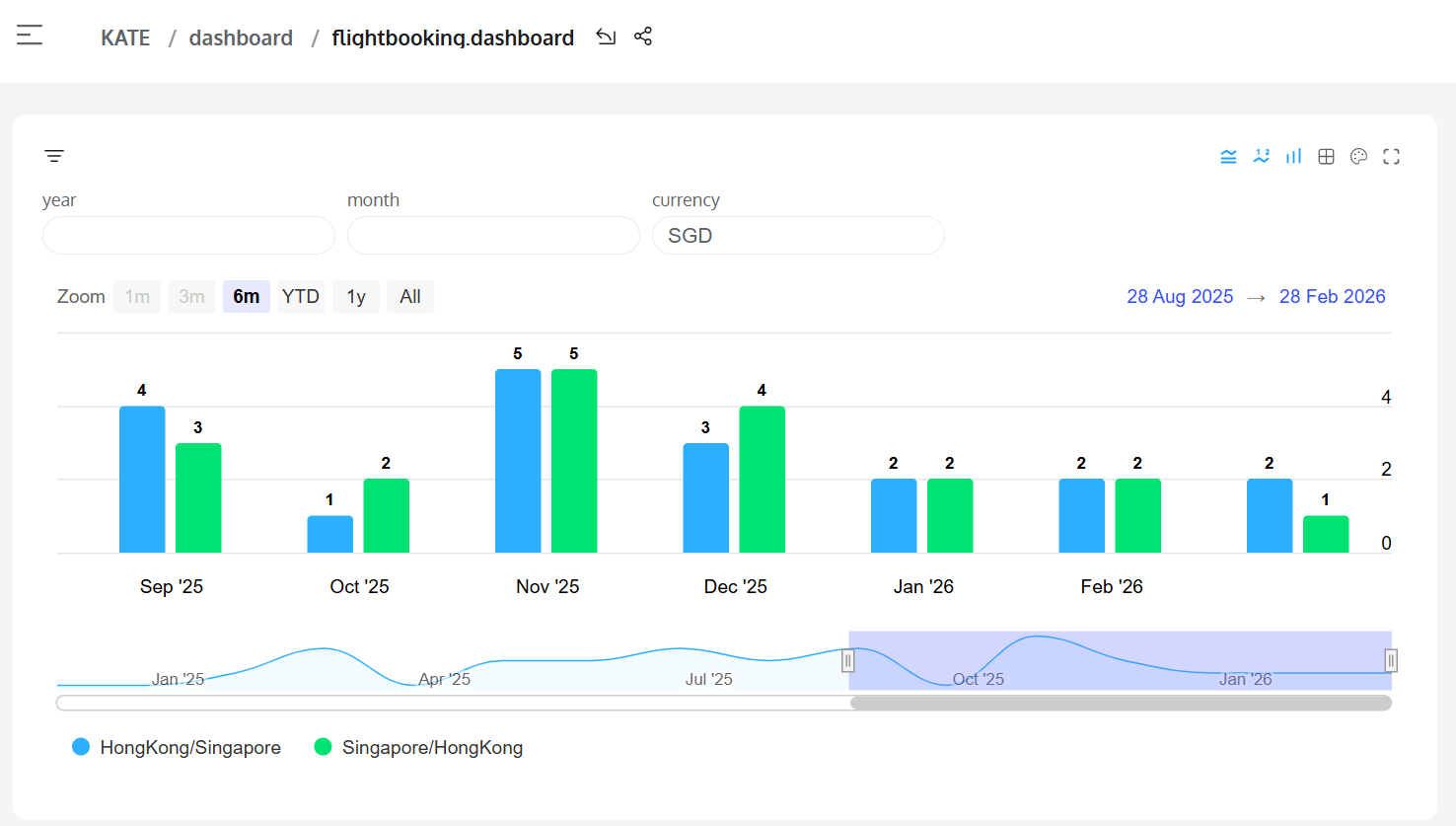
It actually looks very nice right? 🥰
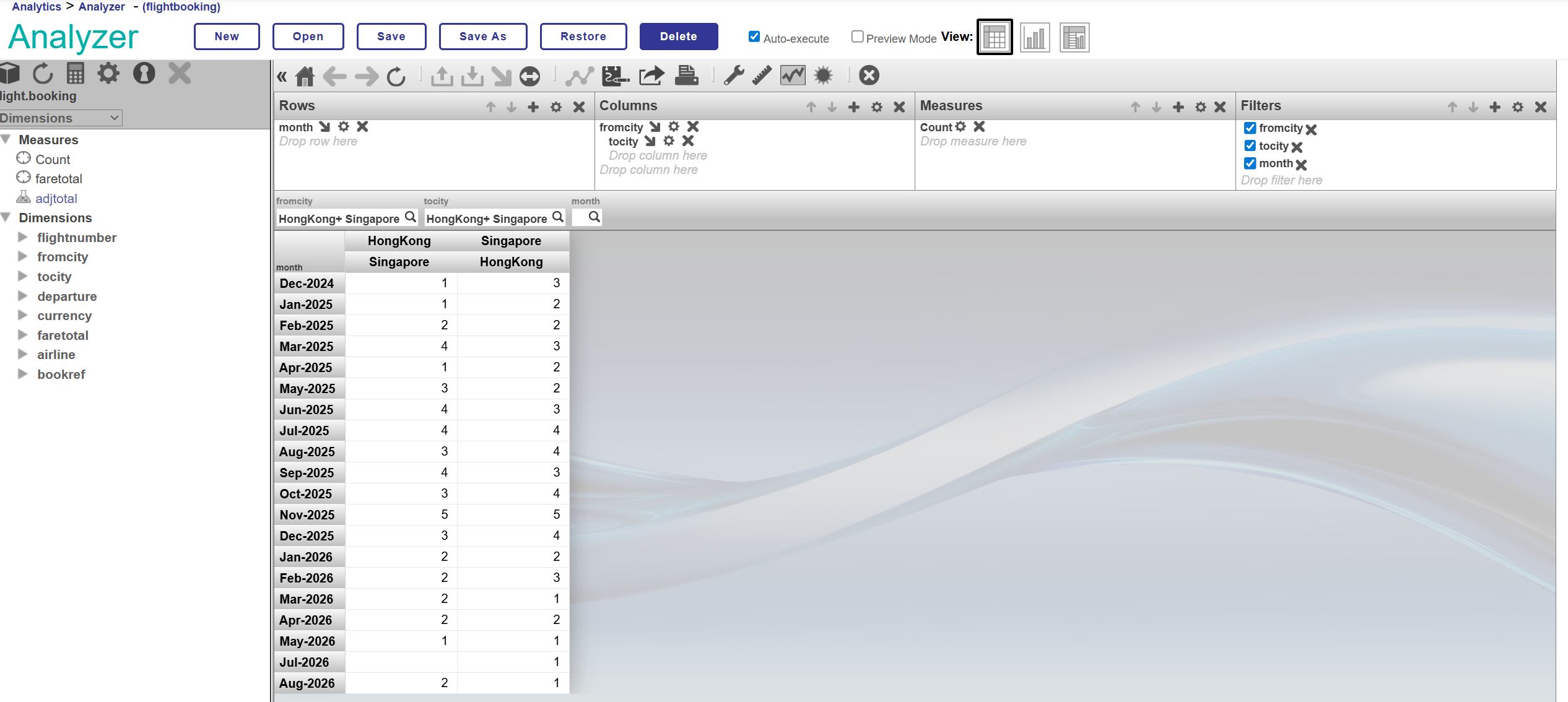
Today I try to load my new travel plan into it an introduced a NULL value in the pivot table (July 2026) 😑
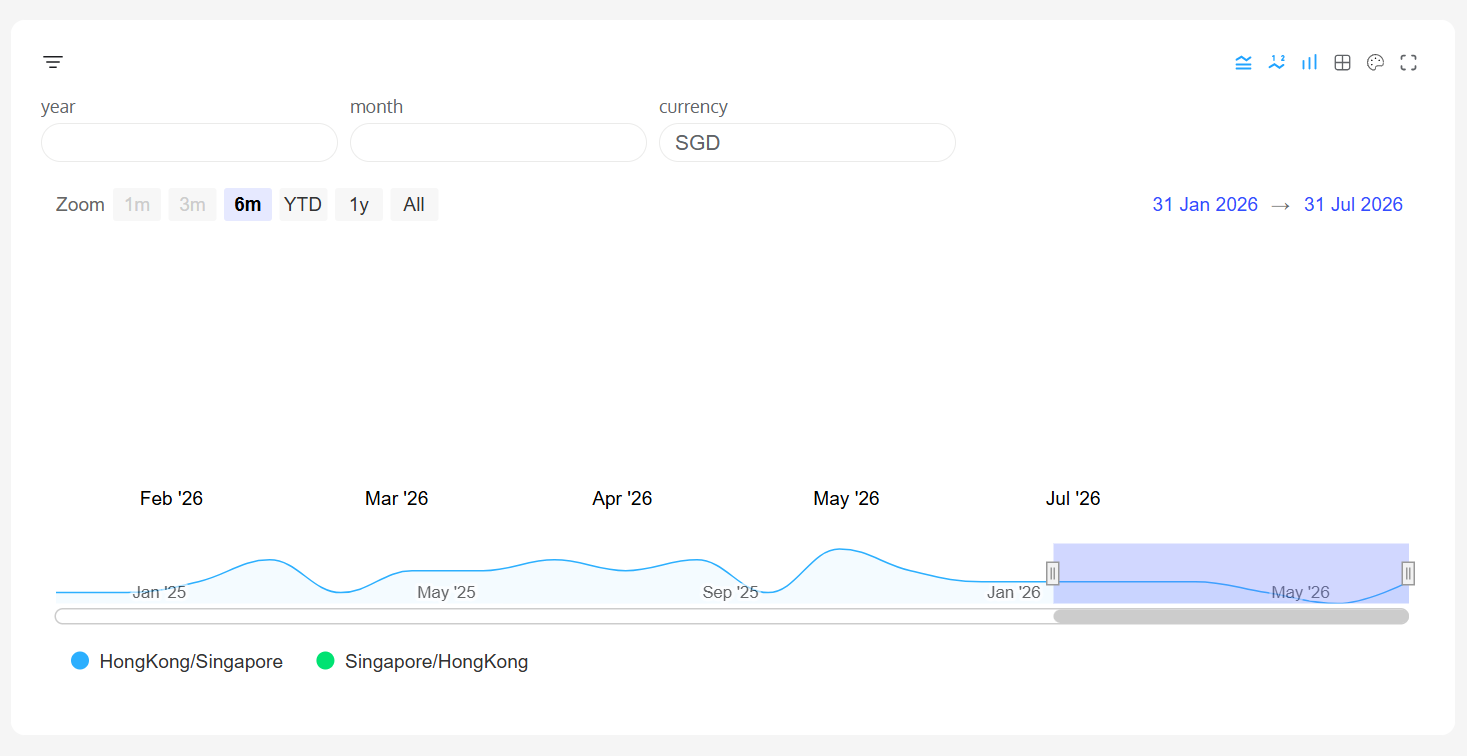
after that, the bar chat on the time chat cannot display any more on Deepsee web😵😵😵😵
but still working on Deepsee (seems, I am not sure is it count as working, as the line not linking to the point)
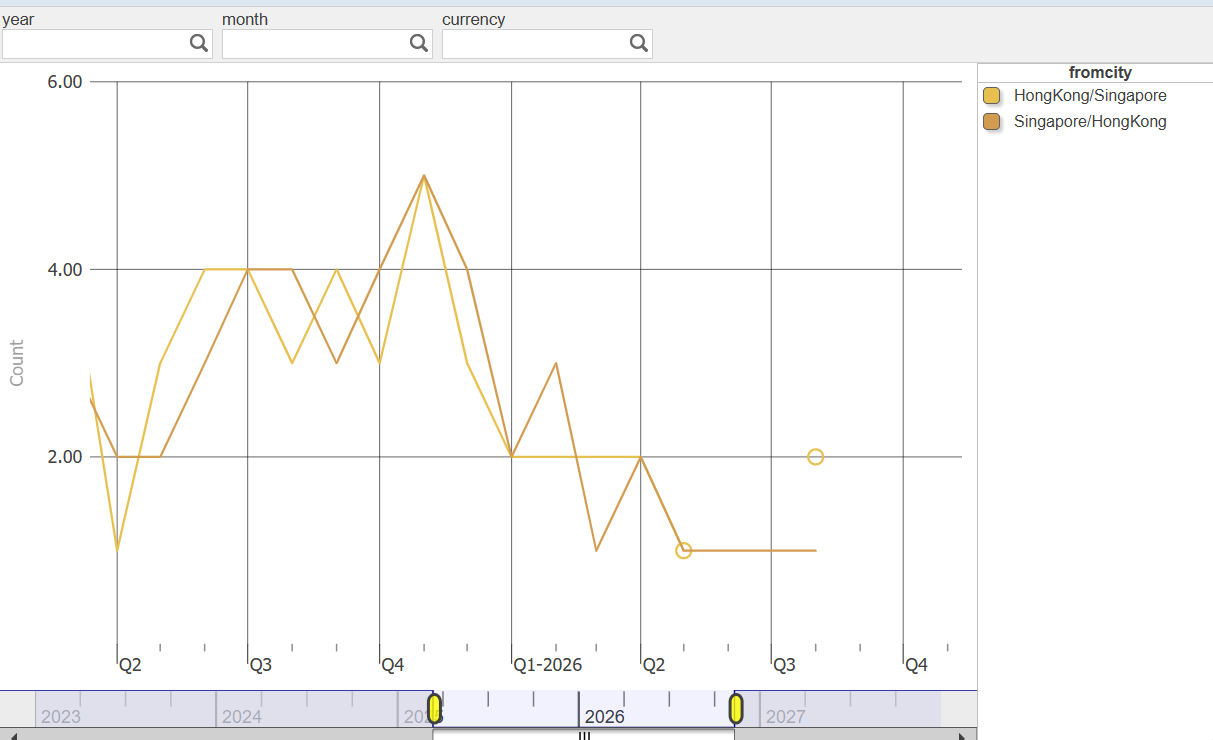
So my question is, how to replace the NULL value (come form the Measure Count) to zero in the pivot table?
Thank you 🙏
Comments
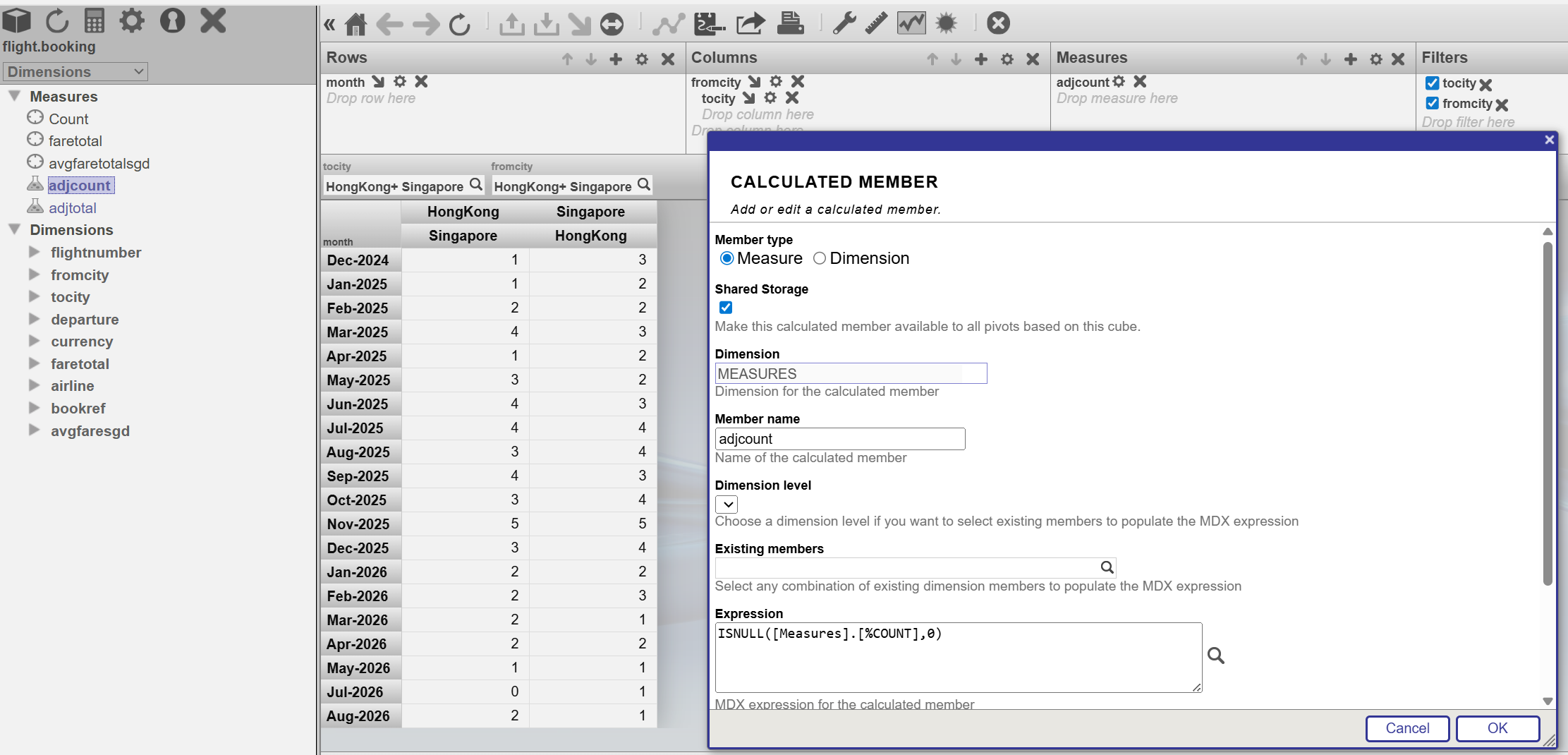
To handle NULL values in a DeepSee pivot table and replace them with zero, you can use the ISNULL function in your MDX query. The ISNULL function allows you to check for NULLs and replace them with a specified value, such as zero. For example, you could modify your calculated measure as follows:
ISNULL(<YourMeasure>, 0)
Here, <YourMeasure> is the measure in the pivot table that might contain NULL values. If the value is NULL, this function ensures it is replaced with 0 1.
Sources:
The DC AI Bot is correct here, simply add a new calculated measure - something like "Non-Null Count" and use the ISNULL() MDX function. Instead of using "Count" as your measure, use "Non-Null Count".
Or you could just book another flight 😀
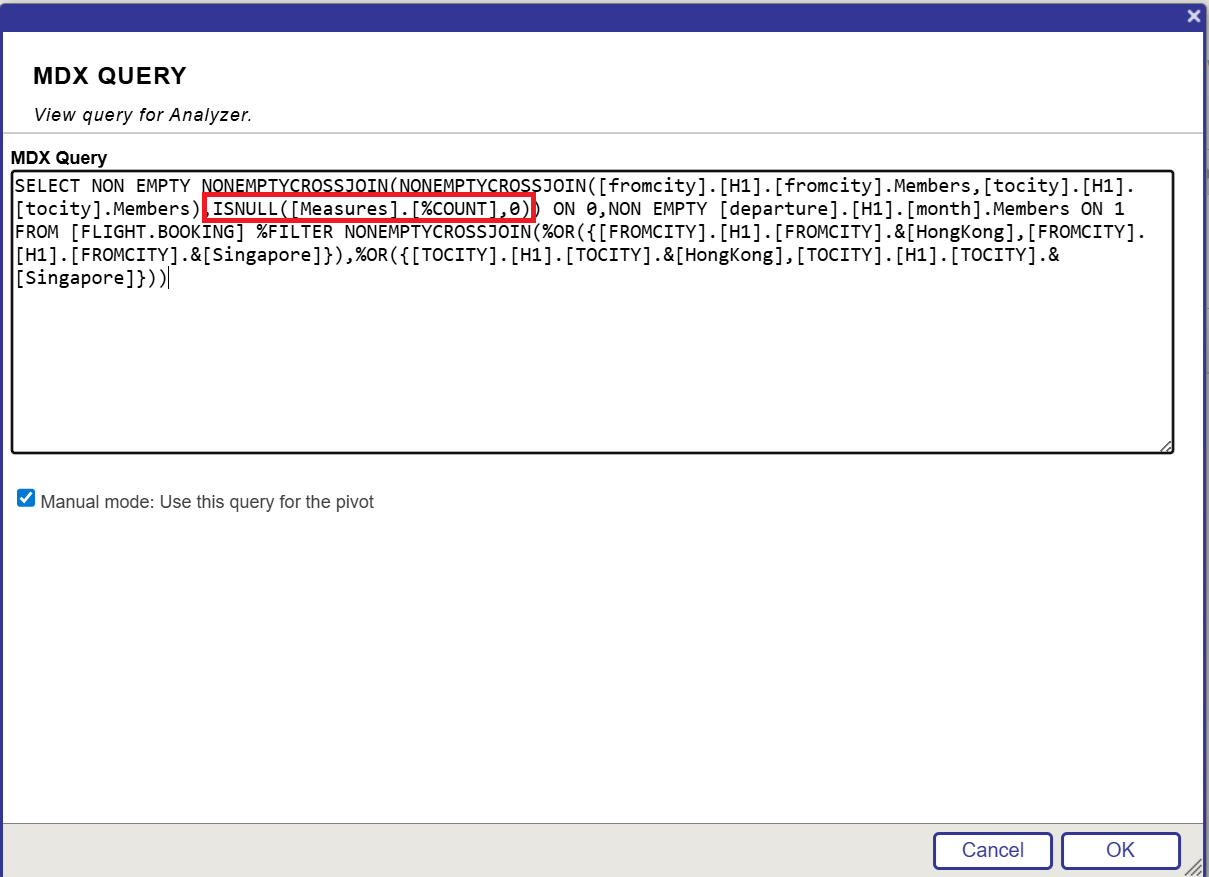
Working well now. I don't need to book an extra ticket hahahah😃 Thx DC AI Bot and thx Peter😘
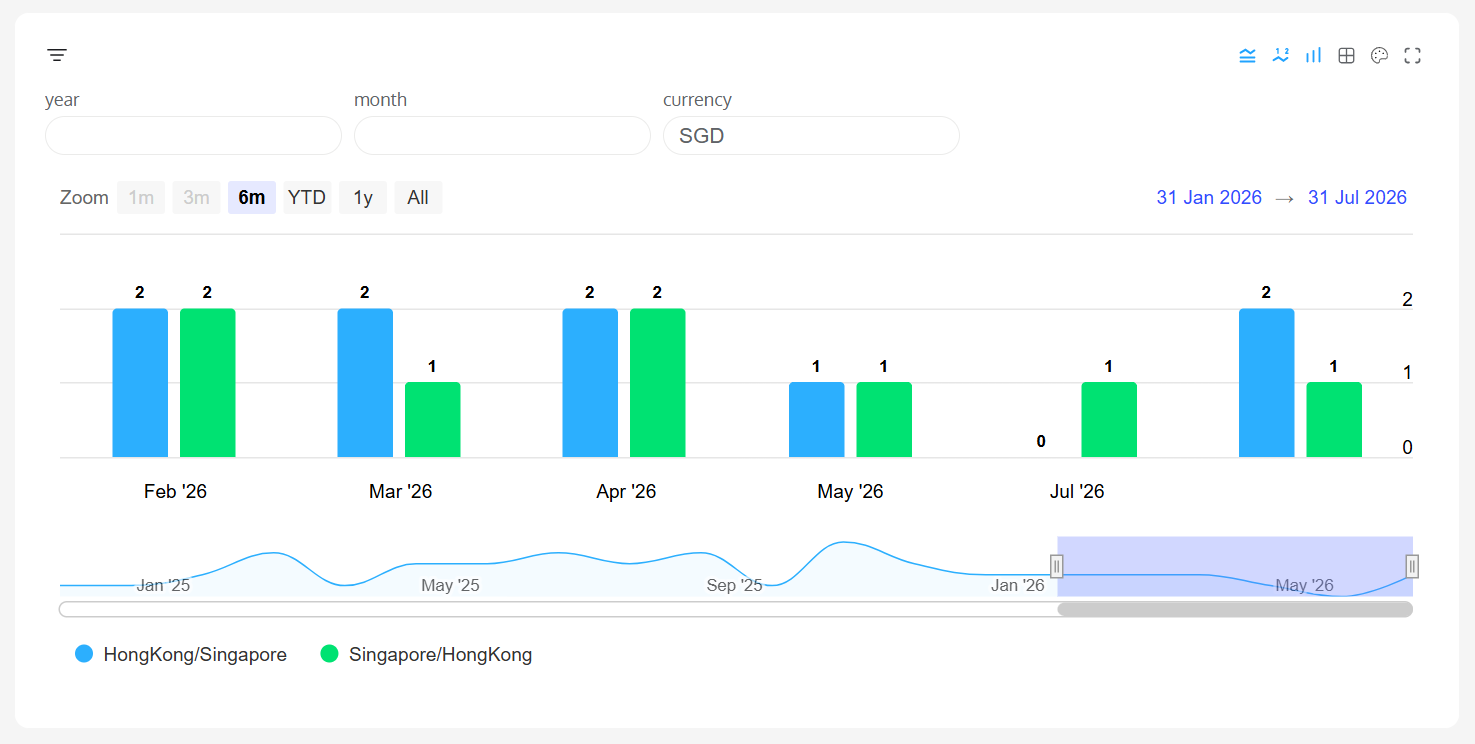
I see that you added this in manual mode - I am not sure if you did it this way for testing purposes, but if you create a calculated measure (similar to how you have defined "adjtotal"), then your pivot will be more user friendly to modify in the future. Once in manual mode, you won't be able to drag and drop anything to the row/column/measure/filter boxes anymore
Yes, thx form reminding me. You are correct!
After adding the adjcount, it is more connivence now😁