New AI CCR Assistant
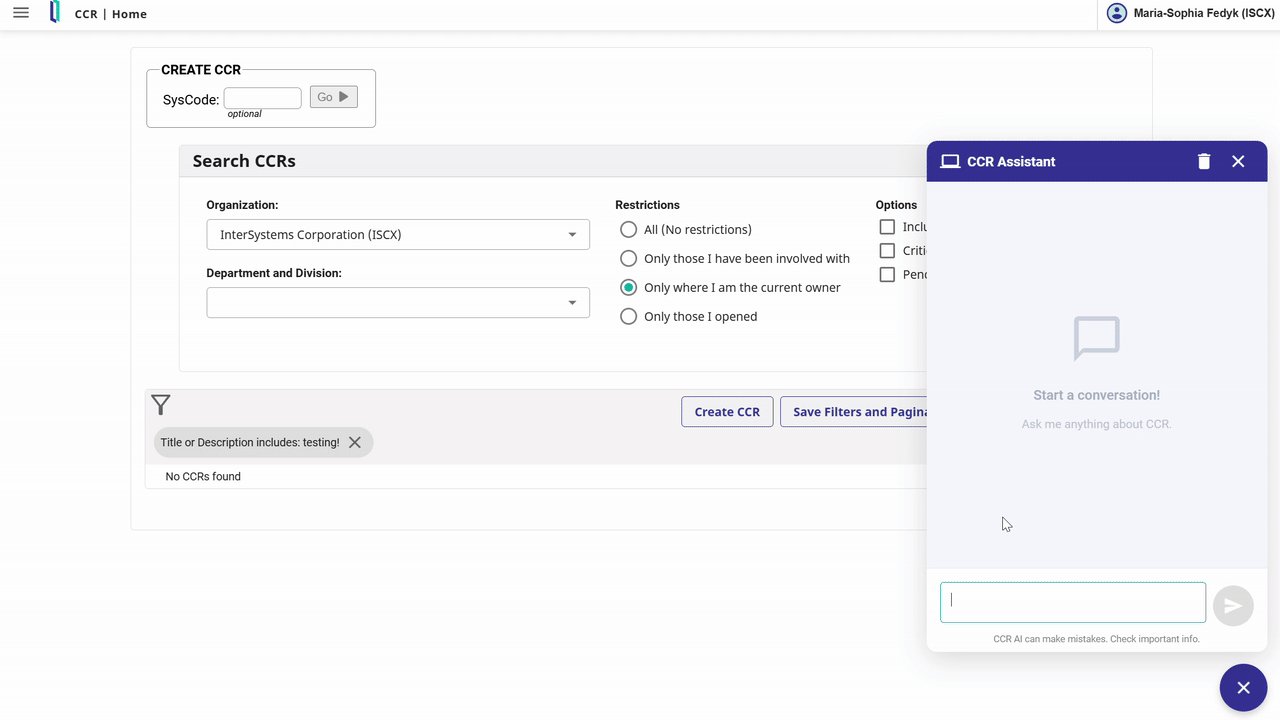
CCR now includes an AI-powered 'CCR Assistant', available to beta testers. The CCR Assistant helps you quickly get answers about common CCR workflows, terminology, or best practices. Every response includes references to relevant ICC Training courses, making it easy to dive deeper into any topic. As a future improvement, the links will point directly to the specific page of the ICC Training PDF that was used to generate the response.
To access the assistant, hit the blue "Open CCR Assistant" icon in the bottom right of the CCR application. Conversations are stored across browser sessions, but cleared when you logout.
You can submit feedback on any response by hitting the thumbs up or thumbs down button and entering an optional comment. Your feedback is greatly appreciated and will help us to continue improving the quality of our responses!
To try out the CCR Assistant, navigate to the Users menu in the sidebar, check the Beta Tester box under your profile, and click Save. You can opt out at any time by unchecking the box.
For a quick demo of the CCR Assistant in action, check out the video below.
Comments
Really excited to start playing with this! For those that try it, please use the feedback buttons and let us know how we can make this even more useful!!
Wow! So cool!
what's the tech behind New AI CCR Assistant?
@diba, great question! Within InterSystems we are using SerenityGPT for RAG on top of internal knowledge sources. SerenityGPT stores embeddings in IRIS and uses IRIS Vector Search to find content used for RAG. Please see our GenAI session from Ready 2025 for more details on how we're partnering with SerenityGPT.
We have a SerenityGPT Tenant which consumes the InterSystems Change Control (ICC) training content, and makes it available for chat. CCR calls the API to have a turn by turn chat with this SerenityGPT tenant to get access to the ICC knowledge. In the future we plan to add ICC Online Course Transcripts, CCR FAQs and CCR Community content to this Tenant as well to broaden the knowledge available to the AI Assistant.