IRIS Whiz Cast: The Tactile, Anti-Email Dashboard for Integration PipelinesContestant
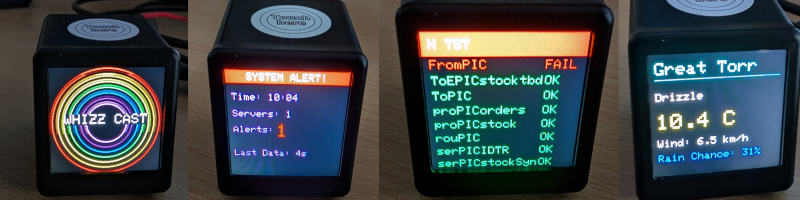
When managing critical healthcare data through an integration engine you want to know the moment a queue starts backing up or a service drops.
Unfortunately, this usually leads to an email inbox stuffed full of notifications that can sometimes seem impossible to maintain.
Well, I’ve not solved that problem.
But I have created something that could help...
Introducing IRIS Whiz Cast - the younger, more attractive cousin to the Chrome Extension ‘IRIS Whiz’ that I built a couple of years ago.
It’s a custom-built (ish), ESP32-powered smart display designed to bring live InterSystems business component statuses right to your desk in a small, always-on form factor.
I say ‘ish’ because the only bit that’s custom is the code. I actually just bought a £15 (price varies dramatically) pre-built GeekMagic Pro display on AliExpress and flashed it with my own software…
This arrives us nicely at my biggest hurdle to overcome: the IT department.
Secure, Out-of-Band Architecture
I knew our security guys might not be entirely ‘whizo’ about letting a random AliExpress IoT device onto our network - even if I did completely flash it. So, to achieve strict network isolation, Whiz Cast utilizes a two-part architecture.
First, a custom Chrome Extension lives on my authenticated, VPN-connected work laptop. This extension handles the device setup and securely polls an InterSystems API I created for component statuses.
Once the JSON is retrieved from the engine, the extension packages the payload and broadcasts it locally via Bluetooth Low Energy (BLE) to the ESP32 display.
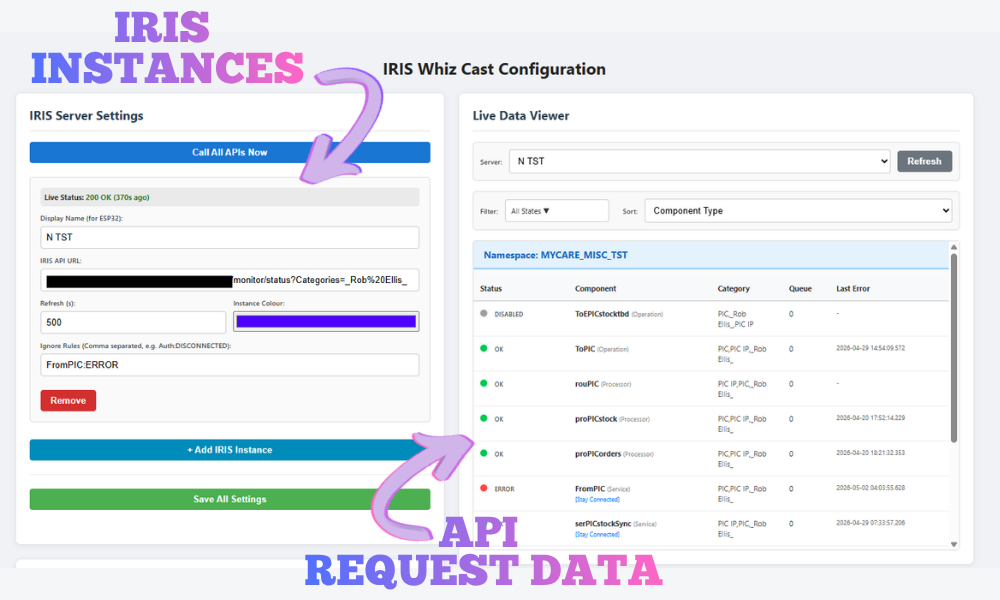
While the display uses standard home Wi-Fi to power its secondary apps (more about these later), it has absolutely zero direct access to the corporate network, requires no VPN credentials, and holds no enterprise authentication tokens. The critical InterSystems telemetry is delivered entirely "out-of-band" over local Bluetooth, ensuring strict network isolation without sacrificing developer visibility.
InterSystems Optimization & Global Caching
To make this architecture scalable, I created a scheduled task within IRIS to compile the current state of all Services, Processes, and Operations from all namespaces with an active production, and save that data directly to a dedicated Global.
When the Whiz Cast extension requests an update, it simply reads this lightweight Global via a REST API. This means whether there is one Whiz Cast device on a desk or fifty, the data-gathering load on the integration engine remains identical.
All the API has to do is filter the data down to the requested content.
As our team adds our individual names as categories to all the business components we are responsible for, I added a Categories query parameter to my API call. The API applies this filter to the Global data and returns only the components assigned to me.
Each instance of InterSystems IRIS added to the extension shows up as one slide on the Whiz Cast screen. To prevent overflowing the massive 1.5-inch display, you can add each system you want to monitor as a separate entry in the extension. Then, adjust the category filter, and you have a slide per system with only a handful of business components to show.
Active Alerting
Whiz Cast isn’t just an interface monitor; it operates as a multi-app smart display.
While idle, it cycles through a selection of playful widgets to amuse, inform and hopefully not distract you too much from work.
However, the moment the Chrome extension sends through a component with an ERROR, QUEUEING, or DISCONNECTED state, the device triggers an interrupt. It immediately halts the current app, flashes a system alert, and locks the screen onto the Monitor Dashboard. It forces you to acknowledge the failed component by physically tapping the capacitive touch sensor on the top of the device before it allows you to return to the previous app.
(Side note: I’ve also built an exclusion filter into the extension. If you have a known problem-child component that is always disconnecting, you can enter a rule like BadService:Disconnected. Whiz Cast will ignore the disconnects for that specific component, while still alerting you if it errors or queues!)
Beyond the Engine
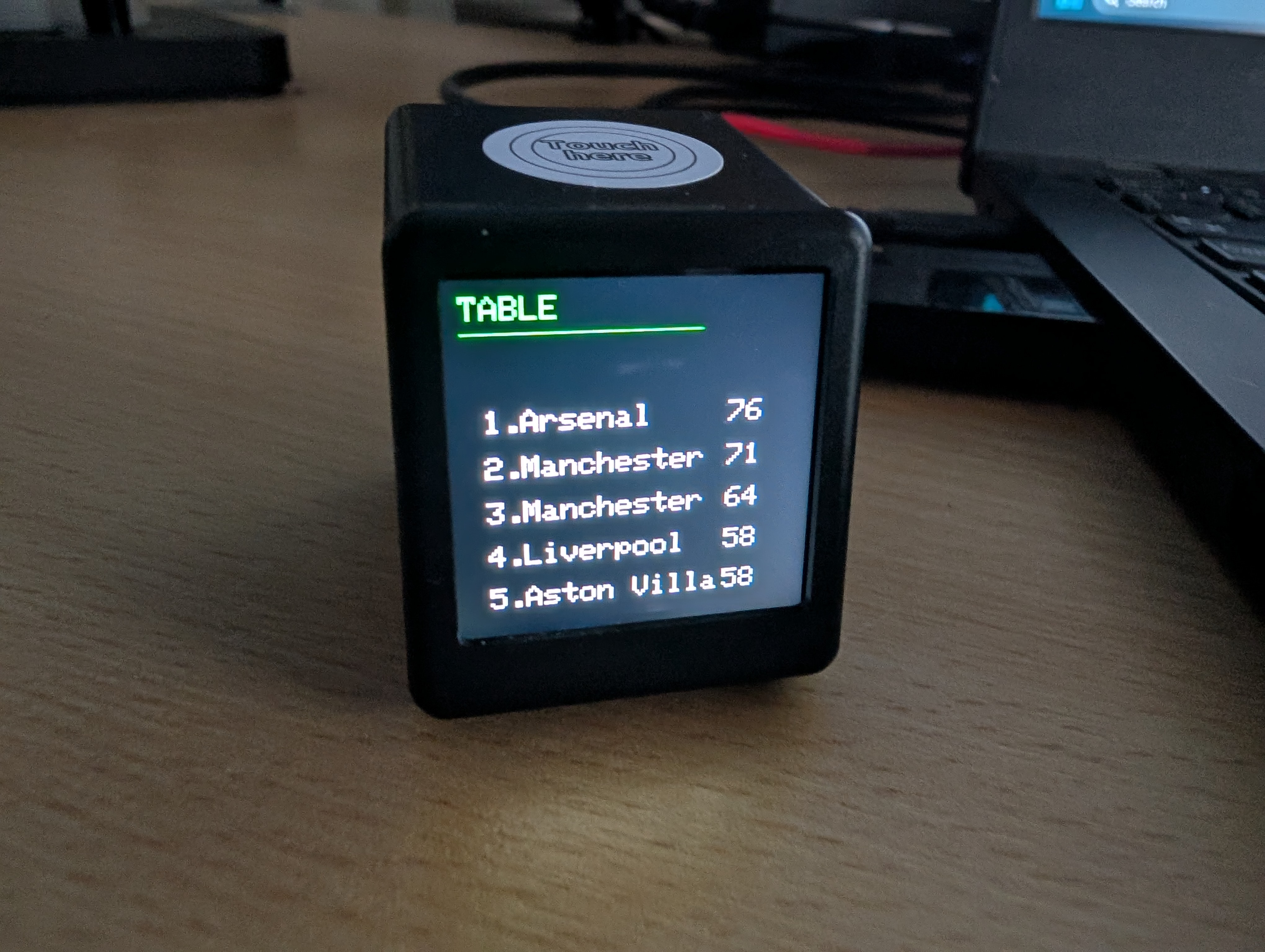
While its primary directive is safeguarding integration pipelines, Whiz Cast is designed to be a permanent fixture on the desk that can show you an array of useful—and not so useful—information. The secondary apps include:
• A live, dynamically updating Football League table (you choose a team to track in the extension settings).
• A multi-city weather dashboard utilizing Open-Meteo geocoding.
• Custom generative animations.
• Planned: Microsoft/Google Calendar integration for upcoming meetings.
I'm very much focusing on the data element at the moment. So while everything looks a bit less than amazing, I intend to improve the aesthetic of these apps as I go.
Wait, Why Do I Even Need the Hardware?
“Look Rob, this is all very well and I’m pleased that you’ve had a lovely time playing with your toy, but what if I don’t want to spend £15 on a small plastic screen when your Chrome extension could just do the exact same job on my computer for free?”
I’m glad you asked! Sort of, it is a bit rude... 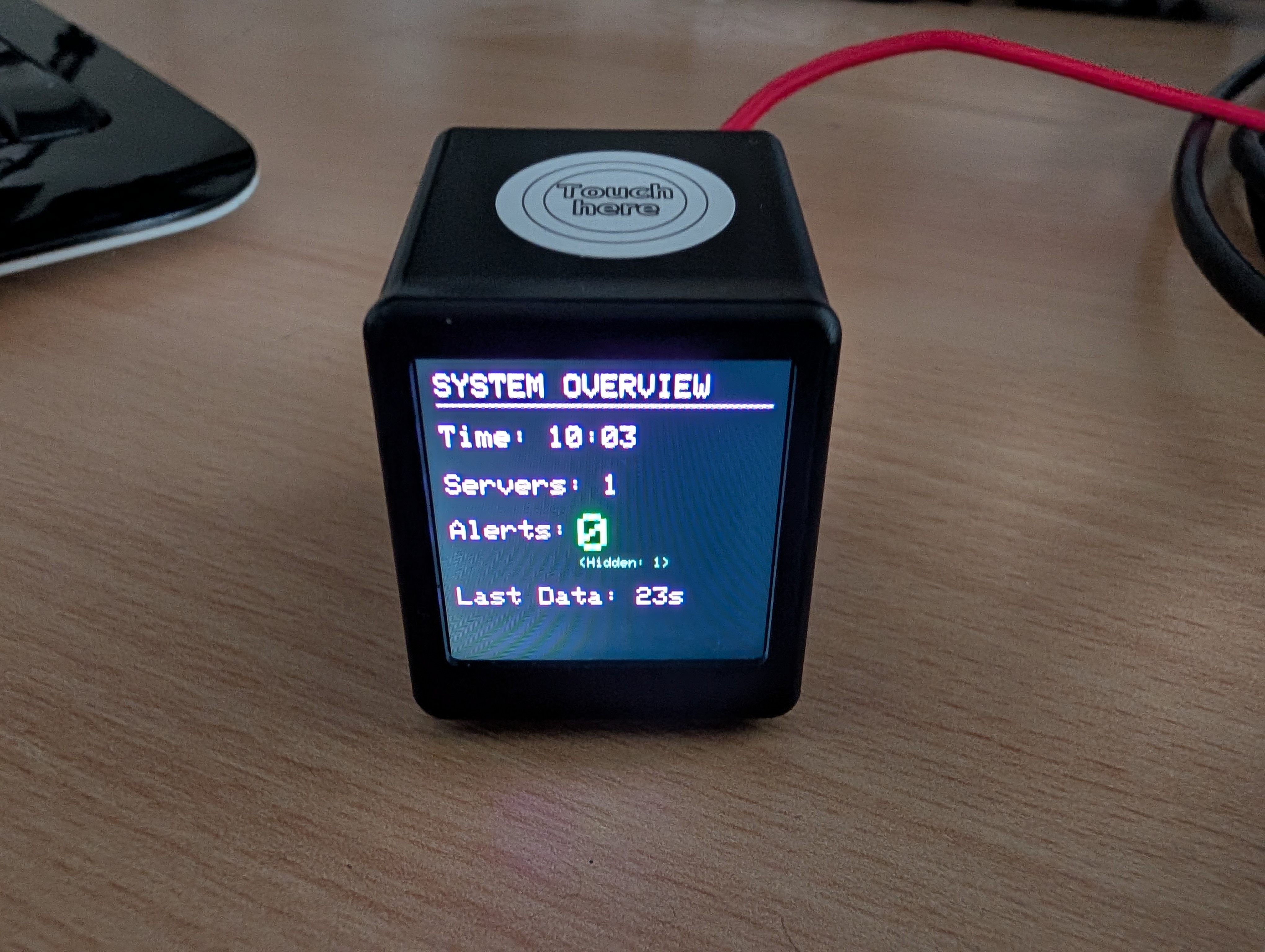
The Chrome extension could indeed do everything the screen does; you can drive notifications, show much more data and have a much better interface than a single touch button. You absolutely don’t need this 240 x 240 pixel behemoth hogging all the space on your desk.
But for me, despite having three large monitors two feet from my face, I never seem to have enough screen real estate and I do occasionally miss things.
Having a dedicated, physical device that demands action when an error occurs means I’m far less likely to miss a dropped connection because Teams put me in DND mode again. Or because I was grabbing a coffee and didn't have my emails open when I sat back down to crack on with another exciting HL7 interfacing project.
It's a lot harder to miss the ever present, occasionally flashing screen on my desk.
Looking Forward
Whiz Cast is currently in active development - I’m not even entirely set on the name yet.
While the underlying C++, the BLE pipeline, and the InterSystems API Global caching are fully operational, there’s still some way to go before I publish the codebase. If you’re interested in following this project, just leave me a comment here and I’ll make sure to message you a link to the GitHub repository when it’s ready!