Outbound ODBC connection to PostgreSQL on Fedora 38
Attempting to setup an outbound (I'm querying out, not querying the IRIS db) SQL connection. I am connecting to a PostgreSQL database, name "hl7interface".
I have setup the odbc.ini file at /usr/local/etc with the following contents:
[HL7Interface2]
Driver = PostgreSQL
Description = HL7 Interface DB
Servername = localhost
Port = 5432
Protocol = 7.4-1
#userName = postgres
#Password = <real pw here>
Database = hl7interface
ReadOnly = no
ServerType = Postgres
I have set the /etc/odbcinst.ini file with the location of the PostgreSQL driver:
[PostgreSQL]
Description=PostgreSQL driver for Linux & Win32
Driver=/usr/lib64/psqlodbcw.so
Setup=/usr/local/lib/libodbcpsqlS.so
UsageCount=2
I've confirmed that isql works.
isql hl7interface2 postgres <realpw>
I have setup the SQL gateway like such: 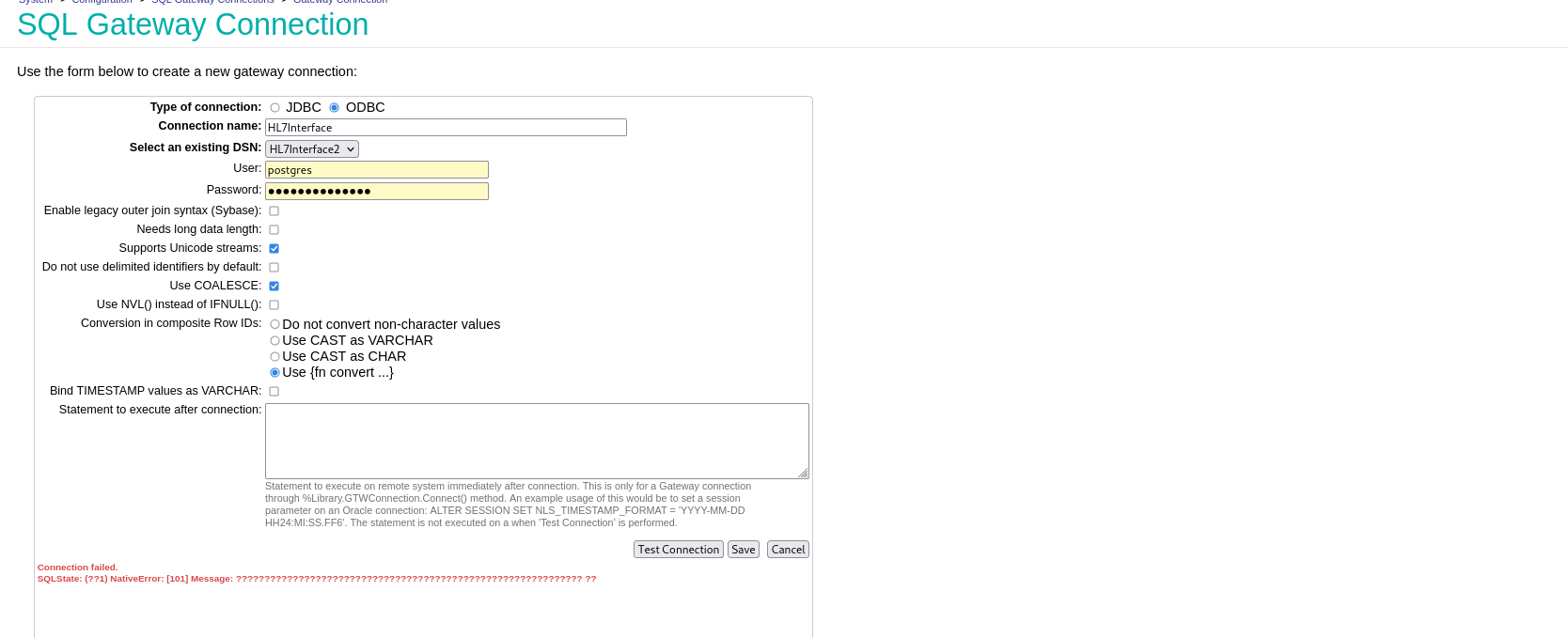
When I press Test Connection, I get an error with all ????.
I checked the Postgres logs and it fails login for the following reason:
2024-03-29 10:22:59.742 EDT [21454] FATAL: Peer authentication failed for user "p"
It doesn't matter what user name I put in, it only ever sends the first letter of the user ID. I tried changing the pg_hba.conf from peer to ident to md5 without any change (other than authentication type)
If I remove the User ID and PW fields, it attempts to log into Postgres with role: Irisusr. I setup irisusr as a role in psql, but it's now trying to login to the irisusr database. It's really looking like it's not reading the DSN file at all.
If I setup the DSN in /bin/iris2/mgr/irisodbc.ini, it doesn't make any difference.
Am I missing something? Or is this not possible? I've tried nearly every combination I can think of and am stuck.
Comments
First I'd suggest to test the DSN from linux, assumung you are using unixODBC ODBC driver manager:
isql -v HL7Interface2 myusername mypassword
I have confirmed that isql works perfectly. The problem is that iris is trying to log in using only the first character of the given user ID and seems to ignore what's in the DSN settings.
Just a wild guess... somewhere some character type checkbox is checked or not checked? Maybe a wrong driver type (ASCII/Unicode)?
// For example, IRIS sends a username "paul" as a two byte sequence
0x70 0x00 0x61 0x00 0x75 0x00 0x6C 0x00

// the other end sees
0x70 - this is a 'p'
0x00 - C-type end of string (hence, the name is just 'p')
But as I said, it's just a guess...
I think this must have been it. I downloaded a different driver, libdevartodbcpostgresql.4.5.1.so, which claimed to support Unicode. I still can't use credentials through iris, but by putting the user ID and pw in the irisodbc.ini file I was able to successfully connect. Since this is just a personal project that's getting shut down in a few months, this works for me.
My resulting irisodbc.ini file looks like this:
[ODBC Data Sources]
HL7Interface = HL7Interface

[HL7Interface]
Driver = /usr/local/devart/odbcpostgresql/libdevartodbcpostgresql.4.5.1.so
Host = localhost
Database = hl7interface
Username = postgres
Password = <RealPW>
For any future people, I ended up using the driver for PostgreSQL found here: https://www.devart.com/odbc/postgresql/
Try this in /bin/iris2/mgr/irisodbc.ini:
[ODBC Data Sources]
HL7Interface2=HL7Interface2

[HL7Interface2]
Driver = /usr/lib64/psqlodbcw.so
Setup=/usr/local/lib/libodbcpsqlS.so
Description = HL7 Interface DB
Servername = localhost
Port = 5432
Protocol = 7.4-1
UserName = postgres
Password =  <real pw here>
Database = hl7interface
ReadOnly = no
And restart iris, after that would it connect?
No, I still get this in the logs:
2024-03-29 17:49:51.436 EDT [17670] FATAL:  password authentication failed for user "p"
2024-03-29 17:49:51.436 EDT [17670] DETAIL:  Role "p" does not exist.