Thx so much!!
I tried the FHIR Server template before, and it is really helpful for understanding FHIR!!😄
- Log in to post comments
Thx so much!!
I tried the FHIR Server template before, and it is really helpful for understanding FHIR!!😄
Yes, thx form reminding me. You are correct!
After adding the adjcount, it is more connivence now😁 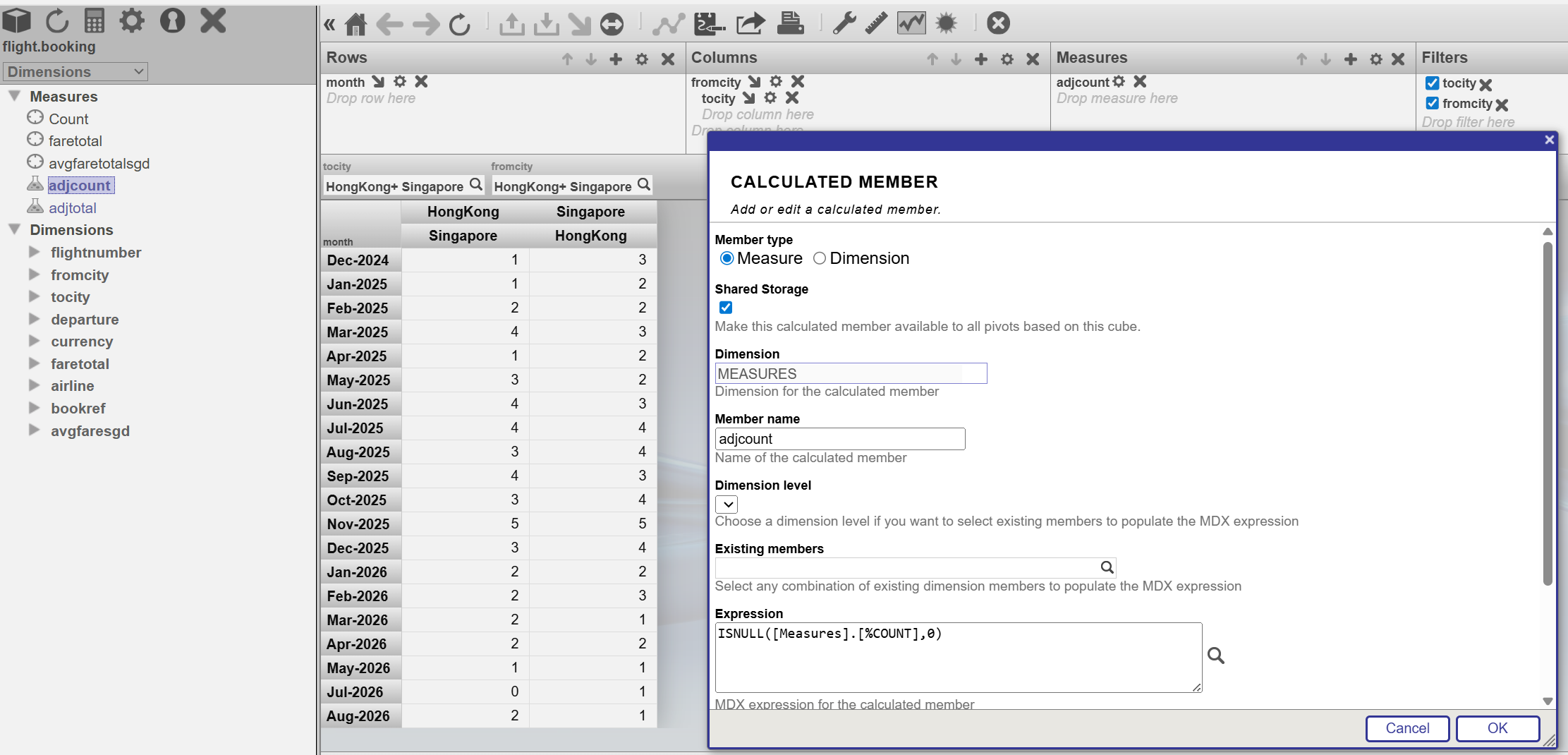
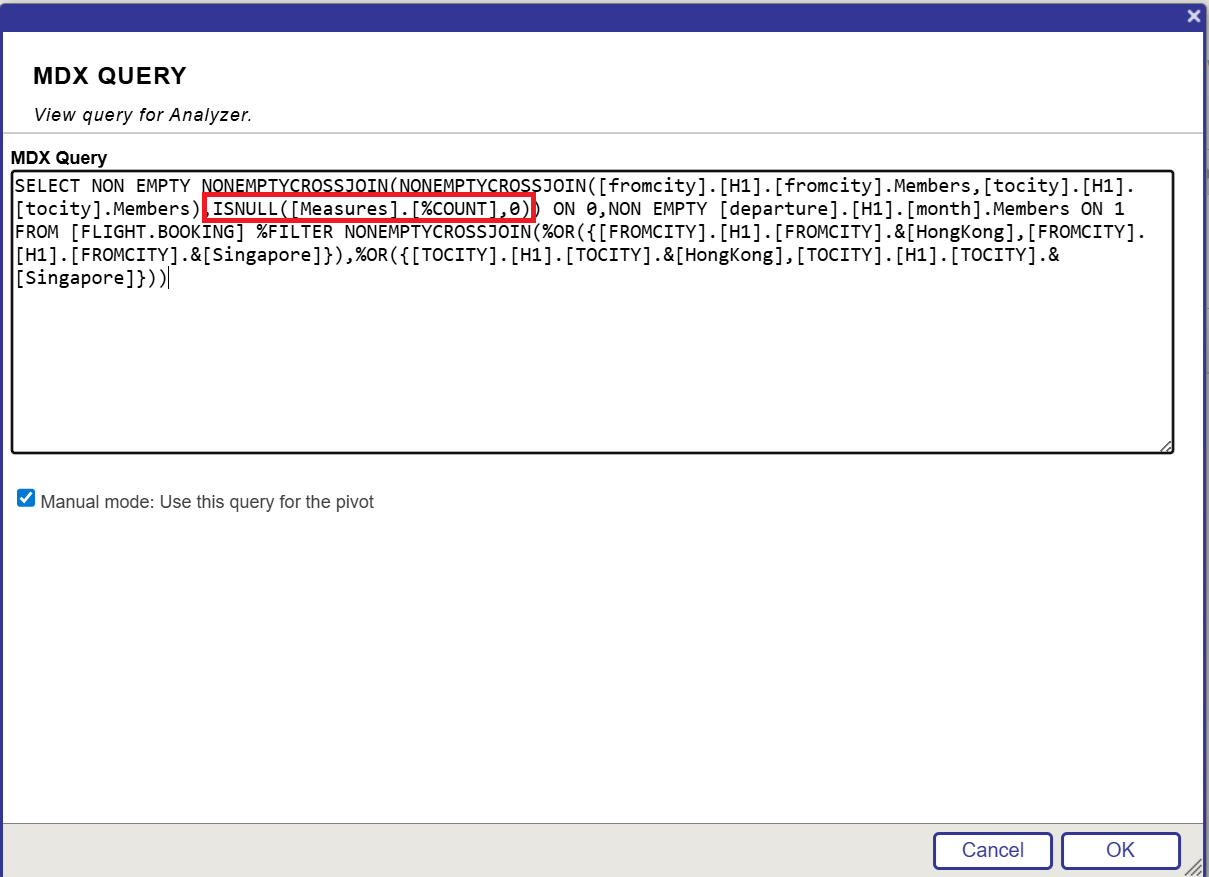
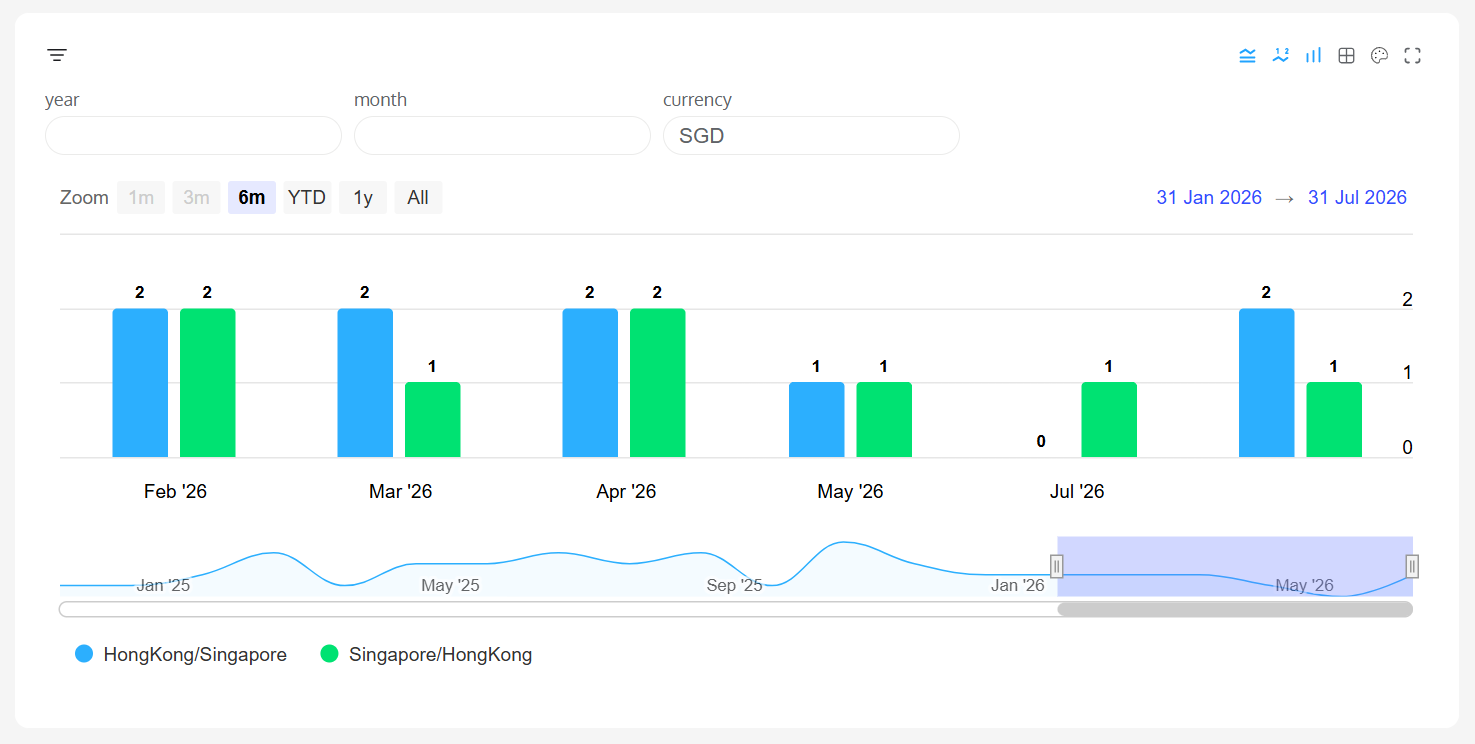
Working well now. I don't need to book an extra ticket hahahah😃 Thx DC AI Bot and thx Peter😘
Real-Time Clinical Pathway Monitoring via FHIR Event Subscriptions (https://ideas.intersystems.com/ideas/DPI-I-932)
Building a Secure SMART on FHIR Foundation (https://ideas.intersystems.com/ideas/DPI-I-931)
I encountered 401 before and I go to
System > Security Management > View Audit Database
and check that the token passed the authentication server, so at that moment I suspect it doesn't pass the fhir server. After asking the support, we found out that, when checking out the token, we need to add the correct audience and scope (user/*.read user/*.write) to make it work.
**example**
Access Token URL : https://www.somewhere.com/oauth2/token?aud=https://www.somewhere.com/cs…
Scope : user/*.read user/*.write
with corresponding client_id and client_secret
and check out the token. after that, it can pass the fhir server authentication
Oooo, this is a good suggestion!!😮 I have never think about this direction before.
Because at the beginning, I only want to write some stuff for facilitating my testing process on the FHIR repository. So I use the python library for generating some fake data and put it on a REST service...
For using it as a facade... maybe a possible way as well, maybe can replace the generated data by loading the "REAL" data from the IRIS db, right?
It is just an example for generating FHIR bundle for testing purpose, we still need a FHIR server for storing the data
Yes, because I reuse the web application in the pervious article https://community.intersystems.com/post/writing-rest-api-service-export…
As I am lazy 😉
wow!!! Thanks for sharing!!! It is really helpful!!!☺
I think the 1st step is install python on the sever, where the IRIS instant on
Then, make sure the python runtime is properly config
Use the Flexible Python Runtime Feature for IRIS on Windows Server
The open a console or powershell of the server to install the python library
for example
python -m pip install faker
python -m pip install pandas
python -m pip install random
Hi Alex,
Not sure if you are still finding this.
Hope it would be helpful for you.
https://community.intersystems.com/post/metabase-iris-driver
I just wondering if there is any easy way to add the header in our build in BO..... because what I found that different REST API do have slightly different in the header requirement... which means that our users do need this kinds of flexibility when they would like to be a REST client.....
.venv\Scripts\activate
In fact I encountered the error of unable to pass the variable to
"ISC_IRIS_URL", "ISC_IAM_IAMGE","ISC_CA_CERT"
I suspect that the iam-setup.sh now working very well
.png)
As a work around, I hard code the variables in the docker-compose.yml
and run the
sudo docker compose up -d
again
Sure, let me do it on Friday