Python method does not work in Business Process
Hi all.
I have a rather strange problem.
I've created a method in Python to create a vector for a vector search. So far, so good.
If I call this method from the terminal, it works correctly:
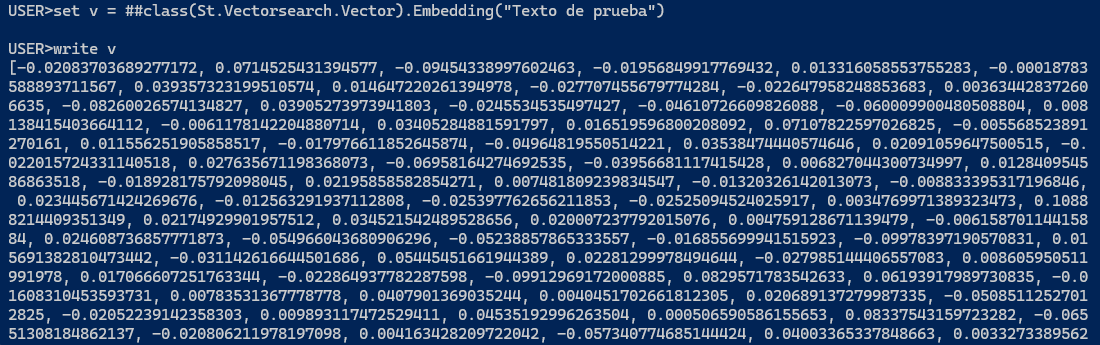
But if I make this same call from a code block in a Business Process, it gets stuck, doesn't respond, and throws the following error:
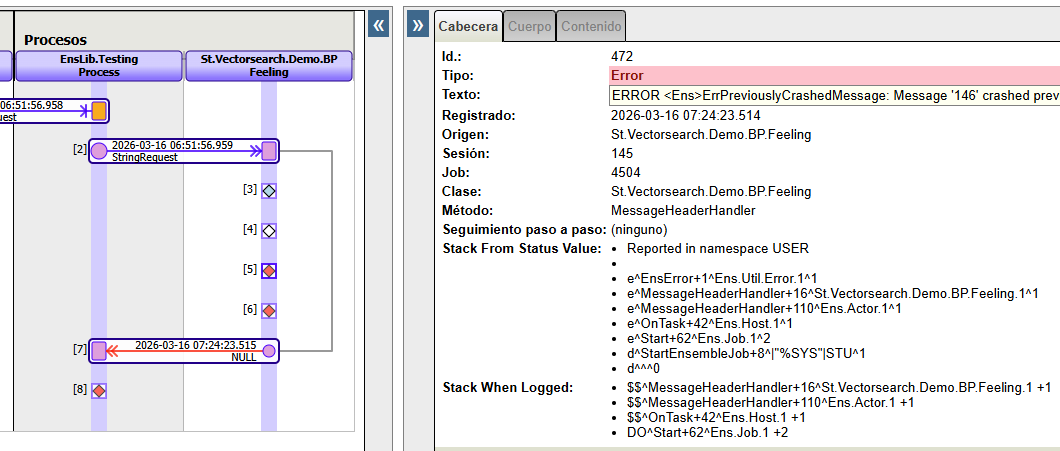
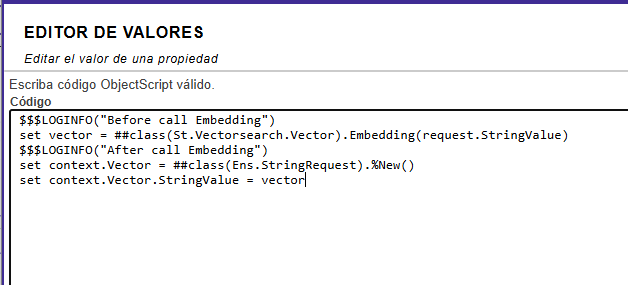
Does anyone know what's happening and how to fix it?
Thank you in advance
Comments
In a Python Business Process, the expected entry point is on_request(self, request), not a custom method like ask(self, request). The Python API reference for BusinessProcess lists on_request, on_response, and on_complete as the key methods, and its example handles incoming messages in on_request. [1][2]
So if your Business Process currently contains something like:
class ChatProcess(BusinessProcess):
    def ask(self, request):
        ...
you should move that logic into:
class ChatProcess(BusinessProcess):
    def on_request(self, request):
        ...
The same issue applies to Python Business Operations: the documented handler is on_message(self, request). [1]
Your current pattern of sending from a service to a process synchronously is shown in the RAG example, but that example’s process code uses a custom ask() method, while the API reference for Python business processes defines on_request() as the method invoked for incoming requests. [3][1]
If you want to test Python business process logic more easily, the Python Gateway documentation also mentions a helper:
Note: isc.py.util.BPEmulator class is added to allow easy testing of Python Interoperability business processes. It can execute business process (python parts) in a current job. [4]
If after changing the method names you still have trouble, the available material here does not provide a more specific diagnosis of the exact error shown in your screenshot. [1][2]
Sources: