FHIR Oauth


This is a sample application that demonstrates how to use the InterSystems IRIS for Health FHIR Repository to build a FHIR Repository with OAuth2 authorization, the FHIR endpoint will be the resource server and Google OpenId will be the authorization server.
Prerequisites
- Docker
- Git
- Google Cloud Platform account
Installation
Setup Google Cloud Platform
This part is inspired by the article Adding Google Social Login into InterSystems Management Portal from yurimarx Marx in the InterSystems Community.
-
Create a new project in Google Cloud Platform
-
On the header click Select a project:

- Click the button NEW PROJECT:

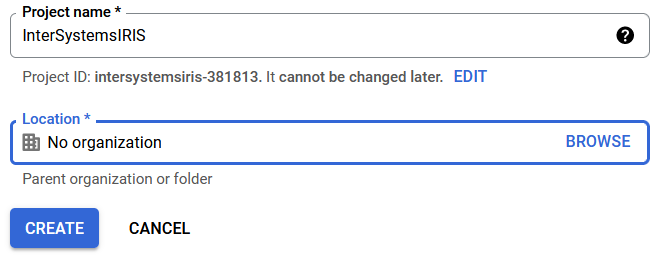
- Create a sample project for this article called InterSystemsIRIS and click the button CREATE:
- Go to the Header again and select the created project InterSystemsIRIS hyperlink in the table:

- Now the selected project is the working one:

- In the header look for credentials on the Search field and choose API credentials (third option for this image):

- On the top of the screen, click the + CREATE CREDENTIALS button and select OAuth 2.0 Client ID option:

- Now click CONFIGURE CONSENT SCREEN:

- Choose External (any person who has Gmail is able to use it) and click the CREATE button:

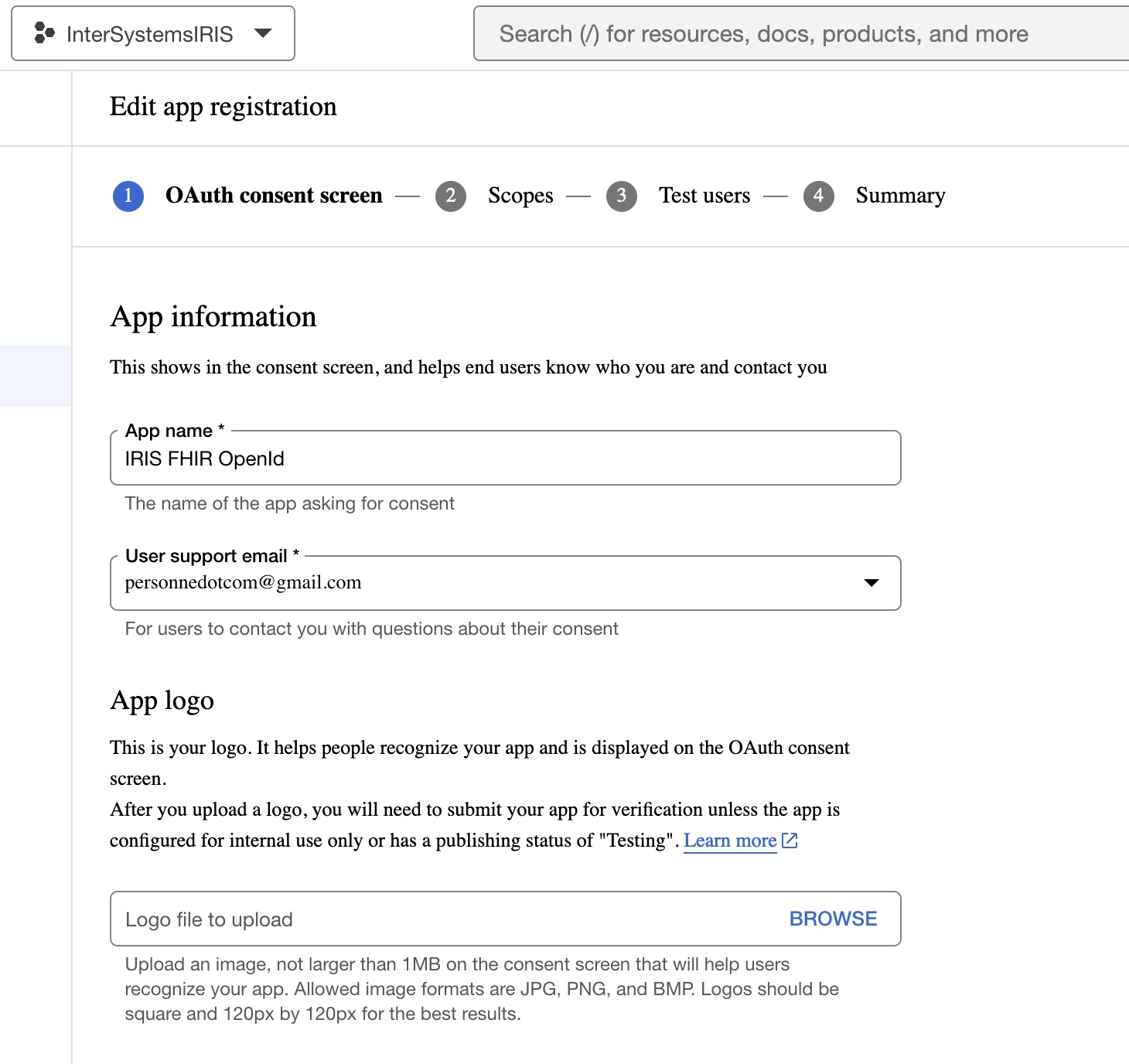
- In Edit app registration, complete the field values as follow: App Information (use your email for user support email):
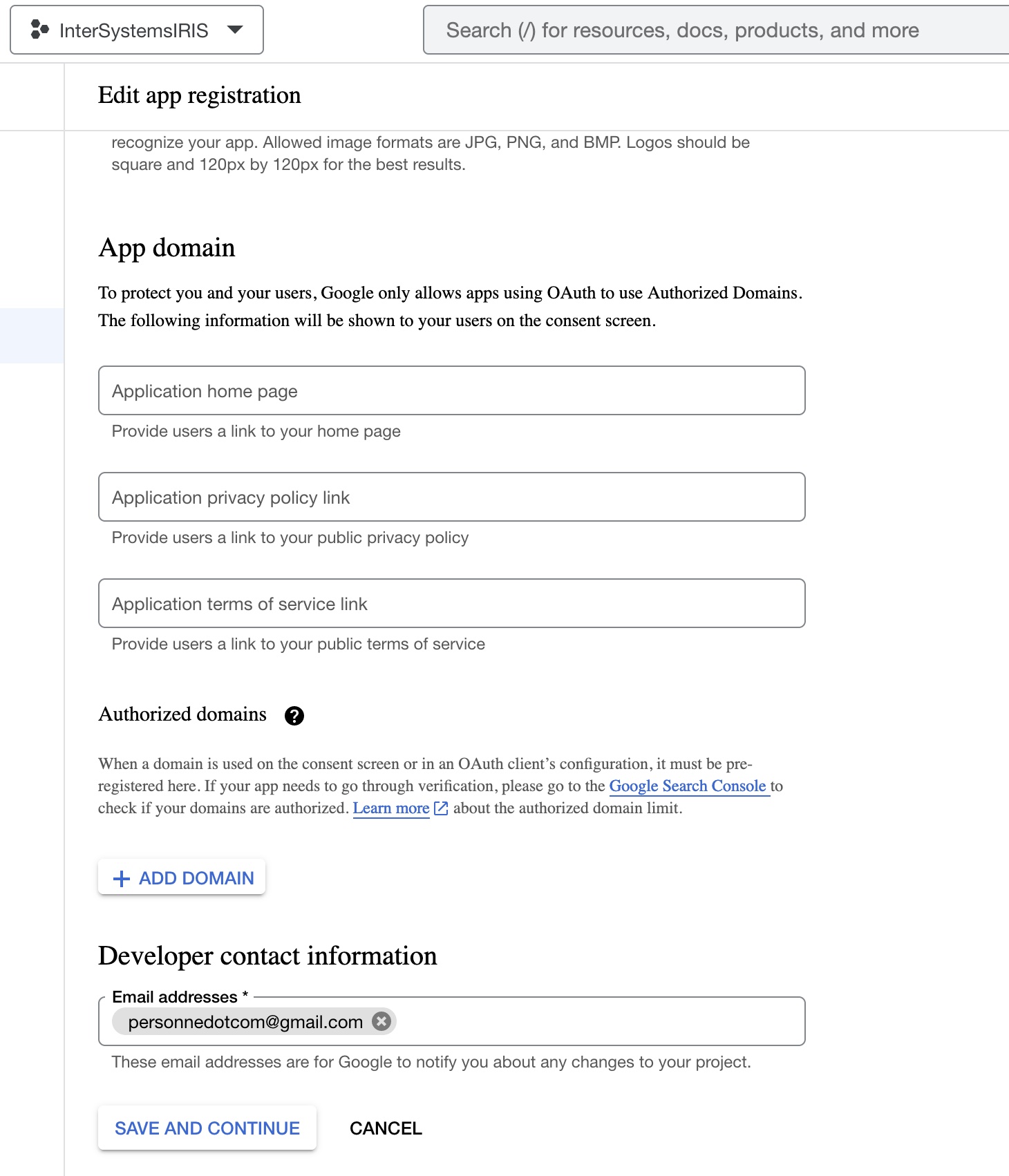
- For Authorized domains, it is not necessary to set anything because this sample will use localhost. Set the developer contact information with your email and click the SAVE AND CONTINUE button:
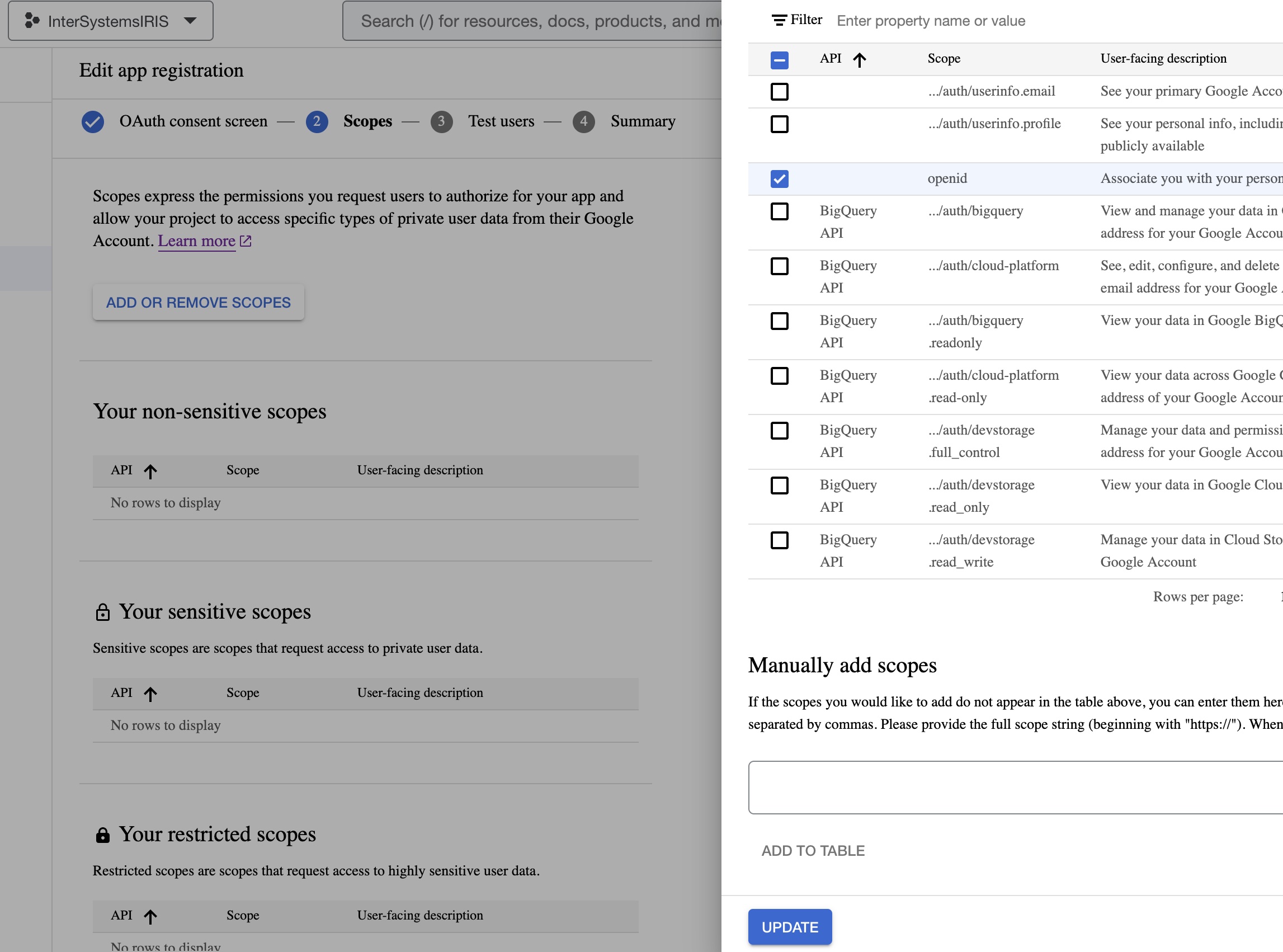
- Click ADD OR REMOVE SCOPES and select the following scopes, scroll the dialog, and click the UPDATE button:
- Include your email into the Test users list (using the +ADD USERS button) and click the SAVE AND CONTINUE button:
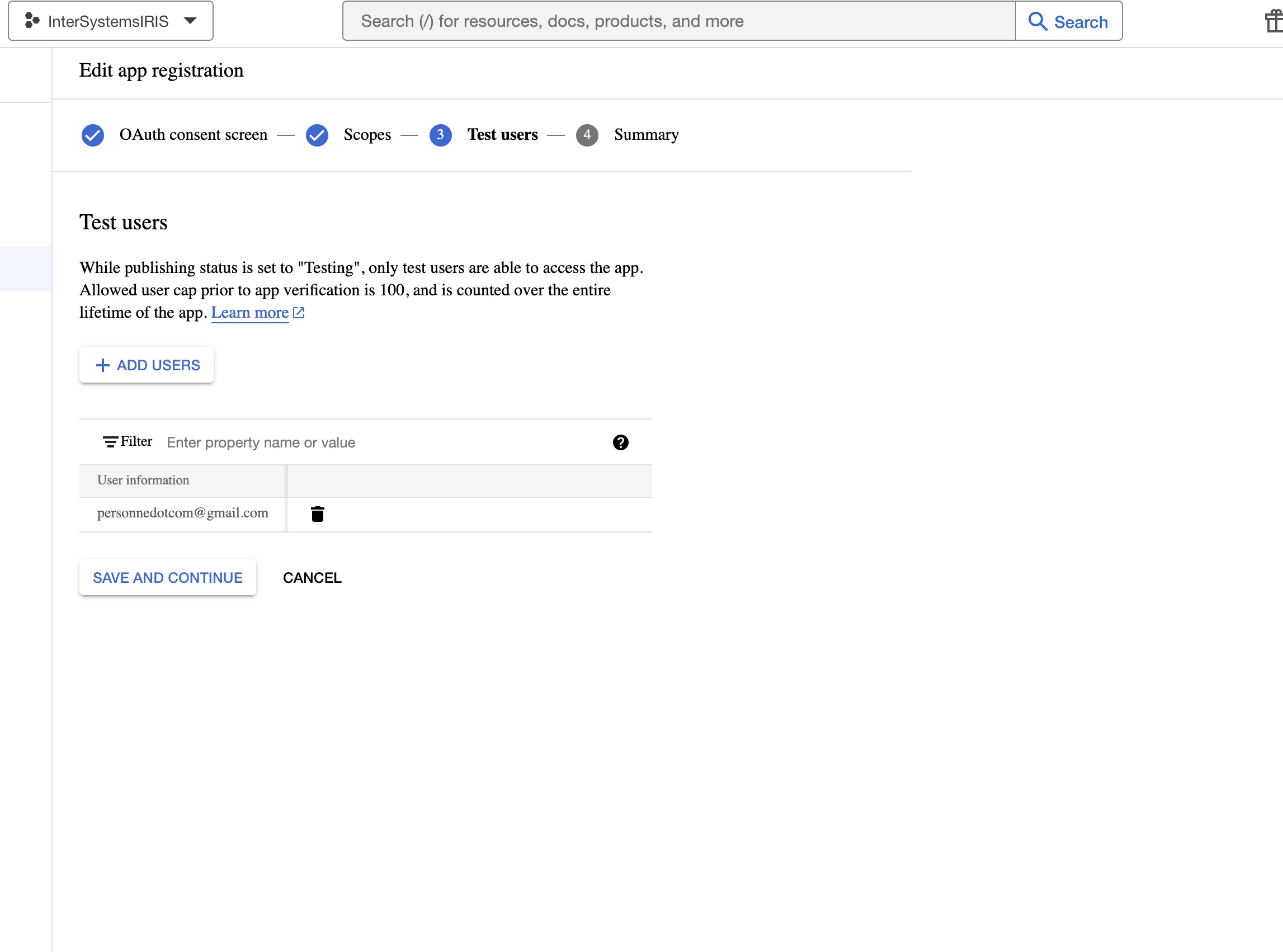
- The wizard shows you the Summary of the filled fields. Scroll the screen and click the BACK TO DASHBOARD button.
- Now, it is time to configure the credentials for this new project. Select the option Credentials:

- Click the + CREATE CREDENTIALS button and select OAuth client ID option:
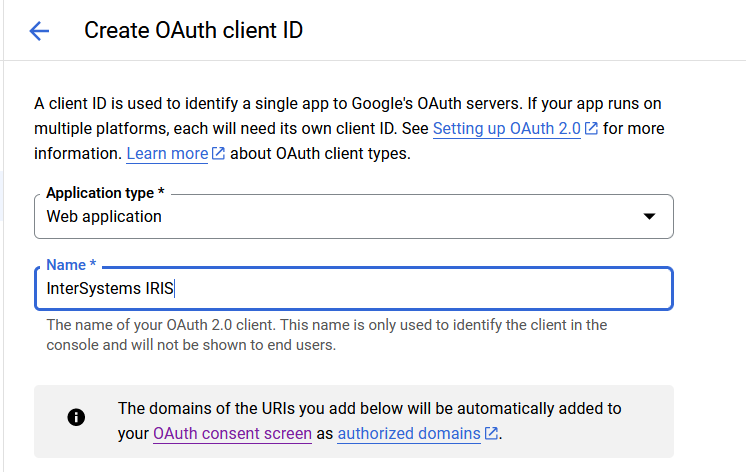
- Select Web application option and complete the field values as follow:
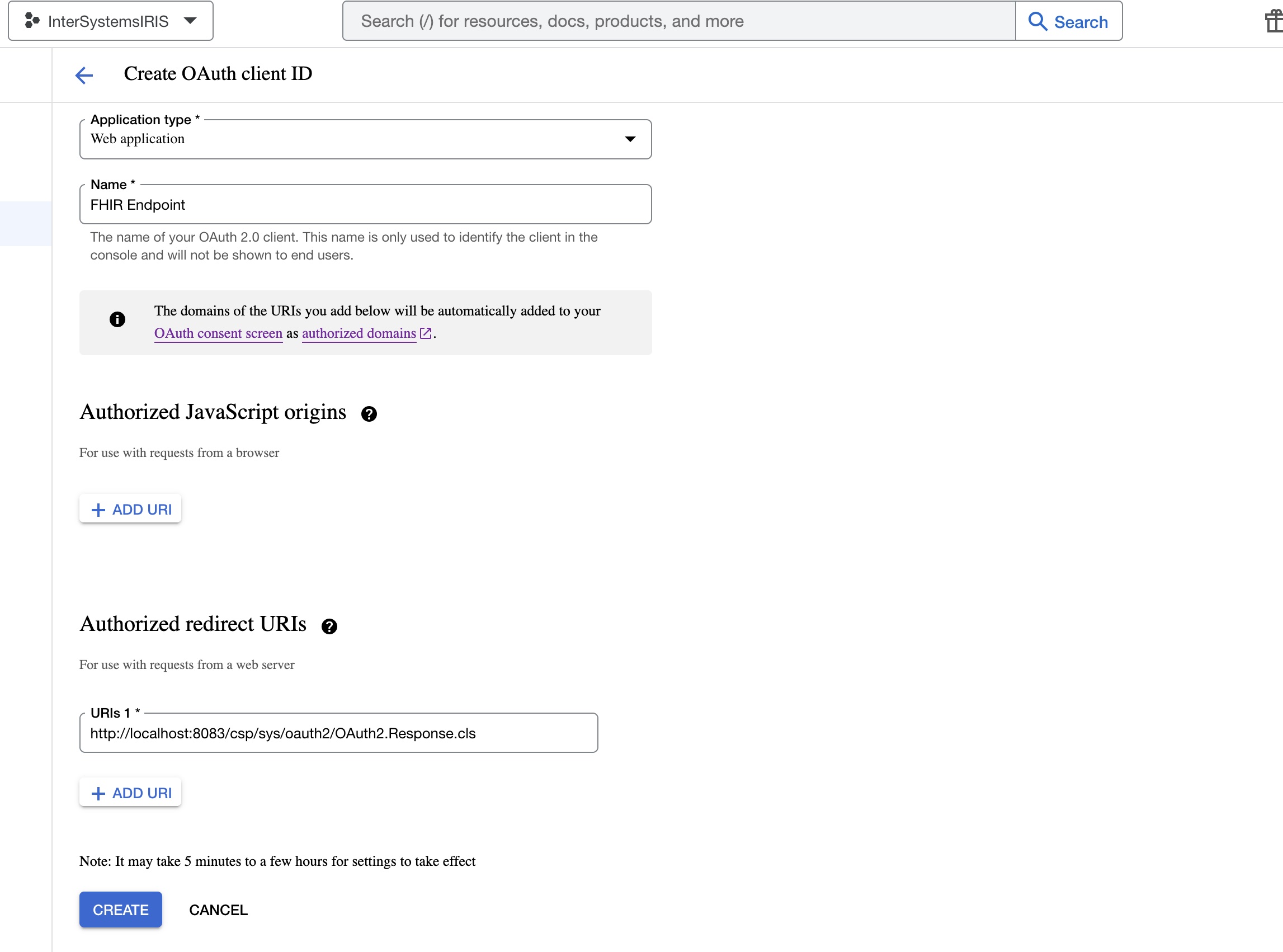
We will be using postman for the demo, but if you want to use the sample application, you will need to add the following redirect URIs, same goes for the JavaScript origins.
- Click the CREATE button and copy the Client ID and Client Secret values:
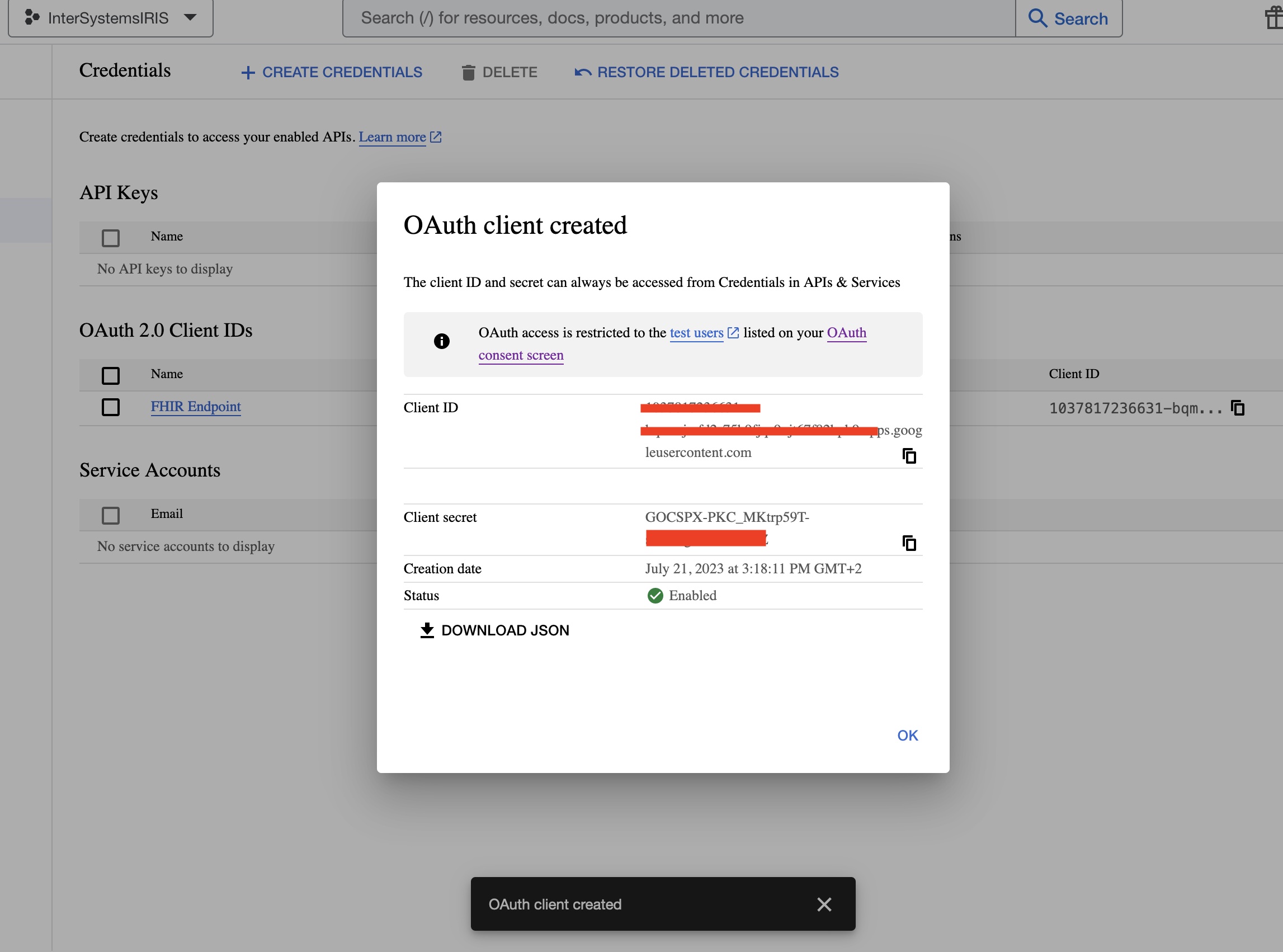
You are done with the Google Cloud Platform configuration.
Setup the sample application
- Clone this repository:
git clone https://github.com/grongierisc/iris-oauth-fhir
- Build the docker image:
docker-compose build
- Set Client Id an Client Secret from the last part of (Setup Google Cloud Platform) in a new file called
secret.jsoninmisc/authfolder, you can use thesecret.json.templateas a template.
{
    "web": {
        "client_id": "xxxx",
        "project_id": "intersystems-iris-fhir",
        "auth_uri": "https://accounts.google.com/o/oauth2/auth",
        "token_uri": "https://oauth2.googleapis.com/token",
        "auth_provider_x509_cert_url": "https://www.googleapis.com/oauth2/v3/certs",
        "client_secret": "xxxx"
    },
    "other" : {
        "issuer" : "accounts.google.com"
    }
}
- Run the docker image:
docker-compose up -d
Test it with Postman
The endpoint is httsp://localhost:4443/fhir/r4/.
-
Configure Postman to use the self-signed certificate, see Postman documentation.
-
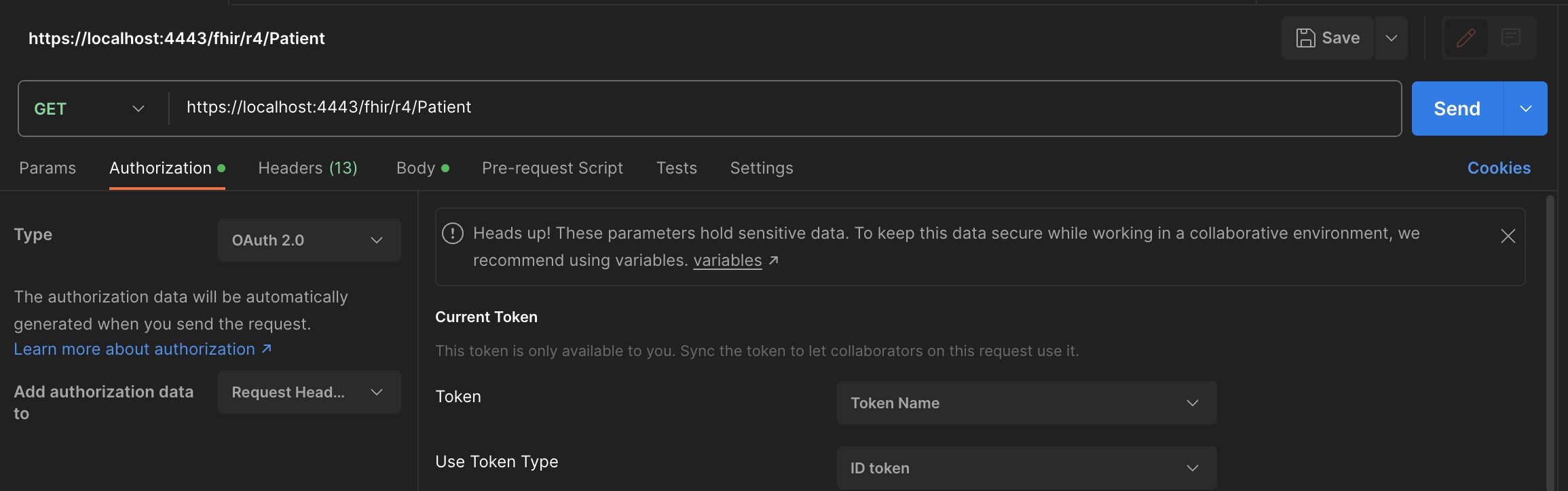
Create a new request in Postman and go to the Authorization tab. Select OAuth 2.0 as the type :
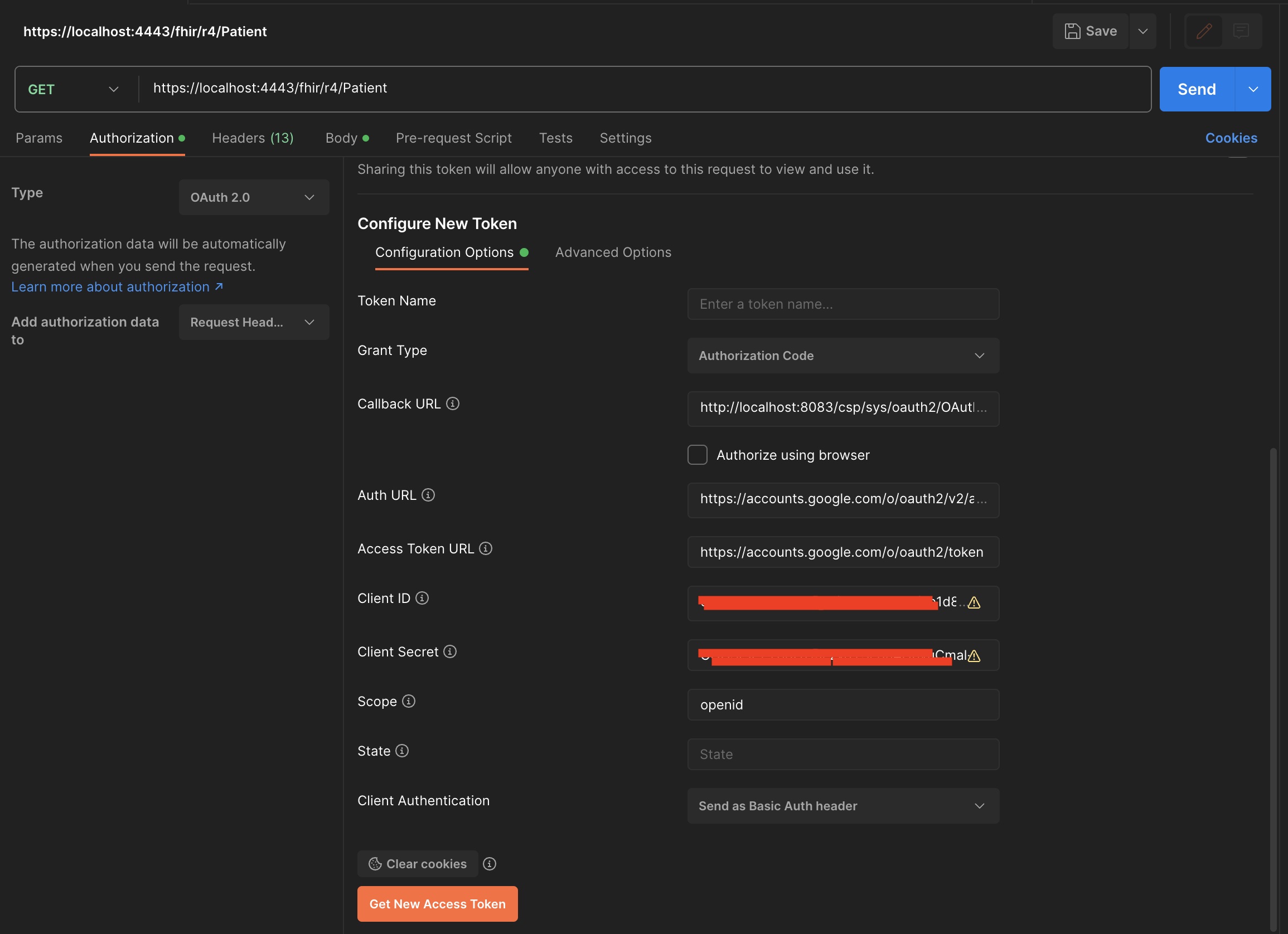
- On the Configure New Token dialog, set the following values:
The access url token is : https://accounts.google.com/o/oauth2/token
Scopes is : openid
Client Id and Client Secret are the one you got from the Google Cloud Platform.
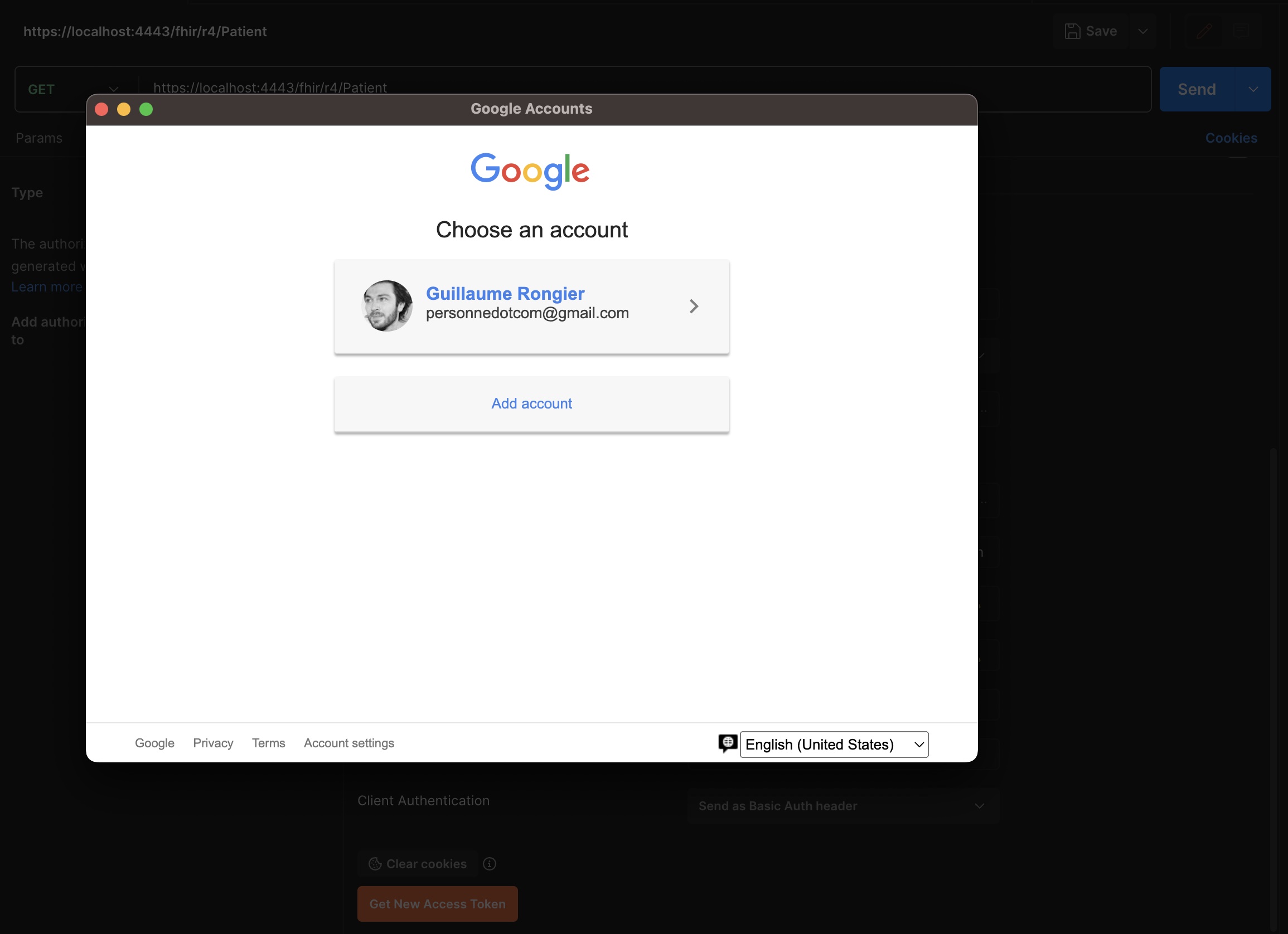
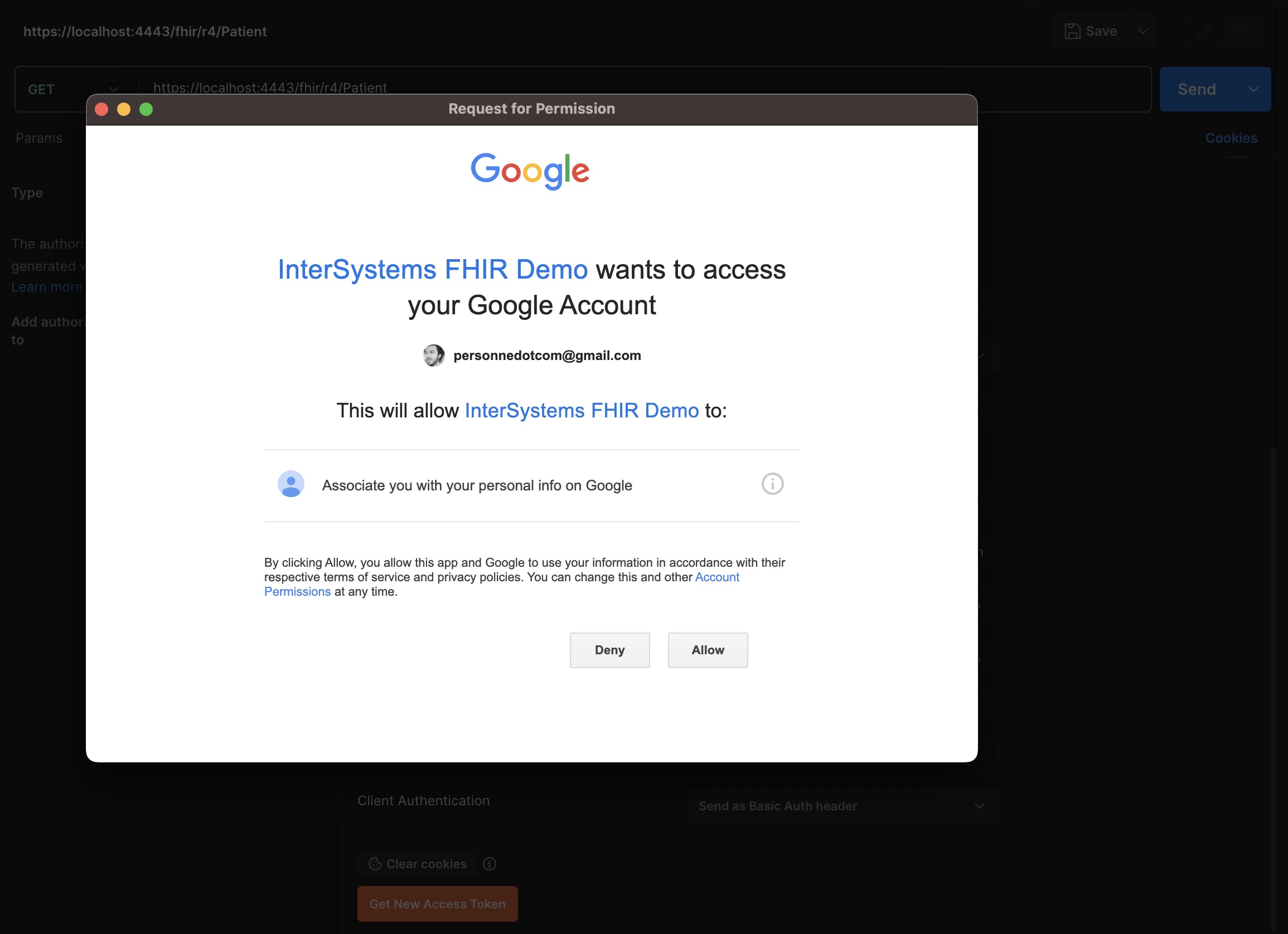
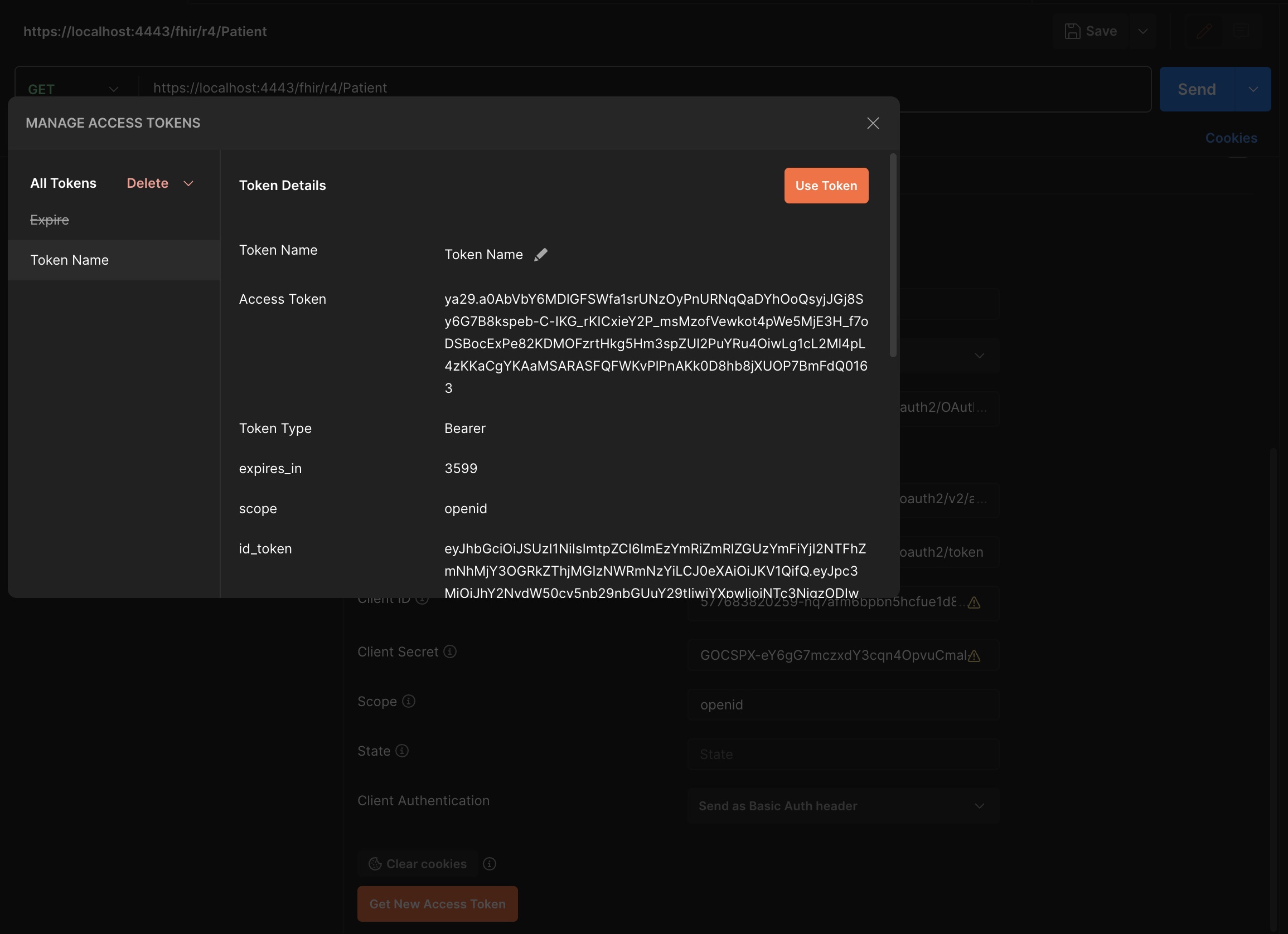
- Click the Request Token button and you will be redirected to the Google login page:
- Make use of the token to get the patient list:
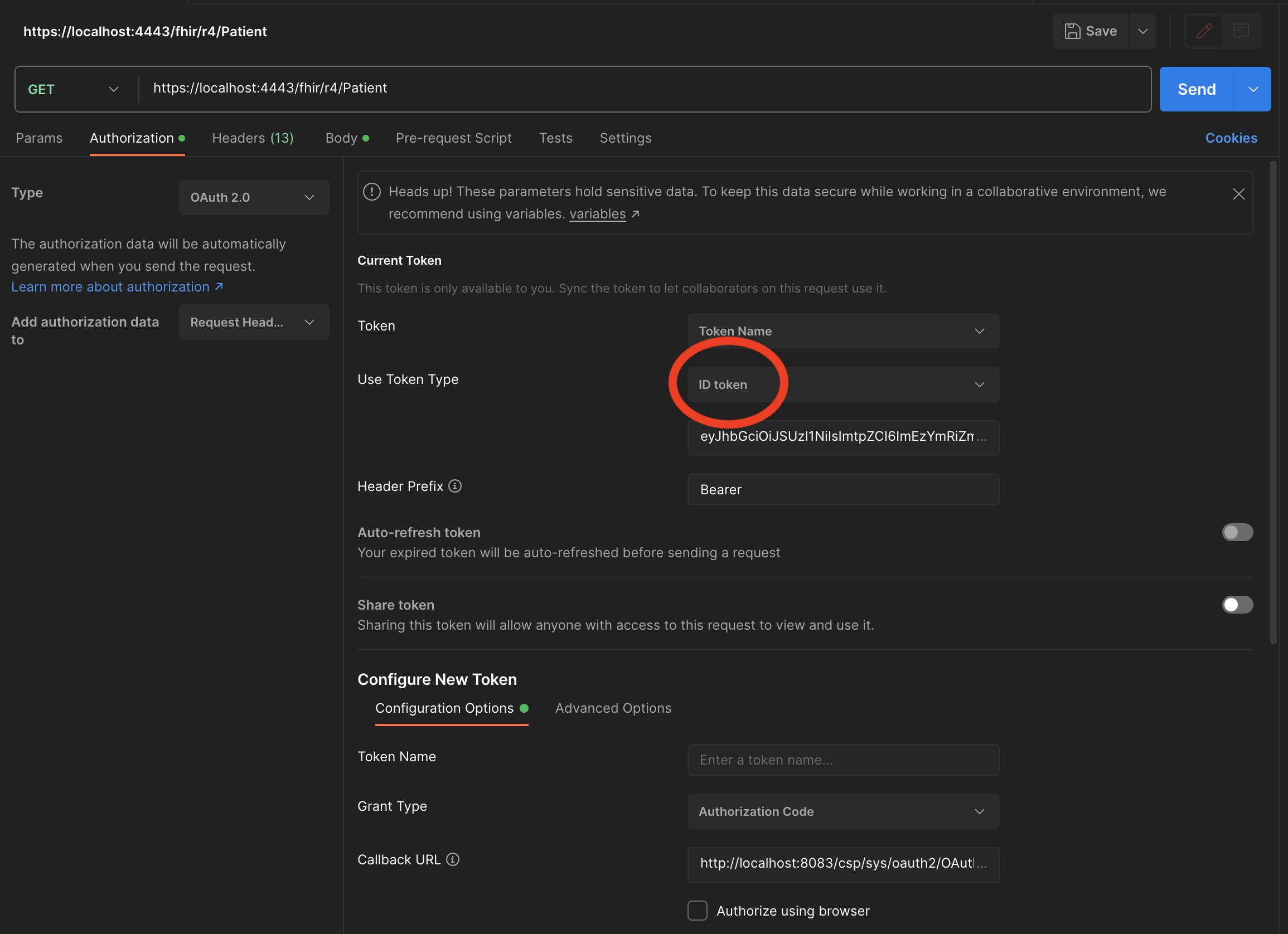
- Select in Token type, ID Token and click the Use Token button:
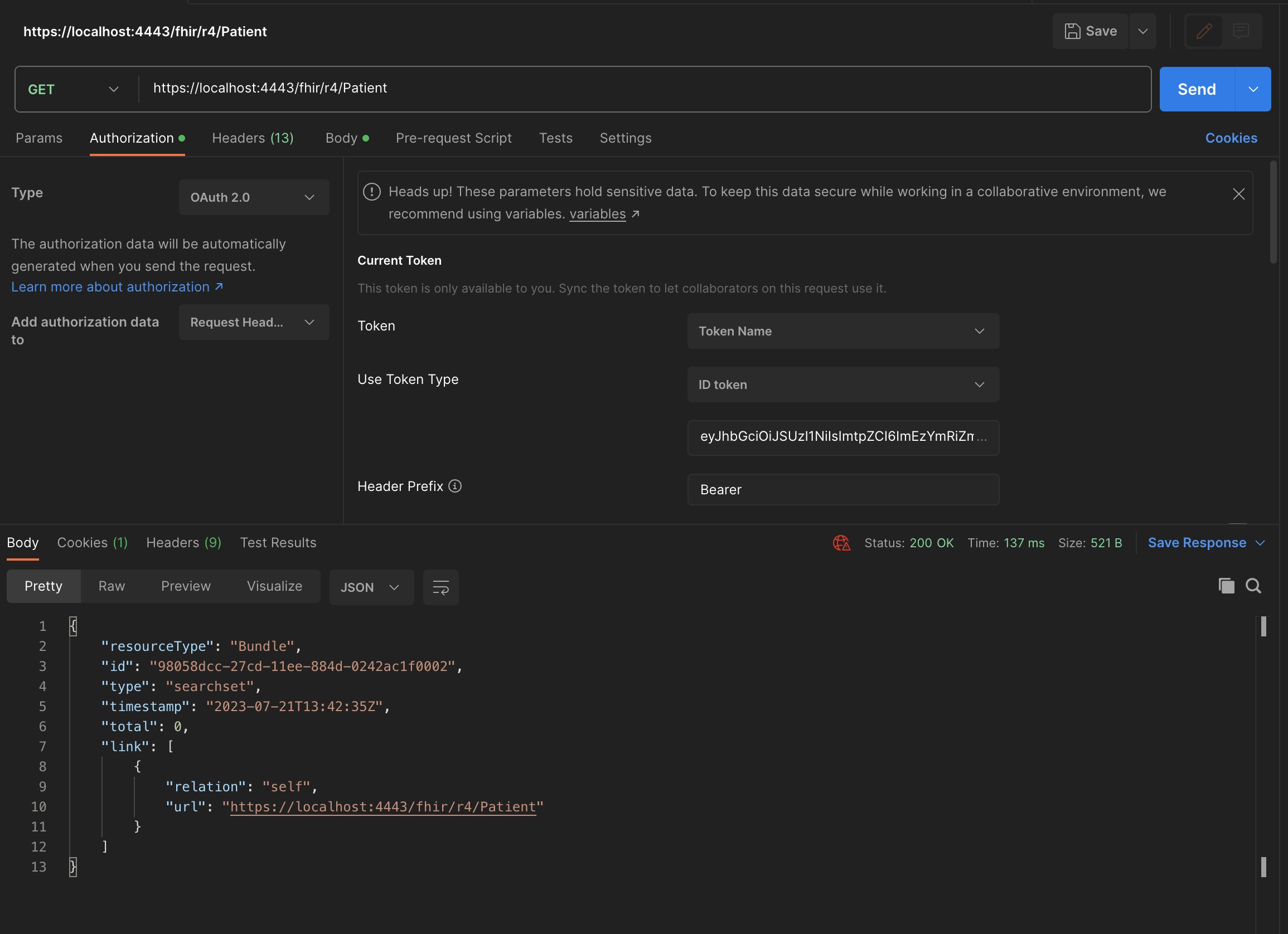
- You will get the patient list:
What journey, hope you enjoyed it.
More to come, stay tuned. We will be dealing with kubernetes and the FHIR repository in the next part.
Comments
.png)
Thanks and fixed.
BTW, now the new version of this project is in python :
import time
import os
import json

import iris

from FhirInteraction import Interaction, Strategy, OAuthInteraction

from google.oauth2 import id_token
from google.auth.transport import requests

import requests as rq

# The following is an example of a custom OAuthInteraction class that
class CustomOAuthInteraction(OAuthInteraction):

    client_id = None
    last_time_verified = None
    time_interval = 5

    def clear_instance(self):
        self.token_string = None
        self.oauth_client = None
        self.base_url = None
        self.username = None
        self.token_obj = None
        self.scopes = None
        self.verify_search_results = None

    def set_instance(self, token:str,oauth_client:str,base_url:str,username:str):

        self.clear_instance()

        if not token or not oauth_client:
            # the token or oauth client is not set, skip the verification
            return

        global_time = iris.gref('^FHIR.OAuth2.Time')
        if global_time[token[0:50]]:
            self.last_time_verified = global_time[token[0:50]]

        if self.last_time_verified and (time.time() - self.last_time_verified) < self.time_interval:
            # the token was verified less than 5 seconds ago, skip the verification
            return

        self.token_string = token
        self.oauth_client = oauth_client
        self.base_url = base_url
        self.username = username

        # try to set the client id
        try:
            # first get the var env GOOGLE_CLIENT_ID is not set then None
            self.client_id = os.environ.get('GOOGLE_CLIENT_ID')
            # if not set, then by the secret.json file
            if not self.client_id:
                with open(os.environ.get('ISC_OAUTH_SECRET_PATH'),encoding='utf-8') as f:
                    data = json.load(f)
                    self.client_id = data['web']['client_id']
        except FileNotFoundError:
            pass

        try:
            self.verify_token(token)
        except Exception as e:
            self.clear_instance()
            raise e
        # token is valid, set the last time verified to now
        global_time[token[0:50]]=time.time()

    def verify_token(self,token:str):
        # check if the token is an access token or an id token
        if token.startswith('ya29.'):
            self.verify_access_token(token)
        else:
            self.verify_id_token(token)

    def verify_access_token(self,token:str):
        # verify the access token is valid
        # get with a timeout of 5 seconds
        response = rq.get(f"https://www.googleapis.com/oauth2/v3/tokeninfo?access_token={token}",timeout=5)
        try:
            response.raise_for_status()
        except rq.exceptions.HTTPError as e:
            # the token is not valid
            raise e

    def verify_id_token(self,token:str):
        # Verify the token and get the user info
        idinfo = id_token.verify_oauth2_token(token, requests.Request(), self.client_id)
        if idinfo['iss'] not in ['accounts.google.com', 'https://accounts.google.com']:
            raise ValueError('Wrong issuer.')

    def get_introspection(self)->dict:
        return {}

    def get_user_info(self,basic_auth_username:str,basic_auth_roles:str)->dict:
        return {"Username":basic_auth_username,"Roles":basic_auth_roles}

    def verify_resource_id_request(self,resource_type:str,resource_id:str,required_privilege:str):
        pass

    def verify_resource_content(self,resource_dict:dict,required_privilege:str,allow_shared_resource:bool):
        pass

    def verify_history_instance_response(self,resource_type:str,resource_dict:dict,required_privilege:str):
        pass

    def verify_delete_request(self,resource_type:str,resource_id:str,required_privilege:str):
        pass

    def verify_search_request(self,
                              resource_type:str,
                              compartment_resource_type:str,
                              compartment_resource_id:str,
                              parameters:'iris.HS.FHIRServer.API.Data.QueryParameters',
                              required_privilege:str):
            pass

    def verify_system_level_request(self):
        pass

class CustomStrategy(Strategy):

    def on_get_capability_statement(self, capability_statement):
        # Example : del resources Account
        capability_statement['rest'][0]['resource'] = [resource for resource in capability_statement['rest'][0]['resource'] if resource['type'] != 'Account']
        return capability_statement

class CustomInteraction(Interaction):

    def on_before_request(self, fhir_service, fhir_request, body, timeout):
        #Extract the user and roles for this request
        #so consent can be evaluated.
        self.requesting_user = fhir_request.Username
        self.requesting_roles = fhir_request.Roles

    def on_after_request(self, fhir_service, fhir_request, fhir_response, body):
        #Clear the user and roles between requests.
        self.requesting_user = ""
        self.requesting_roles = ""

    def post_process_read(self, fhir_object):
        #Evaluate consent based on the resource and user/roles.
        #Returning 0 indicates this resource shouldn't be displayed - a 404 Not Found
        #will be returned to the user.
        return self.consent(fhir_object['resourceType'],
                        self.requesting_user,
                        self.requesting_roles)

    def post_process_search(self, rs, resource_type):
        #Iterate through each resource in the search set and evaluate
        #consent based on the resource and user/roles.
        #Each row marked as deleted and saved will be excluded from the Bundle.
        rs._SetIterator(0)
        while rs._Next():
            if not self.consent(rs.ResourceType,
                            self.requesting_user,
                            self.requesting_roles):
                #Mark the row as deleted and save it.
                rs.MarkAsDeleted()
                rs._SaveRow()

    def consent(self, resource_type, user, roles):
        #Example consent logic - only allow users with the role '%All' to see
        #Observation resources.
        if resource_type == 'Observation':
            if '%All' in roles:
                return True
            else:
                return False
        else:
            return True
Based on https://community.intersystems.com/post/iris-fhir-python-strategy
yes, it is, i fixed the tutorial, thanks