There must be a smart way to import FHIR packages including all the required dependencies
Hi,
I'm pretty sure I'm not the first one to encounter this, so please share your solution
I'm trying to load a package with 2 dependencies, one of them has 5 dependencies..
is there a better tool / script / wizard for that?
Comments
To handle the dependencies when importing FHIR packages effectively, you can use the following tools and methods supported by InterSystems:
-
Use HS.FHIRMeta.Load.NpmLoader API:
- The
HS.FHIRMeta.Load.NpmLoader.importPackages()API method can be utilized to import FHIR packages programmatically, including those with dependencies. This method supports importing JSON-based conformance resources from directories containing FHIR packages. - Example:
do ##class(HS.FHIRMeta.Load.NpmLoader).importPackages($lb("C:\\fhir-packages\\mypackage"))Here, you can include the path to the packages and list dependencies directly within the
package.jsonfile in the proper format 123.
- The
-
Edit and Manage FHIR Server Endpoints:
- Using the InterSystems Management Portal, you can navigate to the FHIR Server Management section to edit an existing endpoint or create a new one. This administration allows you to add or manage custom packages through a user-friendly interface, and ensures that dependencies are handled appropriately. For instance:
-
Programmatic Dependency Management:
- When creating or modifying a FHIR endpoint, you can use APIs like
HS.FHIRServer.Installer.AddPackagesToInstance()to add specific packages dynamically. This facilitates targeting an endpoint with the exact packages and dependencies required for operation 2.
- When creating or modifying a FHIR endpoint, you can use APIs like
-
Package Dependency Resolution in
package.json:
These approaches streamline the process of importing FHIR packages along with handling dependencies effectively across different FHIR IGs and implementations 123.
Sources:
Having the same problem.
The resources (ConceptMap, CodeSystem and ValueSet) I want to load are only in one package but this depends on 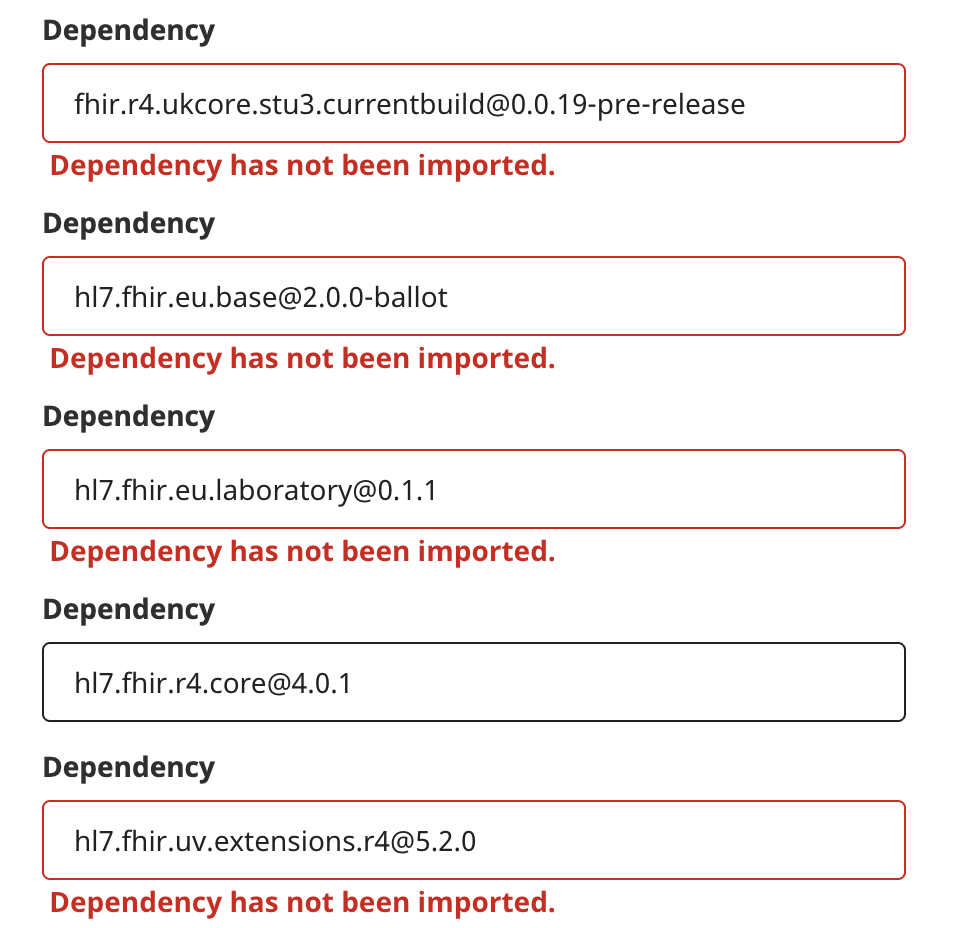
@Kevin Mayfield this shouldn't be an actual "problem", you just need to import the packages in order of the dependencies.
You can find these in advance, typically in the Simplifier site, for example:
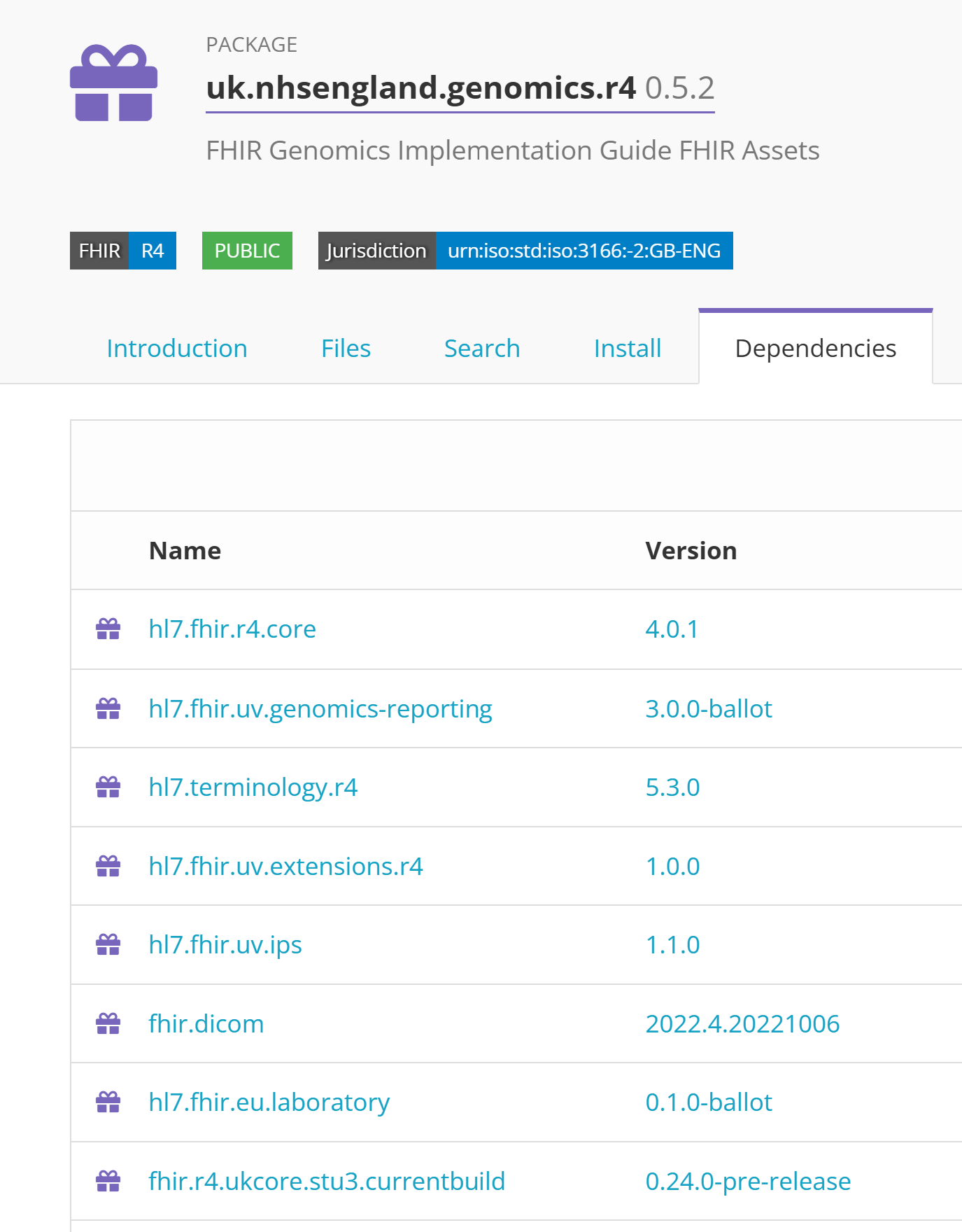
Note what makes it a little complex is that some might have also "sub-dependencies", for example (per above):
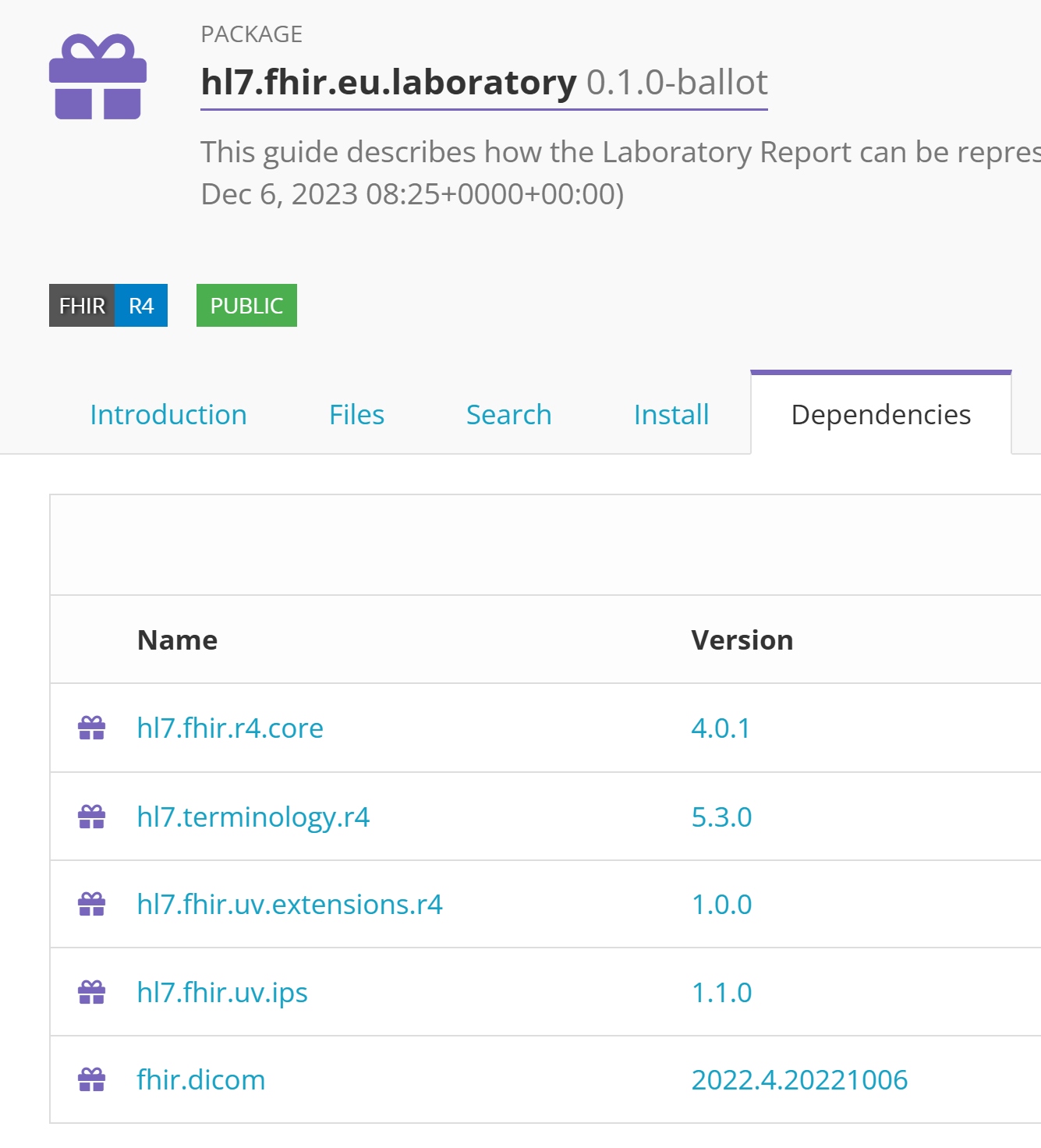
So you have to "manually" traverse the dependencies, start with those that are "deeper" in the "dependency tree" (with no dependancies of their own) to import them, and work your way up.
What @Eyal Levin was looking for (and you too?) I believe was an "automatic" way for this to happen. That you would just "point" at the desired package, and the FHIR Server would "pull" (and import) the other dependent packages.
Perhaps @Elijah Cotterrell, our FHIR Server Product Manager, can comment about our plans in this area.
Thanks.
I'm covering the North West and we including several extra IHE + EU packages plus this NHE England service. We're doing this as were a Health Information Exchange https://nw-gmsa.github.io/index.html#dependencies
I'm planning to write a bit of code to extract the concept maps
@Eyal Levin, the IRIS for Health team is working on a FHIR registry client that will resolve dependencies, download, and install packages to an endpoint.
We're planning to support Simplifier.net as well as manual uploads in IRIS for Health 2026.3. Note that this planned release is subject to change, so keep an eye out for release notes, or contact me directly!
Thanks @Elijah Cotterrell!
That will be great!
That will be great, thanks