Blurry Images on Atelier 1.0.263
Hi,
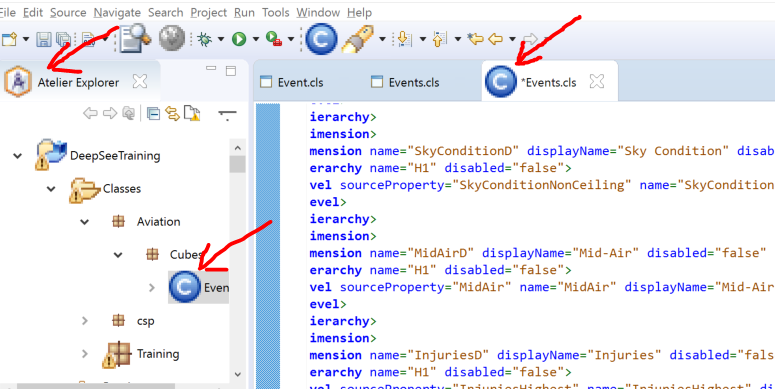
I just updated Atelier to 1.01.263 and now many of the Atelier icons/images are blurry and the spacing in the Atelier Explorer doesn't look right. This is on Windows 10. Is this a known issue? Are there any settings I need to adjust?
Thanks!
David
Comments
I am also on Windows 10 and just updated Atelier from 1.0.262 to 1.0.263. I'm not seeing what you're seeing. My icons don't seem to have changed.
Users with high resolution screens on Windows 10 will see pixelated icons if they have the Atelier IDE HiDPI feature installed.
If you've installed the standalone Atelier application from the WRC distribution page, then updating to version 1.0.263 may have automatically added this feature erroneously.
To fix:
- Close the Atelier application
- Navigate to <installation directory>/Atelier/plugins/
- Note: default installation directory is C:\InterSystems
- Delete com.intersys.eclipse.hidpi.aspects.jar
- Open the Atelier application
If you've installed the Atelier plugin to an Eclipse application, the steps are a bit more straightforward.
To fix:
- Open Eclipse
- Navigate to Help > Installation Details > Installed Software
- Select the "Atelier IDE HiDPI Support" feature
- Click the "Uninstall" button at the bottom of the page
- In the future, make sure that you do not install this feature when updating from the Atelier update sites
If these steps don't help, please contact support and they will be able to further assist you.