Thanks Luis

You are totaly right .Reading this post, I understood that I had to filter Abstract Syntax, instead of setting it generaly.  

It's looks like when you are just setting :
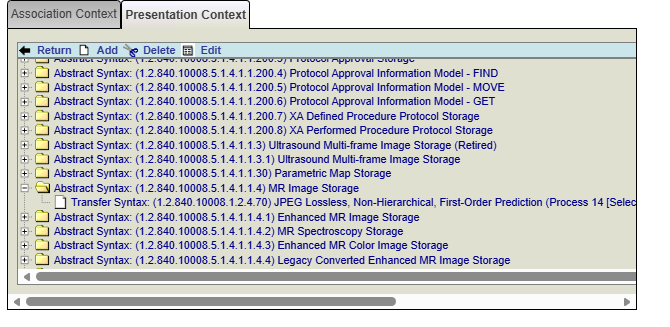
It works 
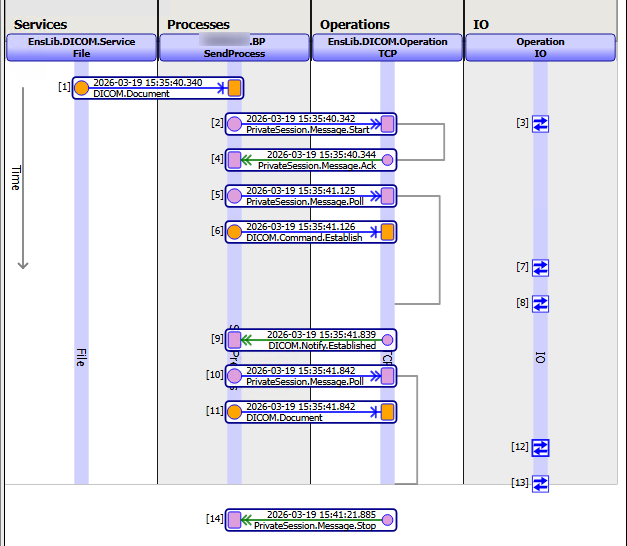
But when you try to set it genreally: 
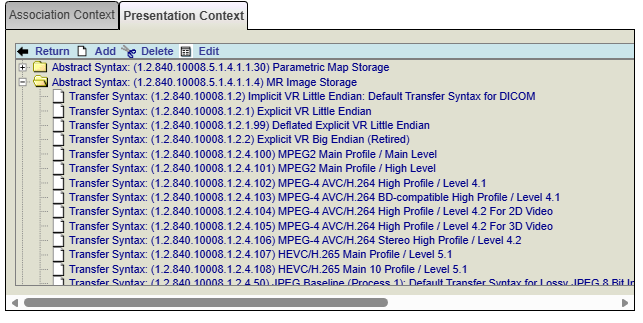
It fails:
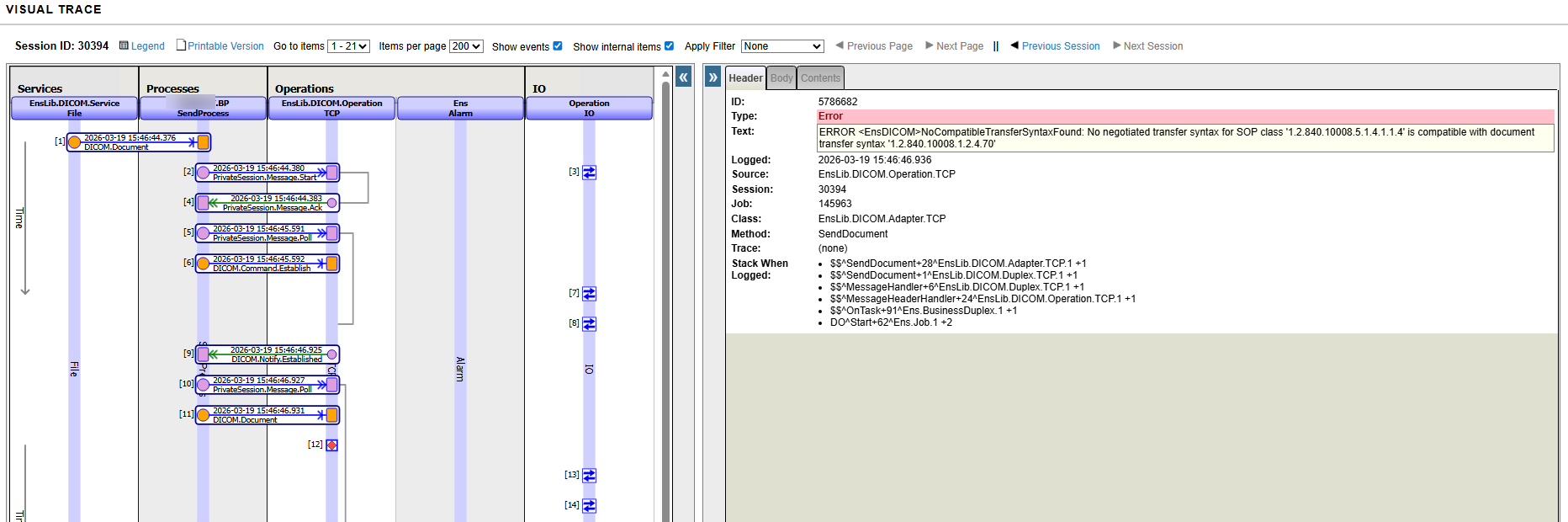
Pretty sure it's something that I'm not getting conceptually from DICOM. But if someone, can explain it, it would be wonderful. 

Hello Yone
I have exactly the same error. Did you found a solution/workaround?

Thanksss

Loïc Bettini · Jun 12, 2025 go to post

If someone go through this topic, I had to change next lines in Grongier.SQL.OutboundAdapter to make it work :

// FROM
Set pHS=..%JGProxy.prepareStatement(..%ConnHandle,pSQLStatement)
// TO
Set pHS=..%Connection.%JGProxy.prepareStatement(..%Connection.%ConnHandle,pSQLStatement)

// FROM
set tResultCodes = ..%JGProxy.executeParametersBatch(pHS,.tArgs)
// TO
set tResultCodes = ..%Connection.%JGProxy.executeParametersBatch(pHS,.tArgs)

// FROM 
set sc = .%JGProxy.removeStatement(pHS)
// TO
set sc = ..%Connection.%JGProxy.removeStatement(pHS)
Loïc Bettini · Aug 13, 2024 go to post

Sorry, I didn't get back to you sooner but I tried both workaround and the first one worked for me

select cast(column_name as varchar(32767)) from table;

The second one didn't work in my case.

Thank you very much for your help.