IKO Plus: Shhhhhhhhh - Secrets Management for IRIS Clusters with External Secrets Operator
.png)
Now Under Heavy Rotation, Your IrisCluster Secrets
A few days before Kubecon, the external-secrets-operator went GA with 1.0.0 and is set to ride shotgun for Kubernetes Secrets Management and put Vault in the backseat. You can glance at the "Providers" list for the solution and immediatley understand that you can leave the "which Secrets Manager" conversation to others while you do your job utilizing external secrets on your IrisCluster workloads, which by my count with the operator and a single IrisCluster is more than a fistful of secrets of different types, even under a single tenant. So let them sprawl, the secrets managers that is, not the secrets.
.png)
Distraction
Lets generate a pull secret in Google Cloud Secret Manager for use with the InterSystems Kubernetes Operator from containers.intersystems.com and use the secret to pull the protected iko image.
Cluster
Lets stand up a k0s cluster for use locally.
# Download k0s
curl -sSLf https://get.k0s.sh | sudo sh

# Install k0s as a service
sudo k0s install controller --single

# Start k0s as a service
sudo k0s start

# Check service, logs and k0s status
sudo k0s status
The Secret
We need to generate a secret for containers.intersystems.com and jam it in Google Cloud Secret Manager for starters.
In Google Cloud, enable Secrets Manager
gcloud auth login
gcloud config set project ikoplus
gcloud services enable secretmanager.googleapis.com
Now, lets create a docker secret from containers.intersystems.com
docker login -u="ron.sweeney@integrationrequired.com" -p="someOfYourbaseAreBelongToUs" containers.intersystems.comThis will create a config.json somewhere on your system, we now need to jam it in GCP as a secret.
gcloud secrets create ikoplus-eso-gcp \
  --project="ikoplus" \
  --replication-policy="automatic" \
  --data-file=./config.json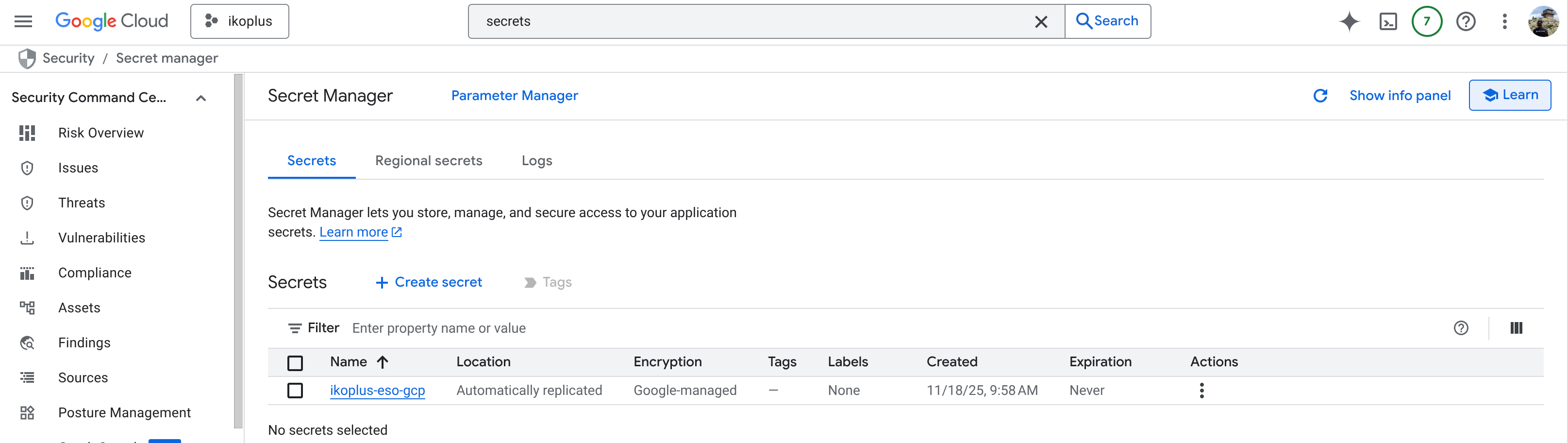
External Secrets Operator
Lets install the external-secrets-operator itself, and wire up the Google Secret Manager to our new resource type: SecretStore.
.png)
Install the Chart
helm repo add external-secrets https://charts.external-secrets.io

helm install external-secrets \
   external-secrets/external-secrets \
    -n external-secrets \
    --create-namespace
Give it a minute to figure itself out, and when you are done you should have a total of 12 pods or so across 3 deployments in namespace "external-secrets", here is our view from Headlamp (so far).
Provision a SecretStore
So the custom resource provided by external-secrets-operator, the SecretStore has a direct communication line to talk to Google Cloud External Secrets. For this I created a service account, scoped with Secret Manager Admin, and created a key for the SecretStore to use.
kubectl -n ikoplus create secret generic gcp-sm-credentials --from-file=secret-access-credentials=ikoplus-293eb407499d.json
Apply the below, its commented enough to just fill it out like a form:
# gcpsm-secretstore.yaml
apiVersion: external-secrets.io/v1
kind: SecretStore
metadata:
  name: gcp-sm-store
  namespace: ikoplus
spec:
  provider:
    gcpsm:
      projectID: ikoplus
      auth:
        secretRef:
          secretAccessKeySecretRef:
            name: gcp-sm-credentials
            key: secret-access-credentials
kubectl apply -f secretstore.yaml --kubeconfig ikoplus-eso.kubeconfigCreate ExternalSecret
Now, link the ExternalSecret to a plain 'ol Kubernetes secret.
# externalsecret-dockerconfig.yaml
apiVersion: external-secrets.io/v1
kind: ExternalSecret
metadata:
  name: external-containers-pull-secret # I like to just prepend "external"
  namespace: ikoplus
spec:
  refreshInterval: 1h
  secretStoreRef:
    name: gcp-sm-store
    kind: SecretStore
  target:
    name: containers-pull-secret        # Name of the Kubernetes Secret to create
    creationPolicy: Owner
    template:
      type: kubernetes.io/dockerconfigjson
      data:
        # "dockerconfig" is the logical key we use inside the template
        .dockerconfigjson: "{{ .dockerconfig | toString }}"
  data:
    - secretKey: dockerconfig     # This name is used in the template above
      remoteRef:
        key: ikoplus-eso-gcp      # The secret ID in Google Secret Manager
kubectl apply -f externalsecret.yaml --kubeconfig ikoplus-eso.kubeconfigUsing the external-secrets-operator plugin for Headlamp, you can see our Custom resources for ESO created.
.png)
Attestation
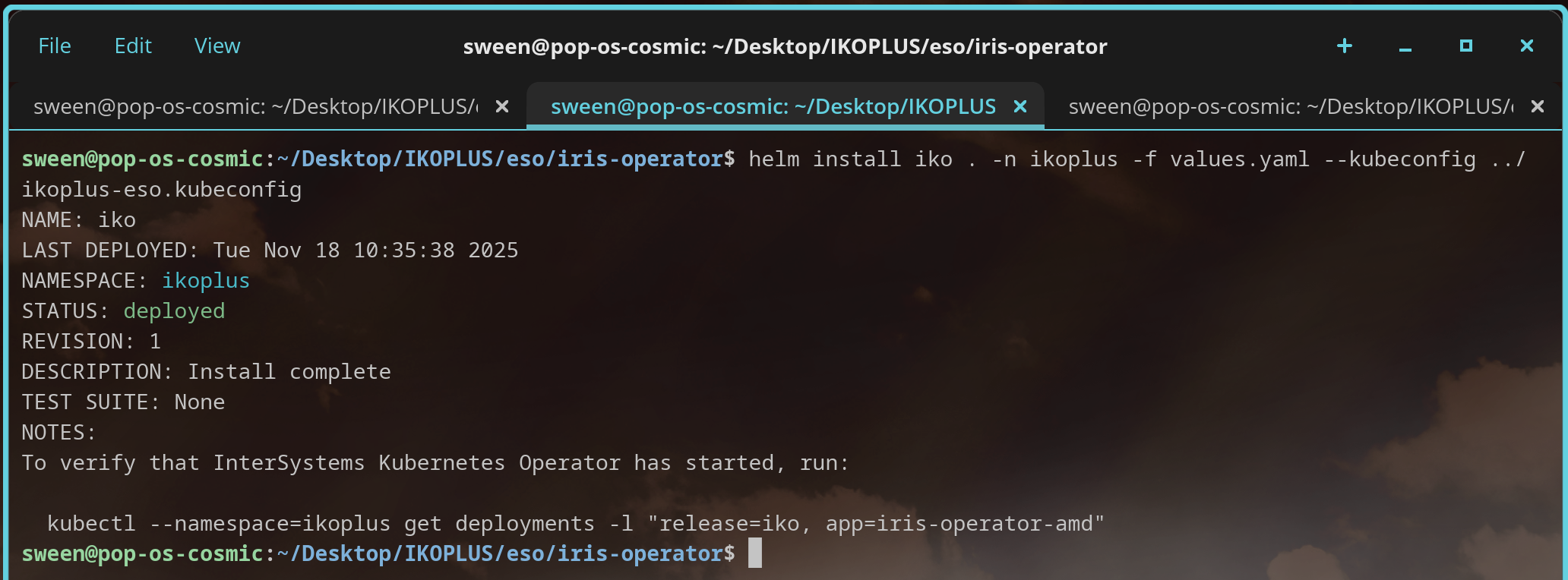
Lets deploy the IKO Helm Chart with the updated values for the image pull secret... this should point to the standard Kubernetes secret we created, which resolves to an external secret in Google Cloud Platform.
## Optionally specify an array of imagePullSecrets.
## Secrets must be manually created in the namespace.
## ref: https://kubernetes.io/docs/concepts/containers/images/#specifying-imagepullsecrets-on-a-pod
##
imagePullSecrets:
  - name: containers-pull-secret    #### actually from external-containers-pull-secret
## Specify a imagePullPolicy
## ref: http://kubernetes.io/docs/user-guide/images/#pre-pulling-images
##
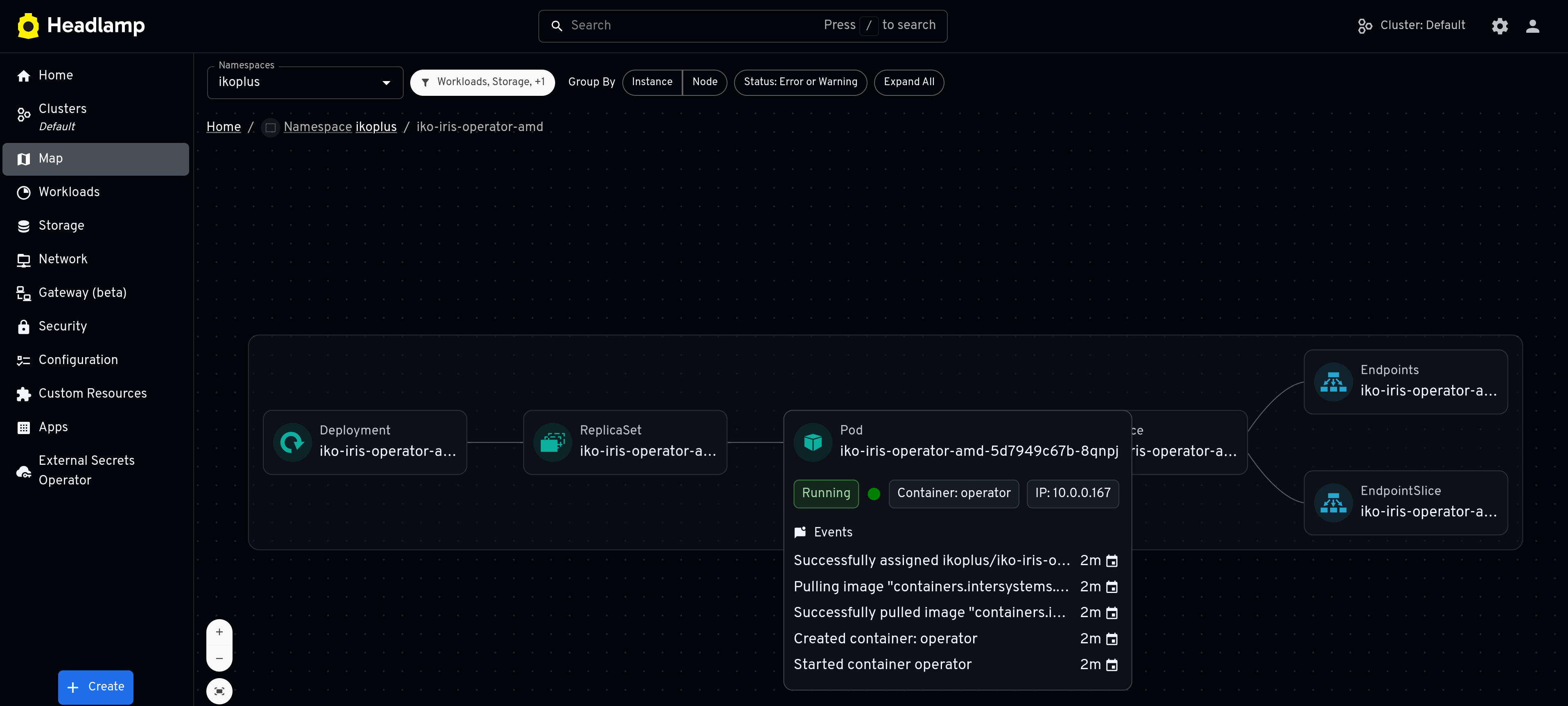
Successful Pull!! Uses containers-pull-secret which is actually external-containers-pull-secret in Google Cloud Platform Secrets Manager!
External Secrets Operator is an OpenCollective org, give them a look for your IrisCluster workloads.
🎉
Now you have somehwere to stash that password hash!
.png)